Unfortunately, the systray icon doesn’t scale making it barely visible with a dark scheme. Once that solved, you may want to add few more actions to it, like Play, Show equalizer and Quit, for example.
1 Like
@Starcrasher I noticed that too. Adding the extra tabs will be easy. Hoping the scaling will be just as easy. Glad that’s all 
If I close the window then the app is hidden is Deskbar and I can show the player back using the entry in icon menu. If I forget to quit and reboot, the icon is still in Deskbar but, asking to show the player doesn’t work. Perhaps because I installed it in home?
1 Like
So, I reinstalled the app in system dir but the same thing happens. Show Player does nothing after reboot simply because the app isn’t running. Unfortunately, even if you are choosing Quit the icon stay and you have to start the app manually to quit properly.
1 Like
@Starcrasher I have the Deskbar tray zombie fixed in my current code. Will publish an update soon. Thanks for reporting !
1 Like
Hi all,
New updates and fixes…

-
Fixed icon scaling in Deskbar tray.
-
Fixed zombie Deskbar tray icon after rebooting.
-
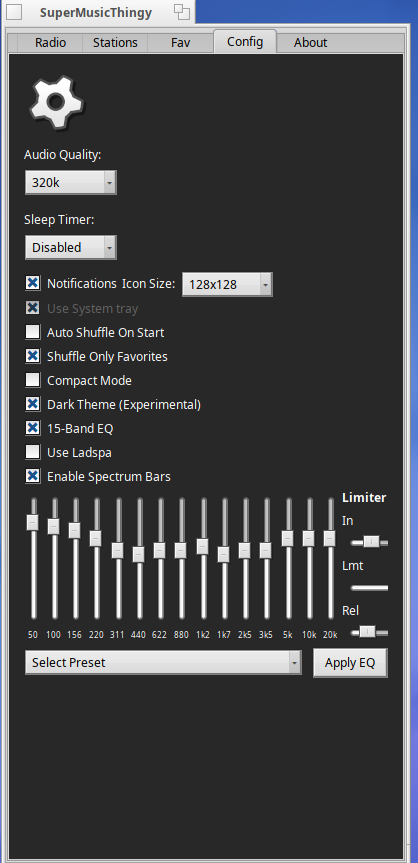
Updated and improved mpv native EQ plugin code.
-
Added new sleep timer in config menu.
-
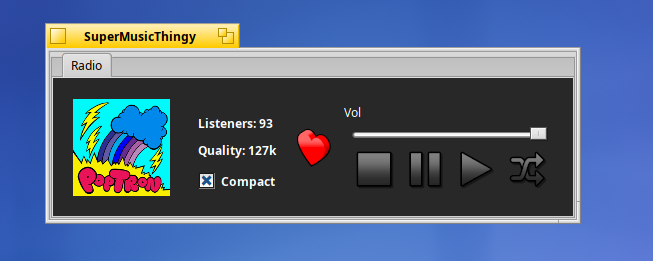
Added new Compact Mode.

Three different flavors available:
1. HaikuSuperMusicThingy-1.0.0-1-x86_64.hpkg
– Requires: Haiku
2. HaikuSuperMusicThingy-projectM-bundle-1.0.0-1-x86_64.hpkg
– Requires: Haiku Nightly
– Turing+ GPU supported Nvidia card
– libglvnd-1.7.0-4-x86_64.hpkg
– nebula-0.0.2-1.x86_64.hpkg
3. 32bit Hpkg: HaikuSuperMusicThingy-1.0.0-1-x86_gcc2.hpkg

Known 32bit Issues
- Notify icons larger than 32x32 aren’t working.
- System tray mode is disabled by default because it isn’t working.
3 Likes
On Haiku, packages can placed in two locations :
/boot/system/packages where HaikuDepot rules or
/home/config/packages where you are the boss and HaikuDepot will only look to load what you put there.
If HD find two packages of the same name, no matters the version, the one in home will be used.
1 Like
Oh, I didn’t know about that  . Regarding the zombie icon in the system tray, that should be fixed in the latest update mentioned above. After rebooting you can tap the icon and after about 2 - 3 seconds it will pop open.
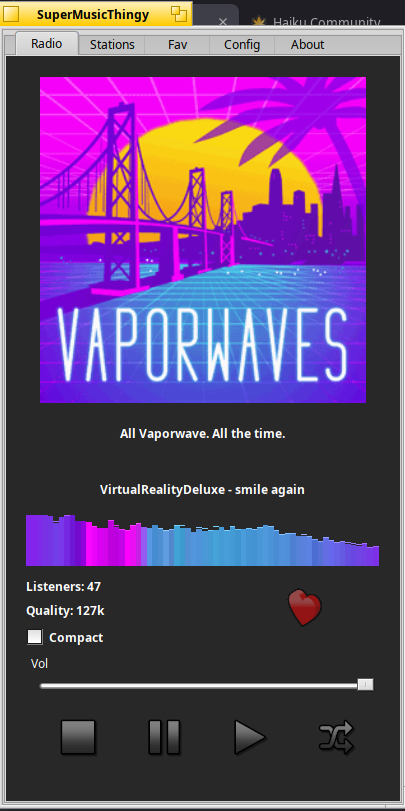
Screenshot of new spectrum visuals.. Still making sure all the bugs are worked out before I make it final
5 Likes
Hi all,
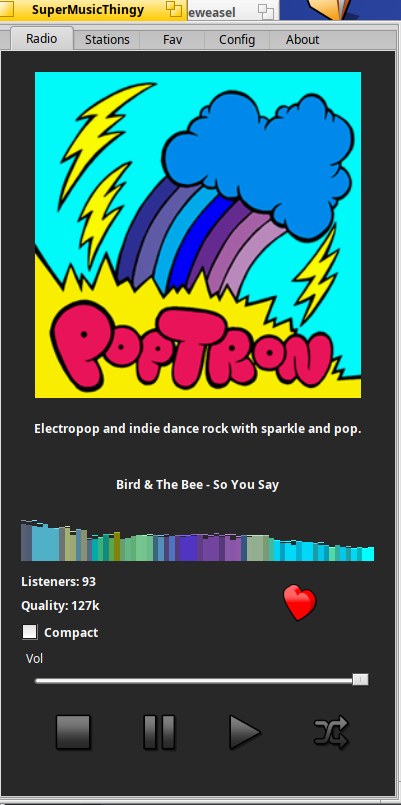
- This update adds a small spectrum visual to the main tab.
- Fixes heart icon not working on main tab.
Screenshots
Known Issues
- If shuffle on start is enabled, the spectrum will render default colors as the icon cache has not finished populating. This is normal.
- 32bit Hybrid version has a crash bug when disabling compact mode. Just found out about this and a fix will be applied soon.
- Also, as mentioned above, 32bit hybrid version doesn’t support system tray docking (yet), so this is disabled by default.
Three different flavors available:
1. HaikuSuperMusicThingy-1.0.0-1-x86_64.hpkg
– Requires: Haiku
2. HaikuSuperMusicThingy-projectM-bundle-1.0.0-1-x86_64.hpkg
– Requires: Haiku Nightly
– Turing+ GPU supported Nvidia card
– libglvnd-1.7.0-4-x86_64.hpkg
– nebula-0.0.2-1.x86_64.hpkg
3. 32bit Hpkg: HaikuSuperMusicThingy-1.0.0-1-x86_gcc2.hpkg
1 Like
Hi all,
Just wanted to give a shout out about some updates and bug fixes.
- Fixed compact mode crash bug in 32bit hybrid. Had previously fixed this with a restart the app function, but found the root cause and now the 32bit app does not need to restart. It follows the same dynamic app update logic as the 64bit version when switching from compact mode to standard view mode.
- Updated spectrum logic to be more realtime and intuitivie to the sound. The bars will fade out when stopped or paused.
- Added the spectrum and song title to the compact mode. The song title has a slight fade in filter and scrolls horizontally if the title is longer than the view window.
- Fixed a bug when shuffle would not update the albumn art. This only happend occasionally and so it was not a real urgent need to fix, but finally put this little bug to bed.
4 Likes
Hi All,
Some fun updates to announce with the Super Music Thingy App
- Added three new spectrum visuals and two spectrum games.
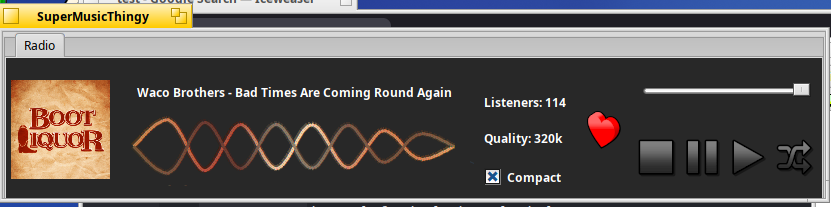
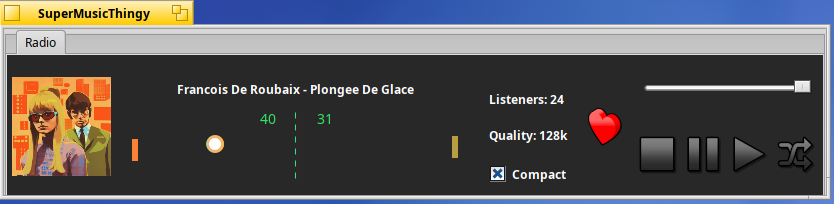
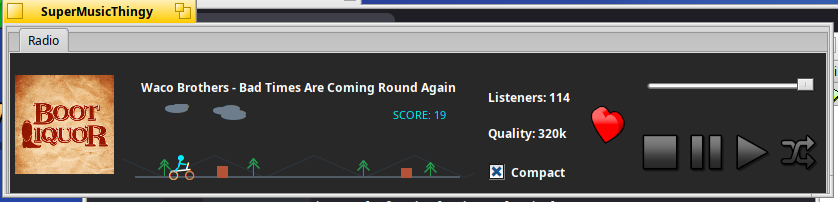
- Minor updates also include centering the title song, increasing the visibility of the spectrum, and some code quality clean ups, misspellings etc.
Three different flavors available:
1. HaikuSuperMusicThingy-1.0.0-1-x86_64.hpkg
– Requires: Haiku
3. HaikuSuperMusicThingy-projectM-bundle-1.0.0-1-x86_64.hpkg
– Requires: Haiku Nightly
– Turing+ GPU supported Nvidia card
– libglvnd-1.7.0-4-x86_64.hpkg
– nebula-0.0.2-1.x86_64.hpkg
4. 32bit Hpkg: HaikuSuperMusicThingy-1.0.0-1-x86_gcc2.hpkg
–Require: Haiku 32bit Hybrid
3 Likes
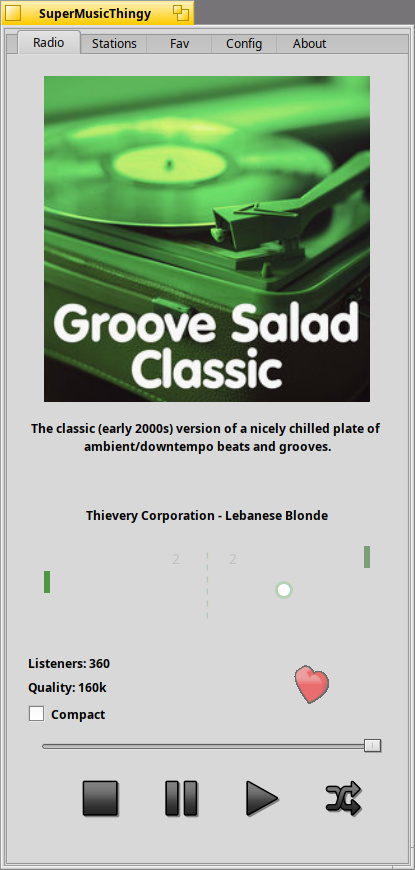
This is creative. I even like the raining feature and the person cycling through the park. This does put more Lava Lamp fun into the player. Imagine doing Centipede or Bubble Bobble (blowing air bubbles floating around). Defender ships flying and picking up humans. Heh heh. Well, that is the fun of it all.
One thing was in selecting the specific MP3 tracks versus AAC tracks for the channels
2 Likes
I just uploaded the latest build. It implements better game logic for the ping pong. Previous version was a little static, lacking dynamic ball movements. Also fixed the some UI elements when disabling the spectrum… windows resize properly now. About the MP3/AAC stuff… somafm handles all that behind the scenes per bitrate. mp3 being highest etc.. and lower bitrates will grab aac or similar. Thanks for testing… love the ideas of space invaders. 
2 Likes
Hi All,
Thought I’d make a video showcasing SuperMusicThingy.
I tried to capture some of all the details about the app, but because I had to use a virtual machine to capture the video, the opengl backend was not available to share the projectm visualizer.
One important thing I did share was how ladspa uses single threaded avslices in comparison to the native mpv plugins. ladspa is very nice and great for testing or if you use very old hardware it may be less cpu intensive than the native mpv plugins, but on modern cpus, the ladspa sound quality just doesn’t match up to the native mpv plugins.
I also shared applying global color preferences and how to make them stick with the app. Currently the app incorporates it’s own theme engine which overrides Haiku global theme, but by simply turning the apps theme settings on/off will allow Haiku’s global theme preferences to stick.
Here’s the Video
Three different flavors available:
1. HaikuSuperMusicThingy-1.0.0-1-x86_64.hpkg
– Requires: Haiku
2. HaikuSuperMusicThingy-projectM-bundle-1.0.0-1-x86_64.hpkg
– Requires: Haiku Nightly
– Turing+ GPU supported Nvidia card
– libglvnd-1.7.0-4-x86_64.hpkg
– nebula-0.0.2-1.x86_64.hpkg
3. HaikuSuperMusicThingy-1.0.0-1-x86_gcc2.hpkg
– Requires: Haiku 32bit Hybrid
1 Like
Hi All,
Some small updates today…
Ping pong
- Increased the sensitivity making it easier to play.
- Fixed the scoreboard and net when not in dark theme.
Motorcycle
- Add front flip to the motorcycle game with a bonus message and popup box.
- Added different mountain shapes and made them easier to see.
Spectrum Engine
- Added auto buffer sync to help the spectrum sync to the music
Fade in Music Logic
- Replaced with async logic and adjusted so you can actually hear it fade in.
mpv engine and Filters
- Updated with less bottle necking code from previous fade in logic
ApplyTheme button
- Updated to apply dark theme colors to the Config menu buttons.
Overall UI look
- Increased the album art a little in both modes.
- Added station description to compact mode.
- Fixed the bottom stop, pause, play and shuffle buttons being off center.
Three different flavors available:
1. HaikuSuperMusicThingy-1.0.0-1-x86_64.hpkg
– Requires: Haiku
2. HaikuSuperMusicThingy-projectM-bundle-1.0.0-1-x86_64.hpkg
– Requires: Haiku Nightly
– Turing+ GPU supported Nvidia card
– libglvnd-1.7.0-4-x86_64.hpkg
– nebula-0.0.2-1.x86_64.hpkg
3. HaikuSuperMusicThingy-1.0.0-1-x86_gcc2.hpkg
– Requires: Haiku 32bit Hybrid
1 Like
Hi All,
Last nights updates actually failed to fix the spectrum syncing with the music. After staring at the screen for so long the eyes begin to play tricks!
This update actually fixes the sync issue once and for all.
Also reduces the unnecessary cpu spike last nights update had implemented to no avail.
Thanks for all the beta testers out there!
Three different flavors available:
1. HaikuSuperMusicThingy-1.0.0-1-x86_64.hpkg
– Requires: Haiku
2. HaikuSuperMusicThingy-projectM-bundle-1.0.0-1-x86_64.hpkg
– Requires: Haiku Nightly
– Turing+ GPU supported Nvidia card
– libglvnd-1.7.0-4-x86_64.hpkg
– nebula-0.0.2-1.x86_64.hpkg
3. HaikuSuperMusicThingy-1.0.0-1-x86_gcc2.hpkg
– Requires: Haiku 32bit Hybrid
2 Likes
Hi All
Just here to report on the latest updates.
- Added code to honor Haiku global color pallet AND changes if Dark them is off by default. Basically what this means is whatever color you currently have Haiku set to use, the app will honor it.
- Removed ladspa option. It’s currently outdated and only single threaded. Great for learning and testing so the code is still intact but just hidden incase you have the plugins in non-packaged libs and like to tinker.
- Redid the ping pong score logic. Missing the ball will give the other team a score instead.
- Added some fun Easter egg code to ping pong and motorcycle jumper. Triple back flip if you can!
- Tweak the fade in logic to be less pronounced.
- Tweaked the spectrum bars to be less jittery and smoother.
- Add new obstacles to the motorcycle rider game. In case I forgot to mention, double tapping the left mouse will make the motorcycle rider do a front flip. A total of (3) 360 flips is possible if you get lucky!
Three different flavors available:
1. HaikuSuperMusicThingy-1.0.0-1-x86_64.hpkg
– Requires: Haiku
9. HaikuSuperMusicThingy-projectM-bundle-1.0.0-1-x86_64.hpkg
– Requires: Haiku Nightly
– Turing+ GPU supported Nvidia card
– libglvnd-1.7.0-4-x86_64.hpkg
– nebula-0.0.2-1.x86_64.hpkg
10. HaikuSuperMusicThingy-1.0.0-1-x86_gcc2.hpkg
– Requires: Haiku 32bit Hybrid
2 Likes
Hi All,
Some new updates today…
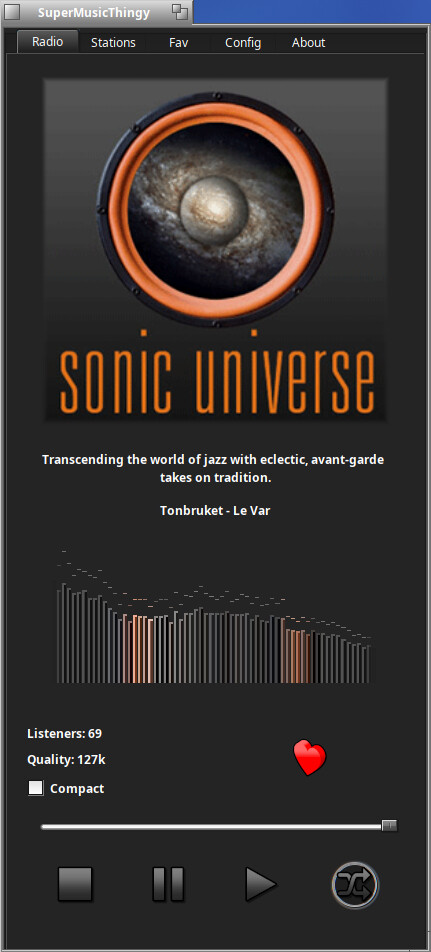
– Added emboss and fade logic to the spectrum bars and wave views.
– Added hover fade logic effect over buttons.
– Added slight fade to album art
– Increased the size of the spectrum view when not in compact mode.
– Decreased the error probability of the ping pong AI.
Screenshot
Three different flavors available:
1. HaikuSuperMusicThingy-1.0.0-1-x86_64.hpkg
– Requires: Haiku
2. HaikuSuperMusicThingy-projectM-bundle-1.0.0-1-x86_64.hpkg
– Requires: Haiku Nightly
– Turing+ GPU supported Nvidia card
– libglvnd-1.7.0-4-x86_64.hpkg
– nebula-0.0.2-1.x86_64.hpkg
3. HaikuSuperMusicThingy-1.0.0-1-x86_gcc2.hpkg
– Requires: Haiku 32bit Hybrid
2 Likes
I was thinking of adding a Special Thanks to…<your name / alias here> to my About tab.
Those that have helped and inspired code improvements …
@cocobean
@Starcrasher
@kim1963
I will just use your alias unless you prefer a different name. If you don’t want to be included in the about About page just let me know.
Thanks!
3 Likes