I’ve just pushed a new version of wpa_supplicant (2.12), which contains a number of bug and security fixes. If anyone on R1/beta6 TC0 or a recent nightly could do a full-sync (or just pkgman up wpa_supplicant), reboot, and make sure connecting to WiFi (especially WPA/2 networks) still works, that would be great.
1 Like
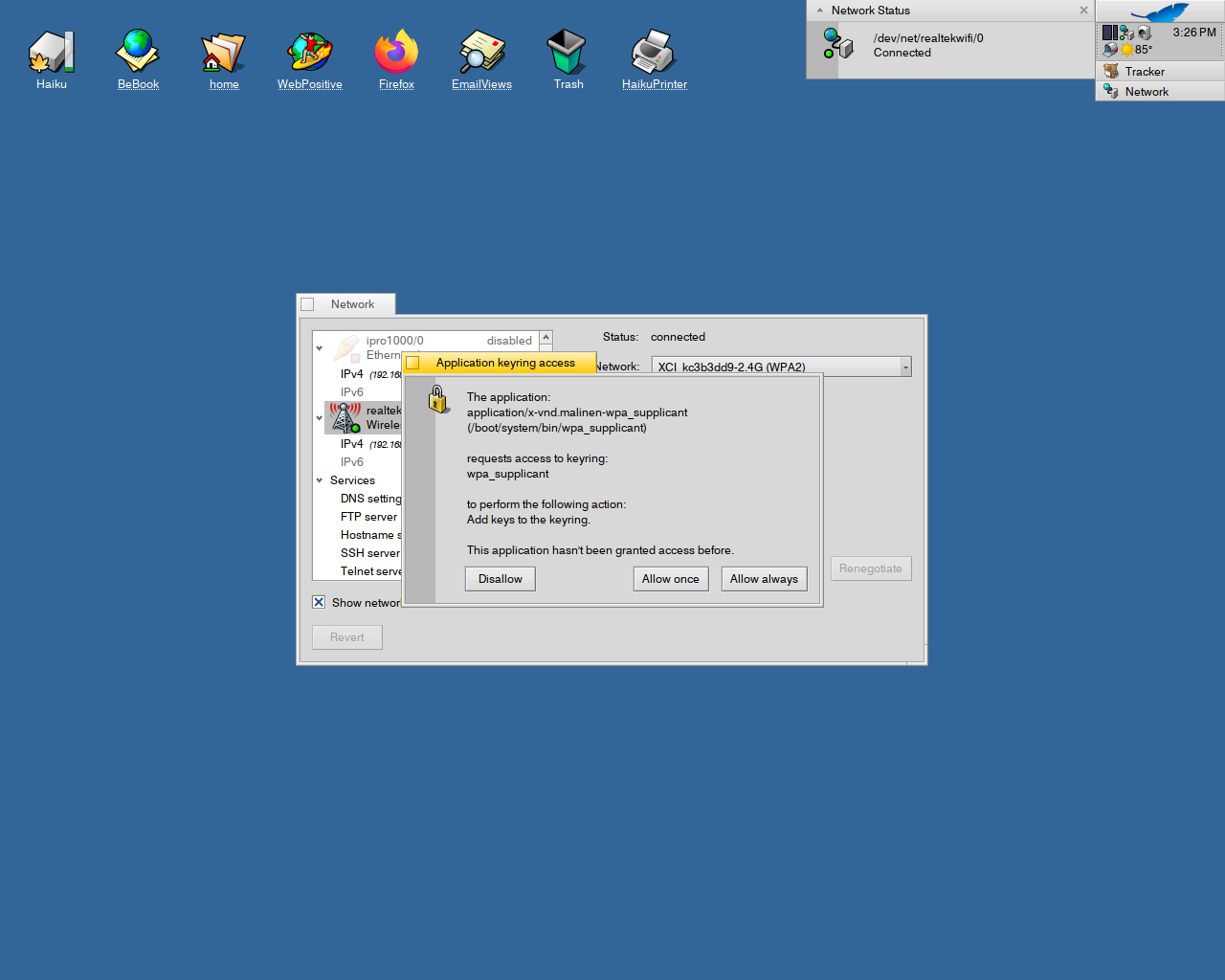
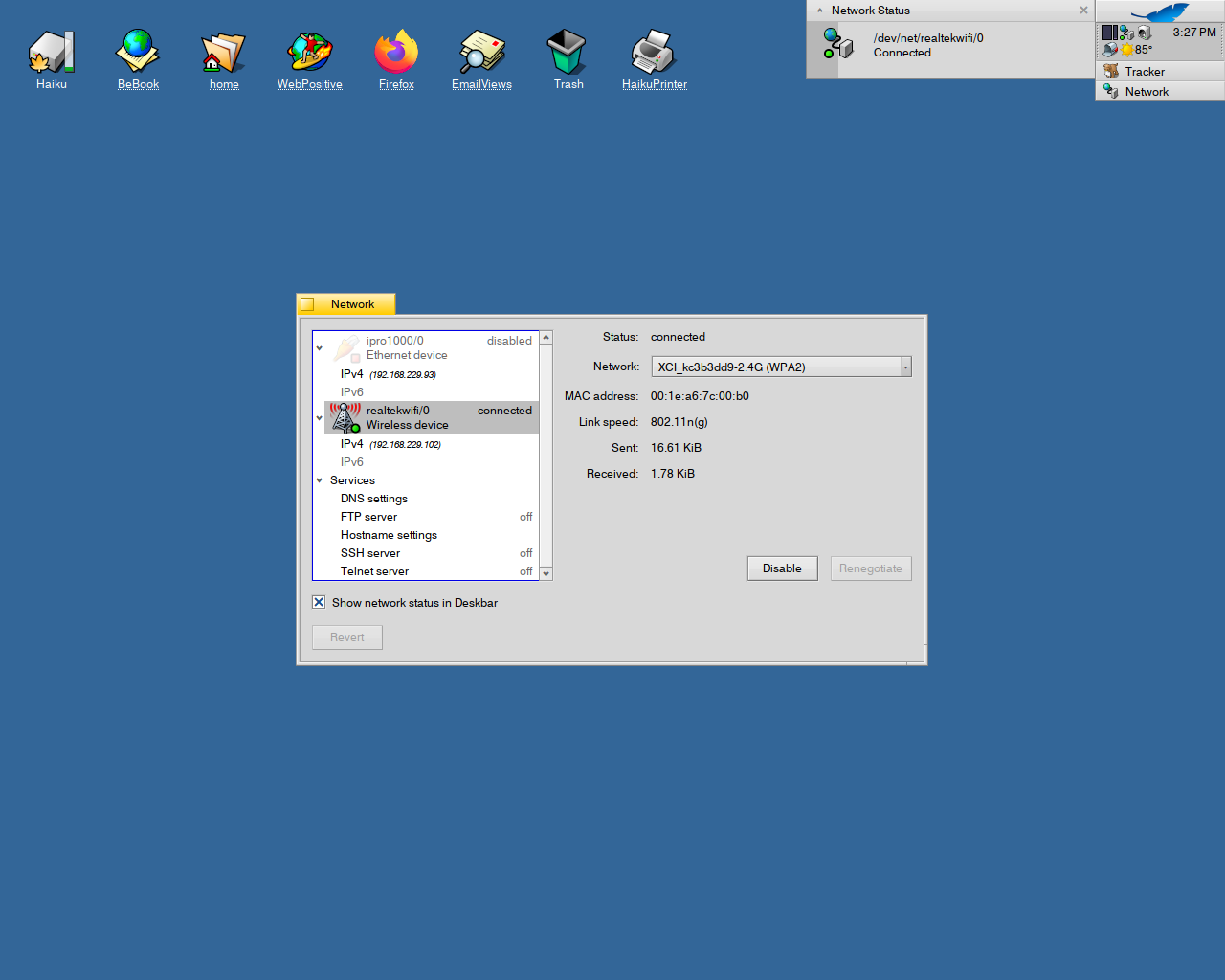
I just did a pkgman full sync and updated the wpa_supplicant package, and grabbed my usb wireless rebooted the machine, and it went thru the setup perfectly. I’m on my wireless network writing this.
3 Likes
I will probably end up doing a full reinstall of beta6 just without no thrills just to test the mounting my other Haiku. Currently I am getting file corruptions when coping too and fro either drive, which probably is related to the lockup when umounting. I did a checkfs on both drives and all is good there. When I get some time tonight or tomorrow, I will do some my checking…1. copying files to other non haiku drives to see if I can replicate the bug and find the source, 2. If I can’t find the source I may try installing haiku6 to a different drive in case the current haiku6 drive is damaged.
*Update: I just tried coping a text file from Haiku6 to a FAT32 drive and the file was corrupted. I did the same thing in non Haiku 6 and the file is not corrupted.
I am gonna to say the source is Haiku6 but not 100% if it’s not just a bad drive. So will plan on doing a reinstall to a different drive soon and report back.
**Update2: Okay, I just created a regular file and typed test one two three and copied to and fro haiku6 and regular haiku nightly. No issues. The source of the issue is when I export my passwords from Firefox in Haiku6 to passwords.css file and copied it to Haiku and/or Fat32 drive. Maybe someone else with Firefox can try exporting their passwords and see if something similar happens.
**Update3 I just had the same lock up and file corruption when coping my passwords.css file from regular Haiku nightly to fat32. So right now, as it stands, I don’t think it’s a Haiku6 specific issue. Honestly I don’t know what is going on.
1 Like
I am on nightly. Is there a way to try haiku6 by upgrading, rather than a reinstall?
I am hoping for some better performance for my Intel UHD Graphics 620 GPU on my Thinkpad, 4K video is rubbish at the moment.
2 Likes
Same here. I looked at Upgrading and downgrading guide and tried the “pkgman add” command (substituting the link address in the op) not getting anywhere.
Opened a ticket about it with more details: Making sure you're not a bot!
1 Like
Once Haiku Beta6 is released, upgrading should work as described by the guide squizzler linked to.
I don’t think there was work done on the intel driver…
That’s because the links in the first post are pointing to ISO images, not repositories.
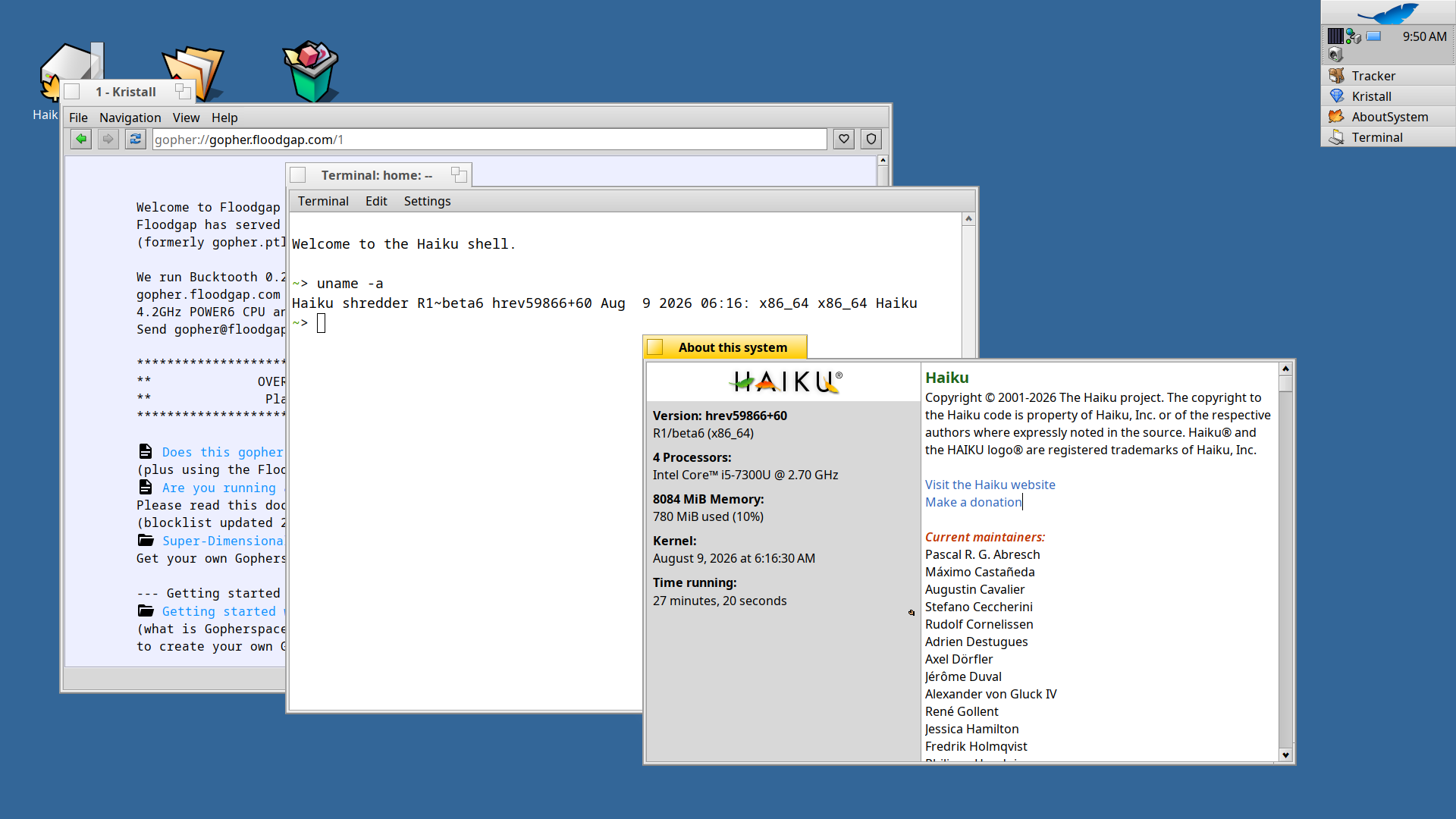
Updated the Beta test build to hrev59866+60 via Software updater. No breakage thus far from the earlier test Beta.
One annoyance is present in both of the test images, and also the nightles which can be worked around.
When copying an item for example from a usb drive to the desktop, the item appears not to be present on the desktop, or is barely viewable behind the deskbar, or the bottom right corner of screen(1280 x1024). If you increase the resolution of your screen (1400 x1050) the item is viewable and if you drag to item to the middle of the screen, and go back to original resolution, the item disappears again. copying to home folder and dragging onto screen the items stays where you dragged it.
This issue also occurs if you create a link for an item in your home directory to the desktop.
1 Like
Finished installing on my 5 NUC’s and a laptop.
- i5, i7, i9 NUC’s are functioning normally.
- My System76 i7 laptop has no issues.
- Everything is working as expected for the software packages installed.
- There seems to be no hiccups, issues (stalls | disconnects) with the wi-fi supplicant.
Pretty solid!!!
3 Likes
Ahoy Haikunauts !
Both Haiku x86_64 and x86 R1B6 test has a quirk when I started the Live session.
At 32 bit I got a KDL too. I could continue, but the menu was frozen.
The energy applet was not onthe shelf , but was running on deskbar without a window !í
I had to kill it with Process Monitor, and also Tracker and Deskbar too.
After the menu became available.
I have such annoying shelf erro in Nightly since some weeks, and Tracker freeze, that solves, if I kill both at the start.
I thought it relates to the usb_disk and xhci issue I opened a ticket about (#20233) but was closed as duplicate to #20232.
Well I will open about that a ticket too.
I tested the printer setup -I created the PDF printer - it was really simple to create it. It was easy and self-explanatory. The test prints to a PDF file were successful in all cases, whether I printed from the Live system or from the already installed system.
In each case, I installed this new copy on the same pendrive, in the remaining space.
I installed a lot of packages.
In addition to the known libxml2 and gtk package conflicts, the cdetools and mpfr packages had to be deleted from my computer during installation, because there were already more packages from these two on Haikoports.
However, I did not install photography, office, scientific or development packages on any of them.
I installed 32-bit Haikura several entertainment related packages, games, players. I would have made recorders as well, but they will be postponed due to gtk issues. I wanted to try the audio input as well, but that’s another time.
I filled the survey, but …
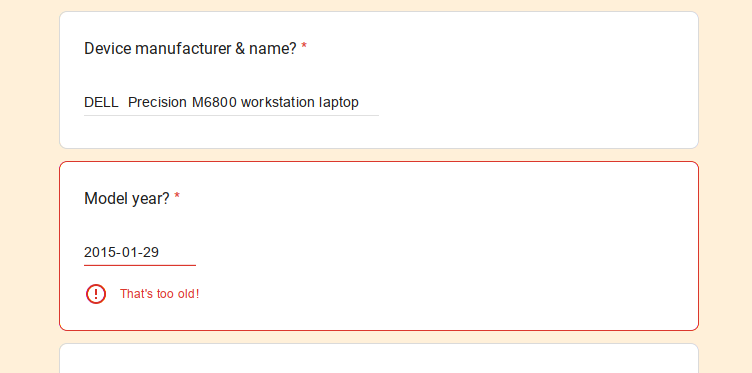
 I may am too old as well. For me works, as expected ;-))
So finally I had emptied the form as I could not send.
Installs were successful, the main issues I pasted here too. That not works like wifi , BT I have ticket, as there is no driver/firmware as Broadcom stupidity. Also the Radeon HD driver does not support my Radeon HD 8951 Mobile GPU, so the Intel 4th Gen integrated HD Iris (Haswell G2 Mobile GPU works.
This is Intel R Core™ i7-4800MQ (8) @ 2.69 GHz 8 core CPU in a Dell Precision M6800 workstation laptop.,from 2015(-01-29).
Wifi : BCM4352 firmware/driver
BT “Dell Computer Corp.” “Broadcom BCM20702A0 Bluetooth” ver. 0112
AMD Radeon HD 8950 Mobile GPU
aka
device Display controller (VGA compatible controller, VGA controller) [3|0|0]
vendor 1002: Advanced Micro Devices, Inc. [AMD/ATI]
device 6640: Saturn XT [FirePro M6100]

1 Like
This is wrong, i7 cpus will run 32 Bit OSes
One thing I found interesting was that the python pip hpkg is missing from HaikuDepo for both Python3.10 and Python3.14. No worries though as included is the ensurepip script which will install pip for you using the following command.
python3 -m ensurepip --upgrade
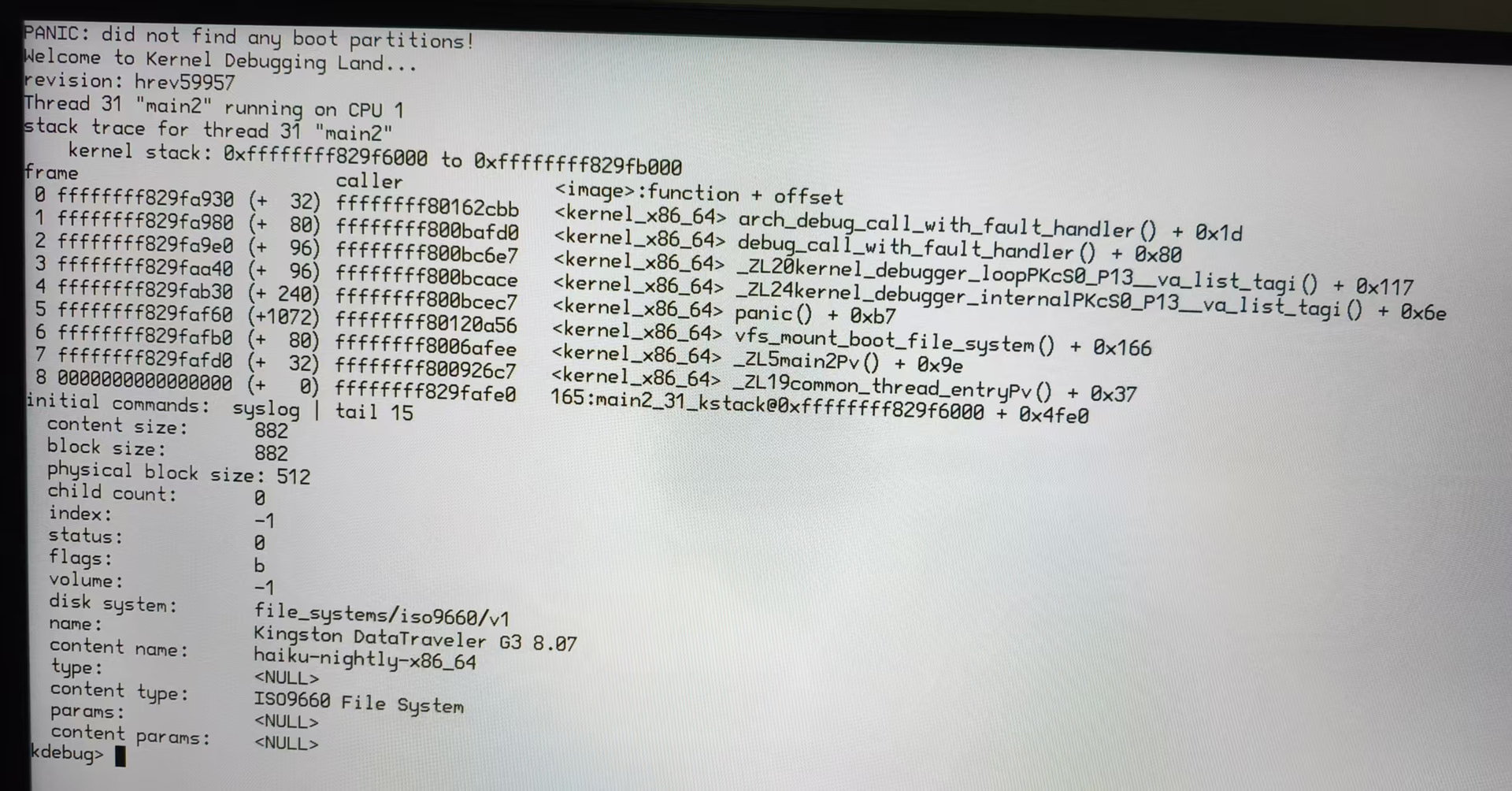
CSM is an implementation of MBR-Style booting for EFI, it stands for “Compatibility support module”.
There are 32bit and 64bit systems both with and without EFI, those do not correlate at all.
2 Likes
Did my report on the Dell Latitude E7420 get submitted correctly? I got redirected to an empty form instead of the confirmation page.
The E7240 is the only device I have had issues with so far. It is pretty unresponsive. Deskbar does not respond to mouse clicks at all, the desktop does for a few seconds and I can manage to open a tracker window but then it freezes too. Fans ramp up very loud.
HW info and syslog are here: Haiku_Beta6_TestResults/Dell Latitude E7420 at main · KevinAdams05/Haiku_Beta6_TestResults · GitHub
Looks like not. I see 2 entries from you, but none about a 7240.
I will resubmit it
Ahoy @Nighthawk
If you would have read my report above I wrote the same about Deskbar menu. Seems it’s somehow common Dell issue, mine is Dell Precision.
I suggest to kill energy status applet, Deskbar and Tracker with ProcessMonitor as that can launch without mouse and can kill the apps…
you know : [CTRL] + [ALT] + [DEL] or [ ctrl ] + [ alt ] + [ del ] 
After the Deskbar will work with mouse clicks …
If you watch carefully you can see a running enegy status applet on Deskbur as running, but NO WINDOW and NOT ON THE SHELF.
16 posts were split to a new topic: Nightly troubles
Working mostly fine on a Panasonic Let’s note (CF-LX6).
So far the main issue is that the touchpad registers the left click as a right click and is slightly jumpy. Using an USB mouse solves that.
1 Like