just to let you know… first time experience.. new update nightly black screens on boot.
can press space to enter menu and select any past image and can set safe mode but to no avail…
boot image of Haiku logo momentarily appears and then black..
looks like the boot process itself has been broken by the current update.
up until today and with 3 years of using Haiku the boot menu and rollback has always been 100% capable of getting me to a bootable machine albeit back to a few days/weeks earlier.
Sadly this seems irreversible and rollback-proof so I guess it’s a full reinstall back to R5 stable.
32 bit atom install just shows up dozens of conflicts surrounding a single package libxml2 provider unavailable and unable to move forward. im going to hold off any future upgrades on that front or will be rolling that back to R5 stable to see if that works.
There were a few changes to the boot process in the latest nightly to solve some long-standing problems (these changes aren’t in the beta6 branch because indeed they were a bit “risky”.)
What happens if you choose “Disable SMP”?
If you reset the machine after the black appears, is there a “previous syslog” available in the bootloader menus?
You may need to uninstall some old and unneeded packages to let the libxml2 update go through. If you don’t want to do that, a clean install of a nightly at this point will bring in the new libxml2 package set and things should work from there.
even it was a nightly already installed on my disk, it prompts the installer window at each boot and I have to choose to “try haiku” (!)
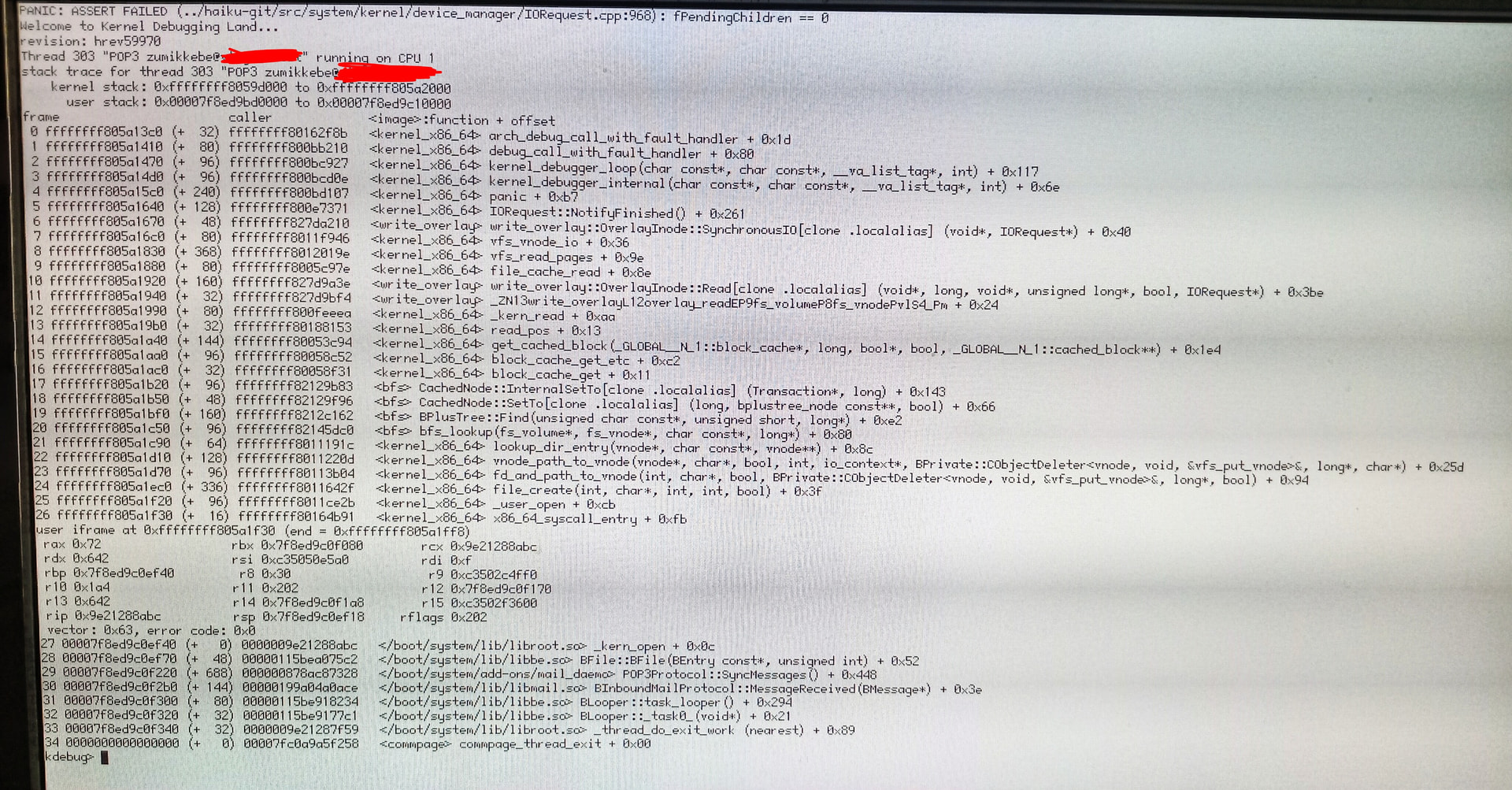
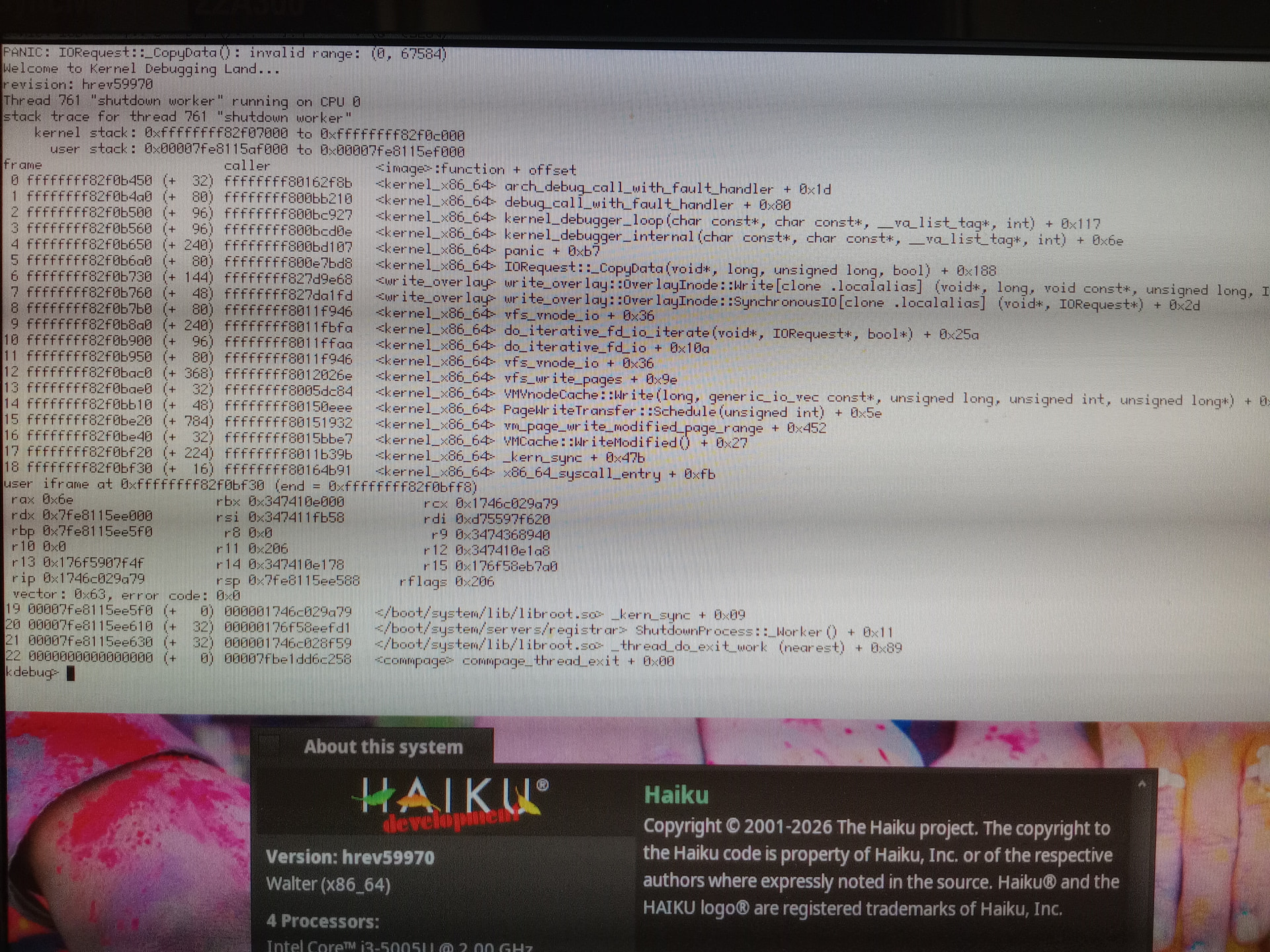
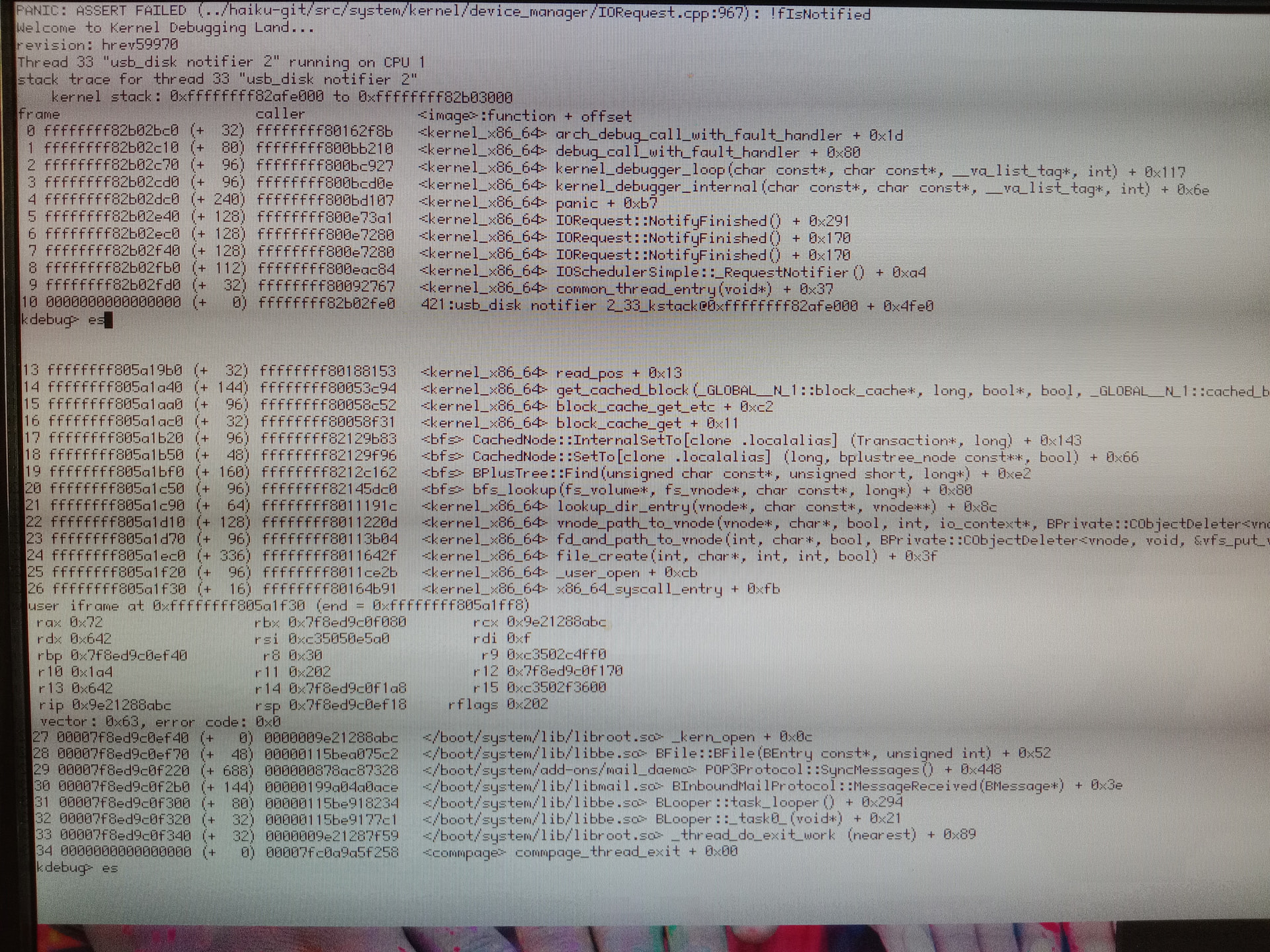
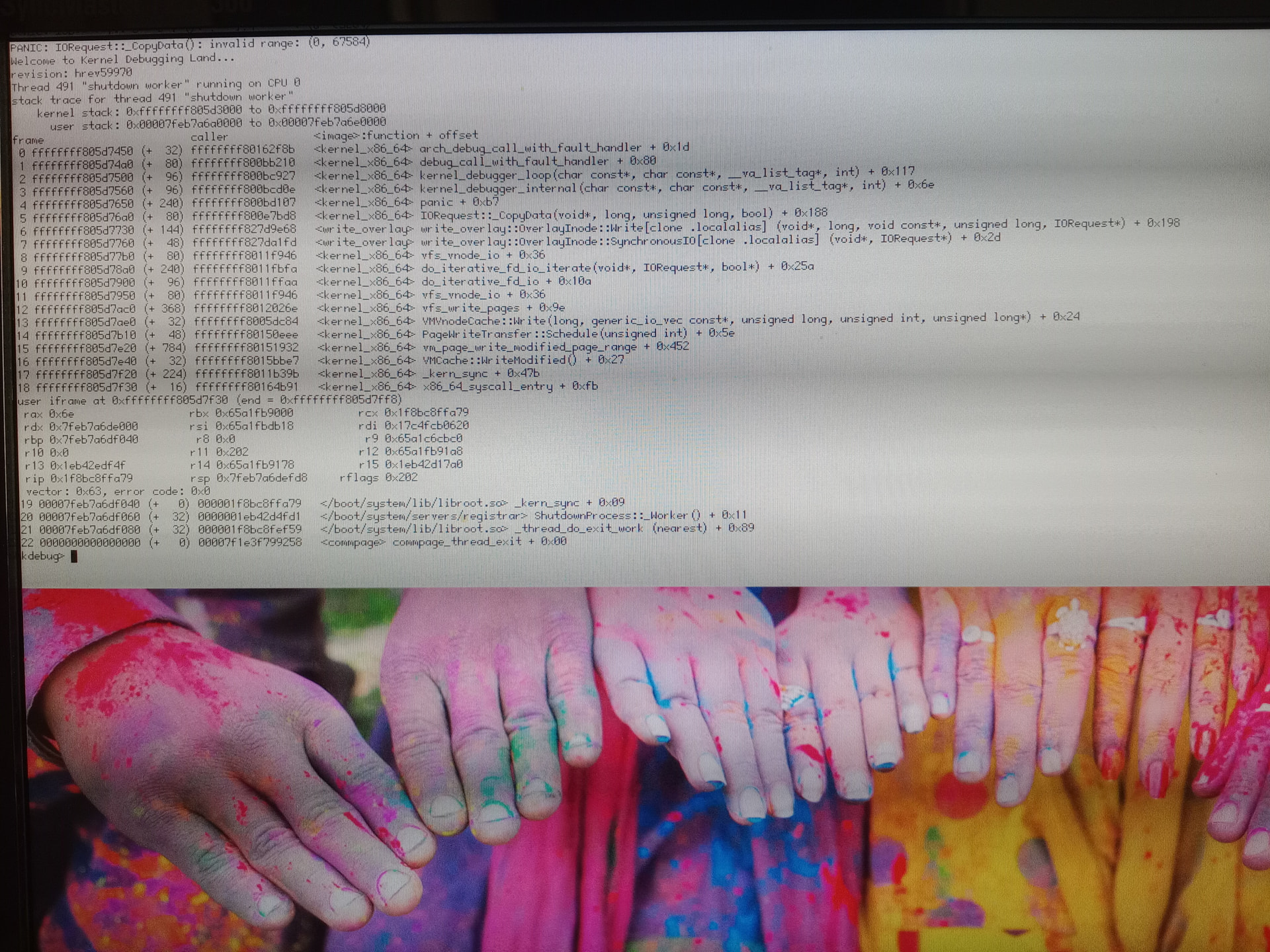
As someone above already said, sometimes deskbar seems to stop reacting to user clicks, as the desktop, sometimes KDL spawns (it didn’t happen before this update) the notify server also crashed at shut down , bug report was saved, but probably it didn’t be synched at the unmount so those data got lost
In several of those KDL stack traces I can see “write_overlay”. Seems that your boot drive is getting mounted read only (write_overlay stores fs changes in RAM, normally this is used when booting from cdrom). Read-only boot drive may also may explain why you see the installer window on boot.
Either you drive is being detected as non writable or prehaps there is BFS corruption forcing the volume to mount as read-only.
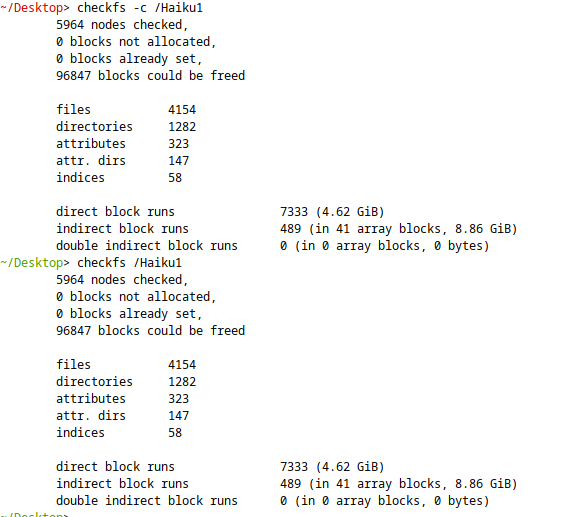
Maybe try booting from a Haiku USB/Cdrom and try checkfs on the boot volume.
Are you running Haiku from a USB drive? There was a change made in hrev59928 to fix detection of write protected USB drives.
If your boot drive is erroneously being detected as write protected this could happen (and write_overlay would activate on boot) I wonder if this could be the cause?
Between hrev59922 and 59970 there have been a few changes to the usb_disk driver (including the write protect check at hrev59928).
It might be worth booting from an install USB/Cdrom at hrev59928 (or later) and checking if you can mount your boot drive as writeable. If it wont let you write it would be good to see the syslog (you can create a trac bug ticket and attach it if you want).
This machine doesn’t have an internal CD-ROM player, my previous attempts with external USB player were unfruitful, did something change about USB CD drivers ultimately?
Off topic, determined to make a few attempts and tries, about this issue , I was transferring recent edited files to a backup (FAT32) disk (they were text files so I didn’t care about that), but another KDL during this transfer led to a forced system reboot, after which I found with horror that all files , the original files and those being transferred to the backup disk, were corrupted, full of garbage characters and scattered pieces of text from the source files.
Now I know these are irretrievably lost (some of them perhaps may be reconstructed gluing those scattered pieces), but I remembered that previous copies were deleted from the FS using the Tracker. If I remember correctly, is it not possible to recover files deleted from a disk formatted with BFS? I already suppose what the answer is, but any suggestion is welcome.
Thank you Waddlesplash… I was able to reboot by disabling SMP.
So now SMP and ACPI have to be disabled to continue using Haiku.
I guess that will have to do for now. But even reverting to an earlier Haiku snapshot does not allow me to enable SMP any more. I just get a black screen after the haiku logo flickers on.
If you reset the machine after the black appears, is there a “previous syslog” available in the bootloader menus?
Unfortunately, I can only find Display Current Boot Loader Log and not Display Previous Syslog.
I think it was fixed in hrev58972. So tomorrow’s nightly should be OK again.
You can try the bfs recover tool. You will need a lot of RAM and a target disk to put the recovered files with a lot of space. It recovers everything it finds: existing files, deleted files, older versions of files sometimes.
Today’s nightly is already at that hrev, so I think things are OK again now. Sorry about that…
Probably the bootloader changes are to blame, your BIOS may not support one of the wait mechanisms the bootloader now uses. I’ll see about coming up with an alternative.
You were asked on the ticket you opened to upload a syslog from a successful boot, can you do that please? (One with ACPI enabled, ideally.)
as I mentioned in the ticket, when I enable ACPI and the boot fails at the third icon and reboot and disable ACPI in the safe boot options menu to successfully reach the desktop, there is no previous_syslog in the /boot/var folder and only the regular syslog file for the current (successful) boot. But of course, ACPI is disabled.
is there someway to capture the previous syslog without it being overwritten?
After update today, I reset the computer and enabled ACPI in the settings/kernel file then rebooted successfully.
Surprised, I checked to confirm that ACPI was still enabled in the settings/kernel file. It was..
I uploaded the “successful” syslog to tracker but I suspected something was too good to be true and inspecting the current syslog and sure enough it seems to say ACPI disabled, even though I enabled it in the kernel file (double checked) and did NOT check anything in the safe mode boot menu.
On a second identical reset, sure enough it failed to KDL with the usual
Double Fault! hrev59979 Thread xx “main2” running on CPU x and refused to generate a new syslog with ACPI enabled.
I finally managed to get my PC to boot on Haiku R6 without the ACPI disabled in drivers/kernel
I have been running Haiku on bare metal on a 4770k Gigabyte Z97-UD7 TH with 32GB RAM and Samsung 860 EVO SSD since R4 and until R6 was able to boot without any features disabled in the drivers/kernel file.
The key here lies in the Motherboard’s name’s last two letters. TH.
This stands for THUNDERBOLT.
It turns out that the early rollout of Thunderbolt (Thunderbolt 1) on this motherboard is outdated and can cause bluescreens on modern windows installs if ACPI is enabled.
By completely disabling Thunderbolt in the bios I was able to get my Haiku R6 to boot with all kernel bypasses removed once more! While not ideal, at least I now know the root cause.