I have Haiku installed on an older Intel Gen 10 NUC with a single SSD and it works fine.
I had an older AMD Threadripper machine (now decomisioned) with two SSDs on which I was never able to install Haiku: the USB installer stopped during boot at the third icon.
My current machine is an AMD Ryzen AI 300 series with 3 SSDs. The same thing happens during USB installer boot: complete freeze at third icon.
This is happening for at least a few years and does not seem to get a fix.
Is anybody able to install / use Haiku on machines with multiple disks?
I installed Haiku as a second OS on my Linux driven machine which is a rather old 4-core AMD Athlon with two SSDs: an EXT4 formated one, and a second one: FAT formatted.
Before I run Haiku installer I plugged a third, blank SSD meant to become the Haiku one.
So, Haiku installer run with 3 SSD disks present.
Btw, I run the installer from DVD-R disk.
Haiku detected all three SSDs, and I installed it on the third one.
Then I have added Haiku to GRUB’s file - menu.lst
It’s Asus AM1M-A Rev. 1.02, AM1, 16 GB DDR3 + 4-core AMD Athlon 5350 @ 2,05 GHz. The graphics card is built in CPU.
Maybe you have a spare DVD drive floating around to give it a try?
Nah, the machine I’m using now is a mini-PC and the only DVD drive I could use is an external one, USB connected.
At some point, not now because it is too much of a hassle, I’m thinking to temporarily remove two of the SSDs and check if booting / install is successful with a single SSD. Although, I don’t hold my breath of Haiku working after putting them back.
It’s unlikely that your issue is because of multiple disks,more likely that there’s something else about your device that doesn’t play nice with Haiku.
I’m running Haiku on a workstation with 4 HDDs and a laptop with 1 HDD+1 SSD,so there’s not a general issue with multiple disks.
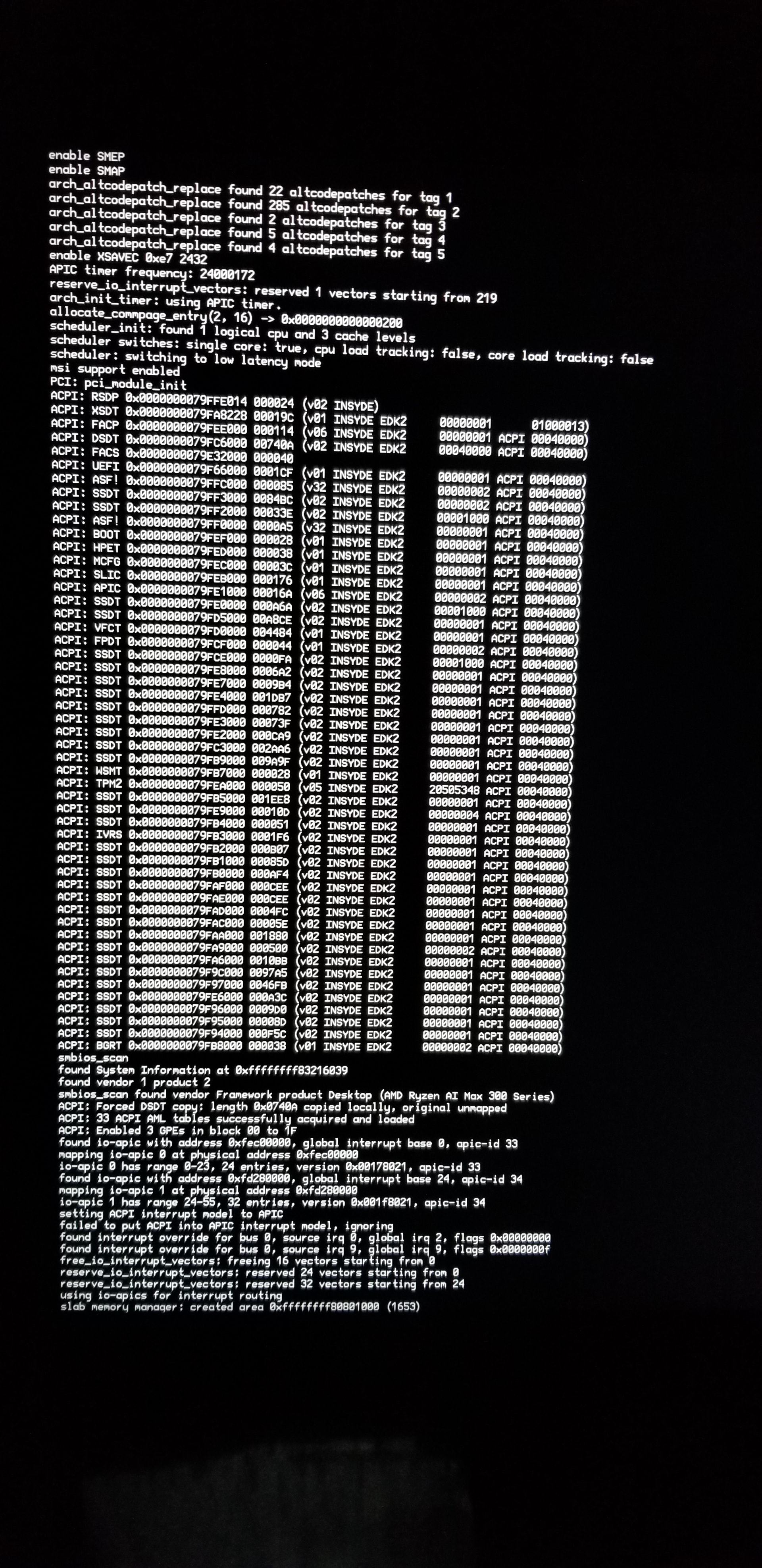
Maybe you can find the cause by going to the bootloader menu (it opens when you repeatedly hit the spacebar as fast as you can before the bootscreen appears) and enabling the on-screen debug output option.
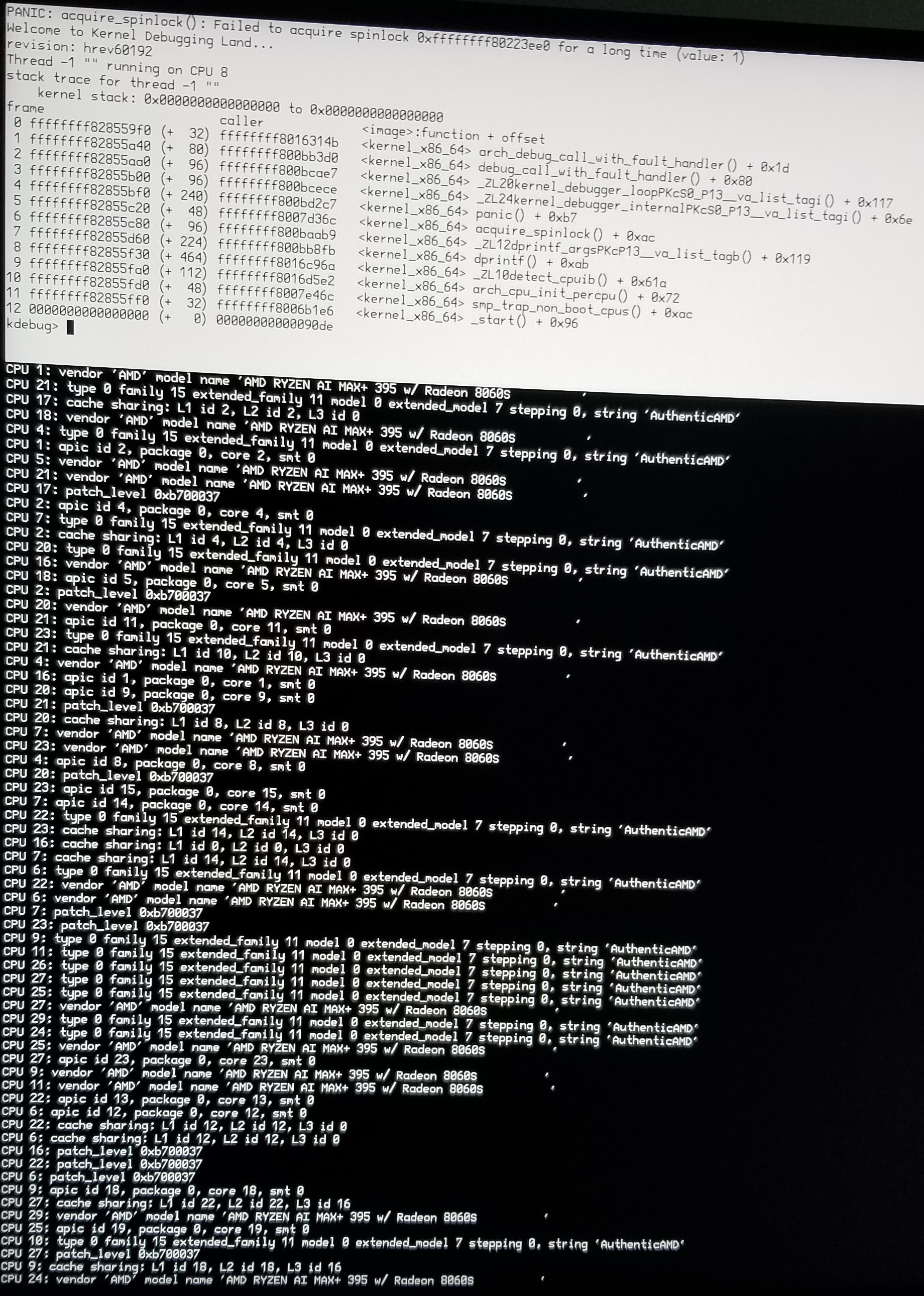
I’m not a kernel expert,but I’d say that something went wrong at CPU initialization.
Maybe @waddlesplash knows more about that,he’s the expert in that area.
That panic is somewhat expected when you have “onscreen debug output / syslog” and also “onscreen paging” enabled and multiple CPUs are in use. If you disable onscreen paging, or boot with only one CPU core, it will go away.
Disable SMP does not in any way “boot with only one CPU core”. What it does is it disables hyperthreading, which turns the 16 cores into 16 CPUs instead of 32.
This machine has no option in BIOS to disable SMP.
It seems from the other threads on AMD AI 300 series that Haiku may have to wait a long time until it works on these machines.
Incidentally, the now decommissioned machine on which I was not able to boot Haiku was also an AMD, albeit an older Zen 2 Threadripper with 32 cores.
Maybe Haiku only likes Intel machines , like the Gen 10 NUC I’m currently running Haiku on.
Giving a second thought to waddlesplash response: could it be that Haiku is not hyperthreading capable on (some) AMD machines?
If that’s the case and since there are multiple confirmations of Haiku working on machines with multiple discs, should I close this thread and open another, more appropriate one?
The “Disable SMP” option in the Haiku bootloader definitely is supposed to disable the use of all CPU cores except the boot one. Last I heard this worked normally and as expected. If it doesn’t, that’s a different bug.
 , like the Gen 10 NUC I’m currently running Haiku on.