I recently bought a Dell laptop, 16 Plus, Ryzen AI 7 350. I partitioned the disk with gparted, guid table, half the disk is pop linux. I am trying to boot Haiku 64 from a usb stick to install on the other half. I have tried several nightlies, with safe mode, and turned off some other items. The result is always the same. Booting stops at the boot disk icon. Any ideas on how to boot Haiku?
If you don’t manage to boot it from USB, you could install it to your real disk in a VM.
1 Like
Thanks. I’ve tried many of the bootloader options.
Not sure how it’s called (should be documented somewhere), but did you try to disable “secure boot(?)” in the BIOS?
1 Like
Yes, that is the essential first step.
1 Like
Here you’ll find several options that help with debugging or getting details for a bug report. Again, a short explanation for each option is displayed at the bottom.
BIOS CSM/Legacy enabled ?
Legacy boot is not allowed on that hardware.
What is up with all these wierd suggestions? If the boot icons are already shown then the bootloader has long been over. No need for CSM booting or secure boot or whatever, they are irrelevant at that stage of the boot.
KantosKan: do you know what kind of tech the disk is? Haiku has problems with eMMc for example.
You could try going into the blacklisting menu of the bootloader and blacklisting some disk drivers, that could give you a hint at which driver is causing problems. You can also enable on-screen debug output to get a better idea of whete the boot gets stuck.
In the end though you’ll probably have to open a ticket so we can investigate the cause and build a fix 
1 Like
The disk appears to be 1024 GB 1TB PCIe NVMe SSD.
I will experiment with blacklisting some disk drivers.
You can also enable on-screen debug output to get a better idea of whete the boot gets stuck.
Select debug options
Here you’ll find several options that help with debugging or getting details for a bug report. Again, a short explanation for each option is displayed at the bottom.
Enable on screen debug output
Display debug output on screen while the system is booting, instead of the normal boot logo.
Disable on screen paging
Disables paging when on screen debug output is enabled.
Enable debug syslog
Enables a special in-memory syslog buffer for this session that the boot loader will be able to access after rebooting.
Display current boot loader log
Displays the debug info the boot loader has logged (press Q to exit the log)
Add advanced debug option
Allows advanced debugging options to be entered directly.
If Enable debug syslog is activated, a warm reboot after a crash shows these additional options:
Save syslog from previous session during boot
Saves the syslog from the previous Haiku session to /var/log/previous_syslog when booting.
Display syslog from previous session
Displays the syslog from the previous Haiku session.
Save syslog from previous session
Saves the syslog from the previous Haiku session to disk. Currently only FAT32 volumes are supported.
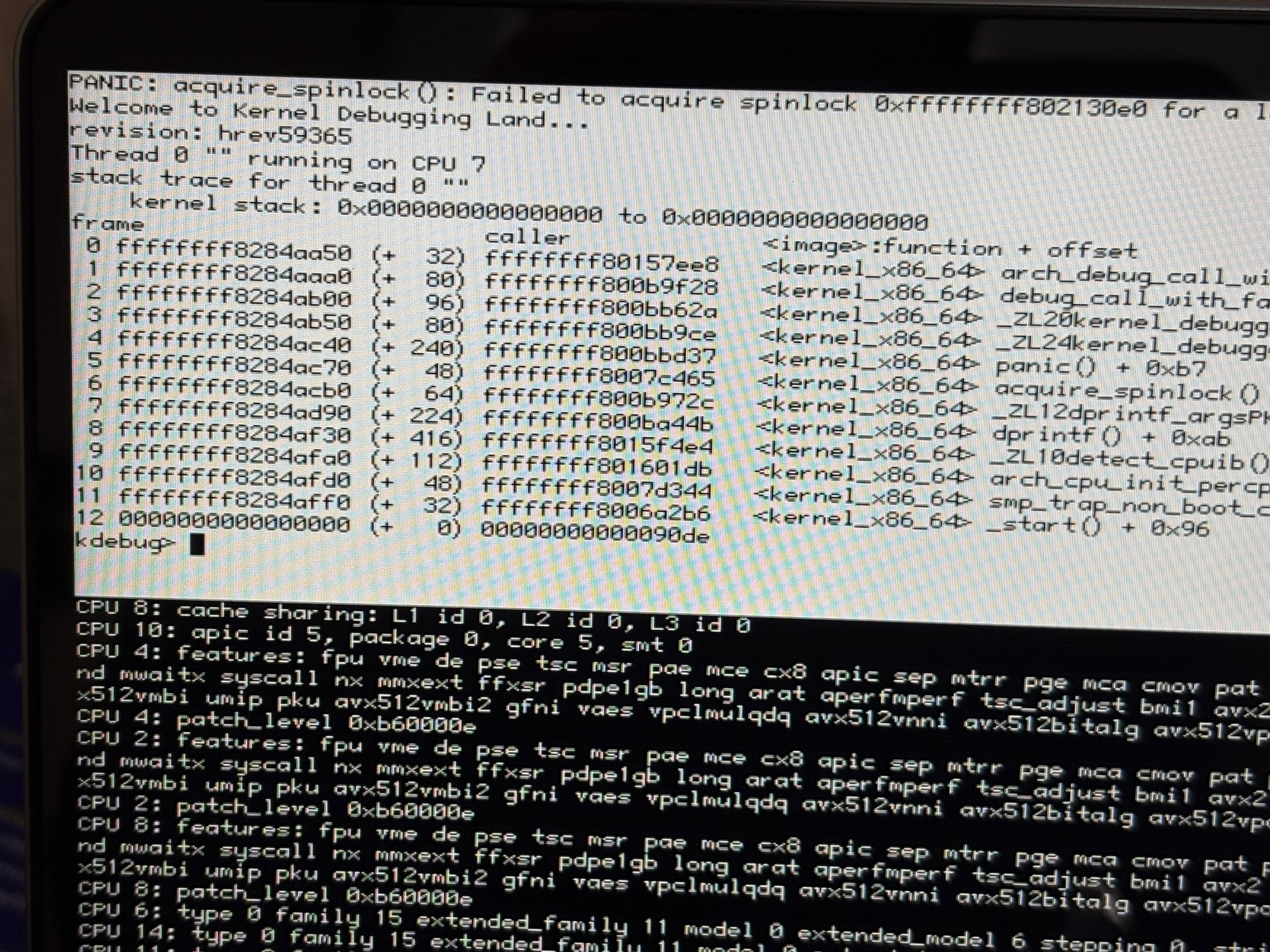
For what it’s worth, here is a screenshot of the debug output of the kernel panic. I don’t understand anything in KDL.
1 Like
This KDL is somewhat expected when you have SMP enabled, onscreen debug enabled, and onscreen paging enabled. Disabling any one of those 3 things will caused this KDL to go away. If your keyboard works you can just type co (for continue), and then after continuing press some key to advance to the next debug output screen.
2 Likes
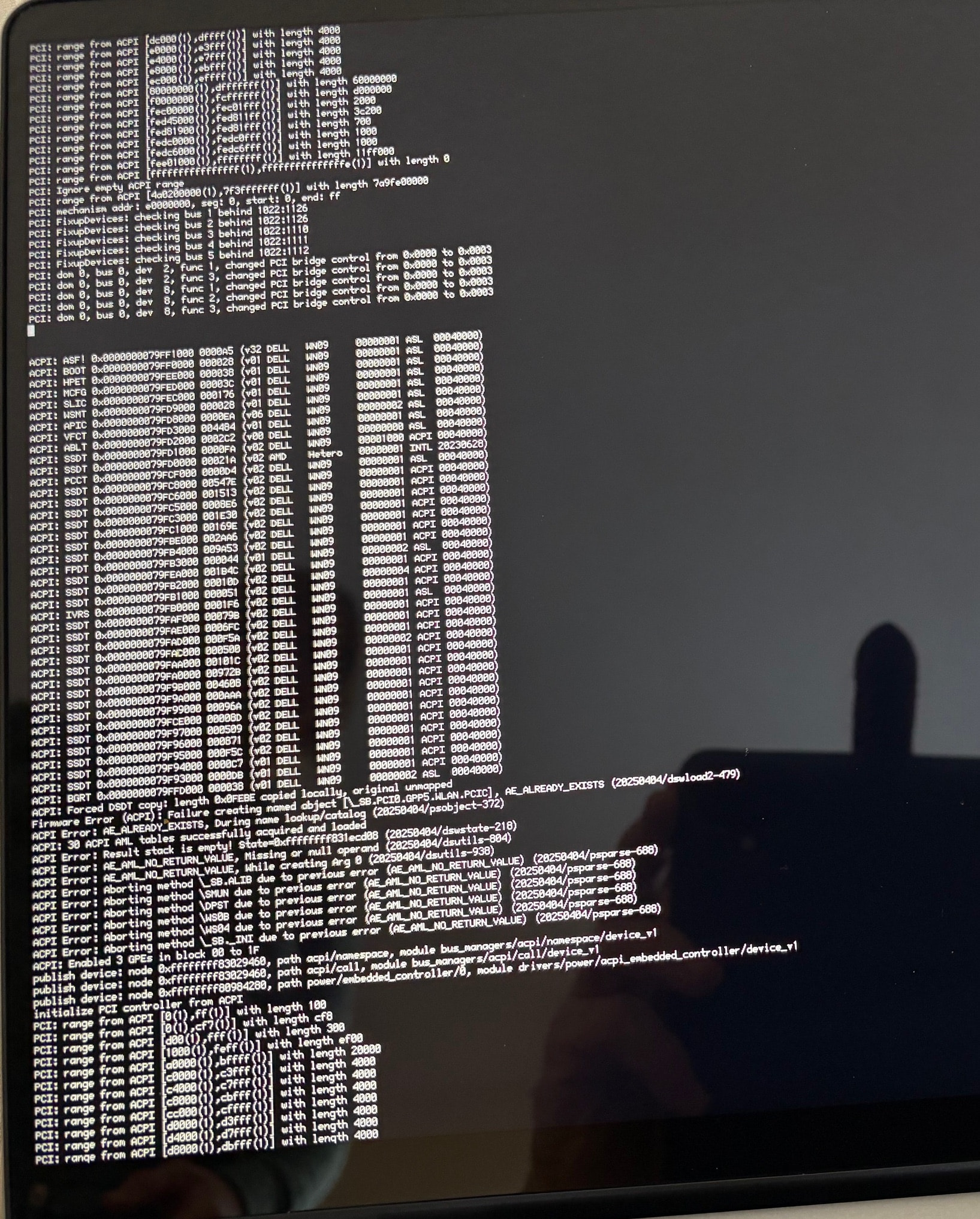
I think that’s the same place where my Framework 16 stops booting. It’s the Ryzen AI 9 HX 370 model.
Same hang with minipc Firebat A8 (AMD Ryzen AI 9 365 w/ Radeon 880M) 