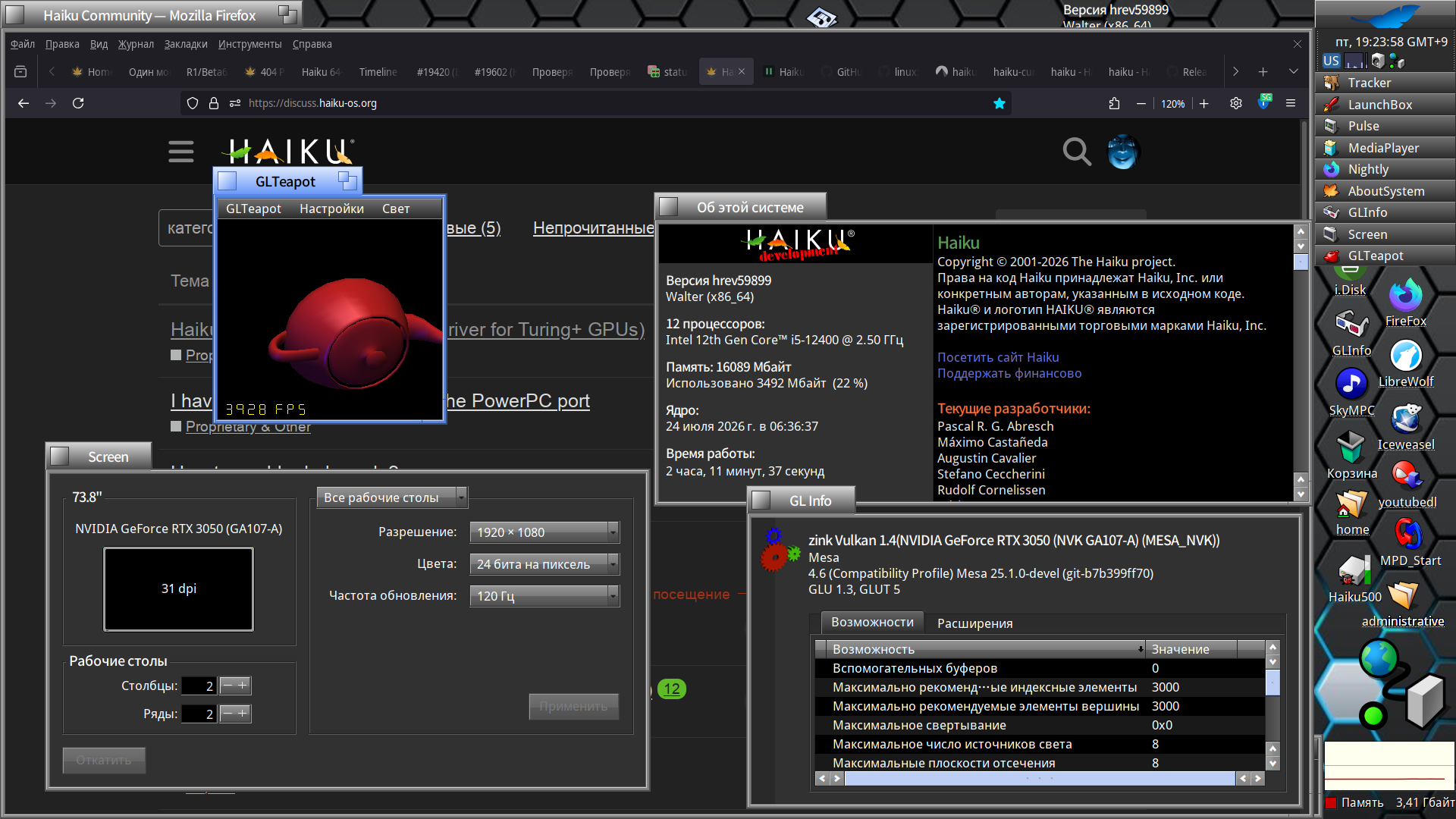
Is there a chance to support older nvidia cards? I am asking because we can use older PCs with Haiku.
Thanks!
Is there a chance to support older nvidia cards? I am asking because we can use older PCs with Haiku.
Thanks!
Not with this driver, as it relies on NVIDIA’s open source driver that sets up the GPU via the GPU System Processor (GSP) on Turing and newer cards. The architecture of these cards and the driver is one of the reasons it was ported much more easily.
For pre Turing cards the Nouveau open source driver would need to be ported from Linux, which going by the work on X512’s attempt at the AMDGPU driver looks to have been a lot of work as its tied to Linux subsystems like DRM.
Focus is on vulkan 1.3 and higher compatible video products. OpenGL 3.3-compatible cards at the most for modern 3D graphics efforts (i.e. Blender/Godot engine).
If GTX 16xx is the bottom of the range, is there a top range/limit that is supported by this driver?
Nvidia GeForce RTX 2080 - < $300 USD
Ref: Nvidia TITAN RTX
This is a clean reference model for serious dev work. Most devs use the gamer cards.
That’s about the extent of my budget, and just large enough to run a useful LLM. Same card “Recertified” is going for like $700. Thanks, but I can re-paste the GPU and lube the fans myself.
The current release of the driver only has GSP firmware files for Turing and Ampere cards, so as high as the RTX 30 and RTX A series. Cards like the RTX 40 and 50 series are currently not supported.
Speaking of dev work on Haiku at least, something to keep in mind with the current release of the Nebula driver is it will not display KDL. Discovered this the other day then troubleshooting ‘hard lock-ups’ while using QEMU and NVMM. Turns out it was going to KDL, but I couldn’t see it. Needed to use the fail-safe driver in this case to do further troubleshooting.
I know.
Back in the days of BeOS, I still remember downloading a tiny little nvidia driver that took off the speed of video player, youtube etc.
Though that something like that could be done for Haiku. E.g. like the nouveau linux driver, that someone mentioned in this thread.
You would need to port this FreeBSD driver, update the code, and implement features to provide support for older cards:
What about adding some kind of debug information support so we can figure out why cards which should be supported are not working at all?
We could ask @waddlesplash about adding this new nebula driver to the dev bug reporter - when it becomes official.
Known to work:
Laptops:
Ref: https://github.com/NVIDIA/open-gpu-kernel-modules#compatible-gpus
No, it is not a part of Haiku repo and not planned to be. Please use GitHub issues for that.
Hmmm… which laptop is this??? 
An MSI Raider GE66
Ok…supposedly…
MSI Raider GE66
You can:
Review Haiku’s syslog for PCI-E GPU and graphic driver activity.
Are the empty boxes known NOT to work or just unknown?
The P53 is availlable with differen nVidia chips, afaik, which is the this working one?
Lenovo Thinkpad P53 w/NVIDIA Quadro RTX 4000 Graphics
So many long years, struggles with hardware-accelerated 3D in Haiku, all the sweat poured out by developers, and zero results—all because some magical DRI in Linux’s open-source drivers is the problem.
And here comes X512 riding in on a white horse, leveraging the NVRM published by Nvidia to finally give us 3D drivers.
Finnaly.
It’s no secret that everything these days uses—or rather, requires—raw GPU computing power. Until recently, even a user interface or simple dock with transparency and animated icons could put a serious strain on the CPU.
For several years now, almost all software has required a GPU to run smoothly and efficiently—games, 3D graphics software, video editing programs, video players, and so on. Because of this, Haiku has been at a disadvantage until now, preventing users from fully enjoying many open-source game engines and 3D software.
Finally, Haiku has gained what every self-respecting operating system should have to be fully functional in today’s world.
Thank you to everyone who contributed to the creation and development of this driver.
X512 Maybe you could start a fundraiser for people who want to thank you for your hard work and help offset at least some of the time you’ve spent working on the driver. I myself contributed to a bounty for hardware 3D on Haikuware back in the day—which, unfortunately, wasn’t successful—and I’d be happy to contribute a little now as a way to show my support.
Regards