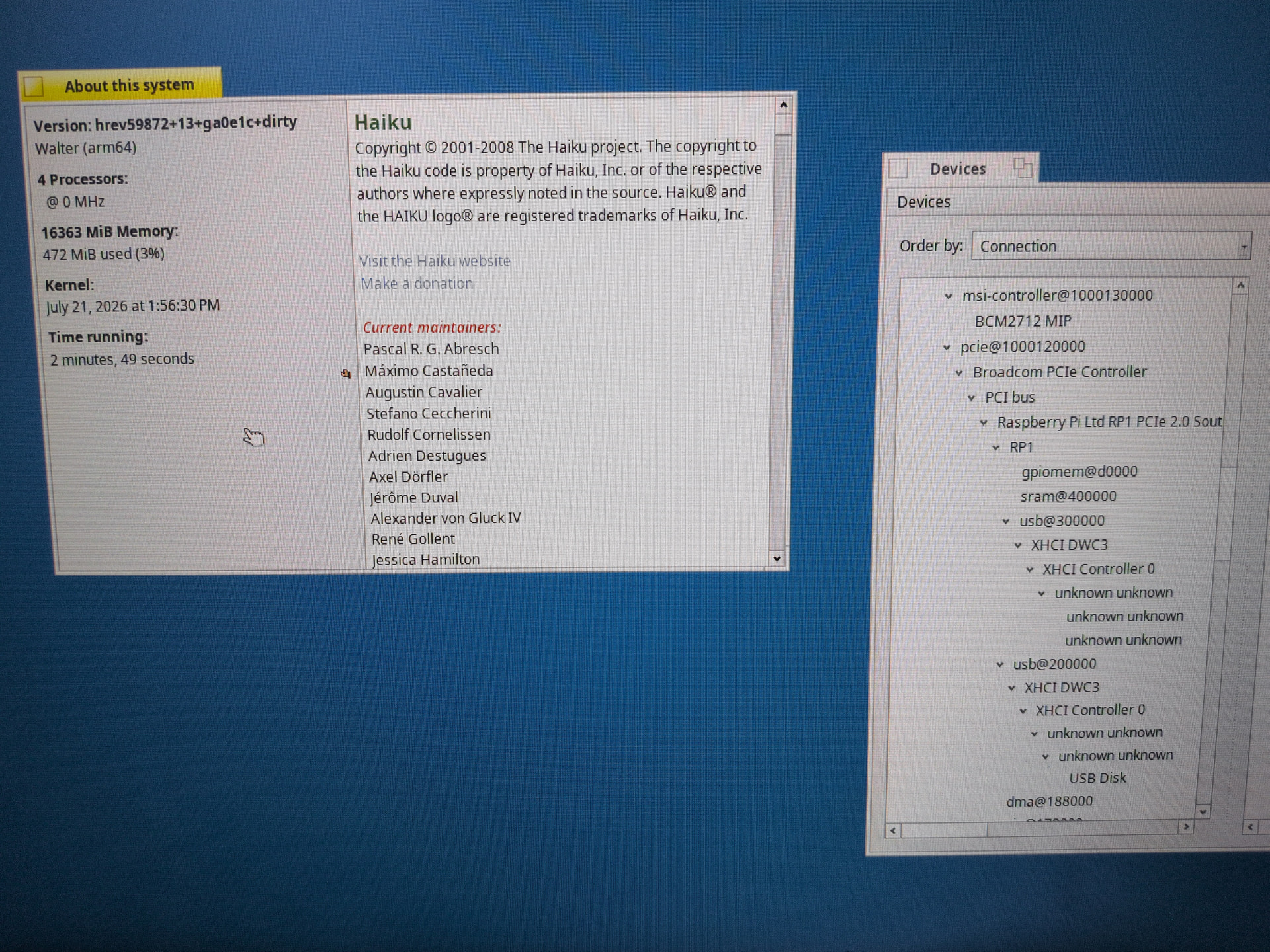
They have gotten M3 booting to the desktop (ofc it’s still very WIP)
also, they had M2 fully working for a while now
They have gotten M3 booting to the desktop (ofc it’s still very WIP)
also, they had M2 fully working for a while now
That’s great. I was aware of m1 and m2 but that they were hung up on getting newer chips due to hardware changes. Glad the got it working.
Great work! I have also been working on the same target. Maybe we should co-work!?
This is my current state:
• Boots & runs a full desktop.Full Haiku desktop, fully interactive on real Pi 500 hardware.
• 4-core Cortex-A76 SMP via PSCI, GICv2 interrupts, VM/scheduler/VFS all up
• Boots from NVMe or SD-card (useful on Rpi5)
• SD card read-write working — 21.4 MB/s ADMA2 DMA.
• Ethernet + DHCP + SSH both directions. GEM fully interrupt-driven
• WiFi/BT (CYW43455): SDIO + firmware download work, but HW-blocked (WLAN CR4 runs zero instructions). In progress, the final boss!
• USB xHCI on both RP1 controllers — keyboard, mouse, mass storage
GPU / Graphics / Media 
• Native HVS display driver owns compositor + HDMI + EDID
• V3D 7.1 render driver + Mesa Gallium — stock GLTeapot runs on the GPU, EGL working
• Vulkan (V3DV): shaded triangle + windowed present, vulkaninfo enumerates the device
• Hardware video present (NV12 YUV->RGB + scale + overlay + flip)
• HDMI audio works end-to-end (MediaPlayer → speakers)
• GPIO (output/input/edge IRQ), I2C, SPI all working on real HW (I2C/SPI controller-verified).
• Ported some Haiku apps to arm64 and used pkgman to install them.
Awesome work @dodo75!
Nice work! Don’t wait to send in pull requests  , preferably broken up per component for easier review..
Ahoy @dodo75
Would your offer mean that for these enlisted developments you disclosed AI tools in your development ?
I just ask as it was in your thread about BFS encription and Yubikey authentication support development thread in the forum , where you had admitted you partly used AI to finish it.
I just ask as Haiku guideline now strictly do not permit AI code assisted development to the OS itself as such new source files/lines can be unknown originated or comes from another opensource licence permitted. Moreover requires additional review struggles if you yourself cannot explain parts of the code for developers.
AFAICT our current guidelines do not allow AI generated code. They do not forbid AI assistance in general. You would be allowed to find bugs with the help of AI, for instance, if you would then fix them yourself.
I’m curious, do you have this WIP available anywhere? I have an Intel 12" MacBook, which also has its keyboard and touchpad connected via SPI, like other late-period Intel MacBooks, and it would be interesting to see whether Apple Silicon SPI HID drivers could be adapted to work with Intel MacBooks as well.
My Haiku branch is here. The SPI HID protocol is the same between the Intel (2015-2017, non-T2) and ARM MacBooks so the driver could be adapted. It would only require an additional driver for the Intel SPI controller, which I might write myself at some point since I also have an Intel MacBook that uses SPI HID.
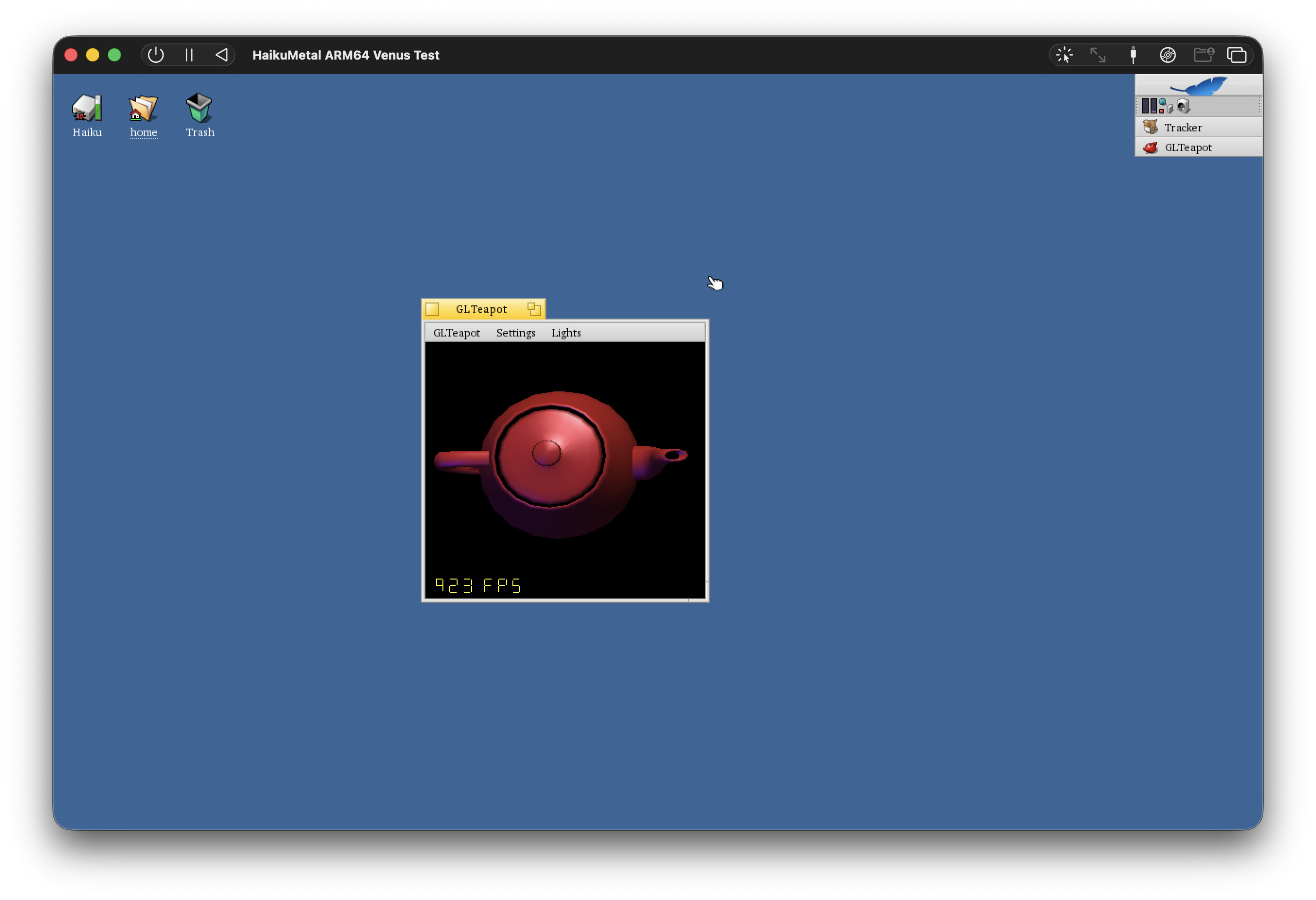
I did a bunch of work getting Vulcan working over Venus with a Metal backend. Got it working with GLTeapot and vkCube etc. Been too busy to make more progress the last few months but I could pick it up again if there’s interest.
Here’s a screenshot of it running in UTM 5.0.4 which supports Vulkan via VirtIO Venus. This is running on a MacBook Air M2.
I don’t have such HW, but amazing, prodigous the performance, even it is not bare metal on M2, but someone can run Haiku there with open and modern 3D graphics and parallelized computing API …
Hi, awesome project, just what I need.
I am running two M1’s one with Alpine Linux, one with Fedora Remix, I would like to change one over to Haiku.
Is there any instructions for compiling this in Linux on M1, all I see is cross-compiling on x86 hosts.
…or is there images available to download now that can be used with the Asahi bootloader ..
Instructions for compiling Haiku can be found here: Compiling Haiku for Arm64 | Haiku Project. There are no differences between compiling on an x86 host and compiling on an arm64 host. Also, you’re not going to be able to install on any M1 device yet since there is no NVMe driver. There aren’t any haikuports packages built yet so it won’t be very useful anyway
any chance you provide your UTM image for Haiku or quick guide for replicating your setup?
hi there, my update:
Wifi for rpi5 is now solved! It was a bit tricky to upload the binary blob and make it load, now it works great, Probably need some more performance tweaks. RX performs better than linux but TX is 2.5x slower.
Also finally resolved a bug that send the system to KDL (> 1 month, bug hunt). Now system is more stable, more tests are needed. It was a bug in tcp socket handling.
Expect more updates in end of this month. GPIO (i2c and spi need to be test and verified).
Some cleanup and and long times tests left todo. Then we have solid base. Unfortunately it will not be possible to push this upstream due to AI policy.
My plan is to push to another repo and share my work to the public. Hopefully, something will be useful for this community in the end.
That’s excellent. Well done. Please post a link to your repo when you have it sorted and instructions would be great.
@smrobtzz i moved over your spi code to an x64 9/20 git download and after some false starts, missed a few jam file entries and got it all cross compiled on my M3 Macbook Air and built a nightly which booted and I installed it to a qemu to test and low and behold it tries to load spi driver according to log file, it fails(not sure if it fails since the qemu doesn’t have spi) but does show promise. Unfortunately, I am limited time to do work on this for a bit, but next time I get home I will continue. Once I can get keyboard and trackpad(not really needed for me to use laptop) I will be able to take my Intel Macbook out on the road and maybe get a few hours to get that and other issues handled.
Keep up the arm64 work as I am hoping to move my older M1 Macbook Pro over to Haiku next year.
Thanks