Suddenly out of nowhere, M-series Macs became the ideal ARM target for Haiku. 
7 Likes
Time to imagine a parallel universe when Apple acquired Be Inc.
2 Likes
If we’re talking about parallel universes, imagine BeInc acquiring Apple 
3 Likes
Be Inc. is long gone,but imagine Haiku Inc. acquiring Apple and making it produce Haiku computers.
I mean,if GameStop can buy eBay without having the money,why shouldn’t Haiku buy Apple? 
Just kidding,of course 
3 Likes
Don’t see why not, I bought multiple apples last week, red and green ones
2 Likes
This Is helpfull for other Macbook a top wow 
Will you push this part of code independently? nice to boot without refind on MacBook if possible. Definetly good job anyway!
This isn’t applicable to Intel Macs, so you’re not going to be able to avoid rEFInd on those machines
3 Likes
So BeOS identity will be destroyed and made it look like MacOS like it was done with NeXTSTEP. Haiku may not appear at all.
I do not think that this alternative future is better than current one.
10 Likes
Bloody amazing. I got the nightly image to boot using the qemu command line above and surprisingly it booted fine the first time, well 2nd as I forgot to change to drive name.
seems fast and I will be playing with this for a bit on my Macbook M1 Pro.
For booting on Metal how did you setup your drive? I thought of looking into how they got Linux on the M series.
Thanks all for the hard work getting this working.
You can run the Asahi Linux installer to setup your drive for running non-macOS operating systems. The installer has an option to either install Linux or to just install a bootloader so you can boot UEFI images (which is what I used).
4 Likes
Sounds like a plan. I will plan to do that shortly. Going to set up a few other VM’s to build an images and experiment. Thanks
Added MacBook keyboard and touchpad support. These are standard HID devices, but using SPI instead of USB, so it was fairly easy to use Haiku’s existing HID code… after I added support for multiple interrupt controllers, driver dependencies, SPI, the M1 SPI controller, and the M1 GPIO controller.
Also, the touchpad is kind of annoying to use since it defaults to emulating a mouse with one button and no scroll wheel.
18 Likes
Wrote some more drivers to have battery info and proper shutdown/restart. Building some packages now to see if there will be any crashes when under high CPU load.
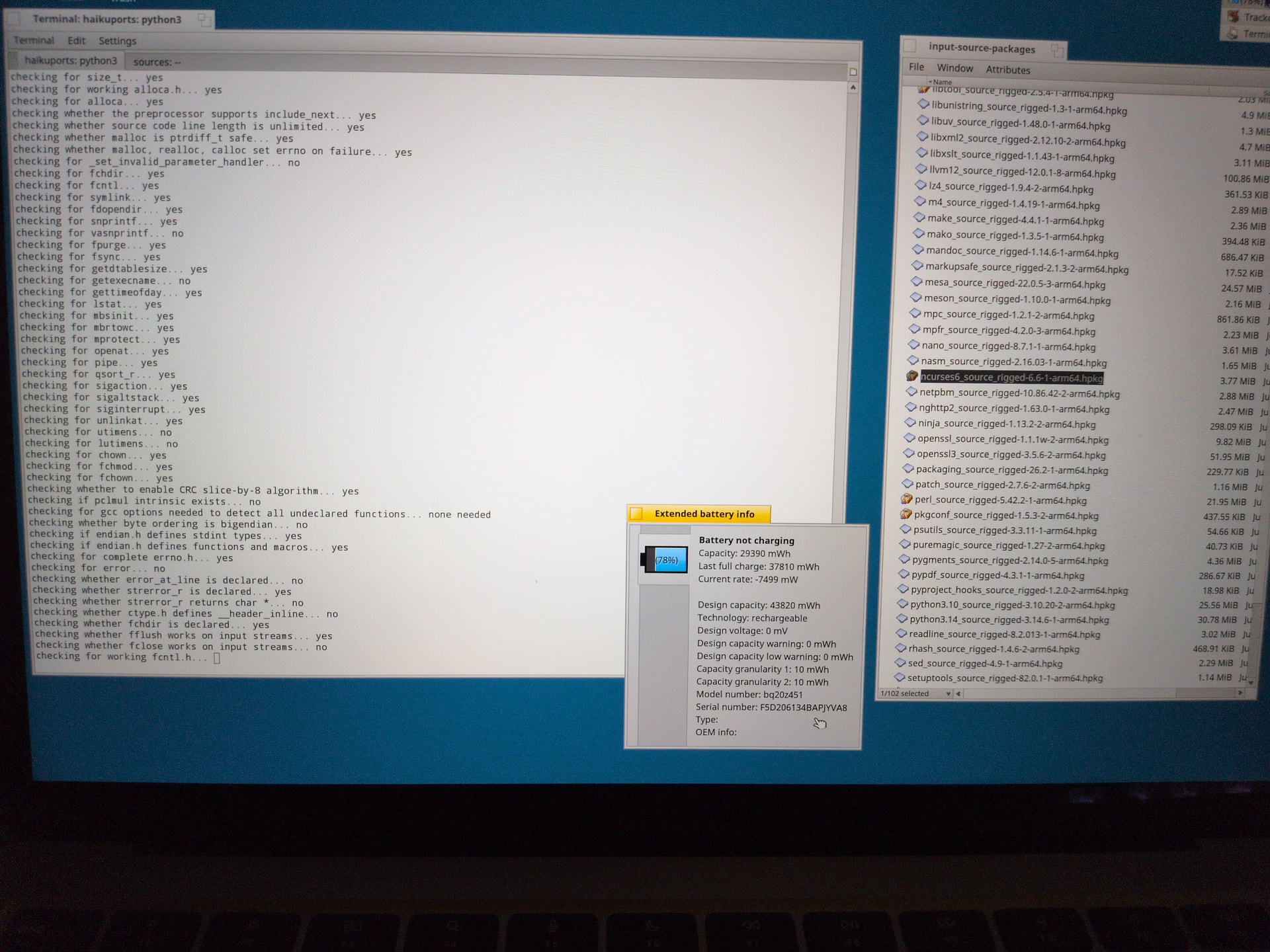
31 Likes
Great work there! Good to see it’s already at a stage where you can use haikuporter to build the packages! 
3 Likes
This is CRAZY, especially the port to your Macbook. good work
In Haiku, if you want something to be done, it’s more efficient to do it yourself.
- me ig
3 Likes
Great work there, thank you very much!
My PBPro is sitting around Sudbury, Ontario, Canada (Espanola) somewhere but am looking forward to this!
1 Like
I was able to build 83 packages and only had one kernel panic, which was fortunately an easy fix. Haiku on arm64 seems pretty stable
25 Likes
This is fabulous news, now i have to search into which box i have stored my raspi 5