If you want you can enable timestamped syslog, and then check to see if there is a suspicous pause somewhere (also between b5 and b6) to invetigate the why
2 Likes
I will, thank you! Next time I unpack the machine. Unfortunately that’s a hassle.
Unfortunately the timestamped syslog is basically useless during the boot right now, all the syslog entries just get one timestamp of when the syslog daemon finally starts. We need to refactor it to make it do something else. (I may look at that t oday.)
Ok, so I can skip the TC1 download and write to a pendrive …
I hope the next installer image would be bigger, or BFS expandable .. I like to pimp the Installer instance with packages not included/provided in a Fatty Installer version .. to have a really useful recovery Haiku instance - configured Desktop , timezone, replicas, base applications, tools not added like mc, fastfetch, or some fonts beyond default that used in terminal or VLC. No problem with MediaPlayer, especially these days much smooth and more reliable these days, but there are some peferred stuff, and I like to use an Installer that provide lesser post config.
I understand why the official image reduced - to have lesser place to check/fix in case issue with Live/Installer. However I’m grateful that Live enables on USB drive to create Fatty Installer with tailored stuff before really do an Install with it.
This way I do not write anything in the new thread “what you modify first after Install” - I modify it BEFORE and A LOT … that fits into 1.4 GB 
Unfortunately this way I cannot upgrade the Installer instance to TC1 level  - I get no space left on device after some Haiku packages downloaded for upgrading …
I got back my spare Dell Precision M6400 recently from my friend that I gave him to keep for me in my critsit life issue happened recently.
I moved to a new place with lesser stuff and I had now this laptop HWagain, and used the TC0 test pendrive with it. It has more Broadcom within :)) seems Dell loved this vendor in case engineering laptops.
Fortunately the Broadcom Gigabit NIC is supported, so I have no issue to reach the net. VESA Framebuffer used on quite the exact resolution 1920x1200, however only the workspace 1 has this right resolution. I will test with new Nightly, wether this issue with workspaces resolved in it. In Beta6 still get right resolution in the workspace to boot in, however the setting was originally to apply all settings for all workspaces.I understand that this pendrive was installed with another Precision laptop where the native display resolution is 1600x900, and here I can be grateful that native resolution detected and set at boot time. It’s just interesting that does not copied to another workspaces - I must adjust once manually. However the workspace I booting in changed to fit, but without negotiating me without it. 
There’s no integrated intel GPU its a Quadcore Extreme Core2 CPU.
The available Nvidia Quadro FX 3700M not supported device by kernel
~> grep -E -i vidia /boot/system/var/log/syslog.1; echo; echo; echo; grep -E -i vidia /boot/system/var/log/syslog
KERN: nvidia: CALLED init_hardware
KERN: nvidia: init_hardware: no supported device found
KERN: nvidia: CALLED init_hardware
KERN: nvidia: init_hardware: no supported device found
KERN: nvidia: CALLED init_hardware
KERN: nvidia: init_hardware: no supported device found


KERN: nvidia: CALLED init_hardware
KERN: nvidia: init_hardware: no supported device found
KERN: OEM string: NVIDIA
KERN: PCI:   vendor 10de: NVIDIA Corporation
KERN: nvidia: CALLED init_hardware
KERN: nvidia: init_hardware: no supported device found
KERN: OEM string: NVIDIA
KERN: PCI:   vendor 10de: NVIDIA Corporation
KERN: nvidia: CALLED init_hardware
KERN: nvidia: init_hardware: no supported device found
KERN: OEM string: NVIDIA
KERN: PCI:   vendor 10de: NVIDIA Corporation
KERN: nvidia: CALLED init_hardware
KERN: nvidia: init_hardware: no supported device found
~>
Sound works, but as the seller told the speakers are not factory grade - I assume once were overdriven to too loud and one or both hurted, so now cracked at some frequencies at louder volume.
I opened a animation film about Krishna video it was crisp 720p, nice but not so loud sound.
Fortunately it’s very rare to hear the cracking.
For example the playing MIDI file, I used that bundled with TimGMsoundfont to show playing right sound devices with corrected soundfont - worked well crisp even woth GS soundfonts as well. Unfortunately that my midi collection is on DATA-MEDIA partition of my main Beta pendrive, now I do not mount it if not necessary.
The Intel HD soundchip accepted the 192 kHZ setting as I checked media prefs - that was selected with another machine’s Intel HD Audio chip that 4th Gen Core i7.
There is much faster net here, as the fiber optics net does come via Wifi router / Wifi repeater, but comes wired fully in the main room (living room ? - now surely, as I living /sleeping here as well).
There is one glitch only that was the same when I used this machine with r1/beta5 64 bit and 32 bit earlier this year.
I bought this machine last year holiday season around, so I started to use it this year , and experimenting with Haiku in the end of winter and start of spring.
The issue with integrated mouse button behaviour - that was some new input devices added to the Haiku that disabled meanwhile. First I thought it cased issue with.
Now the issue still persist, the buttons does not work as expected if they are not just clicked once or kept pushed.
So double click works almost not or randomly, meanwhile double tapping works as expected.
In case double click it works strange. If I opened input preferences, both trackpoint and touchpad detects the 3 buttons, and shows respectivly if I use single clicks, but with quirks :
- → when first push left button once (Button 1) it detects at right button (Button 2)
→ just as push right button once (Button 2) it also detects - precisely - right button (Button 2)
→ if I push again left button once (Button 1) it detects at right button (Button 2) again 
→ then I click once with middle button – it also detects - precisely - middle button (Button 3)
→ if I push 3rd after left button once (Button 1) it detects - precisely at left button (Button 1)
So three buttons detected, but its detect - well, not quite healthy -
However, if I try out trackpoint buttons - it starts from the beginning this detection issue. Normally it does not matter which input device’s button I use - they acts normally after initialised - I should not care which I use .. it works as one device, I can continue ponting with trackpoint as I left with touchpad. The one and only difference in acceleration, and speed of move or double click I must adjust to my preference uniquely - it has difference as trackpoint stays on one place meanwhile, touchpad I prefer bigger freedom, and more wide gesture should follow on desktop .. I hate it moves less when I move wider.
I assumed as a HW failure once too, as my stuff I bougth to carry had a cast copper buckle on the shoulder strap, which broke because the material wasn’t fully solid there, it was lighened from full solid, so instead of being completely solid, it has a profile shape on the round holding part, while the detachable hook remained solid with a round cross-section and the workstation laptop was too much heavy for this enlighened profile.
I replaced this hook and the whole fancy strap with a lesser fancy military strap, more durable, but not detachable, but simple steel spiral ring, so not to quickly remove now.
This bag was also recommended for carrying a laptop, and it’s a big enough (in theory, it’s a women’s bag) bag but to fit internally to a 17.3" laptop I bought for. I liked its yellow skin fully.
There was no sponge in it, to defend the machine, just the skin itself, now there is. The metal outer casing was slightly bent at the back ribs, and at the usb port on the corner, which it partially fell on, which contained a small, solid plastic-cased, resistant Samsung FIT pendrive, it wasn’t damaged, the USB port itself wasn’t either, just the cover plate around it chipped and a piece broke off. So it’s marked, and it’s mine, but there’s no HW error, because for example it worked without a problem with Nomad BSD in the Live section.
Back - the double left click is even trickier - as I wrote, the touchpad works as a trigger double tap, but drag and drop can’t be replaced like that. You have to hold the button down .. it still works, but when I let go, it switches to the right button, so instead of moving the icon or grabbing the edge of the window, or just double-clicking to send the window to the tray, I get a desktop context menu that the right button brings up, or my double-click is lost because the second click is detected by the right button and the window stays where it was, or the context menu comes up here too, if I had just grabbed it or resized it.
I have no idea if this is a setting that I should turn off in the input settings, or a driver deficiency, but it is quite frustrating when the detection of the input device buttons jumps 
R1 beta6 finally running fine on my laptop Asus TUF A17, sound OK, videos with youtube,…
The only things which are not recognized: Wifi card and trackpad. Workaround is to connect the laptop with RJ45.
Windows and Haiku (BFS partition) are both on it now. Awesome I can now use Haiku on a laptop
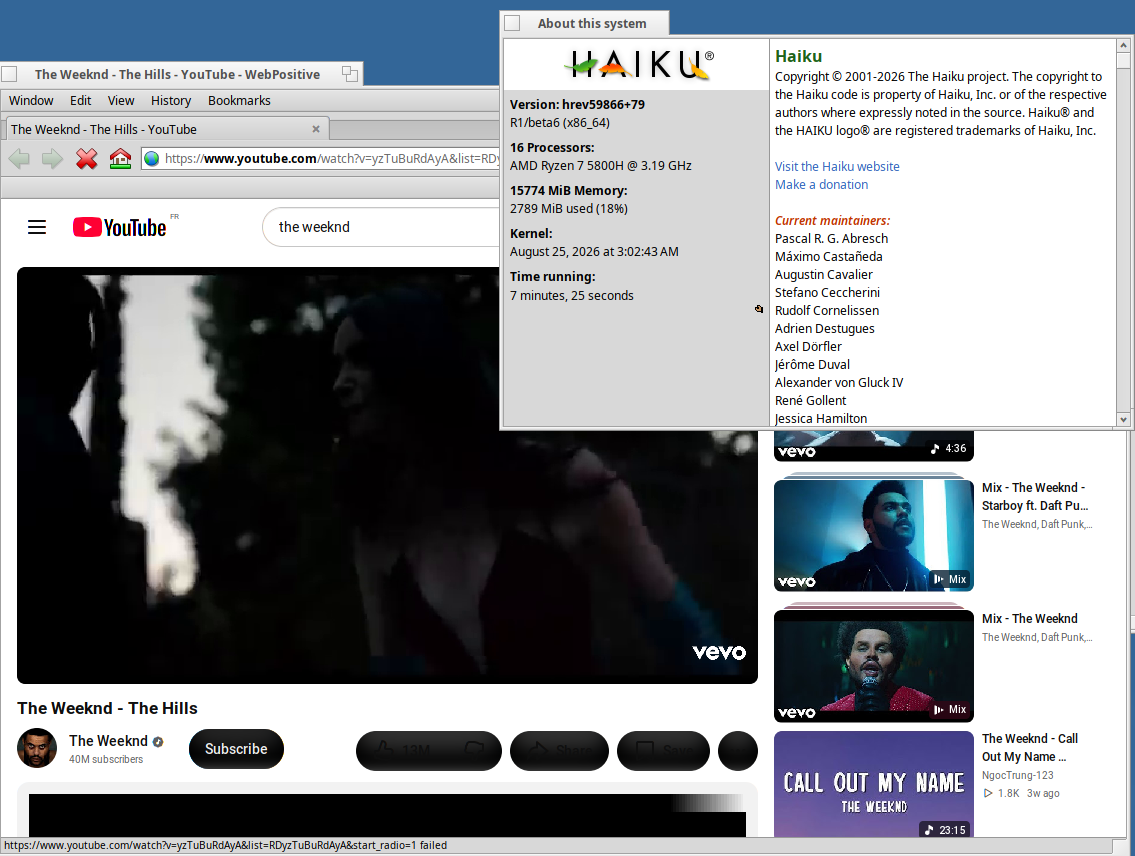
5 Likes
Hi,
I am running r1beta6/current, will a full-sync pull this release candidate?
Or do I change the repo to “stable” .. I don’t want to do a complete reinstall if possible..
Use pkgman list-repos to see what you’re using (beta5, nightly or beta6). If you use beta5 repos, you need to switch to beta6. If you use nightly, it’s up to you, switch to beta6 which is more stable and faster, or continue testing the latest updates from the development team as soon as they are ready (and sometimes… before they are ready).
Once you have set that up, SoftwareUpdater or pkgman full-sync will keep you up to date with the version you chose.
1 Like
As stated above, I am currently on r1beta6/current. I guess my question is, now that beta6 has been released, should I change the “current” tag in the repo to “stable” to get non debug (faster) builds ..
There is no notion of “stable”. You stay in “beta6” if you want the stable (and faster) release, or you switch to “nightly” if you want the latest experiments. “current” stays “current” in all cases.
I don’t know what you mean by “nightly” I thought current WAS nightly..
The repo I am using is: https://eu.hpkg.haiku-os.org/haiku/r1beta6/x86_64/current
No, nightly means having master in that URL in place of r1beta6, not changing the item on the end.
I thought I would try master, but no USB devices, so quickly reverted back to r1beta6, I think I will stay there awhile ..
Does youtube play videos without any stutter, glitch? Is it smooth?
Nightlies from Master branch does not yet play youtube videoes…thinking of switching over to r1beta6, just wanted to be sure…
Yes I can play all videos great .. I do get some dropped frames on 4K but that is expected without acceleration support ..
Is it always “current” at the end? What was the idea behind it? Can we drop it if it doesn’t make any sense anymore?
1 Like
You can also use a specific hrev number if you need to “pin” a repository (for testing an older nightly build, for example). But to track the latest updates (of either the beta6 or the master/nightly branch), it’s “current” which points to the latest available hrev in the corresponding branch. And I think that only applies to the Haiku repository, HaikuPorts doesn’t preserve its older states.
I had a Lenovo Thinkpad T570 working with a Haiku nightly running from a USB stick from a year ago, or so.
I was thrilled to have Haiku as the default operating system running from nvme.
Installed the new Beta6 in the same USB stick, so that could be installed in the nvme disk later on, but can’t run it.
The boot process advances until the third icon is lighted and stays there.
1 Like
Pressing the SHIFT key right from the BIOS boot does nothing.
Try the SPACE bar ..
Thank you!
I read about using the SHIFT key in this installation guide. Perhaps it needs to be updated.
When disabling local ACPI, the computer boots fine.
Can I get something more specific about the problem about local ACPI?
1 Like