Very old Compaq NC6120, a bit sluggish but everything seems to work (32BIT version)
That is indeed pretty old! Did you use TC0 or RC1? (the latter has more debug features disabled which should improve performance)
1 Like
Updated x86_64 on my main Haiku machine, works fine.
Tested both builds on USB stick and DVD:
haiku-r1beta6-hrev59866_79-x86_64-anyboot.iso:
USB stick:
- write with Balena Etcher (Win10 x64): OK
- boot: OK
DVD: - write with ImgBurn (Win10 x64): OK
- boot: OK
haiku-r1beta6-hrev59866_79-x86_gcc2h-anyboot.iso:
USB stick:
- write with Balena Etcher (Win10 x64): OK
- boot: OK
DVD: - write with ImgBurn (Win10 x64): OK
- boot: OK
I tried with BurnitNow under Haiku but I had no luck. It could be the Superdrive on my MacBook Pro since it does not likes every CD or DVD disks.
2 Likes
My DVD burner works fine on linux and freebsd. I noticed the issue on Beta5, but no one else reported the issue that I’m aware of, so I assumed it’s an issue with my DVD burner.
I have successfully installed the x86 version onto a Compaq laptop with a 1.5GB of RAM, a Mobility Sempron 3000+ and ATI Radeon Xpress 200M graphics. It runs decently well and I am currently booted using the radeon video driver.
I have noticed a few quirks:
- The ISO refuses to boot on my machine, this also effects Beta 5 and Beta 4. I ended up installing it directly to the drive using VMWare
- Deskbar does not load on startup and will not open when clicking on it. Running it though the debugger did not give me anything
- When booting up sometimes the video driver goes haywire and causes the screen to have black bars and warp, almost like a CRT thats out of range? idk how to describe it best but it was fixed by changing the resolution in software
That doesn’t mean too much when we’re an OS with not so many users, and when DVD burning is a rare task. I would suspect a bug in BurnItNow or in Haiku, personally, so if you want to help debug this, please do report it somewhere (probably BurnItNow first?)
I think someone else encountered this and it had something to do with Deskbar’s configuration, perhaps. Can you try copying Deskbar’s settings files out of ~/config/settings (so we can investigate them if they’re indeed the problem), and then rebooting?
Sounds like a bug in the radeon driver. Probably it should be reported.
RC1 has been locked in as R1/beta6! The release should be officially published in about 12 hours from now. But in the meantime, if anyone can download and seed the release torrents so there’s plenty of peers ready by the time the release is published, that’d be helpful!
13 Likes
+1 
Not aware of the existance of 2 relases… Downloaded the iso yesterday…
Silly me…
TC0 Test candidate 0
RC1 Release candidate 1, sorry… I suppose is the RC1
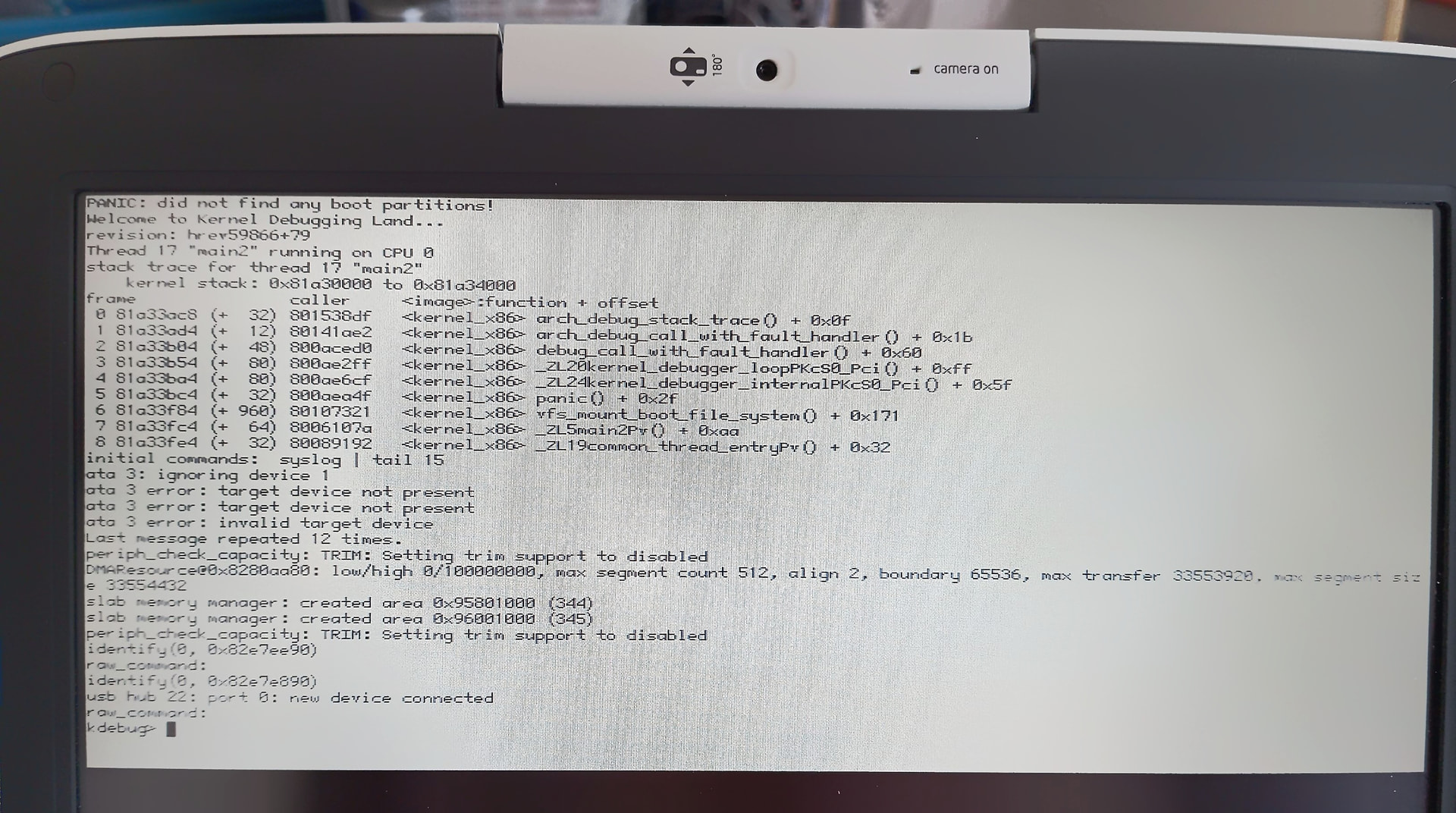
Have to add that after some minutes of use, the CPU jump to 100% usage, by the acpi_task process, and the PC became very hot, and very unusable…
Same problem with RC1 in a Intel NL1 Atom N270 Netbook, but the same 32bit Version works on a Neoware m100 Via C7 1.2GHz Laptop.
1 Like
Everything is running very smoothly here! A fresh install and update look great.
GOOD WORK!
I have 2 Lenovo X240.
With the Beta5, the Touchpad works 100%.
Under Beta6 not, the fingertip does not work anymore.
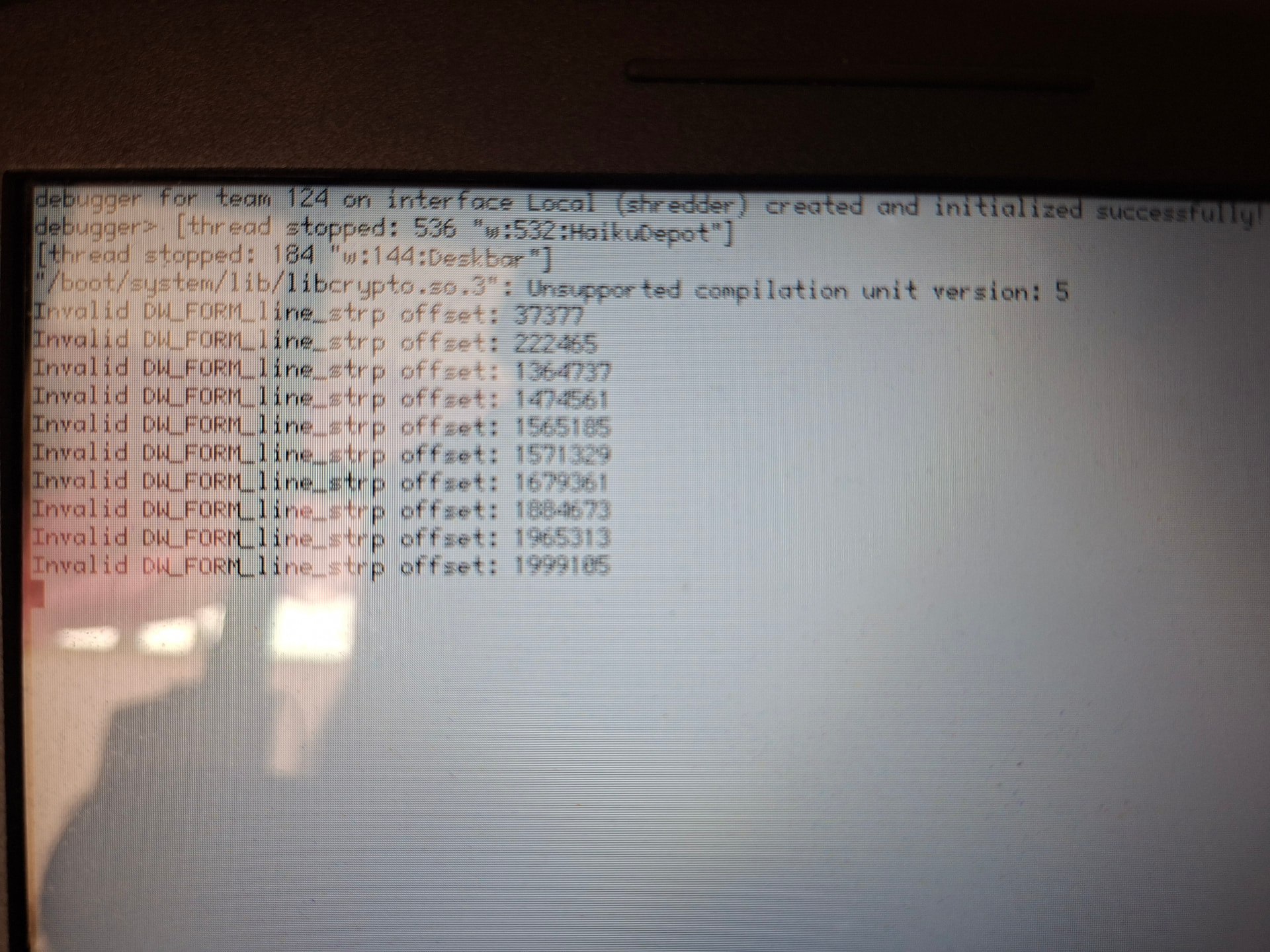
I upgraded from beta5 stable to beta6. I manually modified the repositories via pkgman. The upgrade process via terminal succeeded, but after rebooting I am experiencing several issues:
The touchpad is not working
Launching any application results in a kernel error
If you don’t have any open tickets about this, please open one.
Likely a regression from the PS/2 touchpad refactors. Please open a ticket if you haven’t already.
This is an app_server crash, not a kernel crash (though they do look similar). Please type save-report and hit Enter, and see if it says it saved a report; you should then be able to upload that somewhere for inspection.
4 Likes
Sorry for the mix-up.
I saved the report, restored a previous boot state, and recovered the created file. Where can I upload the report file?
(I noticed that all the applications I tried to launch crash the app-server, and the message always refers to the libcrypto.so.3 library)
Just open a ticket and attach it. In case it’s a duplicate we’ll just close it as one.
2 Likes
After a few attempts, the only workaround that worked for me was a fresh install using a bootable USB.
OK. Should we close the ticket then?
I think it’s right to close it, given that no useful information can be extracted from the report logs.
Tnx for your time
2 Likes
After upgrading my EeePC 701 to beta 6, the boot process hangs for a long time at the “loading device drivers” stage (I think that’s what the third icon means) but in the end it loads and works normally after that. Haven’t noticed anything actually broken yet, but didn’t look very carefully either.
1 Like