After about two years since the last beta, and only about a week after Haiku’s 25th birthday, Haiku R1/beta6 has been released! See “Release Notes” for the release notes, “Press contact”, for press inquiries … and “Get Haiku!” to skip all that and just download the release (or upgrade to it from an existing install.)
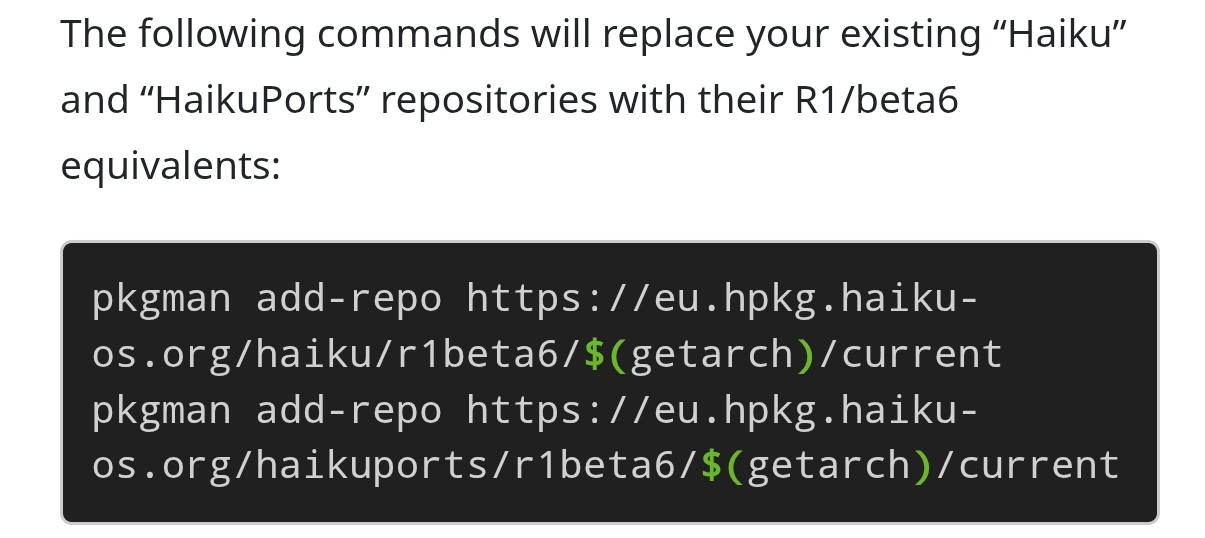
There are 3 commands: 2 in that block, and 1 more in the block just following that. The instructions detail how to do this: paste those 2 commands first, and if they are successful, then do the pkgman full-sync that actually runs the upgrade.
Y’all managed to halve RAM usage in Haiku again?! That’s amazing work.
In other news, I almost botched the upgrade due to adding the new Haiku repo but not the new HaikuPorts repo, and of course the full-sync wouldn’t complete after that; but simply running the forgotten command fixed the issue. It’s very robust! Everything seems to work fine after the upgrade, not that I tested very carefully. Congrats, everyone!
Well, somewhat. On lower-end systems it may be lower by as much as half, but the biggest decreases were “fixed size” decreases, so higher-end systems will see less of a decrease as a relative percentage. Still, it’s a big difference, yes
Big congratulations for another release of Haiku (or Haiku), I remember first time I tried alpha/4 version and was thinking to myself “wow linuxish, and unique, it has pottential” and one decade later.. well it deffinetly does.
“Life is like riding a bicycle. To keep your balance, you must keep moving.”
― Albert Einstein
me as well like thank you for new Beta6,
it contains many fixes/improvements and removed some annoying glitches, like FAT drives - which ones were pendrive partitions - also got a pendrive icon finally, not a drawer …
Still states as external drives, and do not keep their position on desktop (alone, at least for my experience. Soon I want to create a GPT drive that contains all FS supported under Haiku to experiment with.)
This release cycle was very tense for me - I admit some failures I made to my Haiku instances - I am happy to got advices earlier and menwhile to recover Haiku’s healthy status.
I experimented with installing under home .. I will reinstall some stuff that I use or just want to have and unfortunately Haikuports upgraded or removed it .. will see
Also I may use the cleaning of states with pkgman on my main Beta pendrive – it would be fun, if there would be a function that would archive these states besides a network boot providing server, so on my lan I could boot into older states of Haiku selecting remotely.
However I just saw that Adrien worked on Haiku network boot option - I still had not experienced with.
Also still had not checked I could setup a network boot server node using a descriptive doc on Haiku site. Honestly I do not have experience with.
I have a tomato firmware Netgear router - I wonder if that enough if I put into a 128 GB pendrive, I planned to upgrade the actual 32 GB one, and waiting to be replaced and frormatted for years in the flasdrives’ storage bonbon box …