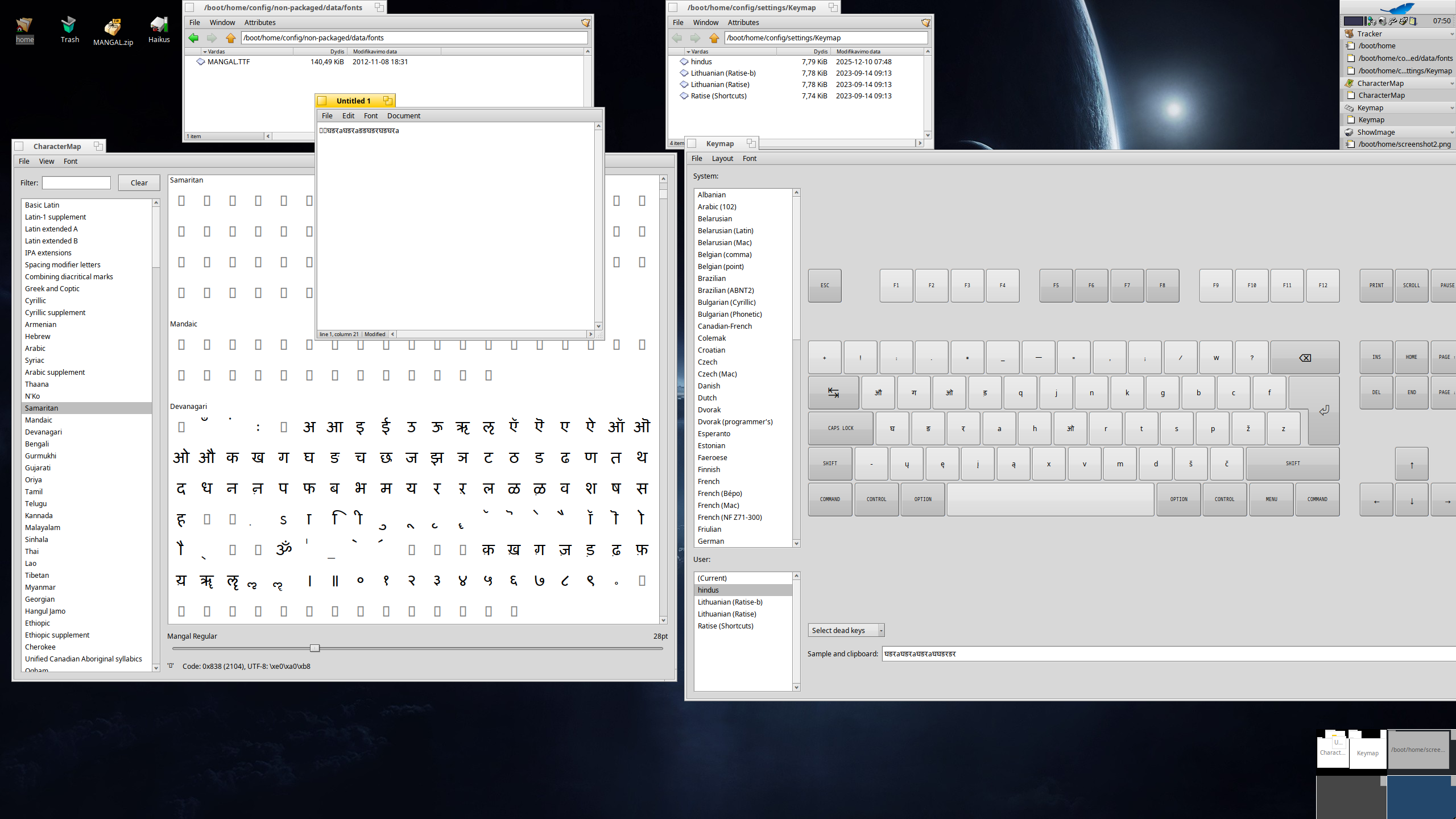
CharacterMap: devnagari script characters shape shifting is a real issue
Made up a keymap with those characters that were true, that is whatever CharacterMap displayed, I was able to pull
With some 20 characters, I made a keymap
installed Keymap switcher
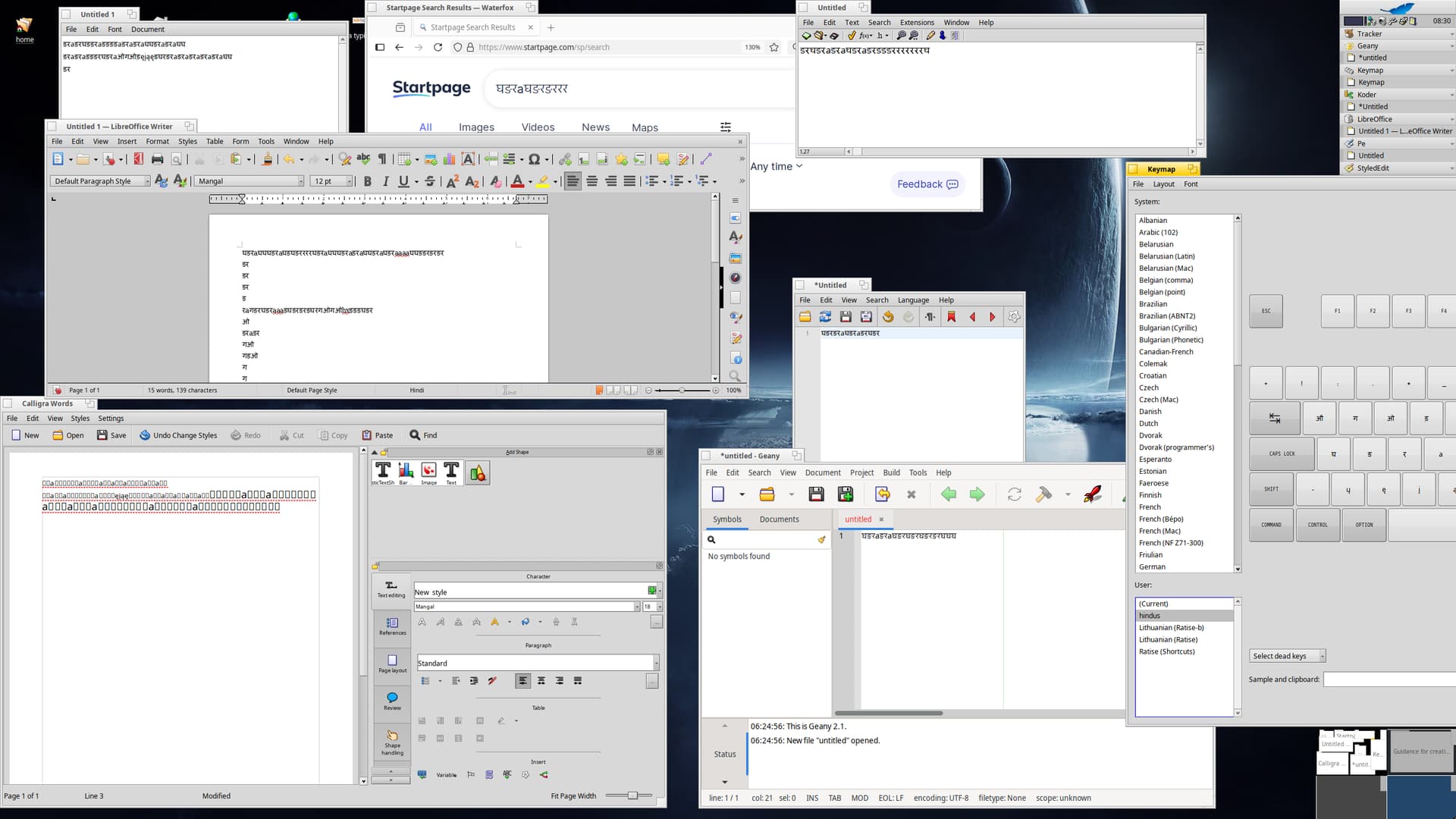
Opened libreoffice_writer…Selected my keymap ….typed the key for devnagari character….Devnagari character not displayed. only blank square boxes displayed, Just as Google displays
Not expecting much help from anybody….just posting my rants here, just in case some one else was looking to type in devnagari script
It is necessary to choose the right font with all the necessary glyphs, Haiku does not automatically insert a missing glyph from another font.
I guess that Devanagari text typesetting uses character combinations — the quality of rendering depends not only on the rendering software itself, but also on the technical design of the font itself. At least, that’s what I can assume from personal experience using superimposed accents in Lithuanian.
If something is difficult to do with Haiku keymap editor-viewer in GUI, you should convert the keymap layout created using the command line (type keymap in terminal…) to a text file and refine-edit it. This file can be compiled again into a keymap layout that Haiku can use.
Just to check, I opened StyledEdit, changed the font to Mangal, changed the keymap to my keymap and typed. It types English alphabets, not the character mapped to it
Pardon me if this is already understood. What I see here seems to be associating keymaps with fonts, and that’s a little problematic.
A keypress generates a UTF-8 character value. The characters we use in English are 1 byte long; the character value for A is 65. The displaying application sees 65, maps that to your average font, and you see A. I don’t have Mangal, but I’d bet a quarter that this works in Mangal too - 65 is “A”. The Devanagari A sound is, on the other hand, a 3 byte sequence 224, 164, 133. This is what has to be assigned to your keymap, on the key combination that you want to produce this character.
The font is irrelevant, as long as all the fonts map to Unicode. I mean, you could end up with a Bengali character or something, but if you’re emitting the right 3 character sequence, you won’t get a Roman character.
As damoklas suggested, I would be trying to do this with the keymap command line utility, in Terminal, because I don’t see how you could input the characters you want any other way. Put the files you create in config/settings/Keymap. I’m not really the one to offer instructions, because it has been a while and I was only guessing at some of the mysteries in the decompiled file format, but mostly it’s fairly easy to figure out. If you just type “keymap”, it will list the usage options. Make your Terminal window at least 136 wide. Your Devanagari characters probably should be specified in hexadecimal, like the A-ish character I mentioned above is 0xe0a485. It might work though to just copy this over to another OS and input the characters using your working input method.
Ignore the following for right now, but … one issue I could imagine may exist here, is that the keymap file will talk about dead key sequences: you type two key combinations in sequence, to get one character, so the first is a dead key that on its own doesn’t produce any output value. We name these sequences with names like “Acute” - á, é etc. - but regardless of the name you can use them however you like. Unfortunately - if I’m right - the text keymap format doesn’t actually specify the dead keys, so that has to be dealt with in the Preferences application.
You are right. But then, if you do emit that character you probably want to also see a nice glyph, not just an empty square, thus the need for a font that supports it. We are not there in always substituting the font when the chosen one does not have a glyph, we are currently checking only a short fixed list.
I tried to reproduce the issue but couldn’t. When I select a devanagari character in CharacterMap it shows that character. When I put that in a keymap, choose that keymap and type in an application, I get the devanagari characters, not latin. The font just changes whether I see a nice glyph or an empty box denoting a lack of it, again it doesn’t transform the characters into latin alphabet.
As noted by @nephele and explained in the Keymap help page, you can drag and drop characters into keys. Open CharacterMap, find the block[s] for your script and attack it with your mouse. Not saying that’s the best or easiest way, just that you can.
But then even with a nice key map and the right font, you won’t have a perfect experience with devanagari, maybe not even just ok, I can’t say. It needs complex layout of glyphs, the form of some characters depends on context and I read there’s even change of order sometimes. All of that we don’t have.
I think your explanation throws some light on the shape-shifting of characters that I am facing…cters
I am not using the terminal… I am only dragging and dropping characters of Devanagari (Mangal font) and dropping on to US keyboard and saving it as mykeymap named Devhind
Libreoffice writer displays blank when Mangal font and my keymap is selected, but StyledEdit displays English alphabets with this same setting….cannot understand
Those empty squares are because I hadn’t yet selected the Mangal font when I was typing those characters. When I selected the StyleEdit Mangal font, Devanagari characters appeared.
Today, I will make one more attempt to re-map all keys. I had done it correctly as per the Keymap guide….let me try again….in office….later in the evening
For native apps you must select Mangal font manualy, GTK apps seams pickup Mangal font automatically. Calligra Words do not display Mangal characters even when selected Mangal font (some bug? (but the keyboard enters the necessary characters, after copying the typed text into StyleEdit they are displayed)).
Tried QT6 Designer (and Falcon), it also automaticaly pickup Mangal font.
Damoklas, thank you very much for taking up my issues….Today evening, I will sort this out
I think the appearance of the Devanagari characters are not that much beautiful, when I type on linux (using IBUS) maybe because of the lack of support for want of harfbuzz on Haiku?
Thanks once again…if I am succesful in this, I need not use another laptop which is loaded with Voidlinux
If you’re using KeymapSwitcher to switch maps beware that it has a setting to change mapping per app instead of globally. So if it is activated, it only changes mapping for the current selected app and when you select another app, it goes back to the usual keymap. That could explain why you get English characters.
Today, I have received many valuable inputs wrt my issues of typing in Devanagari script….Today evening, I will check/follow/implement all these inputs
I am not able to sort out the shape shifting issue…That is, the CharacterMap shows one character in Mangal font…when I select it to drag and drop below, it changes immediately…Some other character is shown…due to this, some of my keys are blank…(Y key and some more…) I will make a video and post it here….