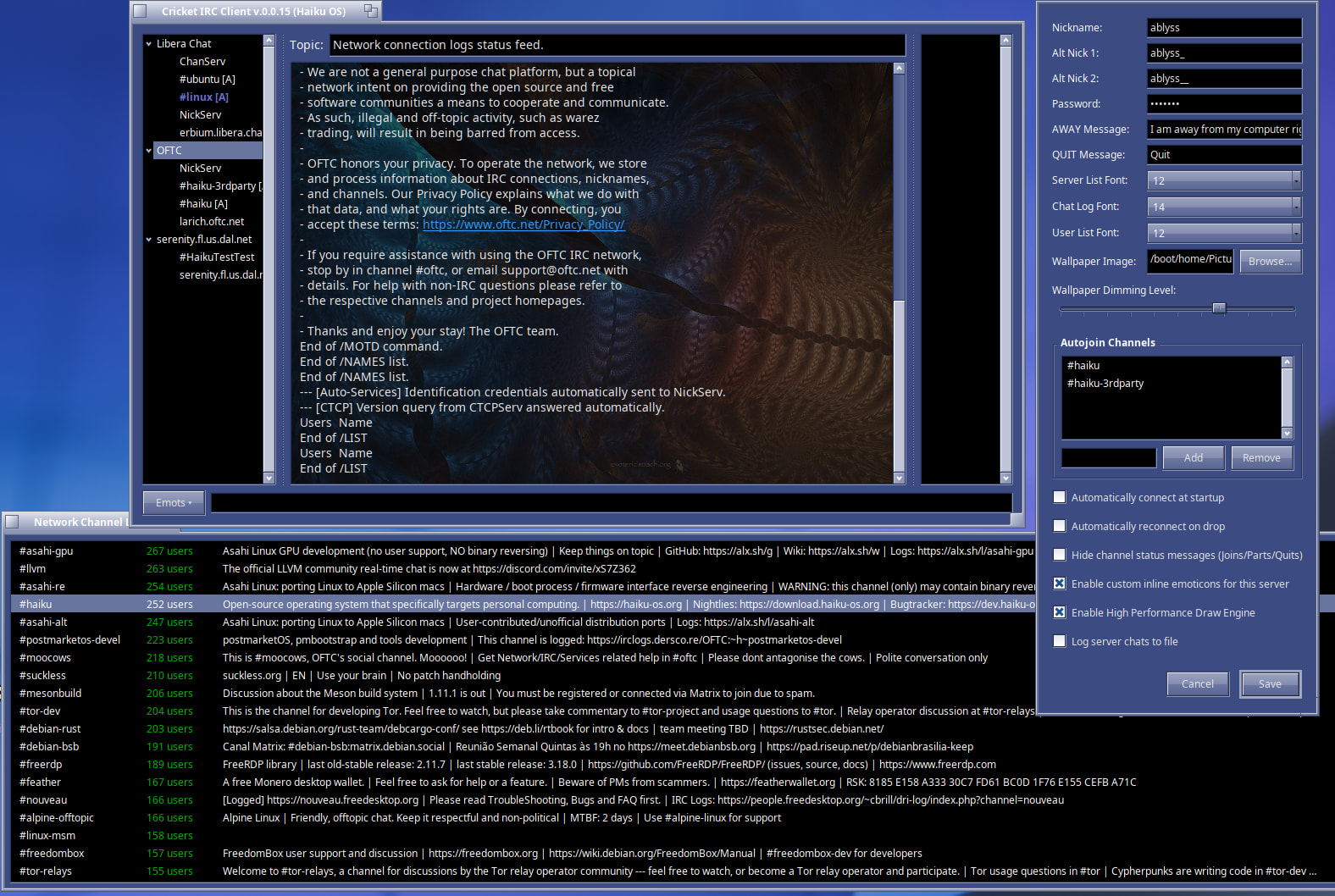
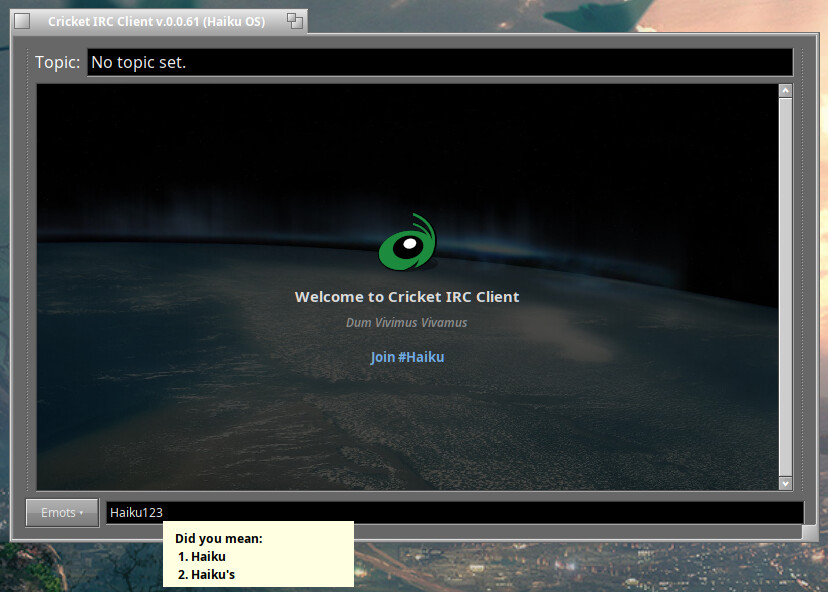
Vision is a professional grade, highly polished IRC client. The provenance of Vision is awe-inspiring, as the former CEO of BeOS even worked on the code!
Vision, however, while its code base is very solid and extremely thread responsive, has clunky, deeply nested preference dialogs to configure simple settings, lacks background images and emoticons, and font settings are applied to all servers with a one-size-fits-all approach.
Cricket, at its core has a minimalist code architecture. One main file for everything ( except the icons ). I prefer this architectural style. However, because of this approach, the thread/socket engine in cricket may not be as smooth and as responsive as Vision.
Cricket currently displays when a user is marked away.
Supports the IRC “CAP” pro tocol.
Easily view ban lists and manage channel moderation.
Intelligently adds a time stamp every 30 minutes instead of cluttering the chat view on every line.
Cricket is currently maintained by a single developer–myself. I’ve been asked once about my intentions of making a native IRC client, and what is wrong with Vision. This logic could apply to Iceweasel, or any other app that offers to Haiku what other app are currently missing. There’s a lot of IRC apps out there already, but how many Native Haiku IRC apps can you count on your hand?
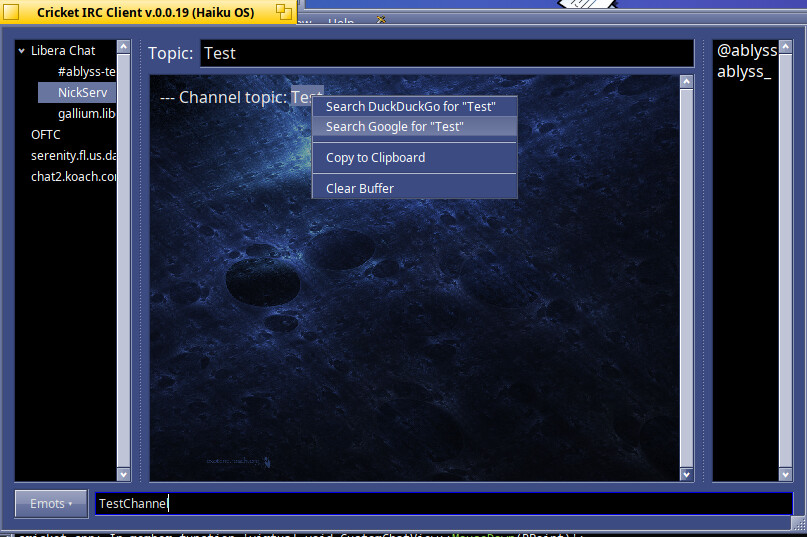
Users can now select text inside the high performance draw engine #channel manually or by double clicking a text. A dropdown menu will give the option to search the selected text with DuckDuckGo / Google / or to save to clipboard.
Text Input box has memory mapping logic of last sent text. Using up / down arrows will scroll the last typed text in memory.
Users who create their own #channel now can apply custom #channel settings by right clicking their channel and selecting Channels Modes.
Users who are not Operators will not see Operator commands.
Fixed a sync bug when turning off Hide Server Messages in the Server Config Dialog. Now properly syncs the settings to the Server Tree.
Removed some outdated code that was not truly multi-server friendly.
Added code to filter out Channel Listings by a search string.
Fixed a bug in the Draw Engine that was not wrapping the text correctly.
Dynamic Property Synchronization fix when add/removing autojoin #channels will now automatically update on the Server Tree menu.
Fixed Multi-Network logic…Background connections are strictly sandboxed under their own nodes preventing any cross-talk.
New Lag-Free Core Performance: Ditched loop overheads by batching massive network bursts to refreshusers() exactly once, keeping the app lag free during huge channel joins.
Added new IRC protocol handlers for modern client identification e.g., “CAP” protocol.
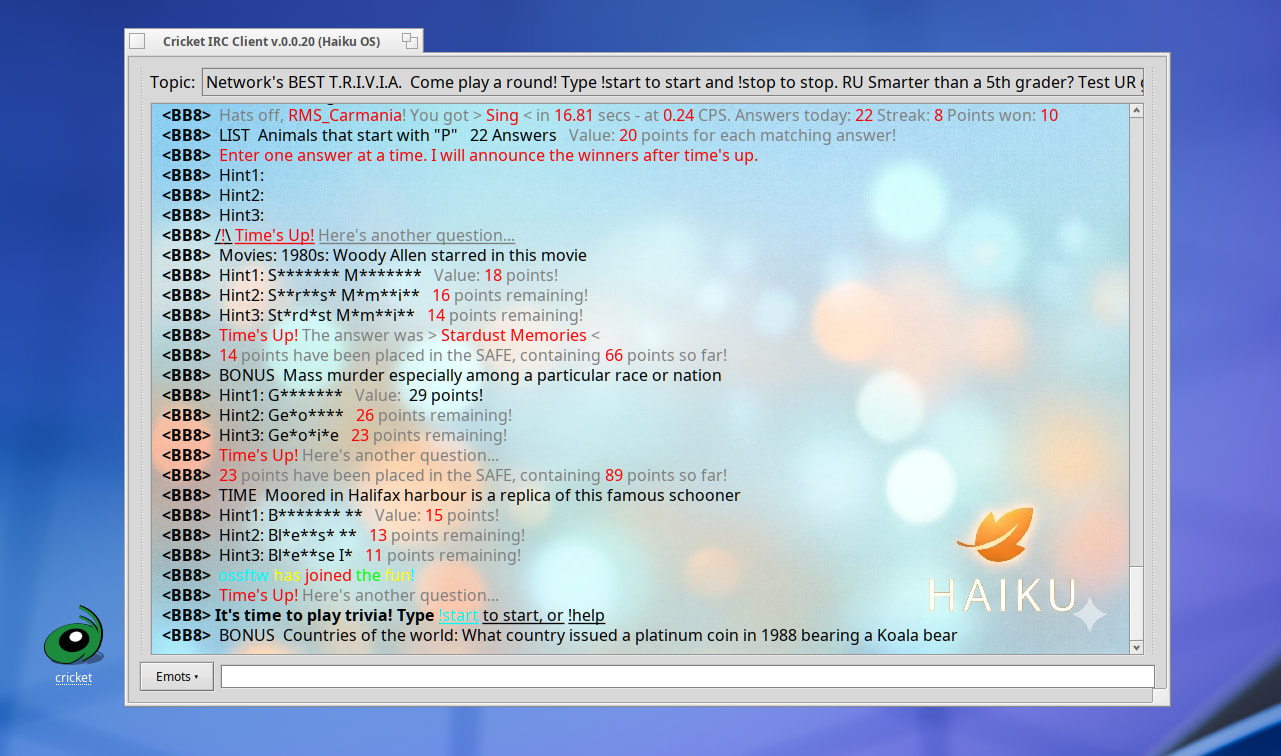
Added mIRC color support with option to disable in Server Config Dialog
Fixed privmsg query opening up on wrong server tree node
Added custom default background wallpaper and fixed the default startup screen to support light global theme colors
TCP Accumulator Fix: Switched to length-bounded .Append() preventing early null truncations.
Network-Agnostic Adaptation: Read the server’s unique CAP LS text buffer dynamically and scans the server’s menu offerings, and processes (away-notify, multi-prefix, server-time, chghost), and builds a customized CAP REQ string on the spot for each unique server connection.
IRCv3 Tag Stripper: Sliced off leading @time=… strings preventing modern server extensions from breaking prefix and token matching logic.
Deadlock-Free Knock Prompt: Swapped out thread-blocking messaging calls for a native asynchronous BAlert to accept entries on +i rooms.
Intelligent Auto-Join Handshake when receiving an invite
Anti-Flood Nickserv with invalid passwords when using alternative guest handles.
Fixed mirc color code logic from stripping out the 30 min. timestamp and also made it more intelligent to not strip out non mirc color codes.
Overhauled UserListItem to support true cumulative status flags, so toggling an Operator off cleanly reveals their underlying Voiced status badge.
Removed multi-server index drift/ghosting glitches by tracking parent servers directly through tree-view hierarchy instead of flat indices.
Added tab completion on nicknames
Modernized the Server Config interface by migrating components into a native, landscape-oriented BTabView that comfortably accommodates lower screen resolutions (down to 340px high).
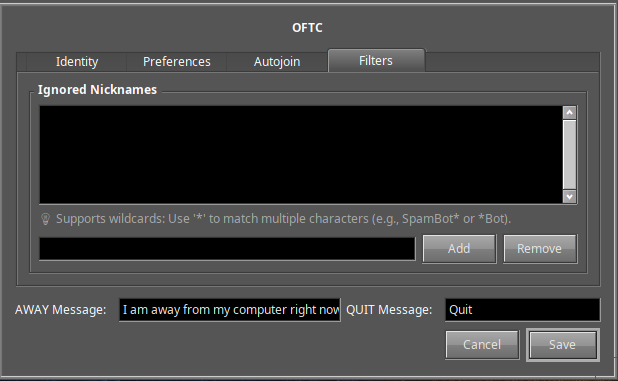
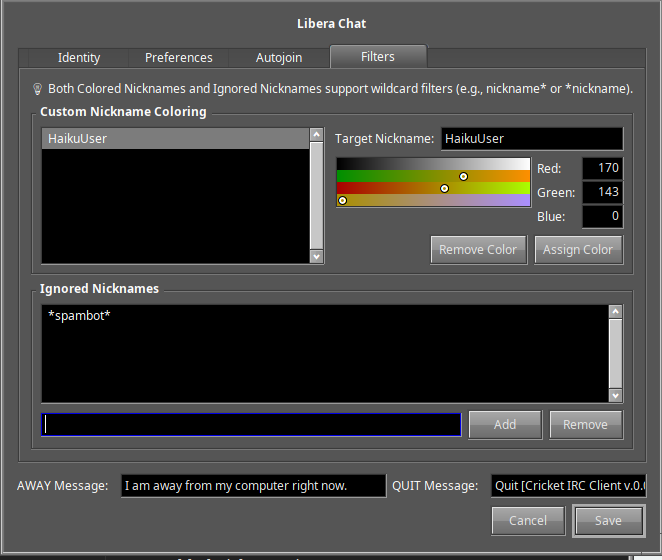
Added a new Filters configuration tab to the Server Properties window to manage and persist ignored nicknames across multi-server sessions.
Integrated a lightweight pattern-matching engine inside the filter pipeline supporting shell-style wildcards (e.g., SpamBot* or *Bot).
Stability: Implemented defensive runtime pointer validation inside ParseAndDisplayIRC to prevent dangling references and __dynamic_cast pointer collisions during auto-reconnect sequences.
Removed default background.png and went back to a lightweight initial user interface.
Expanded the core incoming parser to explicitly process and route a comprehensive suite of WHOIS numeric server replies:
– 311 (RPL_WHOISUSER): Extracts and formats target username and hostmask parameters.
– 312 (RPL_WHOISSERVER): Isolates the specific backend routing daemon name.
– 317 (RPL_WHOISIDLE): Parses integer tokens tracking user sign-on timestamps and idle duration.
– 319 (RPL_WHOISCHANNELS): Resolves the target’s active room list.
– 330 (RPL_WHOISACCOUNT): Identifies authenticated network services accounts.
– 671 (RPL_WHOISSECURE): Captures incoming secure TLS/SSL network connection details.
– 005: RPL_ISUPPORT (Server Features List)
Fixed CAP terminating sequence handling which keeps modern IRC servers like Libera IRC from trapping the client in a loop freeze which would result in ping timeouts.
Added control+c to the copy to clipboard functionality.
Fixed a bug to isolate user quit messages from compile-time signatures, automatically injecting the current version string onto the users existing quit message.
Added nickname coloring support.
Added custom timestamp interval selection.
Added nickname ignore support.
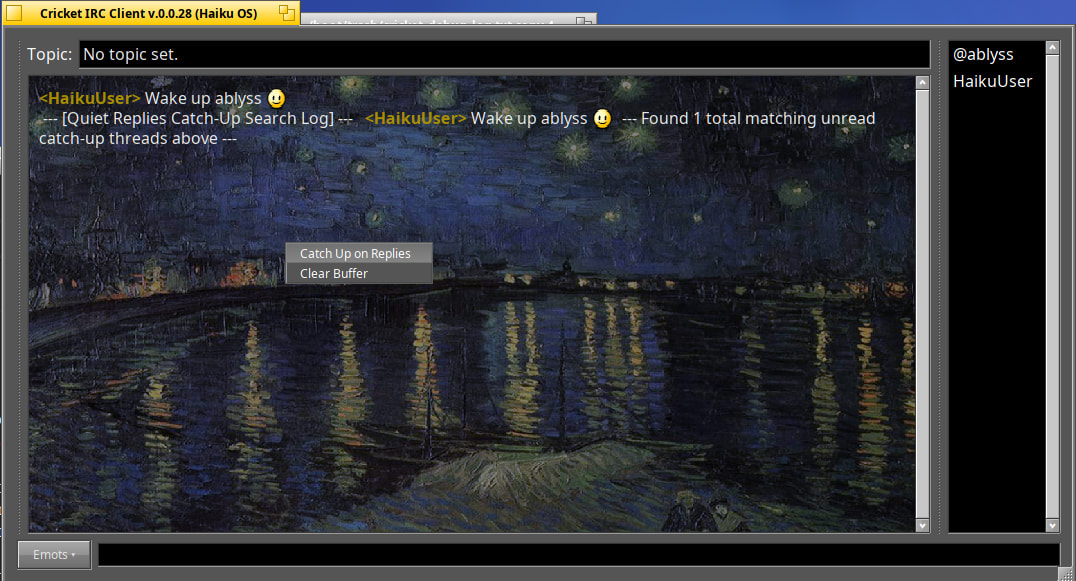
Added a quiet “Catch Up on Replies” option to the active channel’s right-click context menu. This scans the buffer history to quietly print a summary showing exactly who mentioned your nickname and what they said.
Added a new menu for processing autojoin commands.
Added Custom Search Engine menu with common search engines and cleaned up the Mouse Menu.
Fixed input History selection bug, now text will be sent when pressing Enter without needing extra spaces.
Fixed [AC] and [AR] flags not updating if autoconnect and auto-reconnect where toggled in Server Config Window.
Added RGB color box in the Filters tab to show current selected colors.
Hardened case-insensitive Wildcard Pattern Matcher to run in strict “Big O of M times N” linear time with O(1) memory safety. Basically, this means the app is less likely to crash from a third party exploit.
Updated ignore <user> code to not only ignore user chat messages but also user join and part messages.
Other Updates
Added notification popup when nickname is mentioned, and option to toggle this feature on/off in Server Config
Added automatic Version / Update checking and option to toggle on / off in Server Config
Fixed Default Search Engine to use a global config setting instead of being a Server specific setting.
Fixed: right or left clicking anywhere in the app would automatically trigger text in the input box to be sent.
Fixed URL loading if URL was text wrapped.
Updated away/back code handling for right clicking on nickname. Previous code would sometimes target the wrong server, and return server error message when returning from /away mode.
Updated OP logic to store nickname in memory if Permanent option was selected and added a No Time set option.
You did a great job! I wonder how difficult it would be to implement automatic translation for incoming and outgoing messages, so that users can always speak and read in their native language.
Hi @Edward0Teach, I appreciate you! Having realtime translations would be great feature. I have not put much effect into making this a reality but who knows what the future may bring
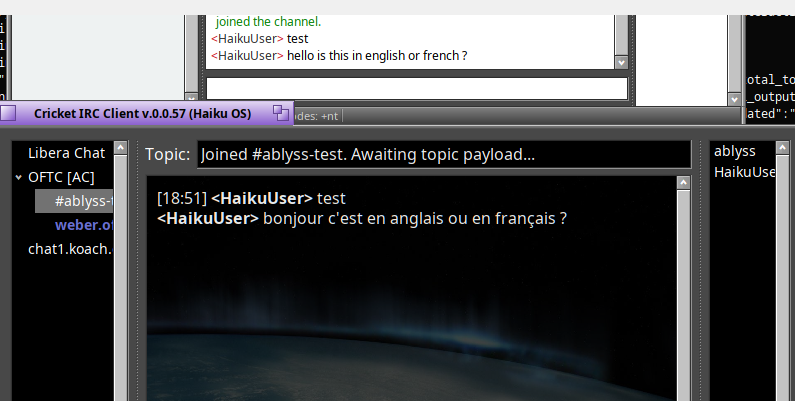
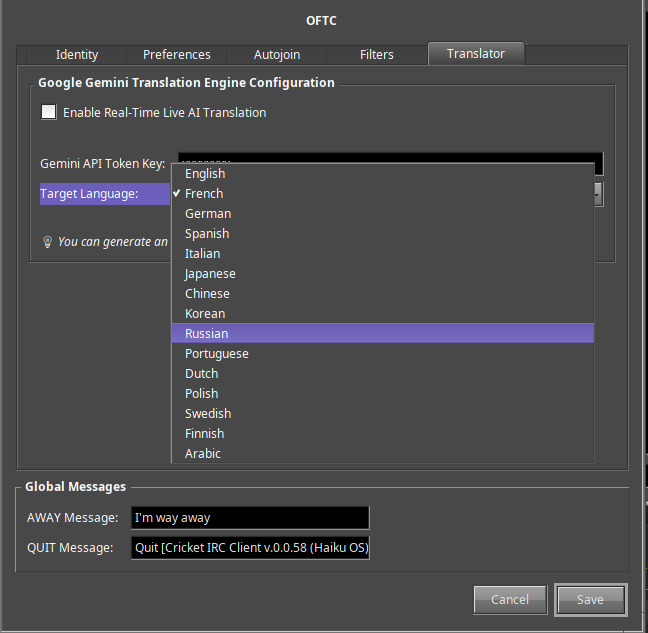
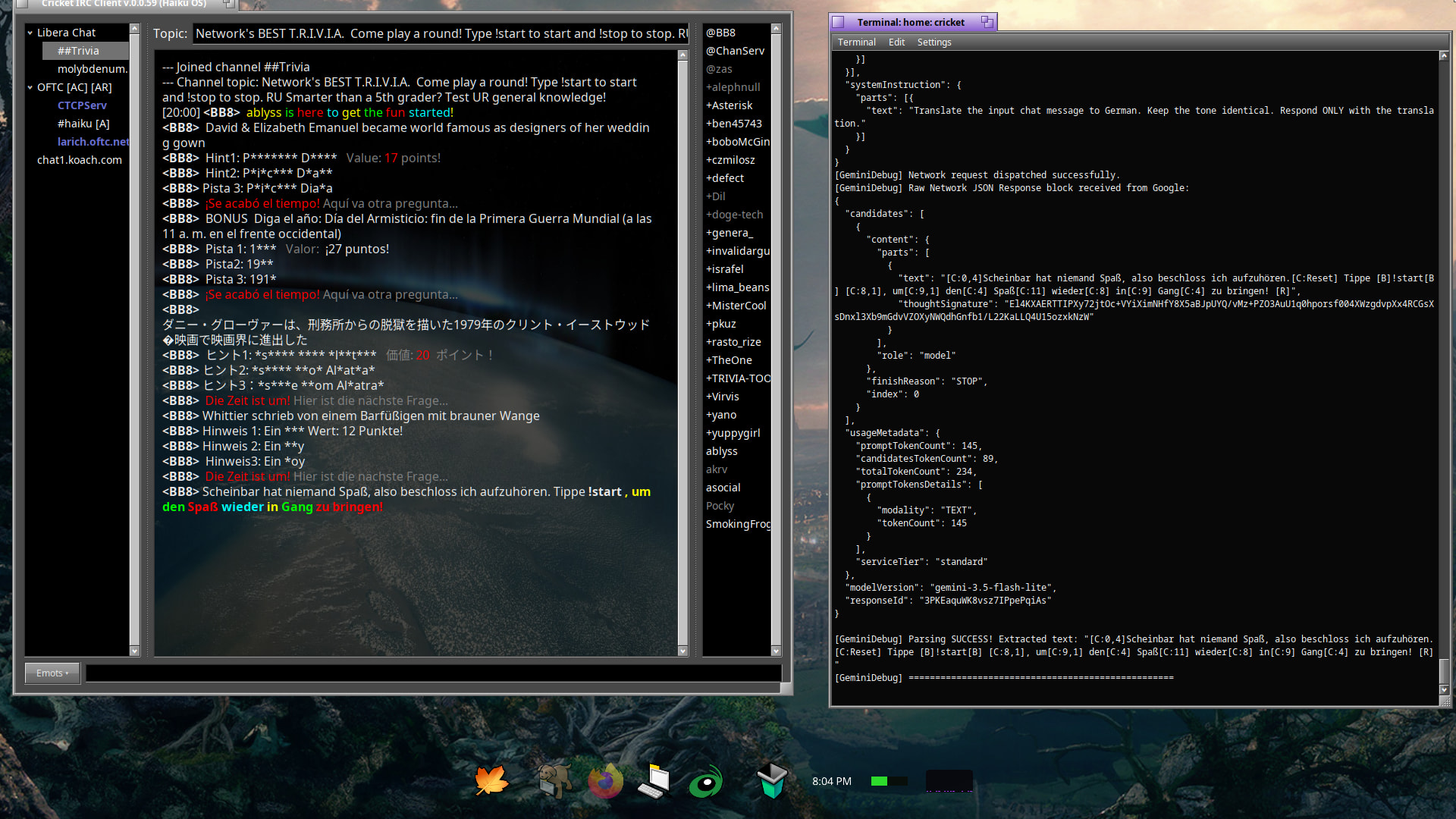
Added code to translate languages in realtime. Currently, this is done via Google Gemini API and a free Gemini API key is required. You can register a free API key @ https://aistudio.google.com/api-keys
Rate limits apply and when reached, the Cricket silently quits translating. You can enable debug mode in Preferences and run Cricket from terminal to see what is happening behind the scenes.