Perhaps the best chance to assemble a “modern-ish” BeBox would be with a transitional AGP to PCIE mainboard that has both of these slots.
Or you can accept that BeOS 5 was never a graphics powerhouse and just get a Matrox G550 PCIE which works 100% for 2D accel and overlay.
I do have an unusual issue where the primary head in BeOS (the dualhead works) is not the primary head during the BIOS, so I can’t see the bootloader.
You mean this card (PCIe 1.0 x1): Matrox Millennium G550 PCIe Specs | TechPowerUp GPU Database
there also AGP version: Matrox Millennium G550 Specs | TechPowerUp GPU Database
Yes.
If you are on an AGP board, you will get faster (2D) AGP cards easily - Geforce and Radeon. If you are on PCIE it is the easiest and cheapest card to get
You should just give up on 3D
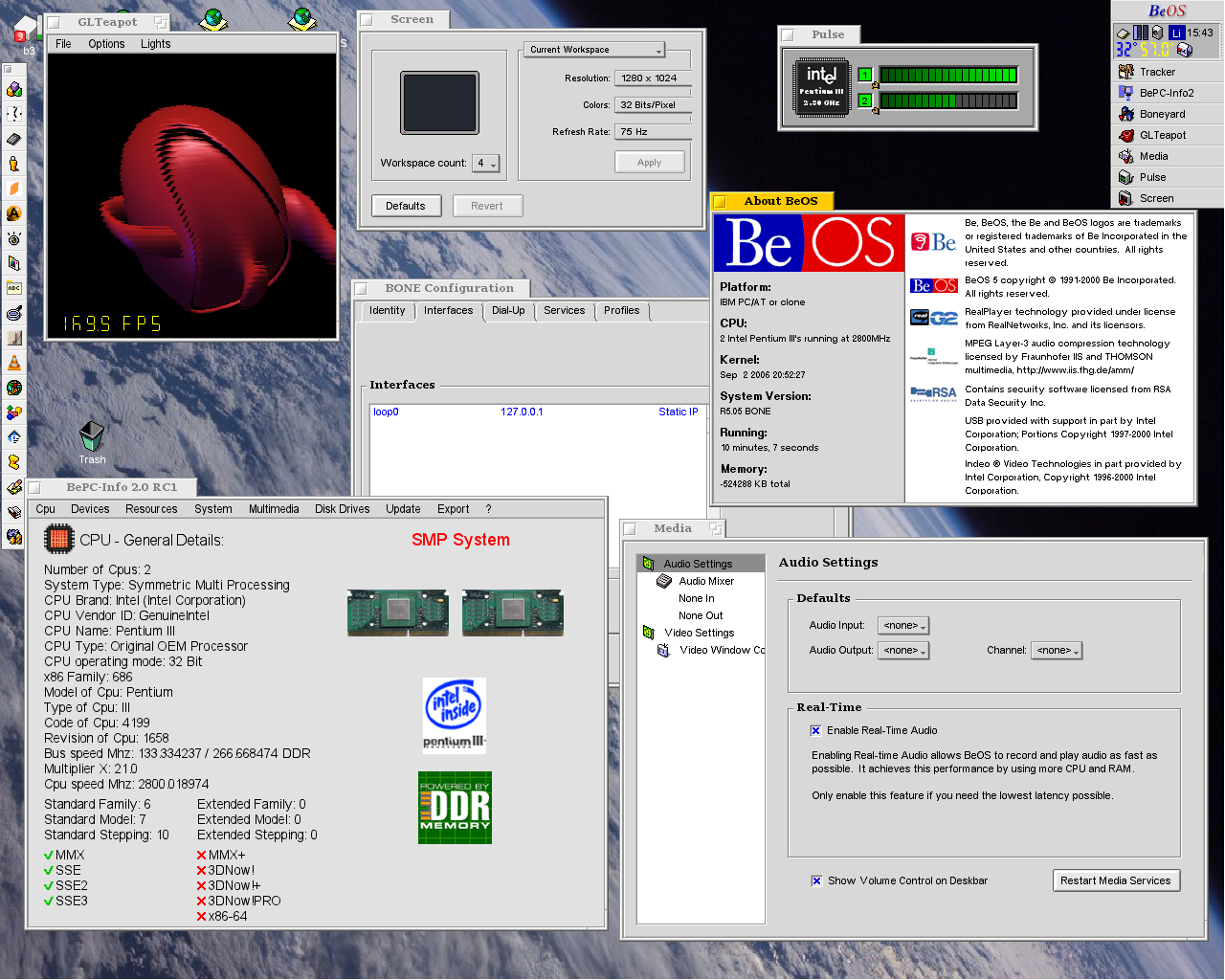
Question: Has anyone run BeOS/Zeta on an Intel Core 2 Quad processor — how many cores did the system see/use? two or all four?
Matrox Millennium G550 variants have been used by various manufacturers for even longer as a server graphics card. Do these server variants of the card work with BeOS video drivers?
Manufacturer Model / Part Number Manufacturing Years RAM Connectors Description Matrox G55-MDDE32F ~2004–2005 32 MB DDR 2× DVI Original Matrox PCIe x1 G550 variant for workstations and servers. Dual-monitor support, very stable 2D output. Dell 0GN510 / G55-MDDE32F ~2005–2008 32 MB DDR 2× DVI OEM Matrox G550 rebrand for Dell PowerEdge and Precision systems. Reliable dual-display card for business/server use. IBM 10N7756 / GXT145 ~2004–2007 32 MB DDR 2× VHDCI (DMS-style) IBM server graphics accelerator based on the Matrox G550 core, designed for AIX and Linux Power Systems. Maxtor F7230-00 ~2004–2006 32 MB DDR 2× DVI OEM Matrox G550 variant for professional and industrial systems. Rare outside OEM channels.
Notes
- All cards use the Matrox G550 GPU (Parhelia-derived 2D/dual-head architecture).
- Intended primarily for servers and workstations — focused on reliability and display stability, not gaming performance.
- Typical bus interface: PCI Express x1 (earlier AGP versions existed).
- Most variants feature passive cooling and very low power draw (under 25 W).
- OEM versions (e.g., Dell, IBM) often have custom BIOS/firmware, which may cause incompatibility with standard Matrox Windows drivers.
- Designed mainly for AIX, Linux, and Windows Server environments, not for consumer OSes or gaming use.
Compatibility with BeOS, Zeta, and Haiku
BeOS, Zeta, and Haiku share a common driver heritage.
The original BeOS Matrox accelerant was later adapted for Zeta, and Haiku inherited much of that driver code.
However, support varies between systems depending on firmware, PCI IDs, and driver maturity.
What Works
- Retail Matrox G550 (PCI, AGP, PCIe) is well-detected by all three systems.
- BeOS / Zeta: Use the legacy
matrox.accelerantfor 2D acceleration and dual-head support.- Haiku: Includes an open-source Matrox driver providing basic framebuffer and limited 2D acceleration.
- Dual-monitor configurations are generally functional in clone or span mode (depending on version).
Limited / Unreliable Support
- OEM / server versions (Dell 0GN510, IBM GXT145, Maxtor F7230-00) can have:
- Different PCI IDs not recognized by BeOS/Zeta/Haiku drivers.
- Custom BIOS/EEPROM that prevents detection as a Matrox G550.
- Fallback to VESA mode only — meaning no acceleration and reduced resolution options.
Not Recommended
- IBM GXT145 (10N7756): This is a POWER-based AIX/Linux server GPU, not x86-compatible.
It cannot be used under BeOS, Zeta, or Haiku.- Dell / Maxtor OEM G550: BIOS-flashing to retail Matrox firmware might theoretically enable detection, but it’s risky and untested.
Summary Table
Variant BeOS Zeta Haiku Notes Matrox G55-MDDE32F (retail) Works with Matrox accelerant; stable dual-display support. Dell 0GN510 (OEM) Custom PCI ID; may not bind to Matrox driver. IBM 10N7756 / GXT145 POWER architecture, not compatible with x86 systems. Maxtor F7230-00 Firmware-dependent; may identify as non-Matrox device.
Recommendation
For the best experience on BeOS, Zeta, or Haiku, use a retail Matrox Millennium G550 (AGP or PCIe).
It offers verified driver compatibility, stable dual-head display, and 2D acceleration.
Server/OEM G550 variants are not recommended unless you’re experimenting with driver or firmware modifications.
(* tables compiled with ChatGPT’s help.)
Does anyone have personal experience or any comments on this issue?
…Perhaps some of these server video cards would work with a modified/patched Matrox driver…
I only tested up to 1080p - mainly used my Quadro FX 5500 (boxed nearby). Cloned two monitor setup when using Haiku.
3D acceleration was broken in BeOS 5.0.3 Pro The driver for Nvidia 7800/7600 wasn’t power managed and there was two main Mesa releases for it.
I suggest the Quadro FX or Nvidia 7300/7600/7800 cards if you want to get into both 2D/3D work. The driver has 2D acceleration and the Mesa 6.x driver build components. These cards are better for full screen 2D/3D work. Could backport Mesa 7.9.2…
I agree about using the Matrox G-series cards if you just want 2D hardware acceleration. Matrox has a defective/broken 3D engine implementation. Mesa software rendering is not bad for most 3D software from that era.
1 Like
Please don’t post AI slop to this forum
3 Likes
Explain the reasons and legality(?) of such an order/request.
1 Like
You are wasting peoples time by posting unresearched and unsubstantiated spam. Don’t do that.
2 Likes
And you wasting my time, don’t be so arrogant.
1 Like
I’m not arrogant and I have 40+ years experience in IT, but I have to side with nephele on this one.
Using ‘Artificial Idiots’ as I call most of them for a quick lookup about a movie regarding a cast member…that is safe because even if it gets it wrong–‘no harm no foul’. My wife likes AI Assist since it helps her find cooking recipes, books, movies details,and other mundane stuff. AI is good with the mundane information (that was unceremoniously gathered or stolen at the onset of the LLM usage).
The current form of what is known as AI in our corporate influenced world is not really the academic version of AI that I grew up with. I studied NLP in the 1980s and kept up with its growth and advancements. Since all segments of AI are somewhat inter-related with other…I know it is a vice–my chocolate! So…instead what corporations have created are mostly ‘learning systems using predicative algorithms’. Sounds cryptic but it is not–in layman’s term: it is a set of procedures and sub-routines added to their preexisting applications that are predicated on decision-tree formulae for determinative output (this is true for most of them–deep pockets are required for more advance models). [In other words for the conspiracy theorists : AI gives exactly WHAT the corporation wants you to know.] That is 'the ‘smelly stuff’ that Google, Microsoft, and many others are peddling as AI!
The academic AI disciplines are/were planning to change their discipline name from being called Artificial Intelligence to avoid the confusion what the corporate world has done with the term. Since the enshittification of the same term to make even more money, I dislike the term AI as well–knowing what real AI is supposed to be.
Here is excerpt, “One of the main criticisms of the term “artificial intelligence” is that it implies that machines are capable of replicating human-like intelligence. This has led to unrealistic expectations and misunderstandings about what AI is and what it can do. In reality, AI is a set of tools and techniques that enable machines to learn from data and make predictions or decisions based on that learning. While AI can be incredibly powerful and useful, it is not a replacement for human intelligence.” [ Renaming Artificial Intelligence (AI) ] Note: they are plenty of articles like this one–turn off your AI assist and do an online search. You will find them faster …. BTW: real AI is centuries away or IMO millennium or two away.
ChatGPT and others like it are full of professional risks. Using them for real IT business,…nope. My IT shop will not use AI and for good reason. Talk to the lawyers who have been or going to be disbarred due to AI usage in their legal papers or the scientists who were discovered inadvertently falsifying scientific details due to AI whose papers were withdrawn from publication? And thousands of other AI victims, who are all now probably working in different industries now.
This is exactly what nephele is referring to.
If you are going to regurgitate AI produced facts/information: 1) Clearly cite the AI source; 2) Highlight or underline or italicized the AI text to denote what is not your own words; 3) Verify everything is correct–do not assume.
My suggestions to avoid future misunderstandings.
I found your information interesting–is it useful? I will find out when I carefully vet the AI suggestions and information. I am looking for Zeta OS graphics card upgrade from a Nvidia TNT Ultra to something better (if it exists).
3 Likes
So I tried a modernish (for BeOS) retro PC.
MB: Asus P5KPL SE rev. 2.01G
CPU: Intel Core 2 Duo E7400
RAM: DDR2 2+2GB
GPU: nVidia GeForce 6600 PCIE (ASUS EN6600)
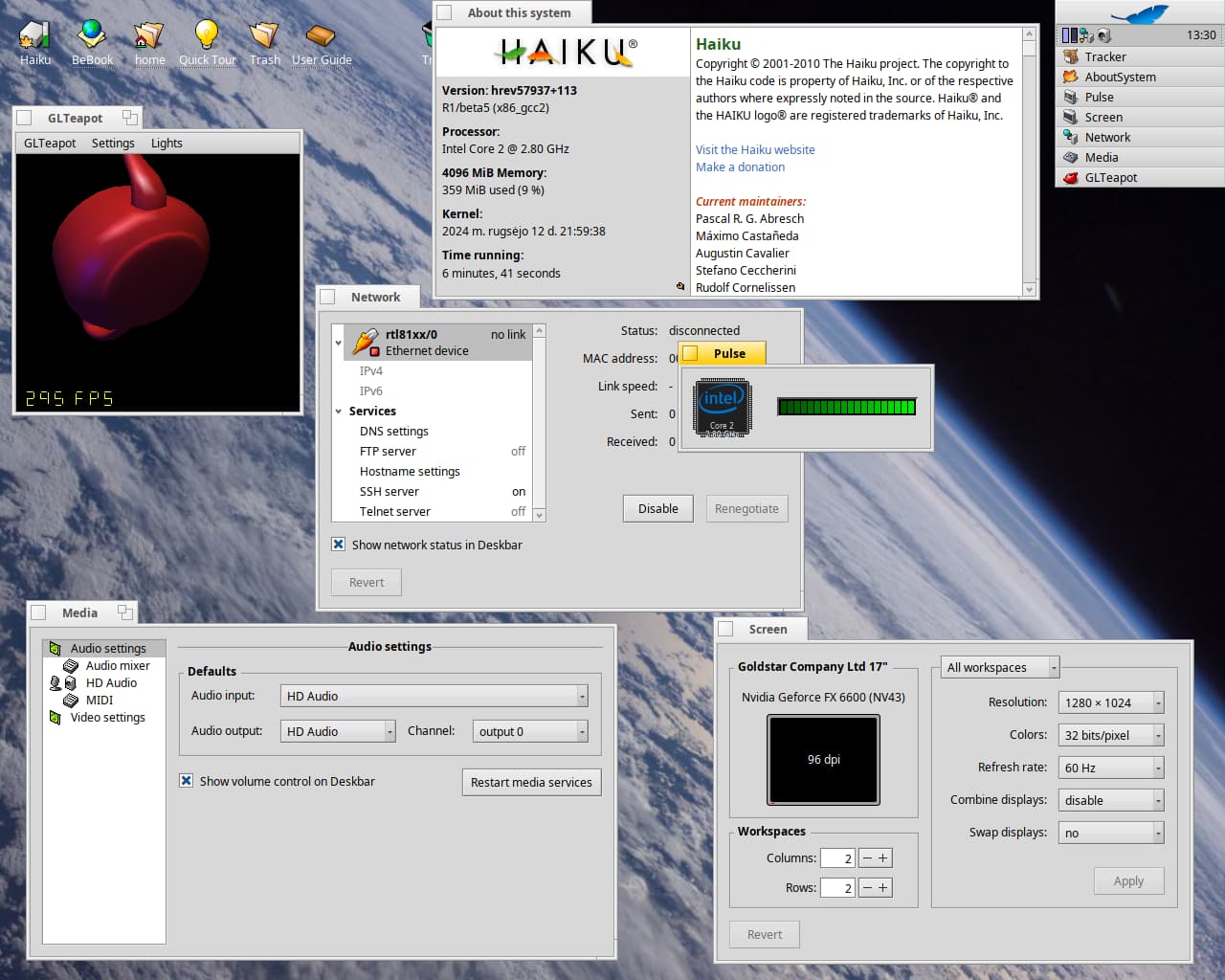
Haiku (32 bit) for some reason only sees one CPU core, why?
2 Likes
I am curious if BeOS and Zeta would see all four cores if you installed a Core 2 Quad cpu. Did you ever get an answer? Especially on your rig: Asus P5KPL CM motherboard.
Not yet. When I get one, I’ll try it.
Check kernel settings file, perhaps SMP is disabled.
I have a Core 2 Quad Q6700. with an Abit IP35 Pro motherboard. Works perfectly, all 4 cores.
I think you want a CPU that has G0 stepping. You can find that out here.
It’s a P35 chipset. Any P35 chipset motherboard that has MPS in the Bios will work as far as I know.
Edit: I might have switched to a P43 motherboard, and that worked too. If you want model suggestions, let me know and I’ll check what models I was successful with.
IDE doesn’t work (I think). I use a Promise Ultra 100 Tx2 IDE controller.
Works well in BeOS 5.03. Using a Radeon x300.
2 Likes
“I use a Promise Ultra 100 Tx2 IDE controller.”
When you installed BeOS…do you need to install the Promise drivers first during up by floppy disk? Or does the setup detect the Promise card and see the harddrives to create/delete partitions?
Darn. It was a few years ago since I’ve installed. I forget.
I think it will not work out of box on that card. I either mapped a physical drive to a virtual machine and installed drivers that way, or I installed in my Thinkpad T42p which does have its disk controller supported. (99% sure).
The mapping method is great, especially in single drive systems. I use that way to back up to a virtual machine.
Boot floppy disk modified with Promise for BeOS driver or check for on an existing install. I think I remember it being on the BeOSMax and other modified “distros” of BeOS.
Check controller’s firmware (BIOS) for updates.
1 Like