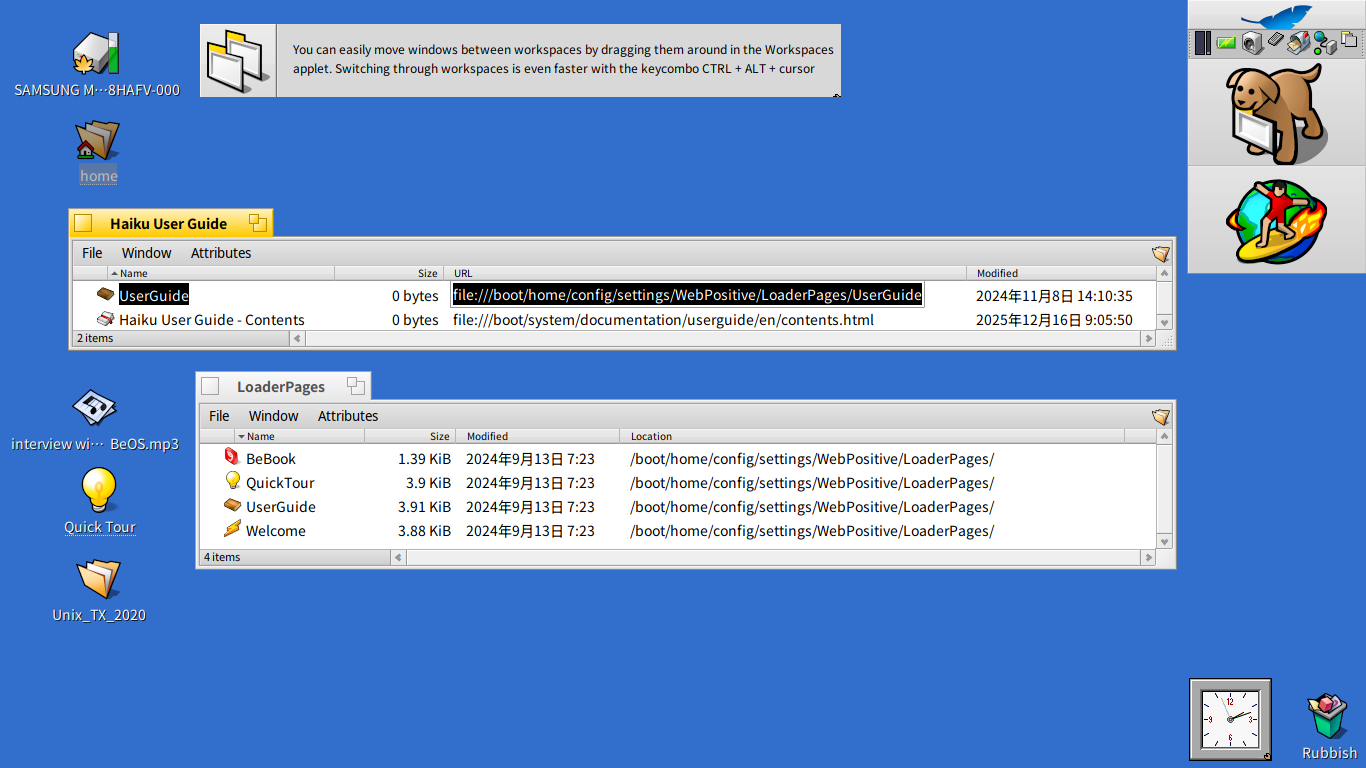
I’ve found that when I change my default app to open text/HTML files from WebPositive to something else such as IceWeasle or Floorp the link to open up the Haiku UserGuide will no longer do so.
It seems to be because the url attribute for the UserGuide points to file:///boot/home/config/settings/WebPositive/LoaderPages/UserGuide, and not to the actual location of the html file for the UserGuide.
I’ve found that the workaround of opening the UserGuide first in WebPositive, dragging and dropping a shortcut to the page to the desktop and using that instead of the UserGuide shortcut will work, even after I change the default browser.
Just wondering though what the “LoaderPages” folder actually does in Haiku. Does it somehow enable the UserGuide to be opened up in the correct language depending on locale, or something like that? Just wondering.
Correct. It’s jvascript that checks if there’s a local version of the userguide, and chooses the online version if there isn’t. It also points to the version of the system’s locale if that exists.
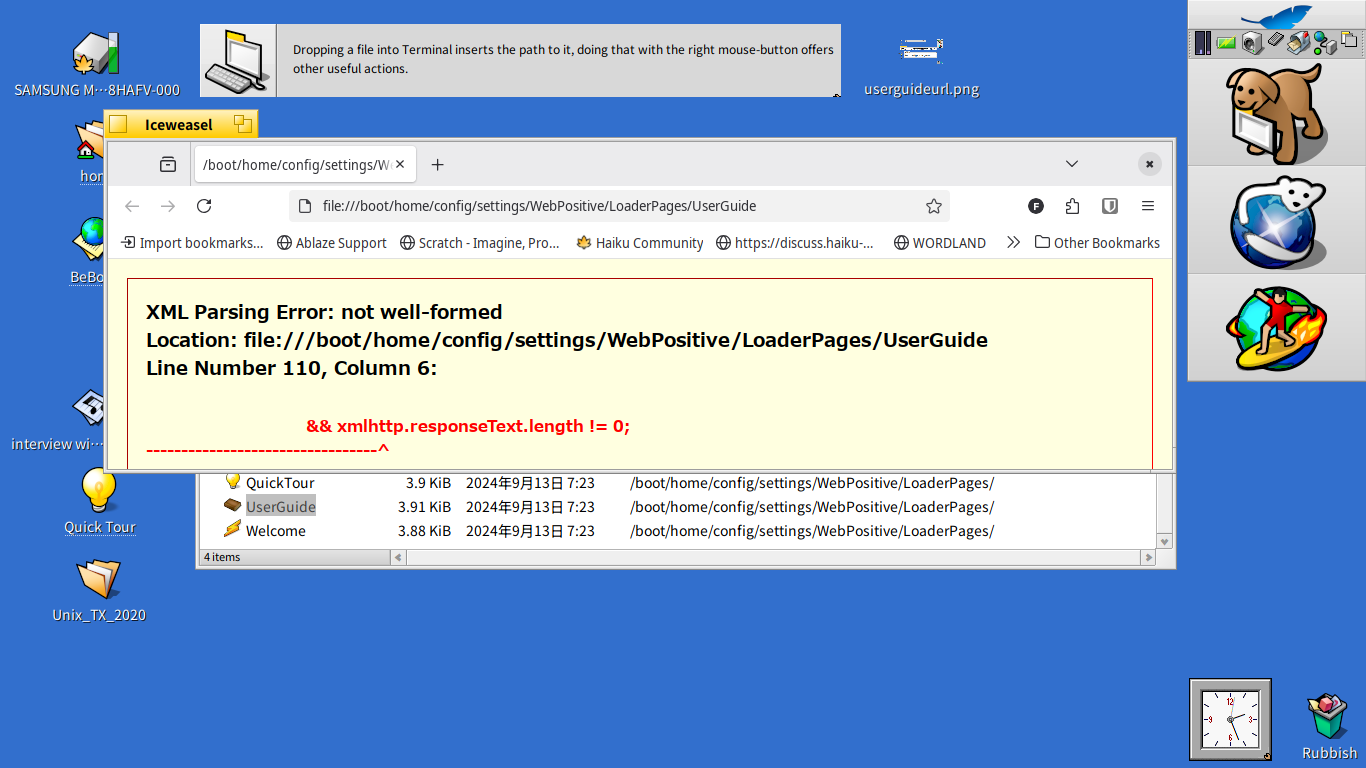
Why other browsers show that error and Web+ doesn’t I don’t know…
XML validators agree that there’s something wrong with line 110: && xmlhttp.responseText.length != 0; but I have no idea what it may be…
& should be replaced by & if this is declared as an xhtml file (which is what an xml validator would check). Maybe also have a look at the javascript debug console in these other browsers when loading that file, and see if there are any complaints there?
I assume the forum software interferred with your post. Replacing the double-& with a single & doesn’t make a difference. LibreWolf’s web tools doesn’t give more hints than the “XML Parsing Error: not well-formed”.
I tried reproducing and fixing this,but I don’t get a XML parsing error in LibreWolf,instead I get a CORS error which is probably impossible to fix: Cross-Origin Request Blocked: The Same Origin Policy disallows reading the remote resource at file:///boot/system/documentation/userguide/. (Reason: CORS request not http).
The MDN explains that pretty good: Reason: CORS request not HTTP - HTTP | MDN
One idea to workaround that would be trying to embed a invisible <img> from the local user guide instead of a AJAX request and then check if the image loaded successfully,but that’s more like a hack,not sure if that’s wanted.
Weird. Now Web+ won’t load the loader page anymore…
ETA:
With && LibreWolf etc. complain as @chaplintokyo posted, but all works with WebPositive.
With && LibreWolf accepts it without error, but always gets directed to the online version, even if the docs are available offline. Web+ fails with:
If it is possible to make the loader open with Web+ only, it will make one more reason to try Web+.
Then, as you won’t probably need non native browsers if you stay offline, just add a bookmark to the online page in their recipe.
Is there a mime type set on the file, and does it match what is declared in the html header inside the file? It looks like the mime type says it’s html, and Web+ uses that, but the file header declares it as xhtml, and other browsers use that. The two formats aren’t quite compatible.
That was exactly it! After setting the MIME to application/xhtml+xml, Web+ accepts the change to && and those other browser also don’t complain any more.
However, Web+ correctly shows the offline-version, while LibreWolf after a bit of delay shows the online-version.
I think it’s supposed to show the offline-version, if available., as Web+ actually does.
I wasn’t aware of that patchset. I suppose it doesn’t make sense to upload my patch to update the WebPositiveBookmarks.zip where I made those changes then?
That other patch is unfinished, and should not get in the way of other improvements. So let’s keep using the zip file approach for now until someone finalizes it.
unless you want to take over the patchset yourself I think it shouldn’t get in the way. maybe a comment on the review that the pages have changed in the interim so your changes don’t get lost when the patch gets finished