USB UAC 2.0 Audio / Focusrite Scarlett etc

Hi everyone,

Firstly, I know UAC 2.0 USB Audio isn’t supported on Haiku yet, and that my Focusrite Scarletts aren’t going to work! My question is about trying to get a little closer to getting them working. I’d love to be able to listen to music on proper speakers & headphones, not my laptop’s terrible audio chip!

I know listusb is the first stop for detecting a device and its attributes, but I seem to have found bugs that mean UAC 2.0 audio devices aren’t showing correct bit depth. It’s also listing totally garbled sample rates, because it’s assuming UAC 1.0 data and reading beyond the end of the data structure. It also seems we would need someone to update USB_audio.h with structs from the UAC 2.0 specifications, in order to get closer to things really working properly?

I’ve managed to make a couple of fixes to listusb so that it at least shows the correct Bit Resolution for FORMAT_TYPE_I, and omit displaying the broken sample rates. But I have no idea how to contribute this! I thought I’d paste here in case it helps:

  • Move static uint16 bcd_release_no; out of DumpAudioControlCSInterfaceDescriptor and to the top of usb_audio.cpp, so that the UAC Audio version is available to all functions that need it
  • Replace DumpGeneralASInterfaceDescriptor with this:
voidDumpGeneralASInterfaceDescriptor(const usb_audio_streaming_interface_descriptor* descriptor) {

printf("                    Subtype … %u (AS_GENERAL)\n",descriptor->descriptor_subtype);
printf("                    Terminal link … %u\n",descriptor->terminal_link);

if (bcd_release_no < USB_AUDIO_CLASS_VERSION_2) {
	printf("                    Delay ............. %u\n",
		descriptor->r1.delay);
	printf("                    Format tag ........ %u\n",
		descriptor->r1.format_tag);
} else {
	// Audio 2.0
	printf("                    bm Controls ....... 0x%02x\n",
		descriptor->r2.bm_controls);
	printf("                    Format Type ....... %u\n",
		descriptor->r2.format_type);
	printf("                    bm Formats ........ 0x%08" B_PRIx32 "\n",
		descriptor->r2.bm_formats);
	printf("                    Num Channels ...... %u\n",
		descriptor->r2.num_output_pins);
	printf("                    Channel Config .... 0x%08" B_PRIx32 "\n",
		descriptor->r2.channel_config);
	printf("                    Channel Names ..... %u\n",
		descriptor->r2.channel_names);
}
}
  • And then replace the whole of DumpASFormatTypeI with this, so that it takes into account UAC 2.0:
void
DumpASFormatTypeI(const usb_audio_format_descriptor* descriptor)
{
	if (bcd_release_no < USB_AUDIO_CLASS_VERSION_2) {
		printf("                    Subtype ........... %u (FORMAT_TYPE)\n",
			descriptor->descriptor_subtype);
		printf("                    Format Type ....... %u (FORMAT_TYPE_I)\n",
			descriptor->format_type);
		printf("                    Channels .......... %u\n",
			descriptor->typeI.nr_channels);
		printf("                    Subframe size ..... %u\n",
			descriptor->typeI.subframe_size);
		printf("                    Bit resolution .... %u\n",
			descriptor->typeI.bit_resolution);
        DumpSamplingFrequencies(descriptor->typeI.sam_freq_type,
            descriptor->typeI.sam_freqs);
	} else {
		// Assume Audio 2.0
		// UAC2 (Audio 2) structs are missing from USB_audio.h
		// so we define the struct below:

		// UAC2 Type I format descriptor layout
		struct {
			uint8 length;
			uint8 descriptor_type;
			uint8 descriptor_subtype;
			uint8 format_type;
			uint8 sub_slot_size;
			uint8 bit_resolution;
		} _PACKED *uac2fmt = (decltype(uac2fmt))descriptor;

		printf("                    Subtype ........... %u (FORMAT_TYPE)\n",
			uac2fmt->descriptor_subtype);
		printf("                    Format Type ....... %u (FORMAT_TYPE_I)\n",
			uac2fmt->format_type);
		printf("                    Sub Slot Size ..... %u\n",
			uac2fmt->sub_slot_size);
		printf("                    Bit Resolution .... %u\n",
			uac2fmt->bit_resolution);
		printf("                    (Sample rates via Clock Source)\n");
	}
}

To get that second function to work I had to add the struct into the function, but it would obviously need to be in USB_audio.h itself.

I realize this doesn’t get us much closer to USB 2.0 Audio support for the Scarlett or any other devices that use it. But I assume we would need more contributions along these lines to get us closer to having it working?

And I realize diffs via forum are terrible… what’s the best way I should submit something like this, if it’s helpful? Last night I also made edits to the StreamRadio code so I could get it to compile (trying to fix some audio crackling issues), seems every call to fStreamUrl.SetUrlString needed to be updated because of changes to the API requiring either BUrl or BString to have an encoding parameter added.

Apologies for the extremely newbie post, but I’d love to see the Focusrite Scarlett range working in Haiku!

7 Likes

Check the documentation aimed at developers on Haiku’s main site, it should have all the info needed in order to set up a dev environment and send patches to the project.

See Getting Started, Getting Involved: Developing & related.
Good luck in your efforts!

2 Likes

The sampling rate information is obtained differently for USB Audio Codec 2.0. An audio class specific Get request needs to be made, and the sampling rates are returned in the form of an array.

The current USB Audio driver has many UAC2.0 additions, but it does not detect the sampling rates which is where the driver stops. This audio class specific request is not implemented yet, and also the same for the listusb. I had been studying this and really want to make improvements but got busy personally. Maybe time to revisit this. Contributions are always welcome though!

4 Likes

Another thing, actual UAC2 implementations are really not that common that I have found, used mostly for pro audio interfaces. I bought several ‘professional’ interfaces, and many of them are just UAC1.0 with high bit rates and sample rates.

The current USB Audio driver blocks many of devices that might actually work. Some interfaces identify as USB2.0, but actually using UAC1.0, and these are blocked from initializing. Our USB Audio driver should be blocking the UAC2.0 devices only, until the driver is available.

3 Likes

Here is the work in progress change to fix that: https://review.haiku-os.org/c/haiku/+/8900

I had no time to look into the remaining problems since then :frowning:
Feel free to adopt and improve it!

3 Likes

Hi everyone,

Apologies for posting and then disappearing! I totally identify with getting busy and not being able to keep up with all the coding and debugging you want to do. Things are extremely busy here too, but it’s a long weekend here, so I’ve had some time today…

… and I am now currently listening to DKFM & Nectarine via StreamRadio, on my Sony headphones, through the amplified headphone port on my Focusrite Scarlett 8i6 3rd Gen. This is how Haiku should sound! Schism Tracker is working, so is Media Player, and I can have them playing simultaneously.

So I can at least report that this is possible.

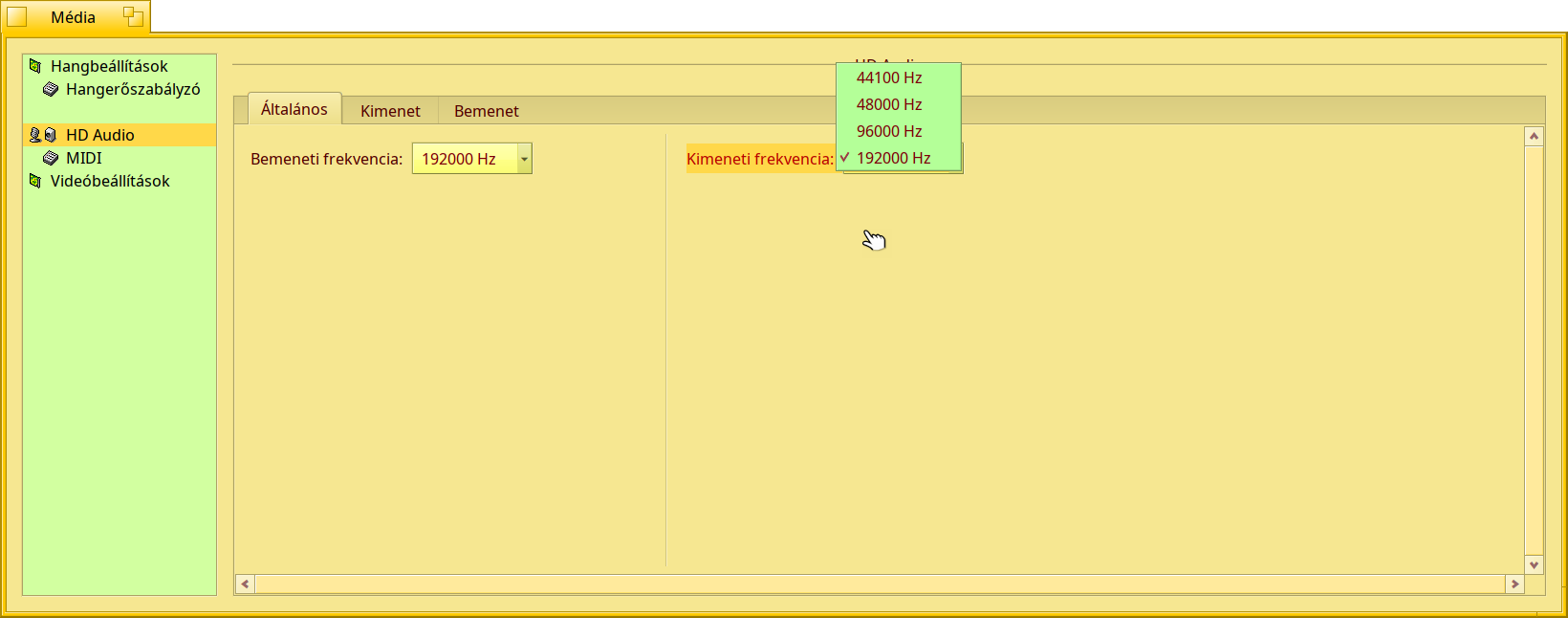
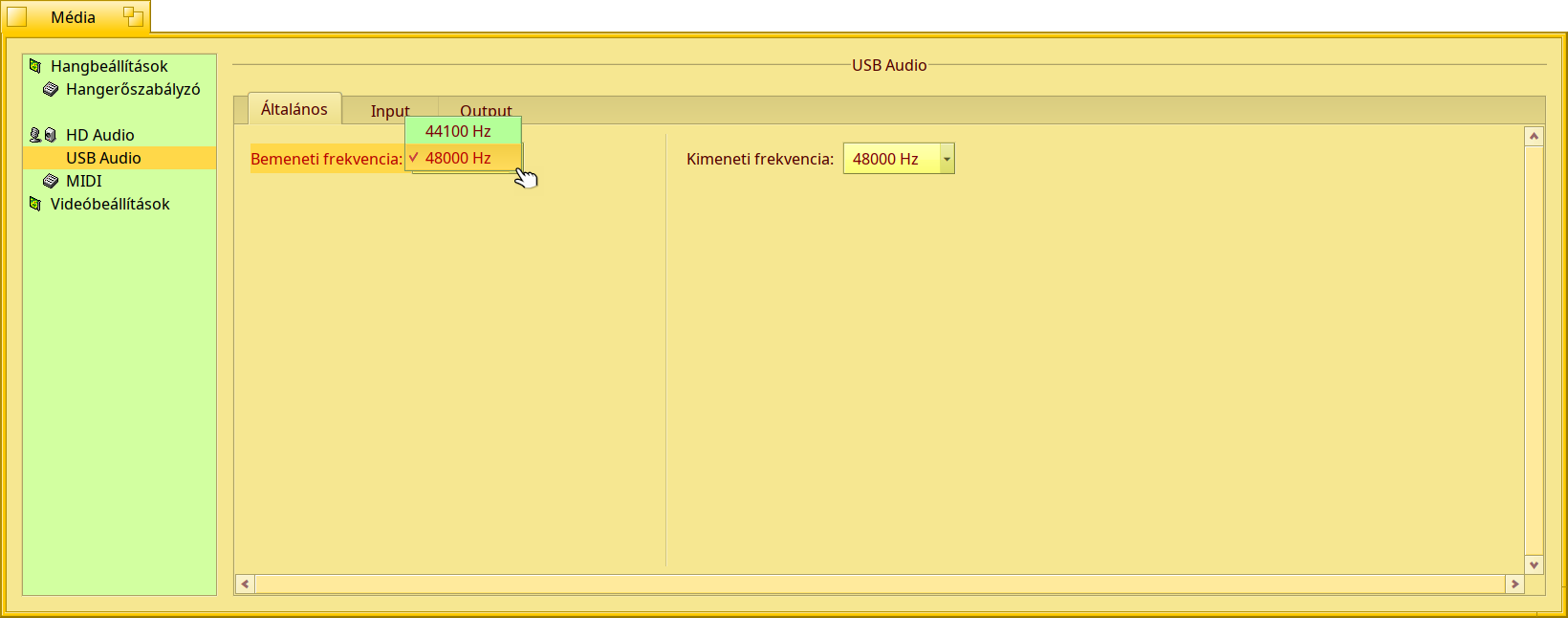
I haven’t got every feature of the Focusrite working or anything, but 2 channel audio at 48kHz is at least working (and so is detection of the units typical sample rates, 192kHz is showing up in Media Preferences here). I haven’t tested recording audio yet, and Media Preferences doesn’t seem to have a way to choose between all the 8 different audio inputs on the Focusrite 8i6 as the designated “microphone input”, but I haven’t looked deeply into that yet. My main focus was wanting to at least get music playback working on Haiku on my Focusrite.

There’s a lot of work involved, it wasn’t just unblocking UAC 2.0 devices, and I think the UAC 1.0 in these devices was a dead end. It’s required implementing a ton of UAC 2.0. There are some bugs, eg changing the output sample rate just disconnected my wireless mouse on the same USB hub as the Focusrite, and killed the audio anyway… but it was working at first at 48kHz!

I’m going to have to figure out how I can get this code in some kind of shape to share. I’ve basically stumbled my way into getting this working, following the vibes for an evening (ahem) to see if this was possible. But it absolutely is, I’m listening to the proof.

Sorry I don’t have files to share as proof right now, and I’ll have to get my head around Gerrit and cleaning the code up etc. But I hope people don’t give up on USB UAC 2.0 devices on Haiku, because we can get it working, and it sounds fantastic!

3 Likes

Well, I had not found audio issues with StreamRadio but seems there were some changes on the backend internet site from where the stations could be updated.

There were an issue with a station in 2023 or 2024, their admins had not fixed to play their playlist, so only “White Noise” Band played there, and I finally deleted that station in one of my Haiku instance. After in Beta - last year - I found so the station was restored, but I could not use the built-in Search function anymore - it had not worked at all for any search type.

It opens the background site, but there were no hint how to add a station manually from that website.
Finally I’ve found the URL, but then the function to add a station URL under Station menu had not worked (and still not yet) for me.

I don’t have much to add / help with, but I noticed your “list” of printf.

Do you know that you can continue a constant string on the next line ?

printf( “Age   : %u years\n”
        “Height: %u cm\n”
        “Weight: %u kg\n”,
        age,
        height,
        weight);

Benefits: That will make the code slightly smaller and slightly quicker (because the printf only needs to set up and parse the format string once). It’ll also make more “air” in the source-code making it a little easier on the eyes.

Downsides: It might look confusing that the parameters are not right after the the “line” in the format string.

This still allows you to enclose parts of it in #ifdef or # if defined(…), however, that makes the code more messy to look at:

printf( “Age   : %u years\n”
#ifdef __HAIKU__
        “Height: %u cm\n”
#endif
        “Weight: %u kg\n”,
        age,
#ifdef __HAIKU__
        height,
#endif
        weight);

Focusrite’s cards isn’t fully UAC compatible, in linux also need specific driver, which only recently appeared in mostly functional implemented via ioctl’s and firmware upluad ability. More UAC compatible will be UAD Volta* or similar cards, but also without any access to routing\preamps\effects\etc. So it’s firstly need some improvements in USB stack, like working isochronous in 2.0, after that porting specific per vendor abilities for card\family of cards. I dont think it will be simple task.

Uhm, I already have it working after an afternoon of work. See my post from 2 weeks ago. Playback at 48kHz already works for me now on a Scarlett 8i6 3rd Gen. Scarletts are a class-compliant device (on the Mac, and MS are working on class-compliant drivers for Win 11), so for basic functionality it’s just about building the USB UAC 2.0 support. It’s already detecting all the outputs as well, though Haiku seems to automatically group them as stereo channels. That said, my main goal was basic 2-channel input / output, not necessarily trying to support all the line in/outs and MIDI & SPDIF connections (though I think it’s possible the line-outs and even the SPDIF digital output is already working - I need to test more thoroughly).

I realize there’s no reason to believe me without code / binaries, and that’s okay. I still need to figure out Gerrit etc. Life is getting in the way, so at the moment I’m posting here as waypoints for others in case they need to take up the effort. The main lesson - throw a Sonnet-class AI at the task for an afternoon & it will solve it.

Issues I’m running into:

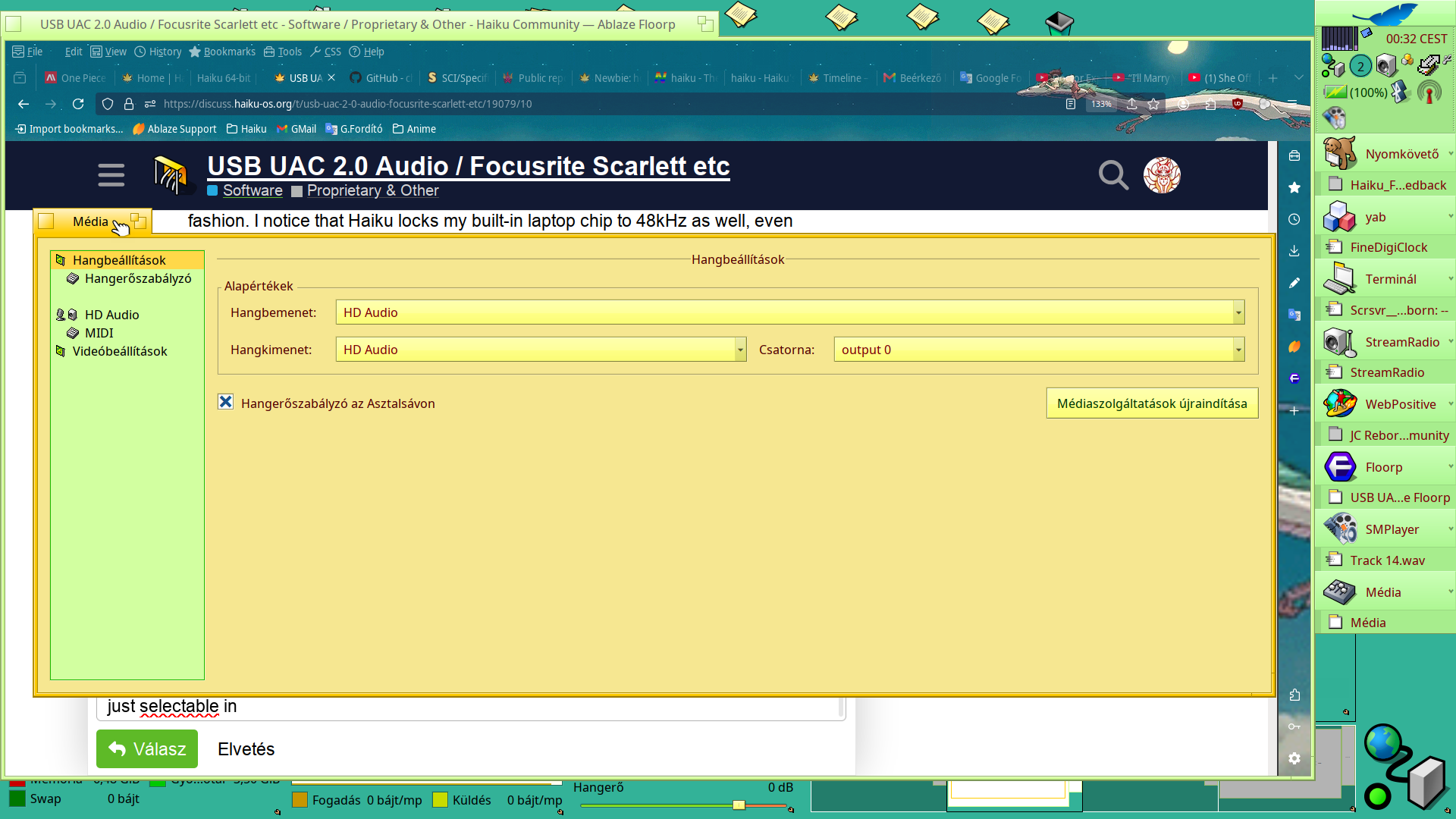
  • I can’t change sample rate without bringing down the entire OS in spectacular fashion. I notice that Haiku locks my built-in laptop chip to 48kHz as well, even though I think it can do multiple sample-rates, so I don’t know if this is a usb_audio issue, or a problem elsewhere with Haiku. I haven’t dived enough into the Haiku audio code to know if this is something I should have already known (it probably is).
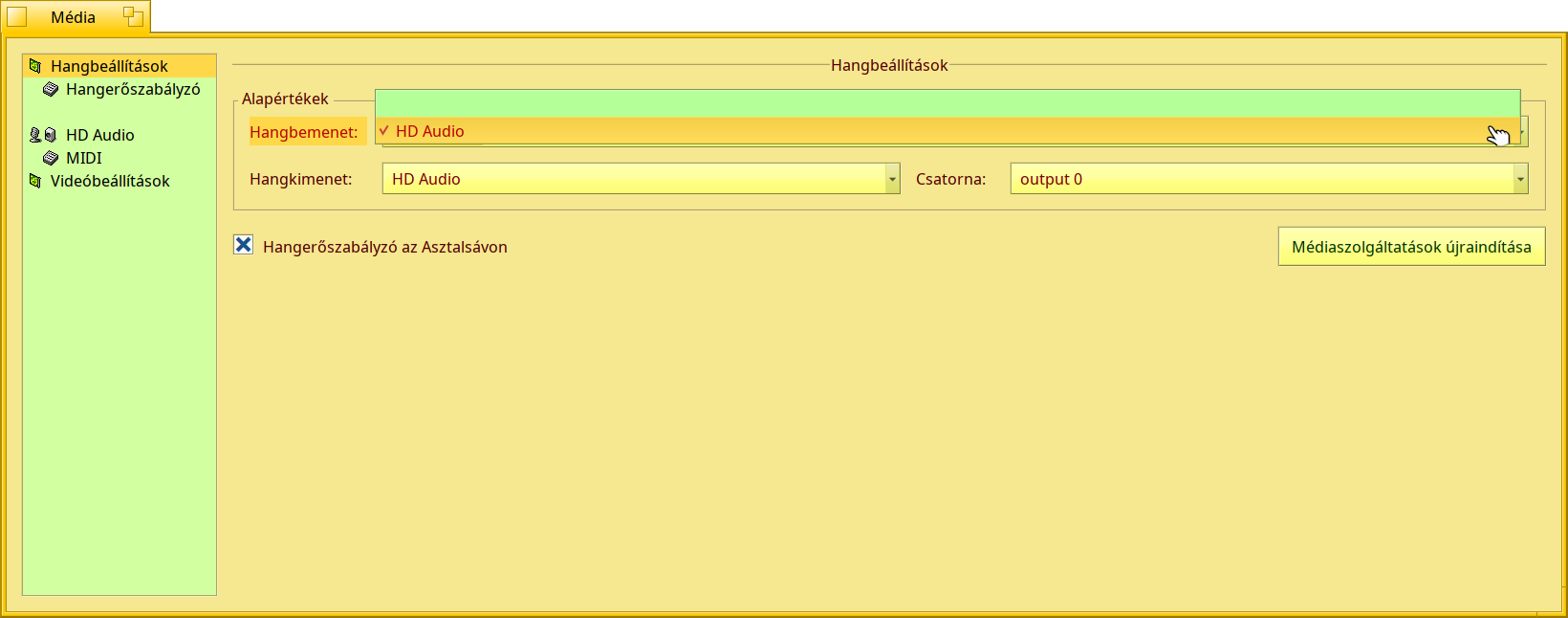
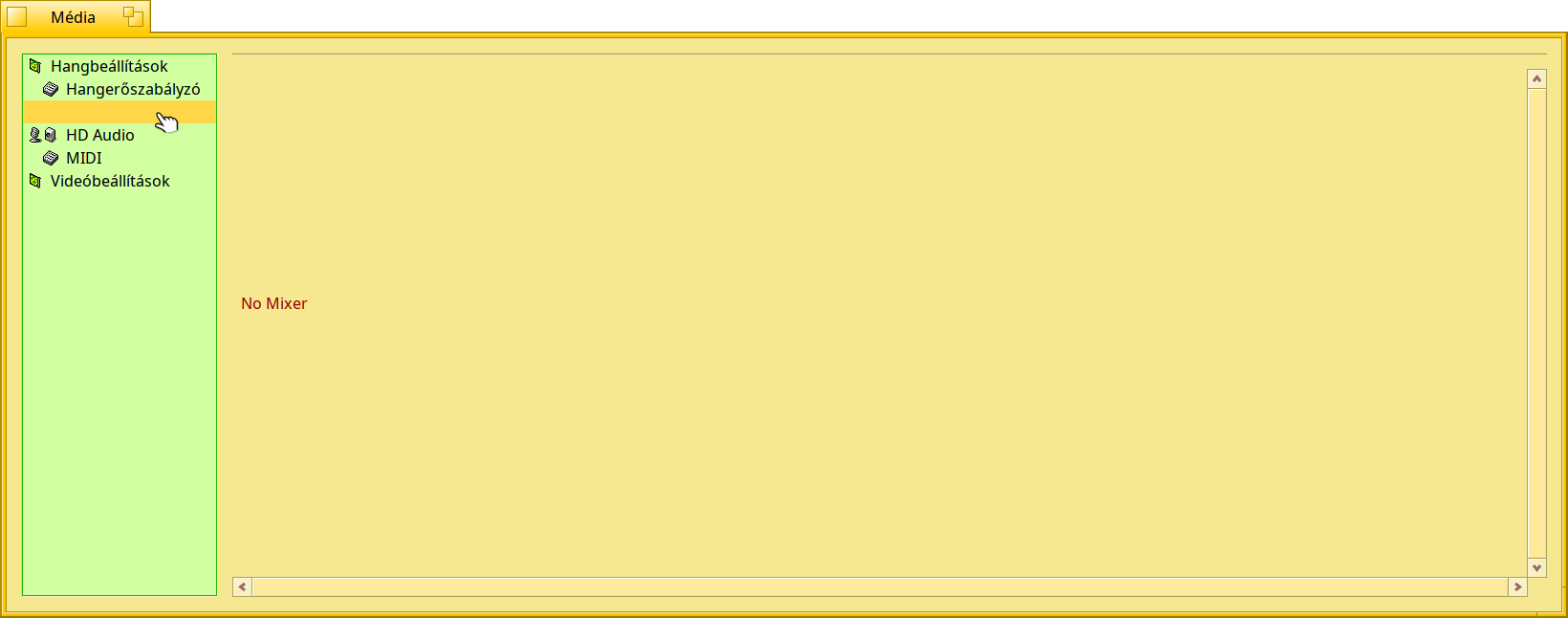
  • I can’t change input channels from the Media Preferences, there’s no option appearing to do so. I’m not sure if this is a limitation of the Media Preferences panel or if I’m not exposing the input channels correctly yet.
  • The audio is ever so slightly crackly. Most people won’t notice, but a critical audio listener would. I hear the same thing in the main UAC 1.0 audio driver though.

The main thing is that spectacular crash, it’s probably not good to release code where changing 48kHz to 192kHz in a preference panel kernel panics your entire computer. I may still contribute where I’ve got to, but I’d rather have better quality control on my code first!

Good point! I tried to follow the style that is currently in the source code for listusb though. Changing this wouldn’t just be a change to my code, but throughout the entire listusb source. I thought it was probably best to follow the style of the code that preceded me. I’m certainly happy to follow any Haiku coding style guidelines though!

(And alas, life is getting in the way, so it’s going to be a while before I can contribute the code. I rather expect someone else will solve it all and contribute it before I do!)

-Well, that is not wrong. :slight_smile:

The style I mentioned is probably not Haiku-style.

I think someone else would need to approve this style, before making it an official Haiku coding style.

Unfortunately I don’t have any Focusrite products (I once looked at them, back when I used Mac OS and Mac OS X), but I never found the money to enable myself to get one.

I understand that you’ve used AI to assist you with this. There’s nothing wrong with that (except for the planet…) but be aware that due to Haiku policy, your changes might not be merged in the OS tree. Therefore, if you want to make this work publicly available, you may need to do it as a 3rd party driver.