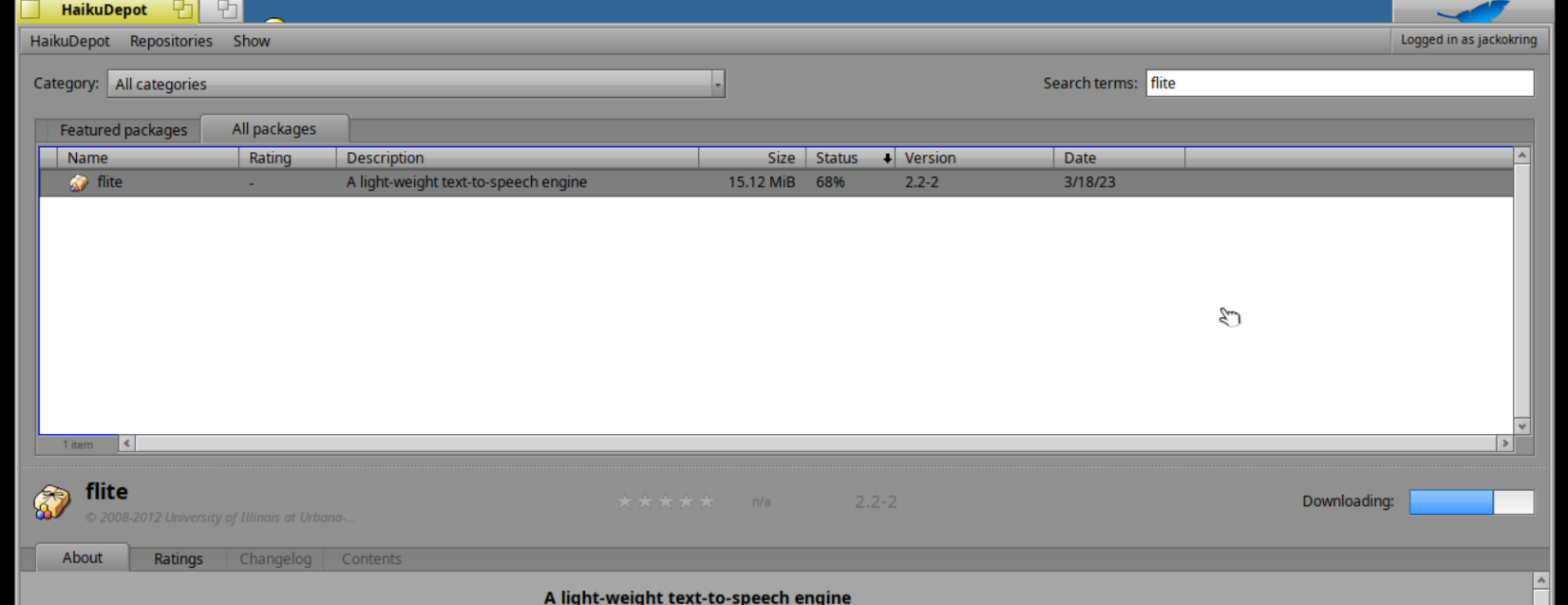
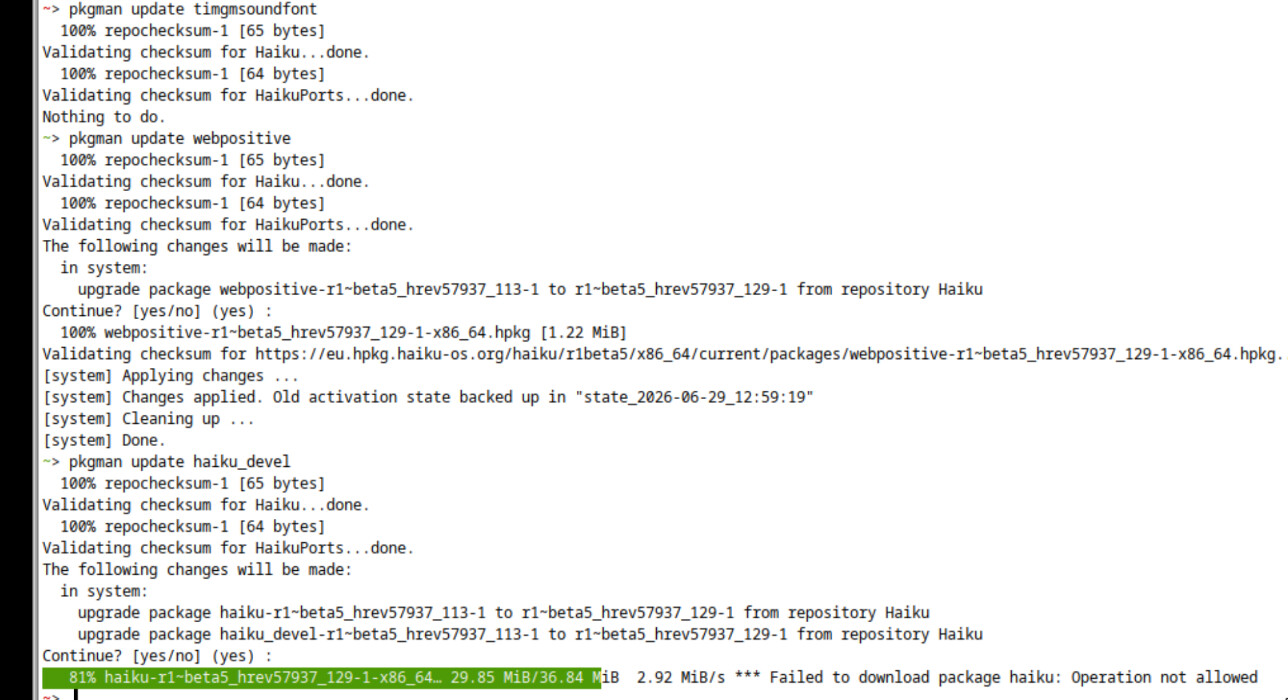
As far as I’ve gathered, it’s a CDN issue (I’m in London, UK) terminating some file downloads before they end. Notably flite, gcc, … but it is working for some like luajit, tk, … quite a lot is still OK by pkgman update …
It’s mildly annoying, but OK for beta. Just looking into the scope of what’s possible. Looks good so far, simple to operate, as a libvert guest on a Trixie/KDE.
Must think of a jolly good seventeen syllabic signature 'ting.
So I got about 90 updates down to about 30, just by pkgman update … of some of the package names. So still quite a few “operation not allowed” errors after almost getting all the file download. It does always seem to be at the later end of the file.
Also with the depot in the background, setting appearance colors makes the downloading progress bar change color, but only while “changing color” and not after say looking at a different package and then looking back at flite. Not sure if it’s a bug?
Hello @jackokring ; Thanks for raising these things.
I think you are saying that you are finding that your package downloads are failing sporadically owing to a networking problem at your end.
Here’s what flite looks like after a fail on falkon the downloading bar never goes anywhere
Also with the depot in the background, setting appearance colors makes the downloading progress bar change color, but only while “changing color” and not after say looking at a different package and then looking back at flite.
The issues / tickets for HaikuDepot desktop application are located here.
Have a look to see if there is an existing ticket. If there is not then add a ticket for each separate issue.
Please include any screenshots. Indicate what the expected and actual behaviour is and clear steps to reproduce the problem.
The above terminal shot shows a “stargate?” unnecessary but still listed as available update, one which worked and a termination of a download before it completed. I don’t think I use cjk fonts … but it’s still the first fail using the GUI updater.
Just wondered if the filetype not being “package” in the packages folder, well yes some change filetype when selected, and there’s definite system complaints on an attempt to trash all those not of the right mimetype, but is it just a delayed mimetype … something must be updating the icons and list view data. Yes, I did trash, ignore the complaint and restore from the trash, and the filetypes changed …
Aside states, those multiple attempts can leave a lot of transaction folders in /boot/system/packages/administrative. If most packages are quite small and won’t be a problem, some can be pretty big. Having multiple instances of them can eat a lot of disk space. So if your disk space is limited, you may want to delete transactions folders to get some space back. Unfortunately, it means that few packages, already downloaded correctly but not installed yet, may have to be downloaded again.
themes_stargate package is a dependency of thememanager package. It’s only pure data, few images, sounds and decorative fonts.
Some browsers are able to download and use fonts from their cache when they encounter some character requesting them. For the others, the fonts have to be installed system wise before they can display them. That’s why there’s at least a basic cjk font installed.
I set aside 20 GB for now, so no disk issues. Not sure why only “larger” packages are failing with “Operation not allowed”, as that’s the only real issue I’ve found for useability.
I found it easy to set up a sftp connection with a few changes to the sshd config, and filezilla so that handles data importing. Not sure how to otherwise download the packages to utilize this. Is there a URL?
EDIT: Or a nightly or versioned ISO?
EDIT: So I set up haikuporter and also git clone -ed haiku, leaving 16 GB free (for build space). I suppose I might now be repo independent for a bit. Not sure if I need to build “nightly” but it’s source. Maybe I just need to build the versions I’d get from the haiku repo?
I’m looking over the source of the DeskCalc app for a “simple” example of native coding. Looks easy enough to make little applications. Some vague idea at the moment to make a more programmable calc (lua) or number thing, with maybe keys to function mapping. Just ideas at the moment for an easier but useful app, with a bit of GUI UX design, drag/drop, hey, and maybe a little audio because I like audio stuff.
Could you try to report the output of the following command:
traceroute eu.hpkg.haiku-os.org
And to test that theory that it’s a random failure due to remote server, maybe behind a CDN, aborting the download:
cd ~
while true; do wget -O test.hpkg https://eu.hpkg.haiku-os.org/haiku/r1beta5/x86_64/current/packages/haiku-r1-beta5_hrev57937_129-1-x86_64.hpkg; sleep 1; done
This will (try to) download in loop the haiku r1beta5 package. If it always succeed, it’s not an issue from network. If it fail sometimes, it will be the proof that there is something broken at network level.
What kind of network interface are you using ? Over Wifi or Ethernet interface ?
The interface: Haiku is inside a QMU/KVM virtualization, with a e1000 NIC to a virbr0 from libvert on the host Debian/Trixie/KDE. This then goes to an Android hotspot, and routes via the mobile APN to the internet. It’s not “fast” but it can do over a megabit per second in quiet times.
I think I’ve understood the ports building, not quite sure on the OS source build, like checkout and jam?
So after export HAIKU_REVISION=hrev57937_129 and ./configure, a jam -j2 haiku.hpkg gives a “failed updating 4 targets”, strchrnul, memmem, memrchr, qsort_r not declared in scope, etc.
Packages were downloaded to generated/download so I’m not sure if I should add them to the system.
I got the revision number from the packages that are refusing to completely download.
So a bit of progress, but no package haiku.hpkg made.
Well, I didn’t do it yet, but following the format, and using a r1~beta5(maybe the -would work too, as there’s also a -x86_64) I managed to get all but makefile_engine (404) to download from the Haiku repo. The HaikuPorts is another matter. Reboot and fine, so now at just makefile_engine and 14 ports packages to update.
The wget works fine first try with a correct name, and a mv *.hpkg ….
EDIT: with a bit of -any for fonts and custom chip ASIC firmwares, and using the full-sync feature where it remembers cached (a.k.a. copied over from a wget) packages, and Bob’s yer update.