Moderated but left up for historical purposes (Slanderous strawman arguments)
Haiku, 2024.
The fastest, most elegant, most incomprehensibly underrated operating system in the history of modern computing continues its glorious tradition of not having software.
No email client that actually works. No video calling app. No office suite. No Mastodon client, no maps, no ebook reader, nothing. We do however have a bug tracker with tickets opened in 2007 still waiting for a reply, and that gives us a certain historical continuity.
But hey, at least the software we don’t have was written by human beings. And that, apparently, is what matters.
Meanwhile, on this very forum, a remarkably refined philosophical school of thought has emerged: software generated by AI is unacceptable. Garbage. Stuff for lazy developers. We are craftsmen. We write code with our hands, with our sweat, with our suffering, as God intended.
Beautiful.
Too bad that in twenty years this approach has produced, roughly speaking, three ports of already existing software and a GTK theme.
So today I’m answering the question that many of you have asked me in private, yes, in private, because apparently asking for help installing AI on Haiku is still something to be ashamed of publicly.
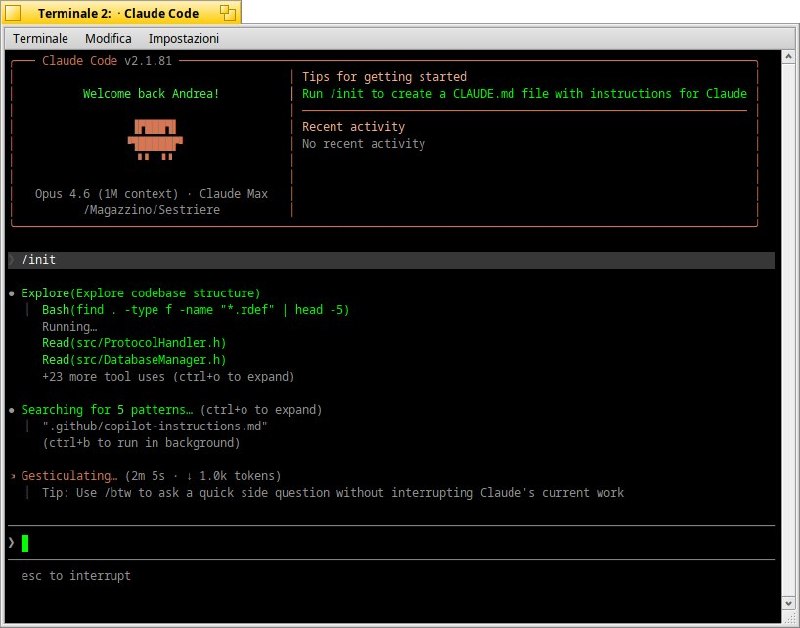
Here’s how to install Claude Code on Haiku.
1. Install Node.js and npm via pkgman
pkgman install nodejs20
pkgman install npm
Verify the version (must be ≥ 18):
node --version
npm --version
2. Configure npm for global installs without touching system directories
mkdir -p ~/.npm-global
npm config set prefix ~/.npm-global
Add to your ~/.profile:
export PATH=~/.npm-global/bin:$PATH
Then reload:
source ~/.profile
3. Install Claude Code
npm install -g @anthropic-ai/claude-code
4. Verify the installation
claude --version
5. Authentication
claude
On first launch it will ask you to authenticate via browser. If you prefer to use an API key directly:
export ANTHROPIC_API_KEY="sk-ant-..."
claude
Note: the native installer method (curl -fsSL https://claude.ai/install.sh | bash) does not work on Haiku because it downloads a Linux binary. The only practical path is npm, which is what is described above. If you also want ripgrep for better performance: pkgman install ripgrep.
P.S. If your hand-crafted software from 2009 still needs a port, AI is available for that too. No judgment. 

