TeXLive on x86_64?

I am currently in the process of updating TeXLive to 2023 (see the PR here).

Is anyone using ConTeXt on Haiku, or has tried using it? It is not built as part of TeXLive in this version because of build system problems. If there is some demand for it, we should probably create a separate package for it.

On that note: we could probably split some of the tools in texlive_core into their own packages in general, like I already did for t1utils.

4 Likes

Keep up the good job!

2 Likes

I put like for update to TeXLive 2023. I personally don’t use ConTeXt at all.

1 Like

I updated TeXLive to 2025 and this time the build seems to have worked for both architectures, so we should have an up-to-date TeX environment again.

4 Likes

Thanks for that! I’ve updated TeXstudio this morning after seeing the build finished on 64bit. Kudos for that hard work! :+1:

1 Like

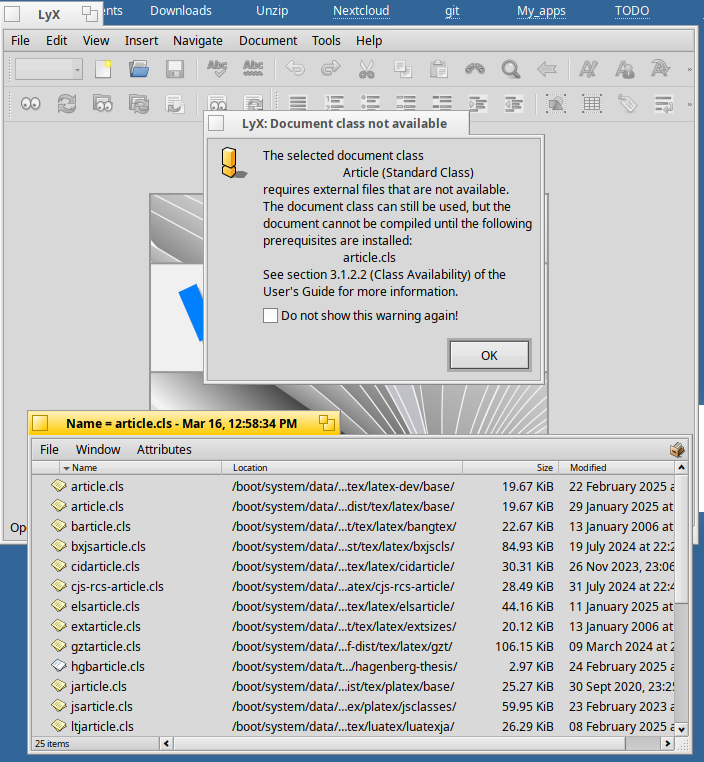
LyX still seems to be the red-headed stepchild in the family. With texlive-full installed, it struggles to find its files.

Not sure if it helps (and unrelated to article.cls), but maybe you could try this?

Searching the net I found this: LyX not accessing styles, classes, and bibliographies - TeX - LaTeX Stack Exchange

After: Tools → Reconfigure and relaunching that message didn’t appear anymore. I can’t open tex files with it though?

2 Likes

Thanks, Begasus, that did the trick!

1 Like

Hello everyone, nice to see a working latex ecosystem on Haiku. One question though, I’ve been using Texstudio on linux and windows and I really appreciate the nicely translated interface (french in my case). The translation isn’t available on Haiku unfortunately. Lyx is translated and Texmaker also.

I’d really like to see Context ported, maybe from the standalone installer (Introduction/Installation - Wiki). Texworks support Context quite well but is not yet ported (TeXworks).

Will have to give it a closer look, I see the translation files are in the package, but probably not in the right place, thanks for spotting!

I have been looking into creating a recipe for luametatex, the engine for ConTeXt, already. I can’t really give an ETA when it will be available though. The data files should already be available in the texlive_context package (part of the texlive recipe).

Looking at the CMakeList.txt file it ā€œshouldā€ work, I’ll try to get in contact with upstream asking about it.

if(UNIX)
	install(DIRECTORY translation/
		DESTINATION ${CMAKE_INSTALL_DATADIR}/texstudio
		FILES_MATCHING
		PATTERN *.qm
	)

Ok thanks ! Just updated to Texstudio 4.8.6 and in the language option I still have only ″default″ or ″english″ to choose from (default is english).
On a quite similar topic, I’ve been testing Texmacs which is a great typesetting program. It’s available in Haiku Depot but it is an older version (1.99, current version is 2.14). I can create a document, edit it, save it, but when I try to open it again I got an empty new document. This bug make it quite unusable sadly…

Looking at the URI for the source it’s kinda a Haiku specific archive there, so not sure how easy it would be to update Texmacs to the latest release.

Hi @michel , I am getting the same messages you posted on Mar 16, and immediately I did the → Reconfigure, but I still get those messages. I have checked the files exist (I downloaded the parts of TexLive needed, but not the everything). The files LyX says it can’t access them, are all there.

Could you confirm you are still successfully running LyX with the latest updates from HaikuDepot please. That will answer my ā€œCan actually be done with the current downloads?ā€. I need to know it is actually possible and the problem is my end (probably my ageing head).

Please could you possibly also include your Paths settings in LyX Tools–>Preferences–>Paths

Everything seems to be working in TexMaker (downloaded to check files were there and accessible) except I am getting a ā€œCould not start the command: pdflatex -synctex=1 -interaction=nonstopmode %.texā€ when I try to build the PDF. That is the Perl code against Latexmk in Configure Texmaker. I can run Latexmk in Terminal and Perl is installed! I want LyX anyway, so left it there.

Any other tricks you did to do to get LyX to run would be invaluable information. A lot of suggestions online are out of date (much earlier HD ports) and much is beyond my hacker level, given I have only been on Haiku 5 days.

My problems definitely appears to be LyX is not negotiating BeFS. It could not find the thesaurus, so I downloaded it from GitHub and placed it in a directory and directly pointed the Preferences path to the folder, did the → Reconfigure, restart LyX :No luck . Do it again … again … After two days I am about to give up. The mythes from HaikuDepot ended in /boot/system/packages and there also is a .so version in /boot/system/lib! Basically I put a copy everywhere I know LyX might access.

I have uninstalled and reinstalled LyX a couple of time to see if it does a path detection as part of the install, initial run. No luck :-(.

It is a shame TexLive does not have the MikTeX ability to download any extra .sty and .cls files on the fly to keep install size and bandwidth lower, but that is not relevant here, except if I have to download 4GB I might not proceed as I am on mobile phone hotspot and my target box is running on 64GB partition of the Windows SSD of an little Intel N100 NUCs. Pretty good how well Haiku runs on it.

Latex however is amazing and I think it fits with the Haiku way of viewing the world (and beautifully formatting Haikus), so if I get a helpful leg up I will not give up.

Oh! If LyX is not 100% functional on your install, could you note what isn’t working for you please. I could not even access the Dictionary setting field, so I wonder if that somehow did not port to the Haiku version. :roll_eyes:

Hi @Solvitur

Sorry, it took me a while to get back to you.

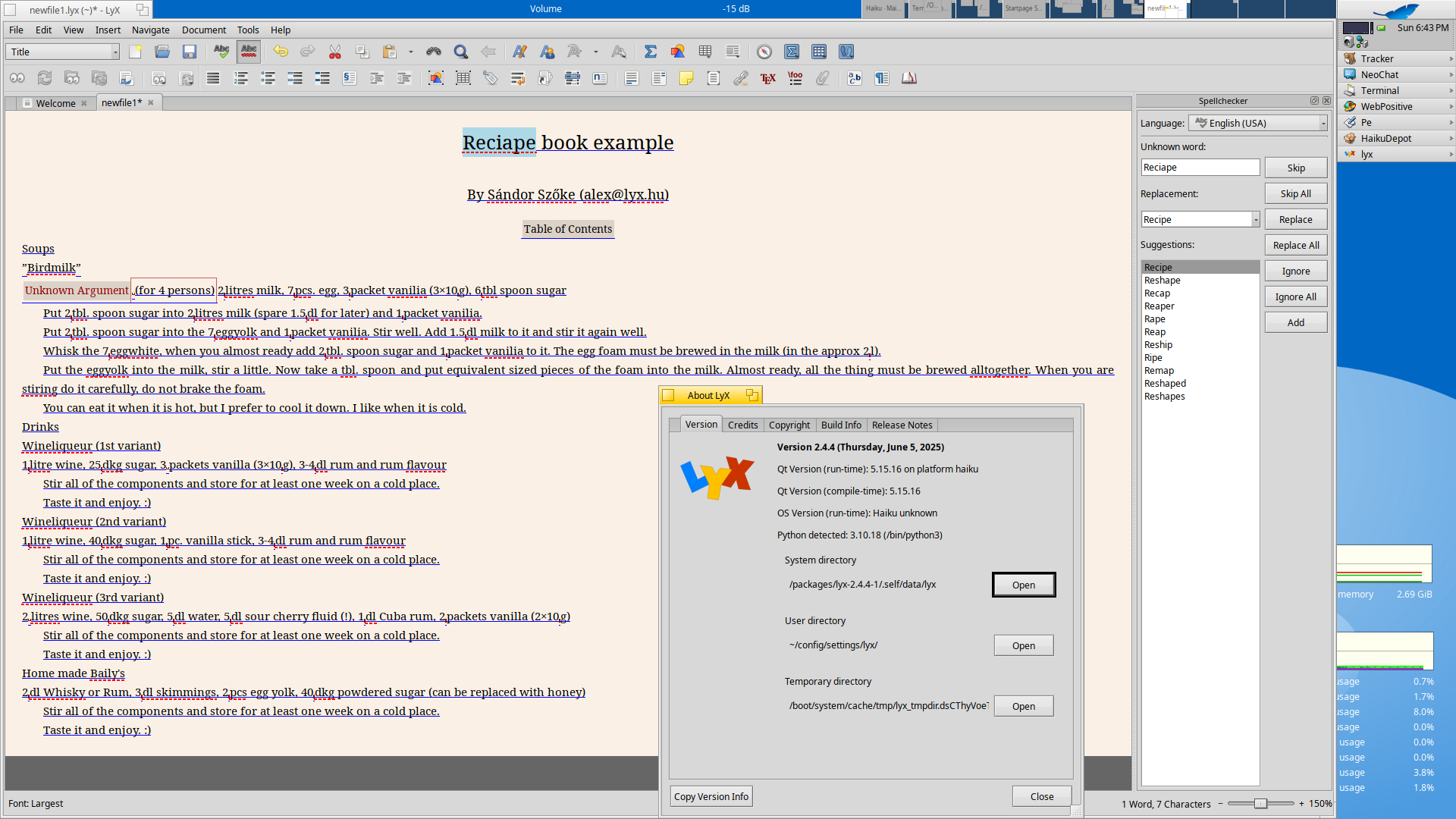
I can confirm that after applying Begasus’ tip I can write documents in LyX and export them, which is what I was looking for. But like you, I don’t have spell checking.

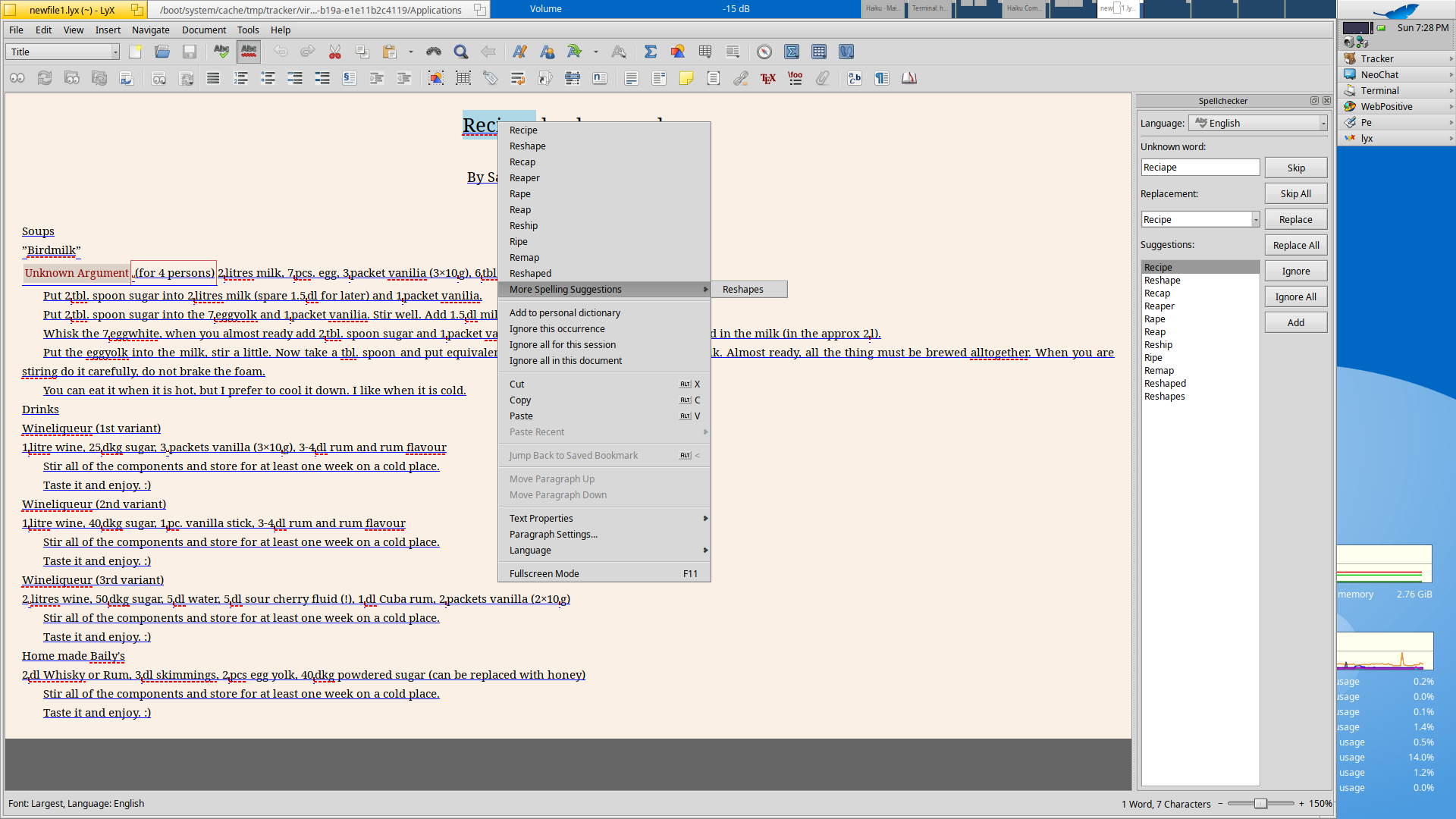
OK, seems there are no dictionaries installed by default with LyX, but it does seem to be able to use hunspell/aspell (need to luck around a bit longer to be sure).
Don’t know if the next shown screenshot is what you are missing?

EDIT: seems it needs aspell for this (doesn’t work for current version, probably needs a rebuild for that, but works fine for latest version). So far still on Qt5