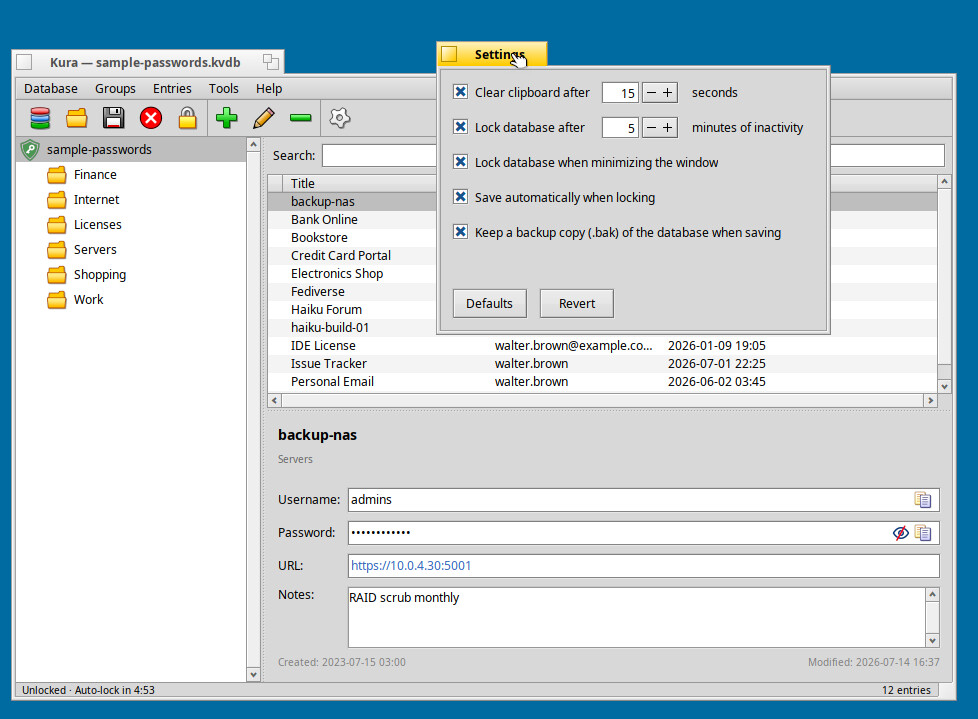
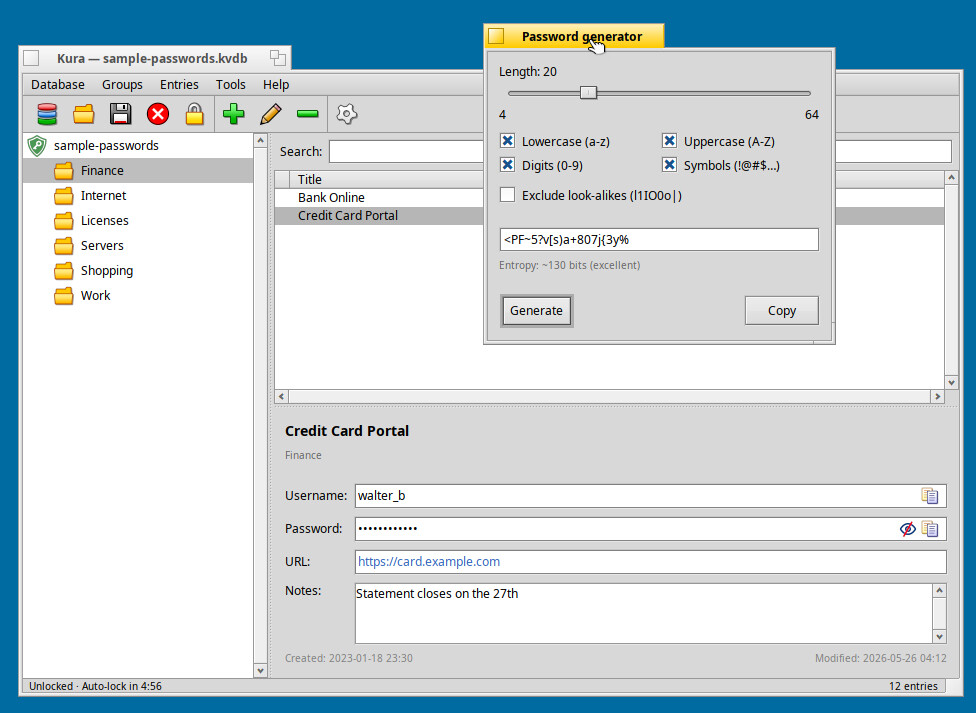
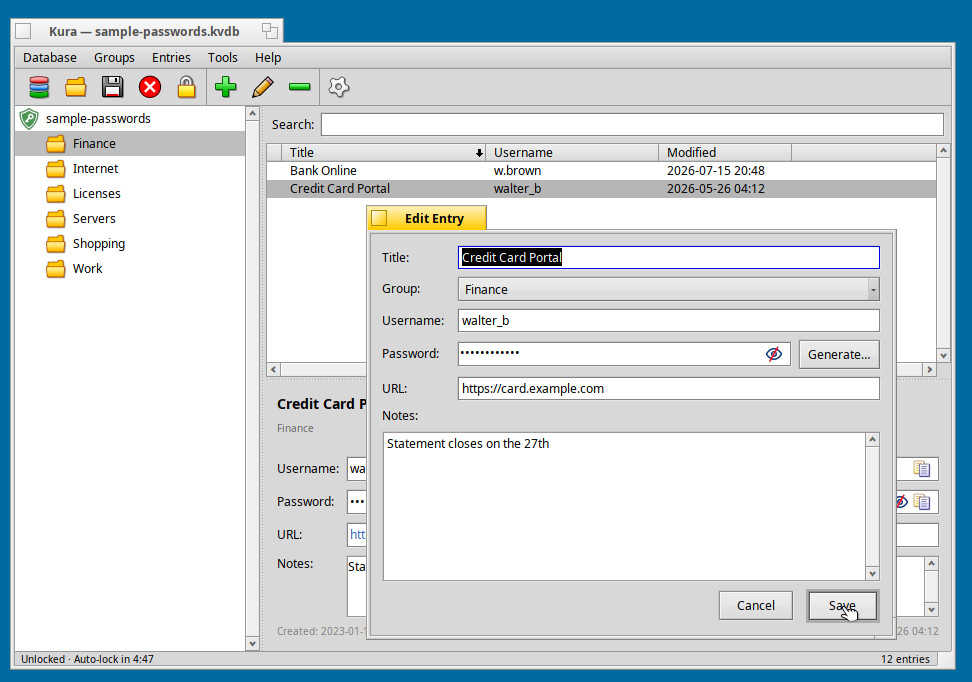
I’ve been quietly working on something I’d like to start sharing: Kura, a password manager built natively for Haiku.
THIS SOFTWARE WAS CREATED USING AI.
The name comes from 蔵 (kura), the traditional Japanese storehouse — the small, thick-walled building where a household keeps its valuables safe. That’s the idea in a nutshell: somewhere to lock your credentials away.
Kura is written from the ground up in C++ against the Be API. No ports, no foreign toolkits — just a native app that tries to feel at home on Haiku, with a proper three-pane layout, toolbar, and drag-and-drop.
Kura is still alpha (0.3), so no release just yet. But I wanted to introduce it here, gauge interest, and hear which features matter most to you. So, if you are adventurous and would like to try it out, you can get the sources from Github and compile it yourself. It is being developed in Haiku nightly 64-bit (not tested on 32-bit).
To my knowledge, there is no native password manager for Haiku, so I’m hoping Kura can fill this gap. Feedback and ideas very welcome.
I am not totally against ai created or ai supported development, but for something security relevant like a password manager i am sceptical, to say the least
As my equipment is in a secure place where there’s no danger of people breaking in, I have passwordless login.
I was really annoyed when the Chrimium browser used a service, that demanded that I entered a password whenever I open the browser. I do not want to enter a password ever; that’s why I use the feature that the browser can ‘type my password’. The team behind the Gnome keyring refuses to remove the requirement for entering a password, making it annoying to use a web-browser on Linux.
I don’t even care if the passwords are stored as cleartext, I just want an option to have “insecure access” to this secure information (I know, I know, please keep the flames away; it’s my own choice, because there’s no risk of people abusing my passwords to buy from YouTube, Reddit or Wordpress or Haiku’s bugtracker). Passwords can’t be used with banks where I live anyway, so that’s not a concern either.
So by default, I’d recommend having some kind of “secure lock”, which the user can say: “I don’t want to use that”. All the logins/passwords stored in a secure keyring should stay secure / inaccessible, but if keys/passwords are in an insecure keyring, no passwords should be required.
…The current implementation of this API should be considered low-security. The most important thing to know is that there is no encryption applied when storing the keys and keyrings to the drive. This means that the data can be read by any malicious actor that can access the drive of your machine.
No. You can either have an un-encrypted unsecured password store or a password with encrypted and secured store.
This is because cryptography always requires a key to de-crypt stores. We could potentially get away with a key to boot the computer instead of one to login to a user. Then you’d trust normal OS apis during operation of the machine.
The “nagging” to confirm every action like some OSes do to re-enter the password certainly isn’t neccesary though. The keyring can be unlocked by a user or boot password. i.e in the same operation you’d use to login.
The current architecture with everything “as root” does not allow for making a secure password manager at all. You’d have to prevent reading other processes memory first, and that requires denying debugging/introspecting capabilities to all programms (except stuff like the debugger). If that is not given then this does not offer any more protection in a normal setup (permanently unlocked keystore vs un-encrypted one. In both cases the PC is on and the keystore is available to be read, albeit by different means)
Thank you for the clarification. I realize that my comment just quoting the documentation was vague. Sorry about that.
What I meant to say is that Kura does not use the API because it is not secure. Instead, it is (by design) a stand along KeePass-like app you can use to store your passwords securely via encryption.
Now, this is a personal project that I created for myself, and I am just sharing it here in case others find it useful. I used to use KeepPassXC in Haiku (and Windows), but have since moved to Kura in Haiku, and it’s working fine for my purpose.