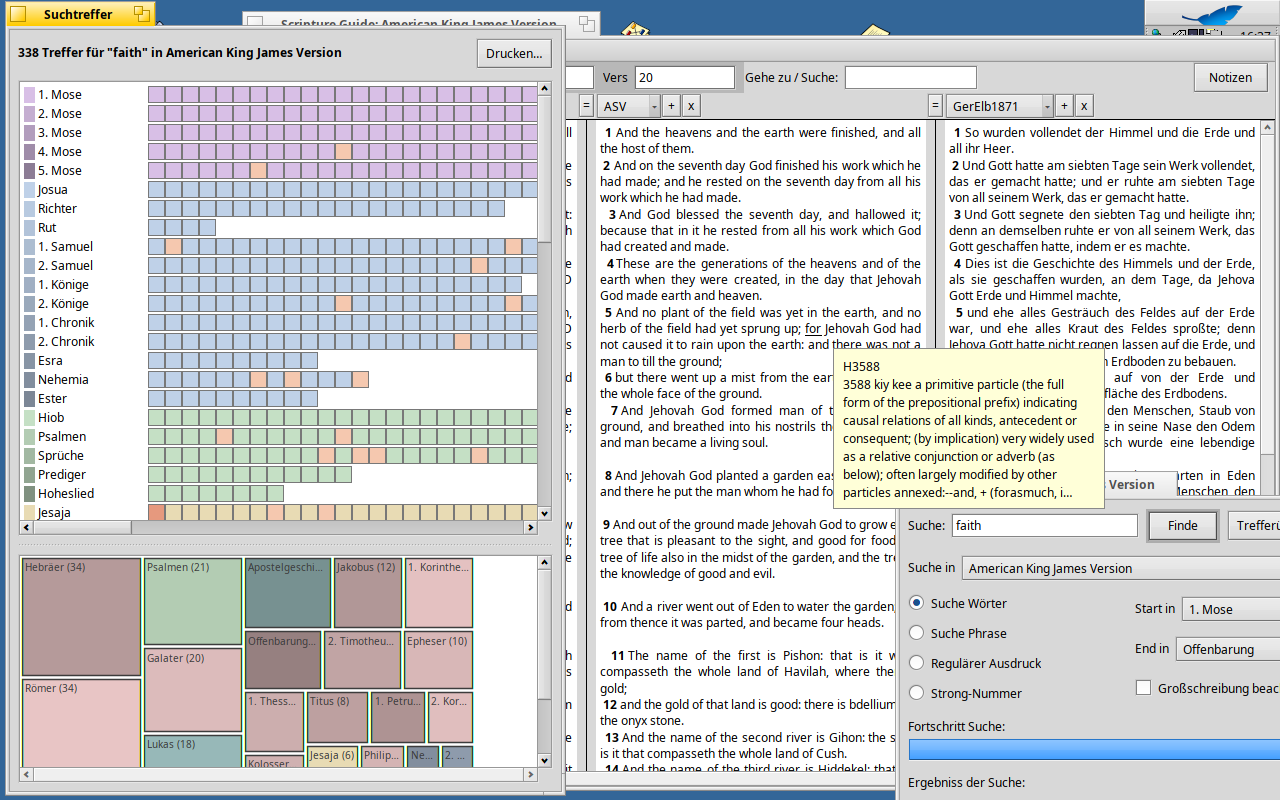
Finally with some help of ai i was able to finish my effort and bring a update to Scripture Guide…
ScriptureGuide 1.0.0 (RC1)
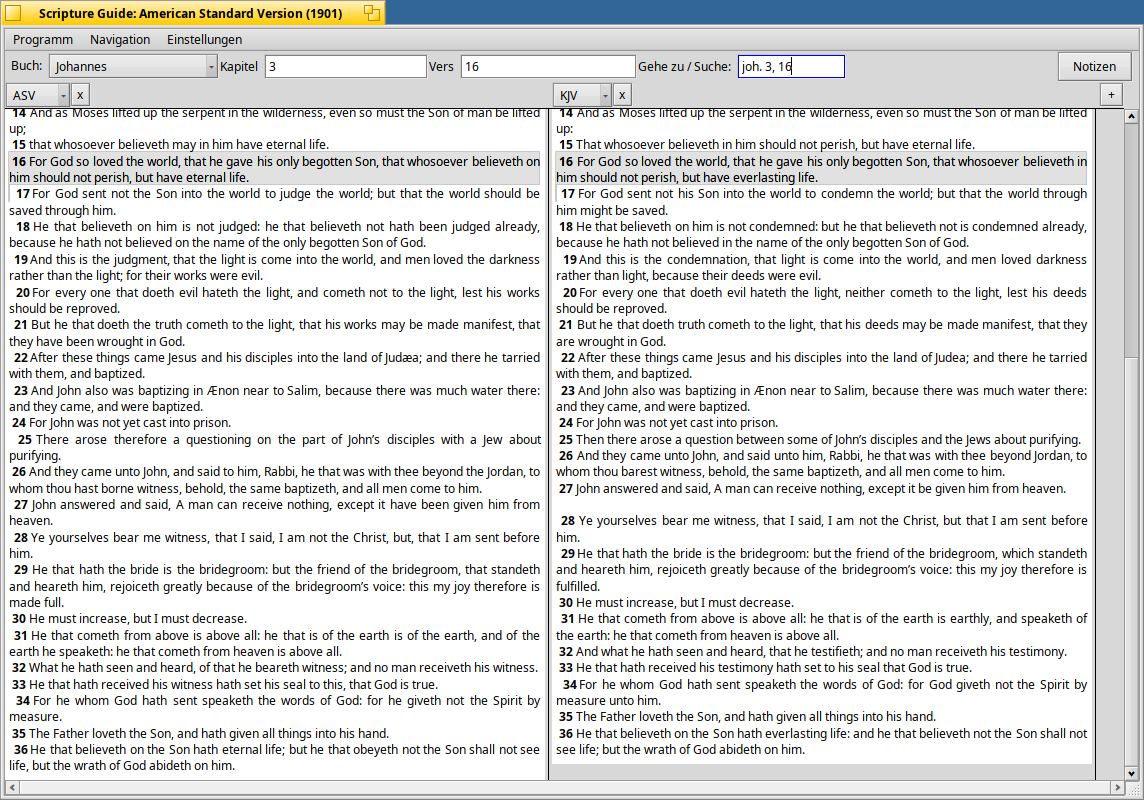
Supports Parallel columns, always kept aligned on the same verse — scroll one, the rest follow. Select some text and drag it between columns, to the Desktop, or to another app entirely; drag a reference back in and every column jumps there.
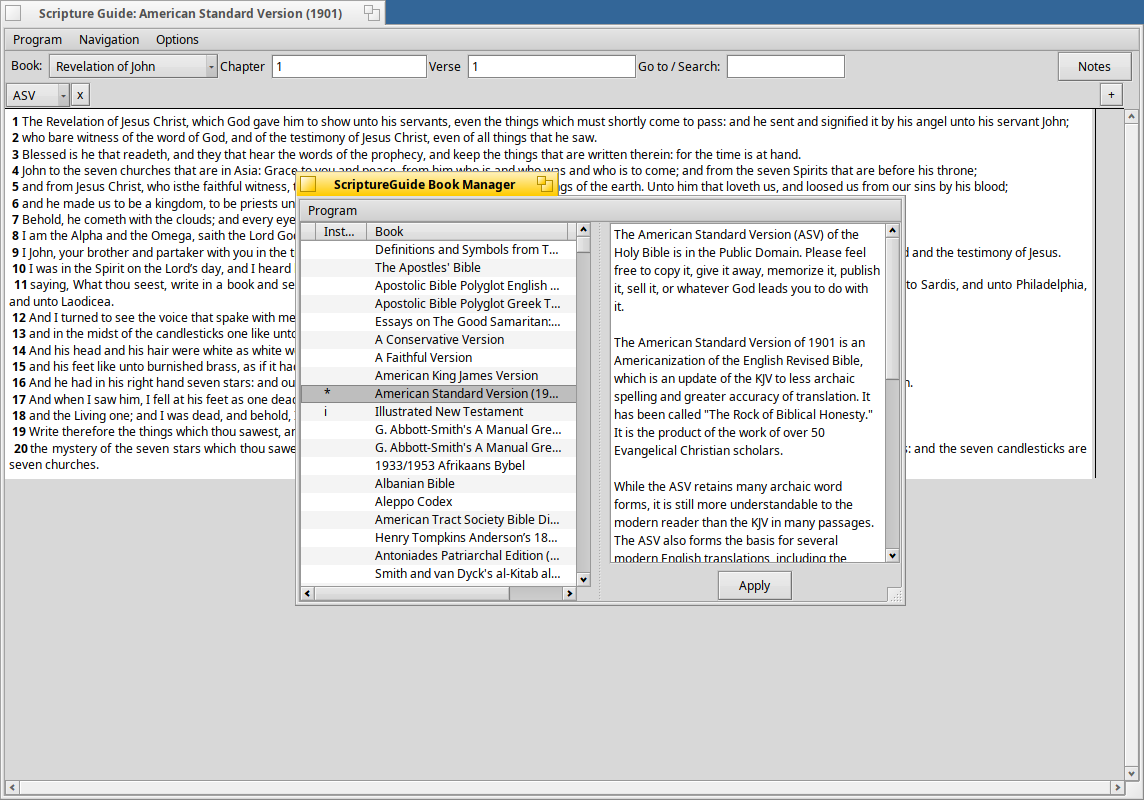
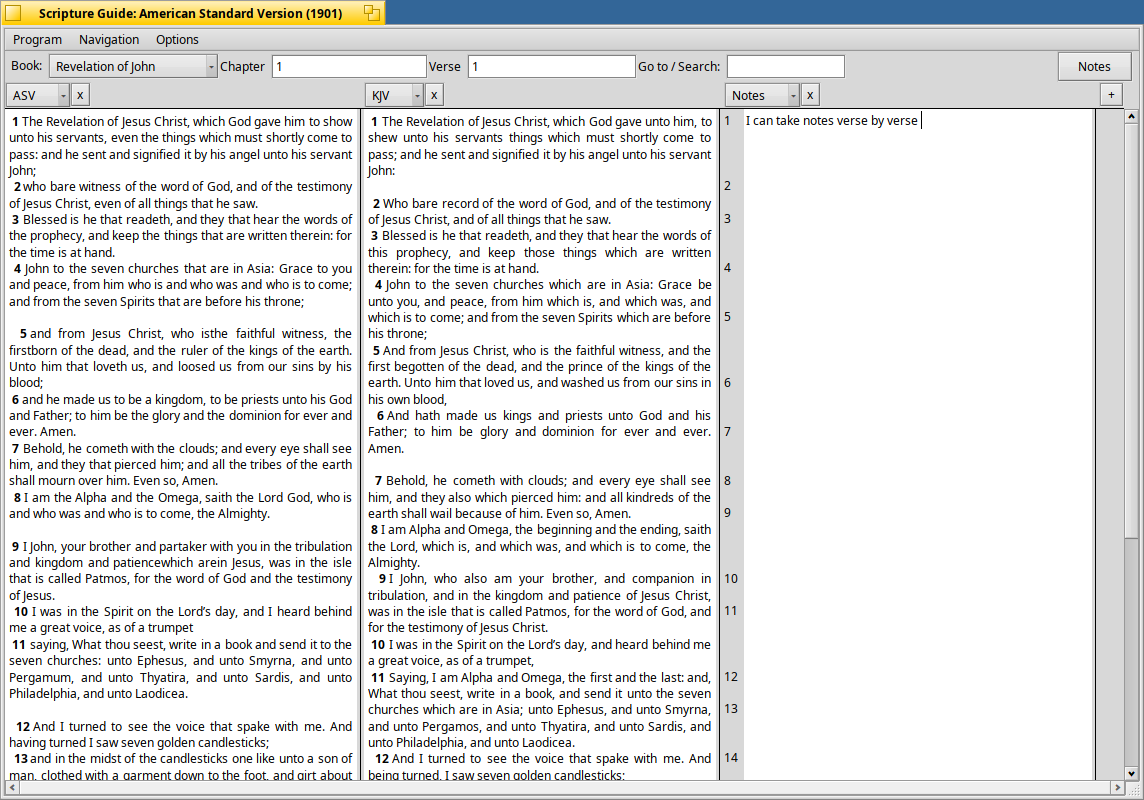
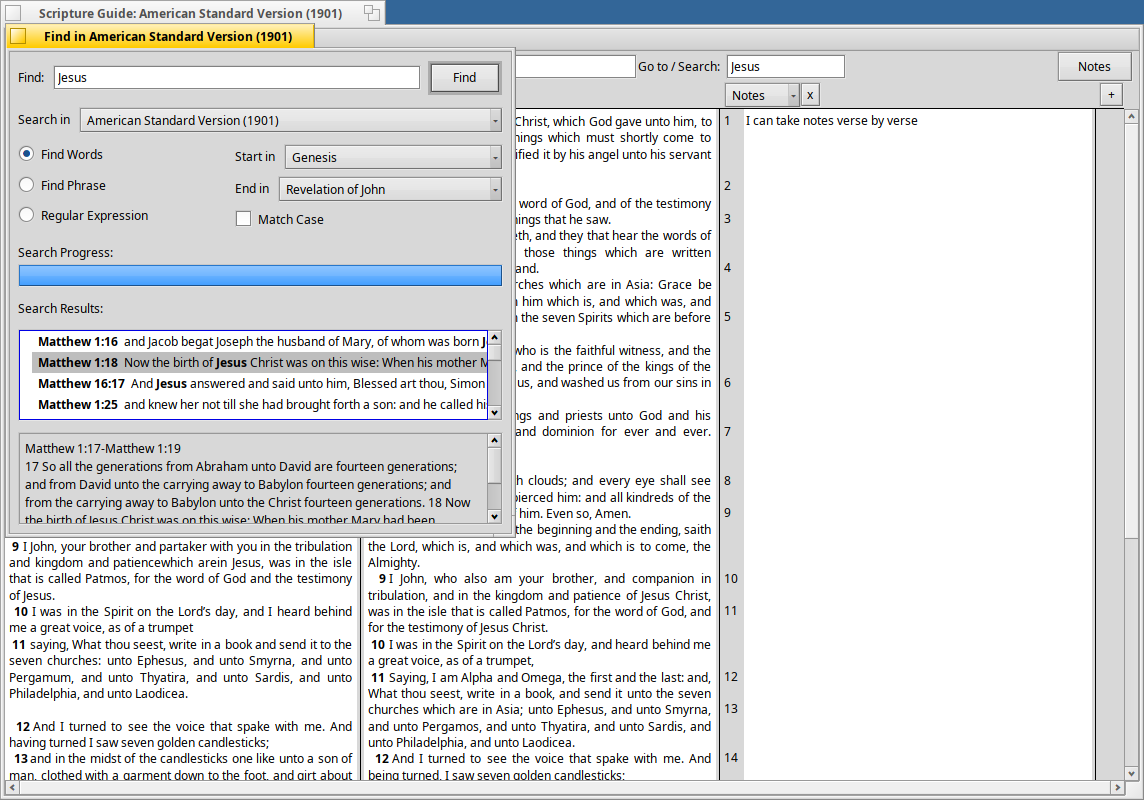
A single “Go to / Search” box figures out on its own whether you typed a reference or a search term, and jumps or searches accordingly. The Find window’s search picker always matches whatever translations you actually have open. Take notes per verse, right next to the text. Download new Bibles and commentaries with the built-in Book Manager.
The interface is translated (German included, more welcome) with locale-aware verse references — no need to fight your own language to look something up.
No problem…I prefer the stability of a good solid release versus the ever-changing stability-to-instability and back again that bleeding-edge updates from the nightlies do. I want things to work the same everyday with the stable B5 updates that usually do not introduce issues.
Cannot wait for the H1B6 release and test everything again.
ok finally i have the next version for you to test… ScriptureGuide 1.2.2
Just download the hpkg from this release and install it ..
A lot fo new features.. add columsn reorder columns… “connect / disconnect” columns… so you can have e.g. a set of columsn wich shows 1. Mose 1,1 and the notes for this and in a nother set of columsn Johannes 1,1 with the notes you took for Johannes 1,1 and so on.
Support for Cross references … also for strong numbers (if dictionary is installed) and so on… https://github.com/Paradoxianer/ScriptureGuide/releases/latest
if the package dont run at your system just download package.sh on the release page and it builds a package on your machine, so it matches whatever you’re running.
It’s a test release — feedback welcome, especially on the notes column and the Book Manager.
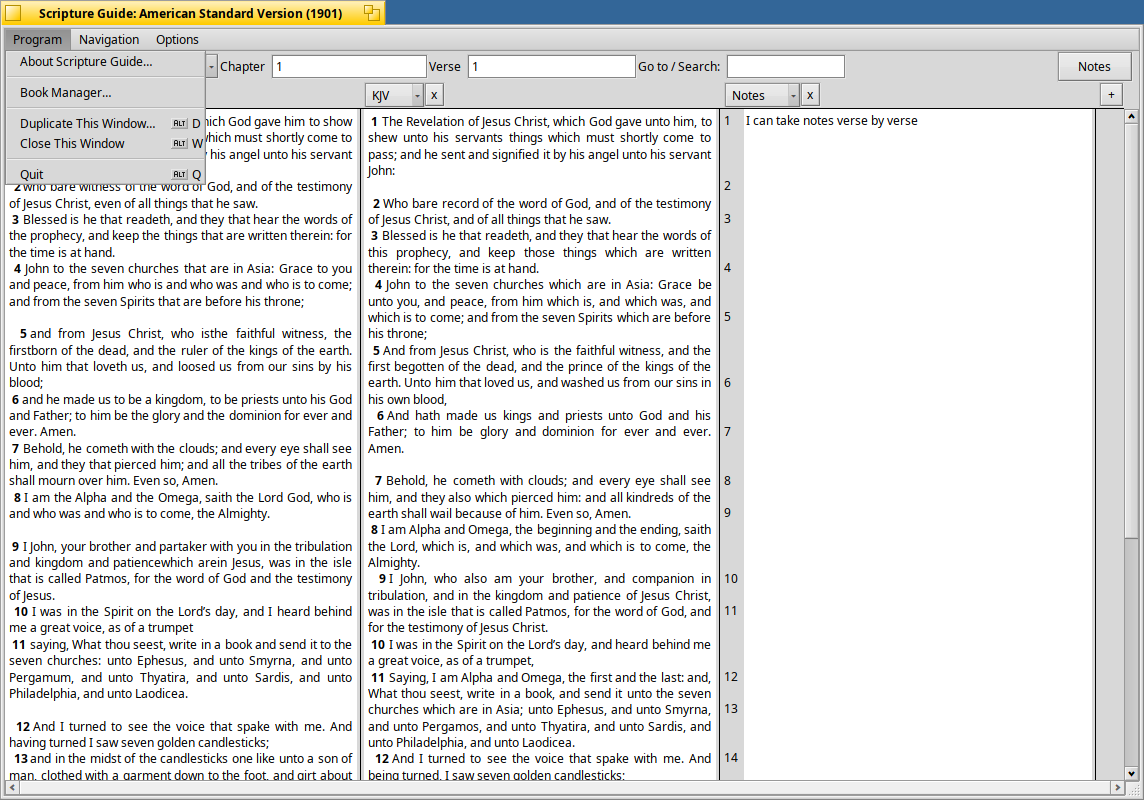
I installed SG v1.2.2 using the hpkg. As you can see, I opened and tested with my AMP, NIV, and NASB translations supplemented with my Personal Commentary (e.g. NIV Study Notes). I also tested the Notes where I created two new notes in the Notes section. Easy to copy and paste into Notes (refer to Image 1).
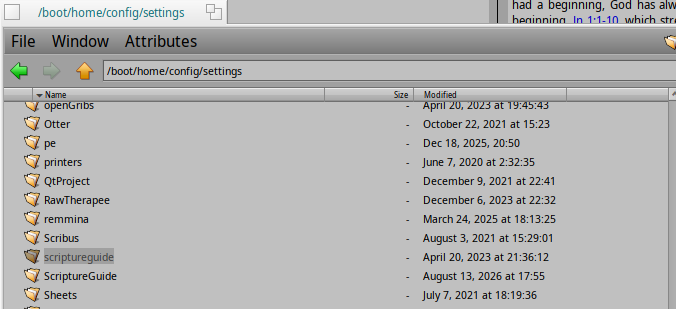
However, in /home/config directory, I noticed a new directory ‘ScriptureGuide’ where the notes are being stored. I figured that the notes would have been stored in the original SG config directory (refer to Image 2).
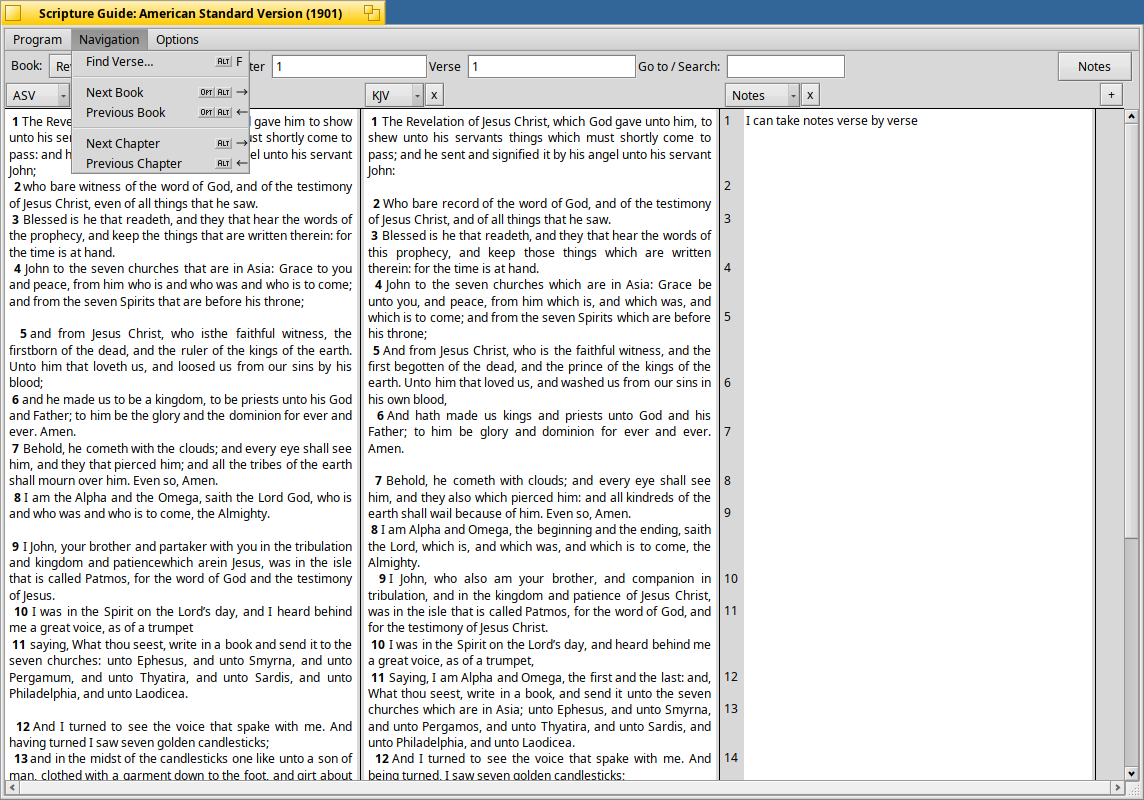
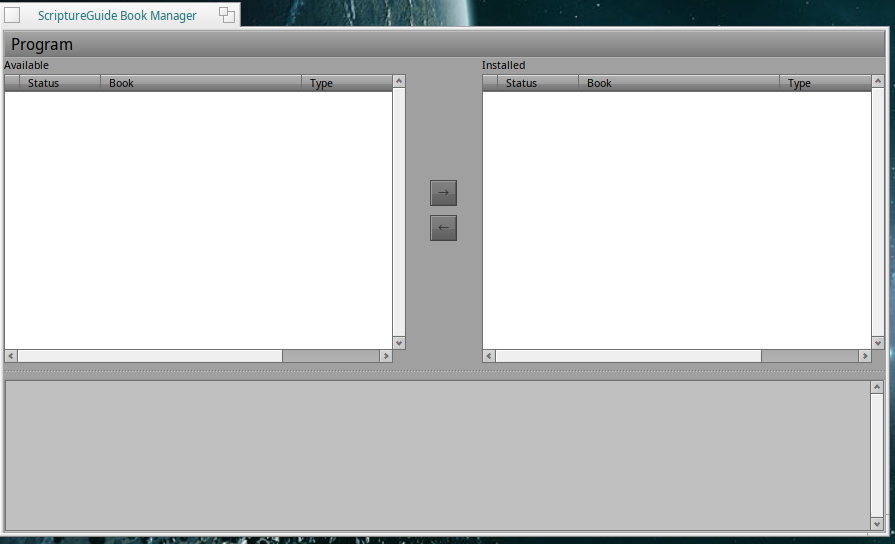
The interface has no menu or options to start a connection & download–or anything else for that matter. But it was the same thing for me with SG v0.9.1.
Here is an additional item. The ‘Personal’ commentary is no longer editable when I click on an entry that is linked to a bible verse in order to amend or redact its respective statement. It should act as in the current behavior as with Notes entry.
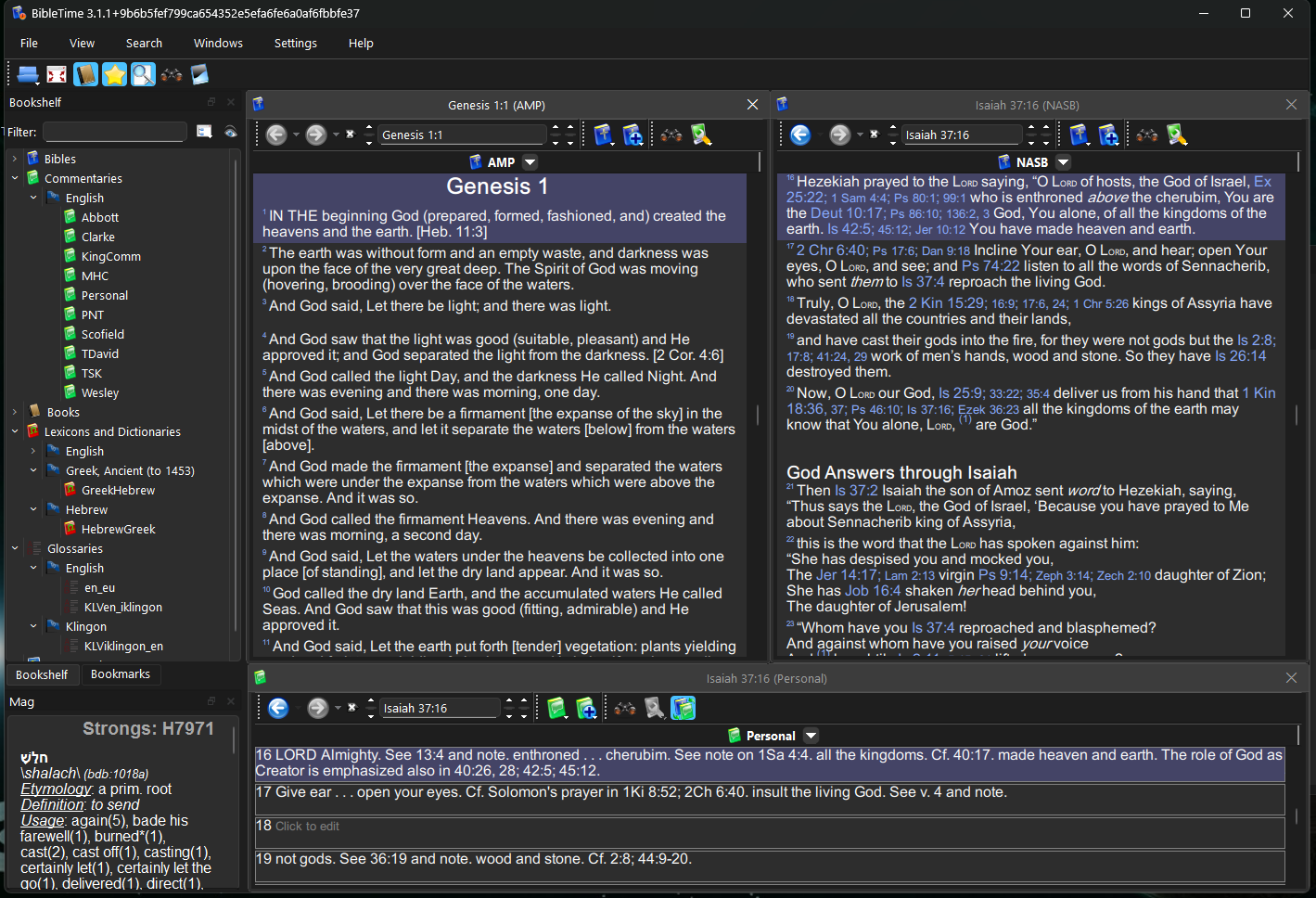
In BibleTime, a new panel appears to update the Personal commentary text that is linked to a bible verse. I expected an inline textual edit mode as in Notes to occur or a small panel to appear for edit mode instead nothing happens.
I do enjoy the auto-synchronization between all windows/panels of text (i.e. translations, commentaries, etc.)!
Good finding with the second folder .. just a typo in the sourcecode (capital letter) …
With the personal commentary…
Thats a good point .. so make the notes just the “personal” commentary - this would be the best solution… or? this will take some work
For the empty SGManager thtats a real blocker .. i added a “warning” dialog bevor opening it the first time… (for countrys where christians are persecuted…) if you denied this it woul never concact sword url (alos if you want it later :-().. so i changed it and added a button to download the module list again… .. like you suggested (that was an easy one
I opened SG v0.8 in Zeta 1.51 and it has a ‘Notes’ button that opens StyledEdit for inputting and editing the a current or adding a new ‘note’.
The ‘Personal Commentary’ is also locked as in v1.2.2. Of course, I created the ‘Personal Commentary’ using OpenSuse or/and Windows where BibleTime allows for input entry. After which, I migrated the final version to all instances BibleTime and Scripture Guide, since it uses the Sword backend.
One thing that I noticed is that BibleTime does not have ‘Notes’ (refer to Image 1)
I think SG must have initially compensated for the ‘Personal Commentary’ in that way long ago. So I beiieve that the current Notes is what ‘Personal Commentary’ became in other platforms. Currently the PC is stored in the ‘sword/modules/comments/rawfiles/personal’ directory containing individual numbered files. In my case, my PC houses the NIV Study Notes, which is 17,916 data files in that directory.
I am working on importing the MacArthur Study Notes–but I am going to create a commentary module instead using the CrossWire Module Tools.
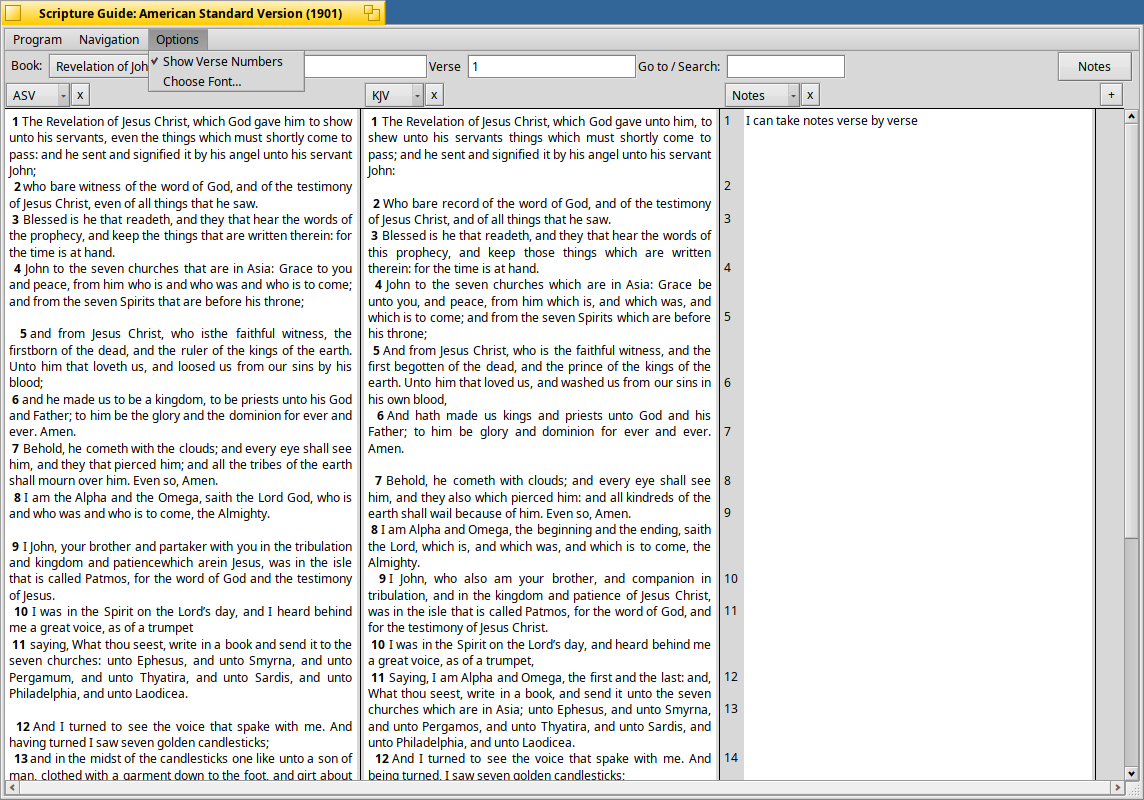
One feature in BibleTime is the Mag, where I hover over a word in any translation and it grabs the Strongs entry automatically–of course, you can set up whatever reference you want it to use in the Options/Preferences. That would be a nice feature in SG as well as Verse Lists.
Thanks again! Let me know when you have another version for testing.
i will take a look if it makes sense to convert notes wich uses RawCom Module to Personal Commentaries… or the other way around There are some problems.. eg. differnt vers counting betweeng king james and luther in germany
i found it a big improovment to make comments / notes close to the verse i was reading.
My next “feathures” on the list are marking in different colors and also having bookmarks (maybe in the same way like the peoples app … with attributes (the haiku way..))
Strong number should work in an extra window… once greek or hebrew dictionary… are installed.. (and only if the modul supports it )
So what would be your most needed feature.. (the “hoover” over word strongnumber feature??)
development will slow down… since Holliday are over.. and The Salvation Army is callin back to arms
What I find interesting about Personal Commentary is that it is set-up like Notes not like any other commentary modules in SG.
Compare Personal Commentary to how the Matthew Henry’s Complete Bible Commentary or KingComments are set-up within SG. Not the same…PC is the only RAW file type broken out by individual files…not consolidated as other commentaries.
As for my most needed future feature…it is verse lists.
A verse list is an object similar to a note where it house bible verses. If I was studying a bible topic, bible study course, daily reader, or working on lesson plans…I can create a verse list containing verses linked to a filename, which is linked to an area called ‘Library’ in SG.
Menu options could be: create verse list, open verse list (in edit mode), or delete verse list. Examples: for Day_001 contains Ge 1:1-2:1, Ps 1:1-1:10, 1Ch 1:1-2:15, MT 1:1-2:15, Day_2 with more following verses, Day_003, Day_004, etc…each with its assigned verses. Or say a bible study on angels: Genesis_Angels has all bible verses about the angels from Genesis assigned to it; Fallen_Angels has all Bible verses pertaining to thus group of angels, and so on.
In operation, when I open a verse list…ideally, SG will read the verse list and present all bible verses in the verse list in the order saved within the verse list in all active bible windows.
I must have been very tired…sent you the wrong link.
AARON.TXT:
AARON.LIB
The link I sent is the ‘The Verse Search’ bible program for someone that I helped to restore her program. I maintain a web site , https://versesearchers.com/.
year to import the lib file will be a thought pice of work (even with ai :-D) .. because it need to reverse engeneert it.. The other one (txt) is nealry the Version i created firt (bevore i used Haiku attribs… to implement lists …:-)) So it should be super easy to write an import function for this one… into SG
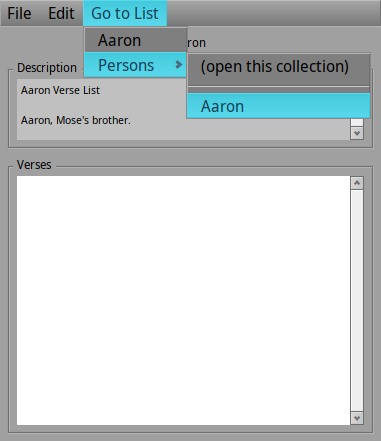
The ‘Description’ section works great.
But I cannot enter or add any verses in the ‘Verses’ section to create the list of references in the verse list.
I guess we need a verse picker: meaning a method to select the book, chapter, and verse number(s) to select and highlight one or more verses AND/OR a way to manually type in the verses to save into the verse list.
 Just suprised that somone still stuck with H1B5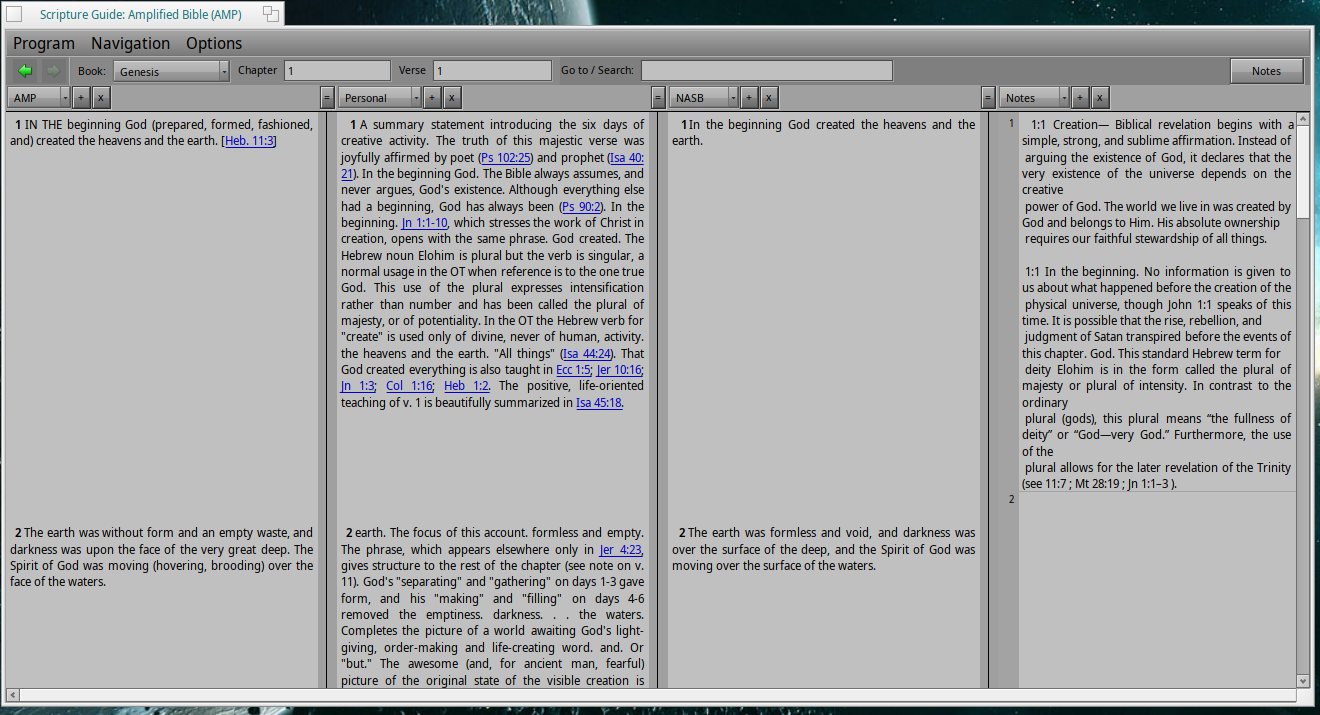
 There are some problems.. eg. differnt vers counting betweeng king james and luther in germany
 ) but you should be able to import it now