I’m thinking of installing Haiku to a Thinkpad X1 Carbon Gen6 which already has Windows 11 Professional 24H2 installed.
I’d like to keep the Win11 in a part of the SSD so I can file tax returns online (tax agency’s site only allows Win or Mac), do Zoom, Teams, Google Meets calls etc and if possible would also like to install Linux(FerenOS) and FreeBSD(GhostBSD) in a part of the SSD too.
So what I’d like to know is how other users on the forum have set up multi-boot systems including Haiku and Windows and perhaps other OS’s on their machines.
Is it better to do bare metal installs for better response times, or is it better to put some of the OS’s in VMs (QEMU?).
In terms of preference, I think I’d be likely to have the Win11 as something to use very occassionally, since doing Windows Updates and App Updates on a daily basis is the thing I hate most about Windows. So usability of Haiku and FerenOS or GhostBSD as my daily driver is more important to me than that for Win11, although since I’m keeping the Win11 for things like video conferencing, I’d need it to run smoothly when I want it to…
Looking forward to hearing your advise, Haiku friends!
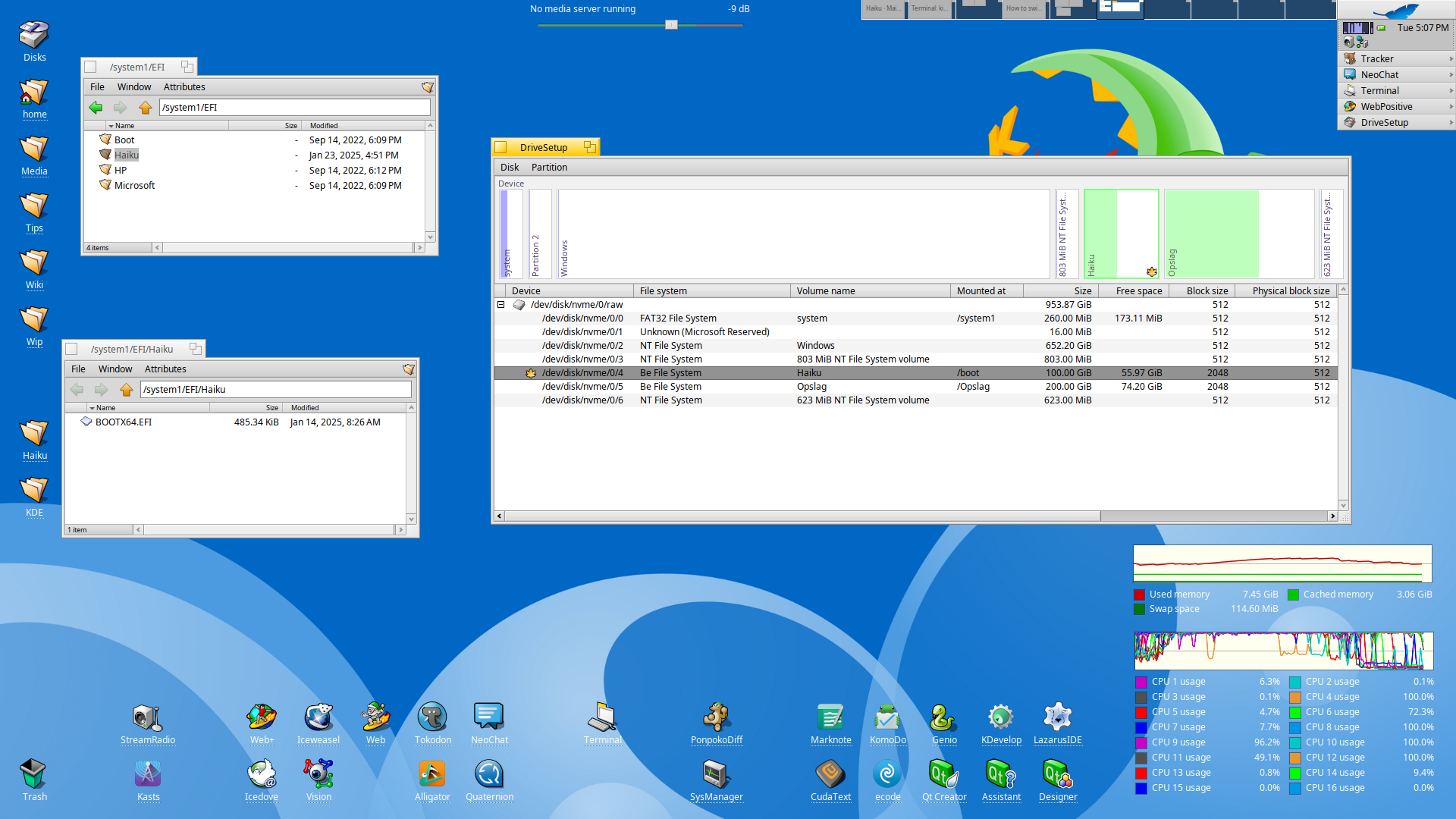
Typing here from a dual boot Win11/Haiku, I just created a Haiku directory in the EFI partition and added the Haiku efi file in there, booting through EFI works fine.
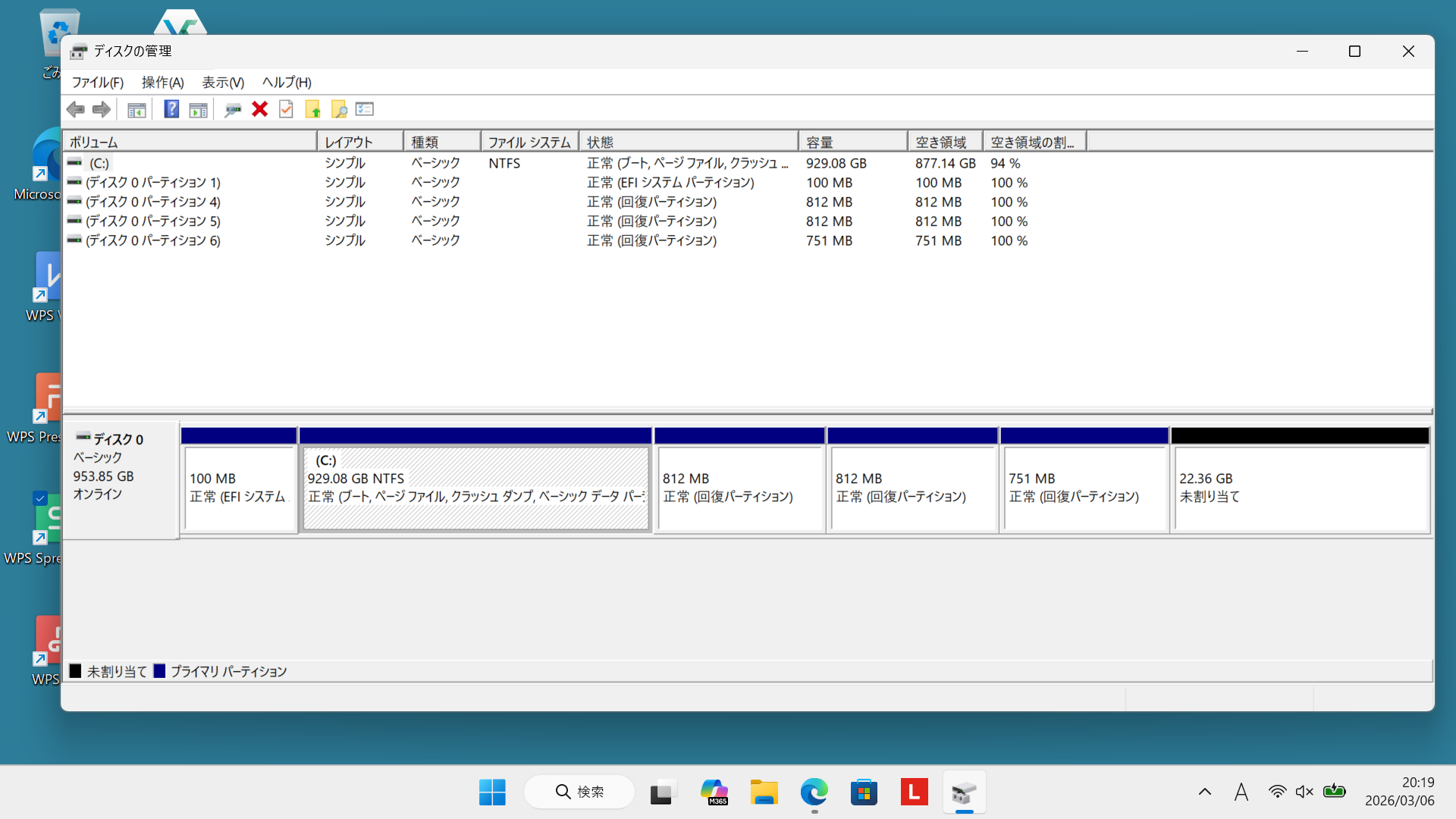
On my win11 laptop, the EFI partition is only 100MB. So should I shrink the size of Windows’ c: drive and then increase the EFI partition so it’s large enough to contain Haiku’s system files and a BFS partition for Haiku’s data?
Oh I misunderstood. It’s just this bootx64.efi file that needs to go in there, not the entire Haiku installation. So if I make partitions for Haiku, and start up Haiku’s installer and point it at the new partitions, will that put this bootx64.efi file in the correct location? Or do I copy this over after Haiku’s finished installing?
Like in the screenshot (mind you, this works for “me”, it’s not an official statement), created a directory Haiku in the EFI partition and copy the efi file in there, launch Installer and point to the partition prepared for Haiku to install.
I’m using F9 key on the keyboard then on boot to select the EFI entry in the bootmenu and from there on select the EFI file in the Haiku directory to boot.
The boot process can be simplified with refind, but I never got to that, if it isn’t broken ….