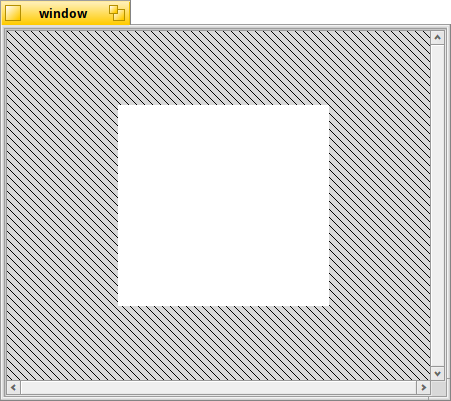
Hi I am trying to make a window with a view in the middle and i want it to stay the same size and centered when the window is resized. like if i want that view to be 300 x 300 i don’t want it to grow or shrink.
this is what i tried and i also tried removing the glue but the white view gets squashed or stretches and the scroll bars also sometimes disappear when the window is resized. i guess i dont understand what i am doing wrong so i would appreciate any insight thank you.
Try childView->SetExplicitSize(BSize(300, 300));
You’re only setting the explicitMinSize,that makes sure that it can never get smaller than 200x200px,but it can get larger.
The explicitSize locks the size to exactly the given size and doesn’t allow bigger or smaller.
hmm thanks but that doesnt help and in fact it doesnt stay centered with SetExplicitSize() (it mostly stays centered before)
fwiw even SetExplicitMinSize() doesnt stop it from getting smushed when you make the window smaller. I was thinking it would respect the size and not let it get smaller?
i also tried SetColumnWeight() and SetMin/MaxColumnHeight() and the row versions and it just doesnt seem like they are respected
but i assume i just dont know what Im doing and its user error
The window can get smaller since there’s a BScrollView inside it,so your fixed-size box can be scrolled.
If the box itself gets smaller (and not scrollable),maybe that’s because you’re using the old non-layout-aware BView constructor (but I’m not sure how much of a difference it makes).
Usually,if you work with the Layout Kit,you don’t need to specify the frame BRect and the B_FOLLOW_ALL flag.
Instead of: new BView(BRect(200, 200), "foo", B_FOLLOW_ALL, B_WILL_DRAW);
You would do: new BView("foo", B_WILL_DRAW);
Again,I’m not sure if your issues are caused by this.
If it doesn’t help,I’ll have to try myself at the weekend.
oh wow this is helpful. if I use the layout aware constructor then SetExplicitSize works to keep the view from getting smushed!!!
the view still gets larger at some point and the scrollbars dont work but you gave me ideas so i will play with it more maybe get rid of the scrollbar at first to see if i can get the view behaving. its way way better now. thank you @nipos!