Recently I think I have some corrupted system files maybe due to a bad shutdown of my system.
I have solved the issue with the below:
Booting from a USB live Haiku
Renaming the /Haiku/boot/home/config/settings folder into “settings_old”
After several tries, I have moved back the files which were not corrupted back to the settings folder (and renaming settings_old folder back to settings)
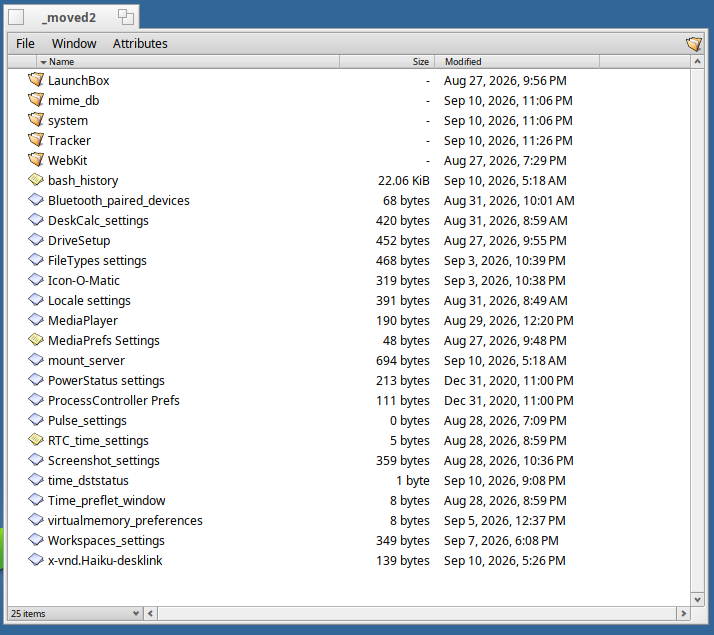
At some points I stop that and I had the below potential corrupted files:
I just got very similar launch_daemon stopping at boot, on a General Protection Fault in either main “launch_daemon” thread or “worker” thread, its’s not always the same.
I’m on a nightly Haiku, but the root cause is NOT a regression because I can boot from the latest nightly flashed on an USB pendrive.
Could be due to some corrupted settings files indeed, as I’ve some KDL while trying some kernel drivers changes…
Did you file a ticket about the launch_daemon crash?
Because, whatever the reason, would be better if such critical component will not segfault because some jobs or services fails on corrupted config data…
At least, indeed, having the name of the current job or service will help here, before panicking.
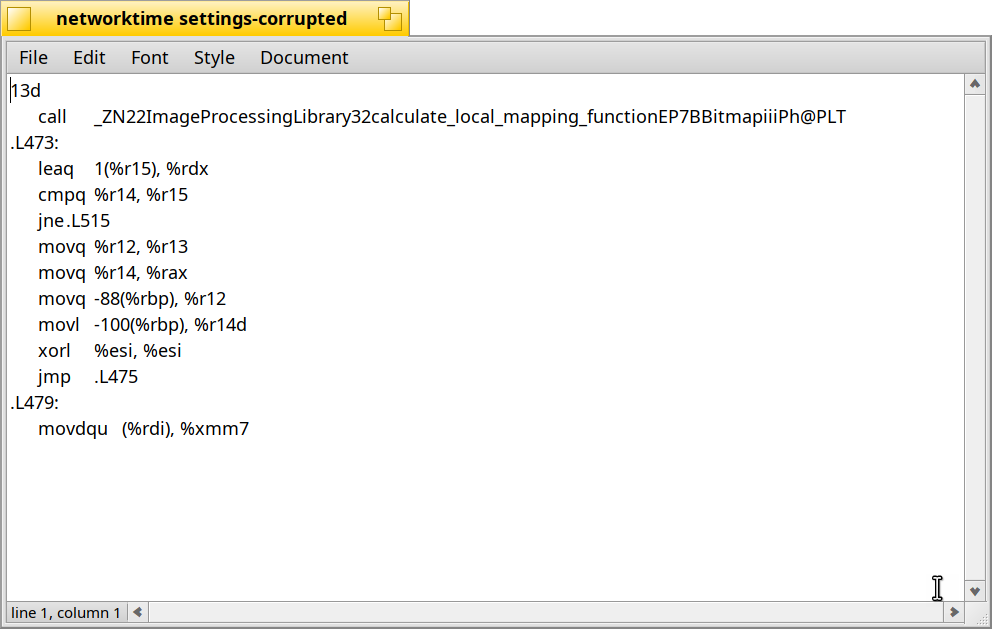
Well, dunno for you, but in my case it was after a KDL in XHCI::FinishThread() on a SMAP fault, and after that multiple config/settings/* files were corrupted to the point that on next reboot launch_daemon crash on a segfault, probably because some early job or service crash while trying to load their settings.
So I guess it’s config file corruption mostly because when you use apps, Tracker, Deskbar etc, even without modifying any data, behind these apps push writes to their settings files, and that why that was the data corrupted (maybe something overflow over the block cache, or the BFS journal).
But I fear if when it crashed more intensive files were actively written, it could be also corrupted, and one could loss far more important data than settings.
I’ll try to reproduce it again (maybe this time without my data/project volume mounted to avoid data corruption there) and file a ticket.
As you, I didn’t precisely identified the root cause of launch_daemon crash, but I do find lines of bash commands (git checkout, git rebase, jam, the usual) written over a ~/config/settings/Workspaces_settings, some assembly or linker script output in desklink and ProcessController settings files, so my guess is deskbar crashed fast (I’ve both Worskspaces and ProcessController in my Deskbar tray).
I have found with BFS volumes that they often don’t sync properly after writes, so that if your system goes into KDL you lose all info that wasn’t synced. Normally not a big issue, but from testing, I hit KDL quite often, sometimes intentionally. I have noticed this behavior after the writes had finished for over 10 minutes, which is not normal at all.
I had launch_daemon crash on boot for me a few days ago on my x86_64 nightly install after testing some software that KDL’ed my system. I managed to recover with moving the settings folder out of the way and copying select ones back as well.
I still have the settings folder with the presumably corrupted settings files that caused it. I’ll try to find which one exactly caused it with a test system soon. I recall in my case it mentioned a gcrypt library as well.
It sounds like there are possibly two issues here, one with BFS causing the file corruption in certain cases and the other with launch_daemon or something related to it not being able to parse corrupted settings files without crashing.