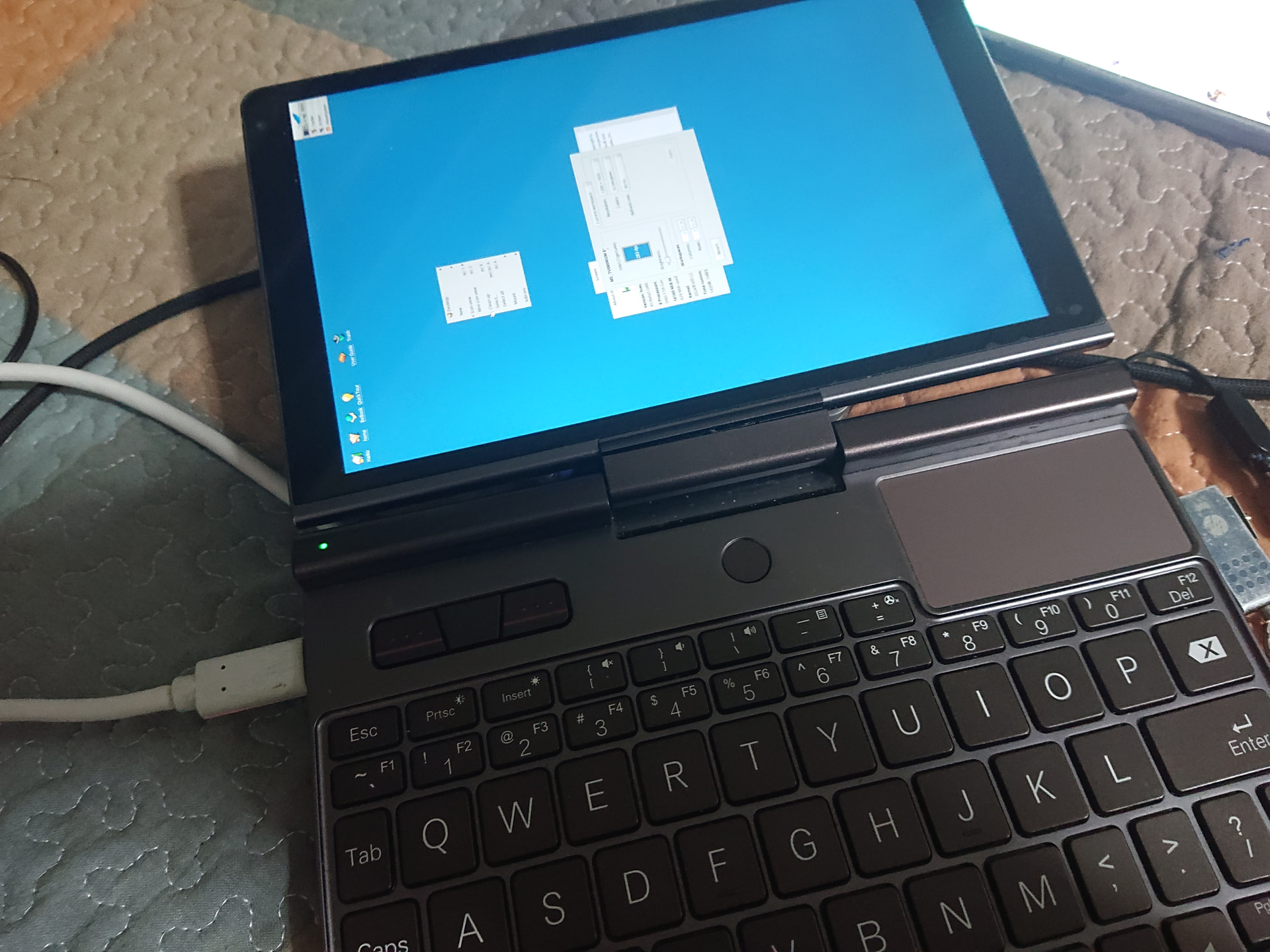
Is it possible to rotate the screen?

Hi,

I’ve had a number of tablets and small “laptops”. Right now, I’ve
booted Haiku OS on my GPD Pocket. These kinds of devices start the
screen in portrait mode, so the contents are sideways. This screen is
1200x1920 instead of 1920x1200. It is running the VESA driver.

Is it possible to rotate the screen? I don’t see anything in the Screen
Preference.

Thanks!
==Leonard
Enjoying Haiku

No it isn’t there is actually already a bug report for it also.

https://dev.haiku-os.org/ticket/14510

2 Likes

Sure just change the position of your tablet or your laptop or if it is not working of your head.:rofl:
Rotate yourself…

I tried that. My head fell off and rolled under a table. Took a long time for my body to find it and put it back on. :smile:

1 Like

sadly,that’s terrible​:face_with_tongue::zany_face::upside_down_face:

What device is that? It looks nice.
There hasen’t been any change with regard to this sadly, no rotation yet…

Gemini says,
it’s a ‘GPD MicroPC’.

GPD MicroPC - 6" screen handheld

Seems in 2025 there was released a new model GPD MicroPC 2 UMPC - 7" screen handheld

They are really cute - both.

:cowboy_hat_face:

I guess the hardware display screen on this device is actually in portrait orientation (maybe reusing a part from tablets display makers market).

Same issue with my GPD Win,I think I’ve already mentioned that years ago.
These devices are super tiny and do in fact use a portrait-mode phone screen,so it needs to be rotated by the software.
The BIOS/UEFI menu is also shown in wrong orientation there.

GPU have support for that.
If it has to be done in software, for framebuffer driver , iirc it comes with notable performance impact. From memory Be faced such issue with their BeIA implementation…

1 Like