I’m getting “é á” for those.
I’m pretty sure that “supports” Mozilla just like the normal Firefox,with only the wording changed to “Iceweasel”.
Can’t believe KENZ or 3dEyes made a marketing deal to earn money for their porting efforts.
I really recommend giving LibreWolf or Waterfox a try if you’re not ok with the advertising bullshit,telemetry tracking and other stuff Mozilla does.
The default Firefox is full of it nowadays.
1 Like
Sure, áéíóú. Also ćǵḱĺḿńṕŕśǘẃýź (ǘ is ´v.) The vowels are normally defined for <Option>', for US-International, and ý, but the consonants generally not.
That’s an interesting quirk that might shed some light on the issue:
- quote without modifiers, I see nothing until I type s, whereupon I get ś
- quote with Option, I get an underlined ´, and then if I type a, á, but if I type s, just plain ASCII s This behavior is the same as WebPositive, StyledEdit, Terminal.
I think I’ve figured out what the problem was: I was misinterpreting dead keys from the system keymap. I’ll prepare a pull request now and submit it for review.
5 Likes
Yes, it’s just Firefox with the name search-and-replaced to Iceweasel for trademark reasons. Everything else is exactly as in the official Firefox, or as close as it can be for Haiku.
2 Likes
There’s a builtin command line tool, clipboard, that can do this already, actually.
1 Like
fixed. update wayland-server and try again.
7 Likes
Thanks, can confirm the issue with single/double quotes is fixed. 
5 Likes
I’ve got a couple of extensions installed and when I bring up their UI the clicks go through to the main window underneath instead of being handled by the extension’s popup window. For example Bitwarden and Ublock Origin.
I assume this issue is in the underlying wayland layer right?
And if I wanted to go splunking in the code that’d be where I’d start?
Is this the wayland server in question here?
2 Likes
In case you didn’t know, you can use those UI elements if you resize the Firefox window in a way where it isn’t covered by those UIs.
Yep, that’s the one, the haikuports recipe points to that repository.
4 Likes
BTW there’s already an issue tracked there for this: Mouse input doesn't work in some extension panels in Gecko/Iceweasel · Issue #24 · X547/wayland-server · GitHub
2 Likes
I finally got around to investigating this. Turns out the problem was related to the new allocator: when address space reservations got used up (which only happened on applications that used more than 1GB of RAM), we would fail to release a reference, which then leaked the address space (and all the page tables associated with it) when the process exited. Fixed in hrev59228.
21 Likes
Am I’m doing anything wrong? Just installed Iceweasel for the first time and have no fonts in the user interface:
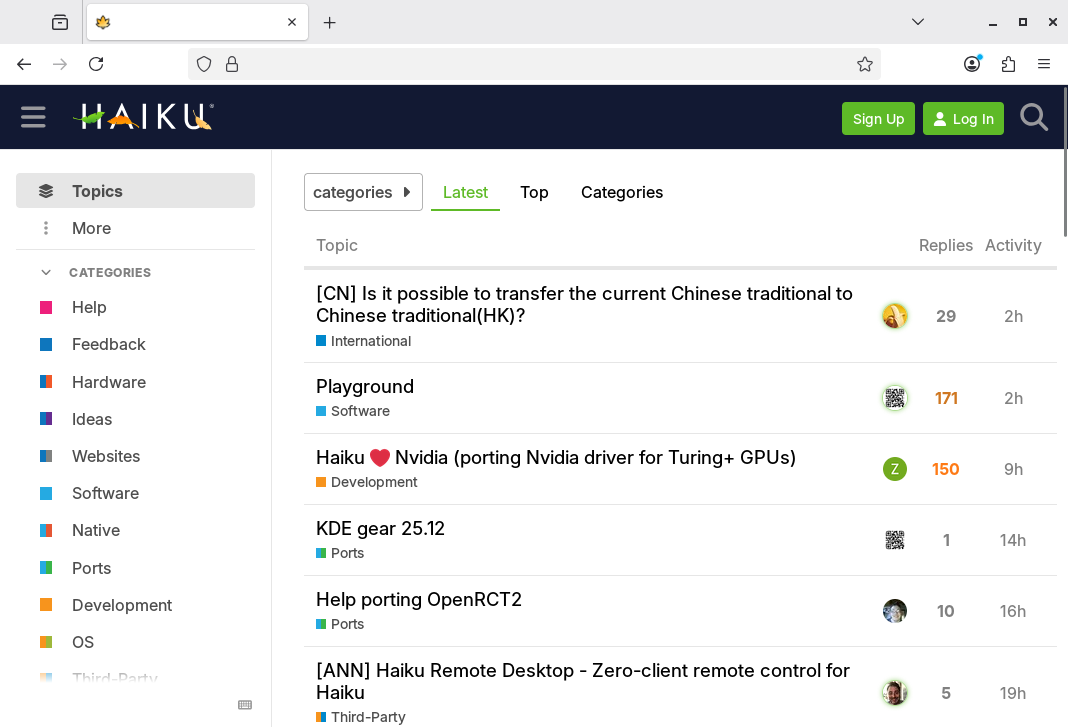
It makes no difference if I’m using iceweasel or iceweasel_esr. The only text shown is in the area where the web page itself is rendered.
I’m running hrev59237
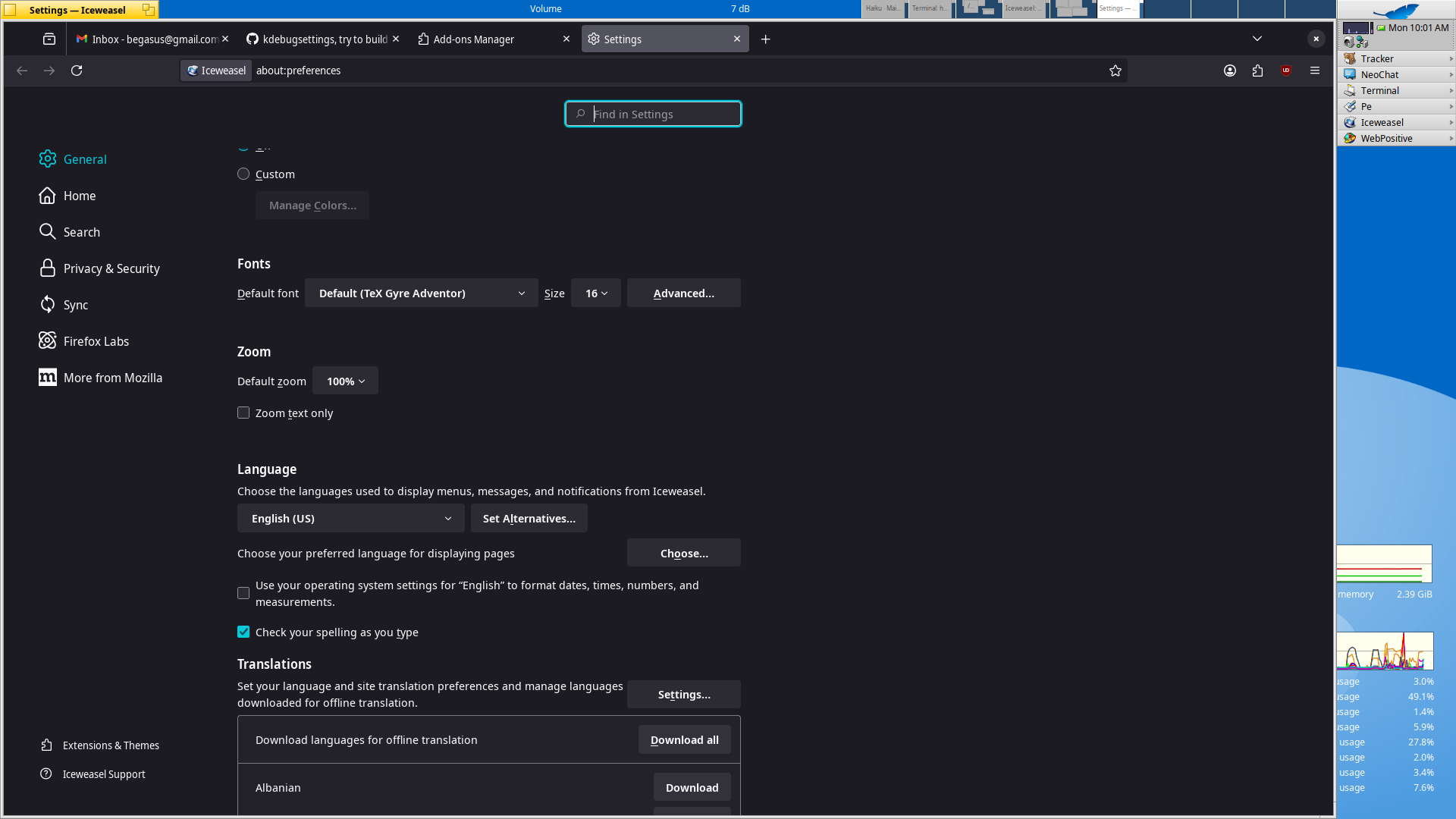
The font settings in the preferences is just for the web content, not for the user interface. Web content works without any flaws, it’s just the UI that shows nothing. If you take a look at the screenshot I posted, there is for example no text in the URL input box and the tabs also don’t have their name shown.
I’m just spitballing here, but the last time I saw this (on another OS) I had somehow managed to set the text to white on white. Are you using an old BeTheme theme or have you done a homebrewed dark mode with the Appearance Preference? Try setting that one back to Default.
No, appearance wise everything is standard - not using a theme. Don’t think that it’s white text on white background. Controls that normally have text and adopt their size accordingly are small like if there is no text. One thing that I just saw after removing the profile directory was the following message when running IceWeasel from the command line:
Fontconfig warning: using without calling FcInit()
/update: Tested the other Firefox based browsers in the Repository:
- Waterfox ==> same problem
- Librewolf ==> same problem
- Floorp ==> WORKS!
Solved the problem for the other browsers too by installing dconf_editor and setting org/gnome/desktop/interface/font-name to Noto Sans 11
3 Likes
Curious that this settings had changed. Did you play with another Gtk app beforehand?