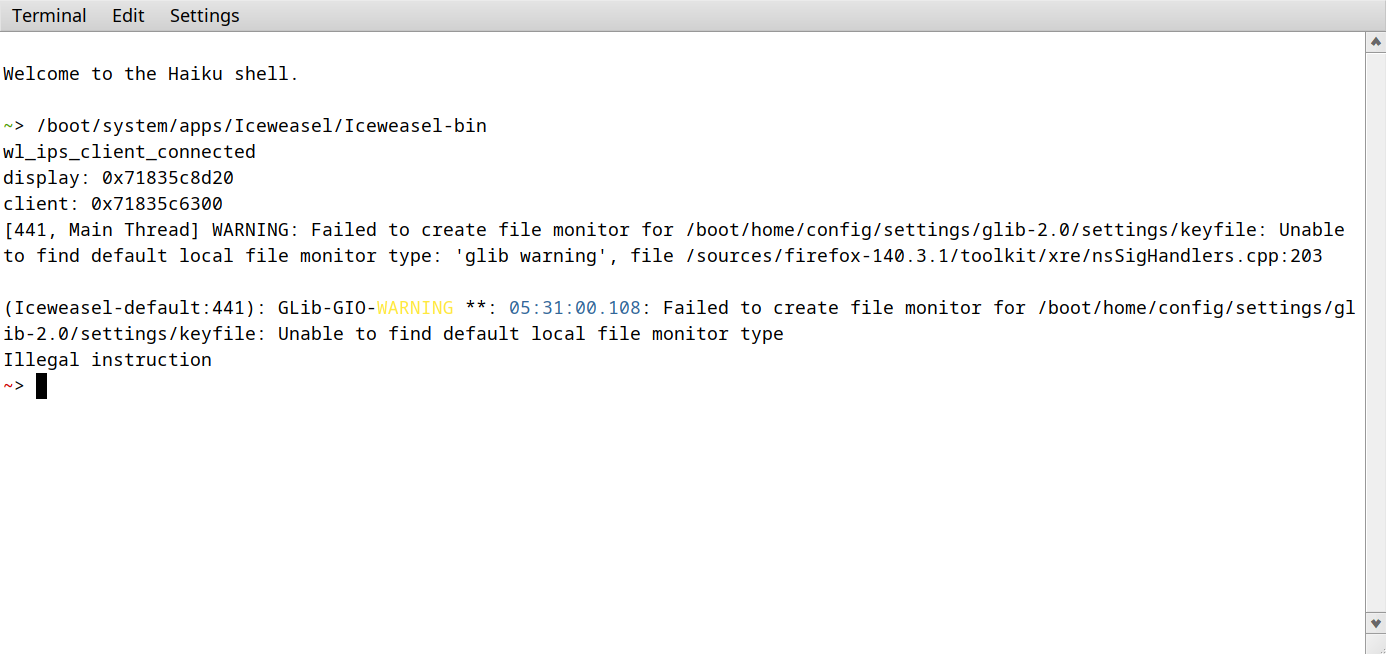
After upgrading the installation of Haiku nightly x86_64 from hrev59515 to hrev59523 on my main PC, Iceweasel no longer launches, crashing with an ‘illegal instruction’ error.
If I revert back to hrev59515, Iceweasel will launch again. I also tested with the other Firefox versions like Floorp and they have the same issue. Even Icedove has this issue so it must be something related to Mozilla apps. I can use GNOME Web fine so it’s not the Wayland layer causing the issue it seems.
I’ve even tested with a clean installation of hrev59523 I made on an external drive just in case it was something else on my Haiku installation causing it but the same issue occurs. It seems a change made between those two hrev’s has broken Iceweasel, at least for me. I tried the clean install on my Surface Pro 5 with an i5-7300U and it also has the same issue as my main PC with an i7-4790k.
I have attached a screenshot from when I run Iceweasel from a terminal. I can open a ticket if that helps. If there’s anything else I should attach, please let me know.
~> /system/apps/Icedove/Icedove
wl_ips_client_connected
display: 0xad60ad2d20
client: 0xad60ade300
[670, Main Thread] WARNING: Failed to create file monitor for /boot/home/config/settings/glib-2.0/settings/keyfile: Unable to find default local file monitor type: ‘glib warning’, file /sources/thunderbird-146.0.1/toolkit/xre/nsSigHandlers.cpp:203
(thunderbird-default:670): GLib-GIO-WARNING **: 09:02:41.470: Failed to create file monitor for /boot/home/config/settings/glib-2.0/settings/keyfile: Unable to find default local file monitor type
zsh: illegal hardware instruction /system/apps/Icedove/Icedove
I’ve reverted to hrev59515 and it’s working on that.
Hah; thanks for merging this into the pre-existing thread. Let that teach me not to start a new thread before I’ve read all the new activity in the morning.
Thanks for all the work you and the other devs/contributors do to make Haiku better. With nightly’s there’s always a risk of things breaking but thanks for responding so quickly.