I don’t know if it was a change by devs or something I did, but not a fan of my current black desktop fonts. How do I get my desktop back to white fonts?
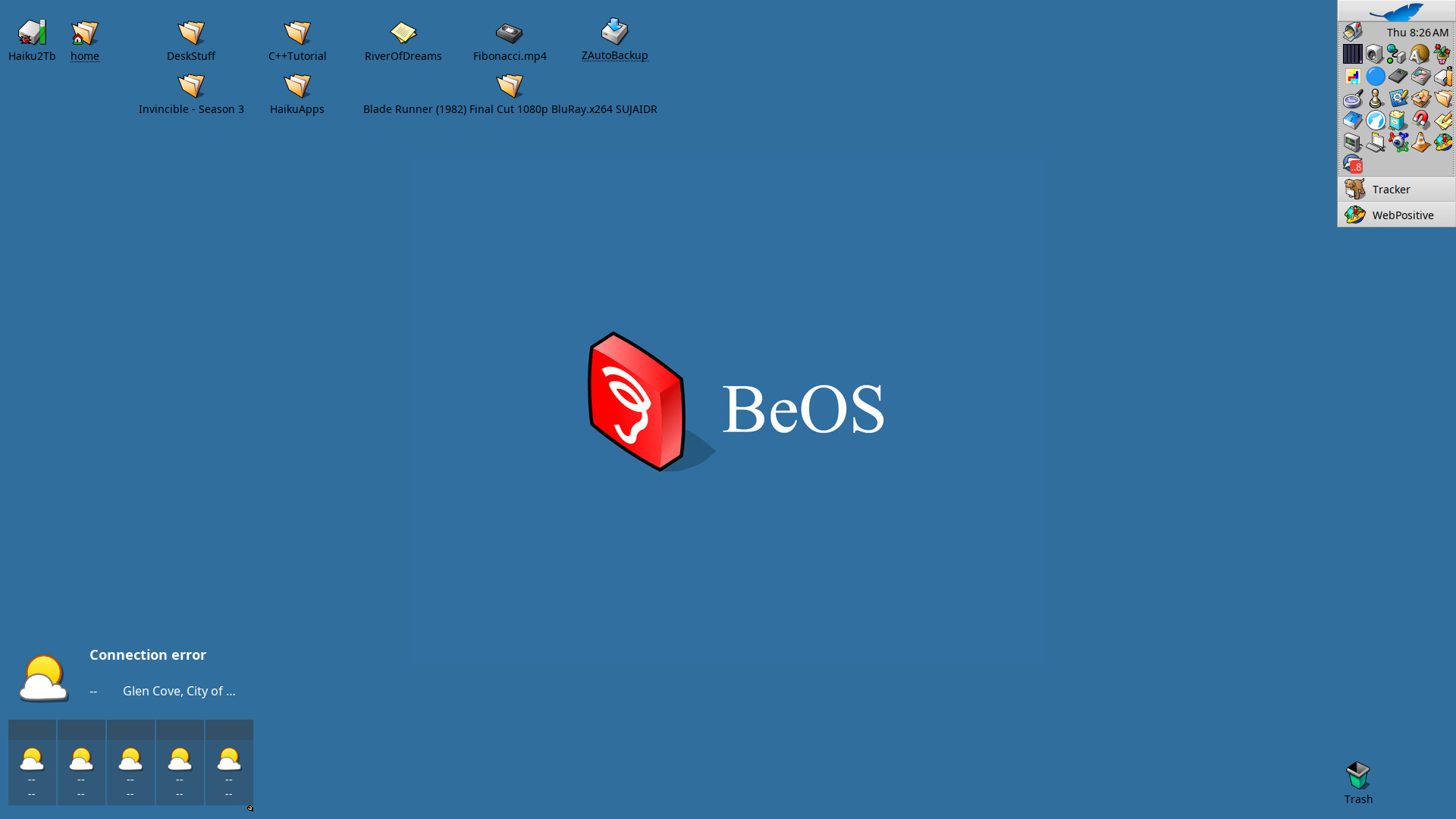
Depends on the background colour. Dark background, white text, bright background, black text.
1 Like
It toggles between black and white automatically in contrast with the Desktop colour: the background colour, not a graphic that is plastered over it. So go to the Backgrounds preference applet and make that darker.
1 Like
Thanks guys, that worked 
I didn’t try for a while but, depending of colour choices, it also possible to make letters glow.
Yes, I once had an old monitor that bled between pixels too. 
I knew that I have a key with a colour scheme allowing that…
So, if you want to try it, you need to have icon label outline enabled in background app and play with Shine colour in Appearances. 