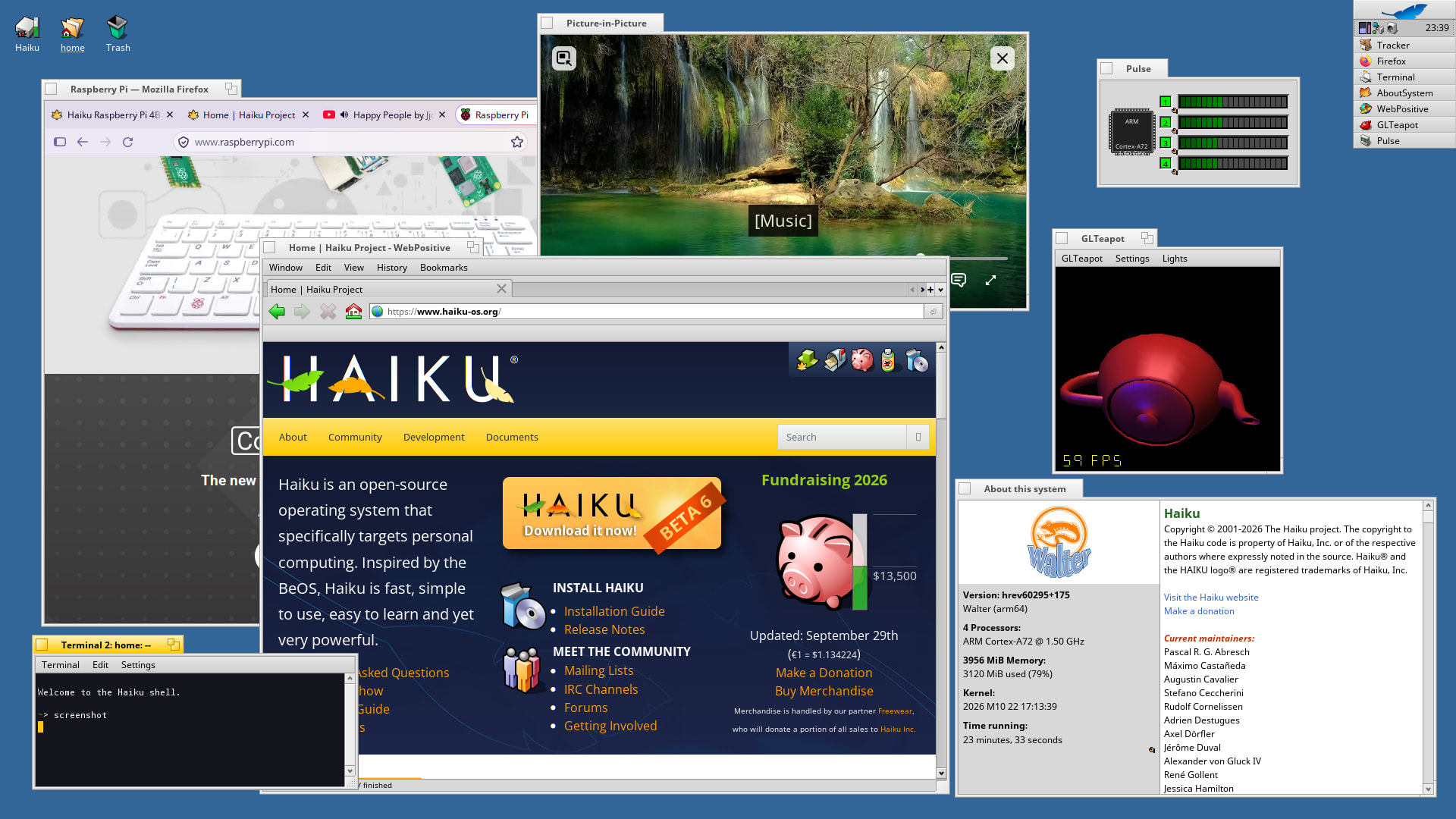
TL;DR I did a fairly complete and working port of Haiku to Pi 4 with AI agents. The base, working system was created with just one prompt and an AI agent working 100% autonomously testing on real hardware. (After that more prompts were used to steer the effort to add additional programs, games and features.) This is just an experiment. It is not production ready and I don’t intend to force it upstream. I don’t claim it is correct, bug free or useful. I share it, along with all the details - just in case it will be useful to any of you.
Longer version: I’m a researcher interested in emergent behaviors of AI systems. I did a lot of work on evolutionary computing, cellular automata and similar stuff in the past. I got my PhD on automated methods of finding cellular automata. These days I’m interested in observing complex, long-horizon, open-ended behaviors in modern AI systems and figuring out what can we expect from them.
Since March 2026, I’ve been running an experimental project with LLMs. AI-porting and extending a niche OS to Pi4. This OS was Phoniex-RTOS which has been ported AI-ported to Pi4 by me here: Phoenix RTOS for Raspberry Pi4 · GitHub .
The goal of this original experiment was not just to make AI port the system. The idea was to make it work as autonomously as possible - while still testing on real hardware without my help!
For this I’ve built a testing rig, which I think is quite smart and helpful even if you don’t code with AI:
- Pi4 B board
- dedicated, empty Linux laptop given exclusively to AI agent with full sudo
- UART-USB connector
- dedicated Ethernet network between Pi and host - used among many other things to netboot the Pi4 - this was based on an extra USB nic on the host - a built-in nic was hooked to an Internet router
- soft-AP wifi hosted by the laptop to the Pi and the smart plug
- smart-electric plug allowing Linux host to power-off/power-on the Pi (hard reboots)
- SD card always in Pi card reader
- (cheap) HDMI grabber connected with USB-C to linux host capturing HDMI-out of Pi
This setup allows for automated boot, control and inspection of the Pi. When agent wants to test SD boot, it first net-boots Pi with a small Linux image (AI agent created it), that is used to flash the SD card with a test image hosted by NFS. After that Pi gets a hard reboot with netboot turn-off host side. This boots Pi from SD card. If there is an issue - reboot Pi to netboot Linux and retry.
Phoenix-RTOS port was complex and required a lot of manual effort, but turned out to be a success. Testing rig proven itself. Along the way, a big knowledge base has been built on OS development on Pi4. And a lot of AI-agent context in the form of memory files and chat history.
And here comes Step 2 of the experiment. Haiku.
Using all this knowledge, and the testing rig, I asked the agent it to deliver a working version of Haiku on Pi4 end-to-end without ANY manual intervention. Starting with just one prompt. The agent had to download sources, figure out build system, figure out qemu setup, figure out pushing images to the test rig, implement changes, testing… and it worked!
The initial port took ~2 days of 100% autonomous non-stop work. After that I started prompting more to get more features (my prompts are also shown in the repo).
After a week of additional prompting and testing I have a working system with full GPU acceleration, SMP, HW video decode, Firefox running, new version of Wine 11.20 ported along with Box86 / Box64 emulators allowing to run old Windows games, Photocraft ported (the AI-vibe coded Photoshop clone), and many many other things documented in the GitHub repo of this project: GitHub - haiku-pi/haiku-rpi: Haiku on the Raspberry Pi 4 — coordination: scripts, tools, docs, manifests · GitHub - this also includes some general fixes to Haiku that the agent delivered along the way, and multiple performance fixes.
I’m sharing this here only due to respect and admiration of the Haiku community. I don’t expect the upstream project to pull any of the changes. I’m aware of the AI policies in Haiku and I fully respect them. I also have no intention to run a parallel Haiku “AI-fork” to somehow steer attention away from Haiku. Finally, I don’t want to convince anyone to anything. If you don’t like this project - I’m fine with it!
I always was hobby-interested in OS development and I’ve been tracking Haiku progress for many years, since OpenBeOS days!. As a kid I had the chance to briefly use original BeOS - I even have some original CDs delivered by mail from Be Inc.
Yet, I never had time or energy to do anything real with Haiku, other than simple tests. So now when I was looking for a complex task for my AI-agent experiment, I thought this might be cool to try out. This is “why Haiku”.
I did these experiments to better understand the capabilities and limitations of modern AI coding environments. I’m not pro-AI or anti-AI. I just want to understand it.
That being said, if anyone is interested in studying this AI-port (there IS extensive documentation along the code and the system was AI-tested with countless boots on real hardware), or re-using any parts of the project for whatever purpose - you are all more than welcomed.
If any of you would like to test this AI-port on Pi4 - keep in mind, I’ve only tested it with a single board with 4GB of RAM. I have no idea how it will behave on other boards. It might just not work at all. If you ran into problems - please fill-in an issue on GitHub. I’ll try to help if I know how. But I’ll likely look at this project only for couple weeks more and then move to something else.
Finally, if you are interested in any practical details, not covered in the documentation - fell free to ask questions.
All the best,
Witold Bołt