Based on the size of the current patchset, that won’t be easy.
Wait… so Haiku has “libOpenGL.so”?
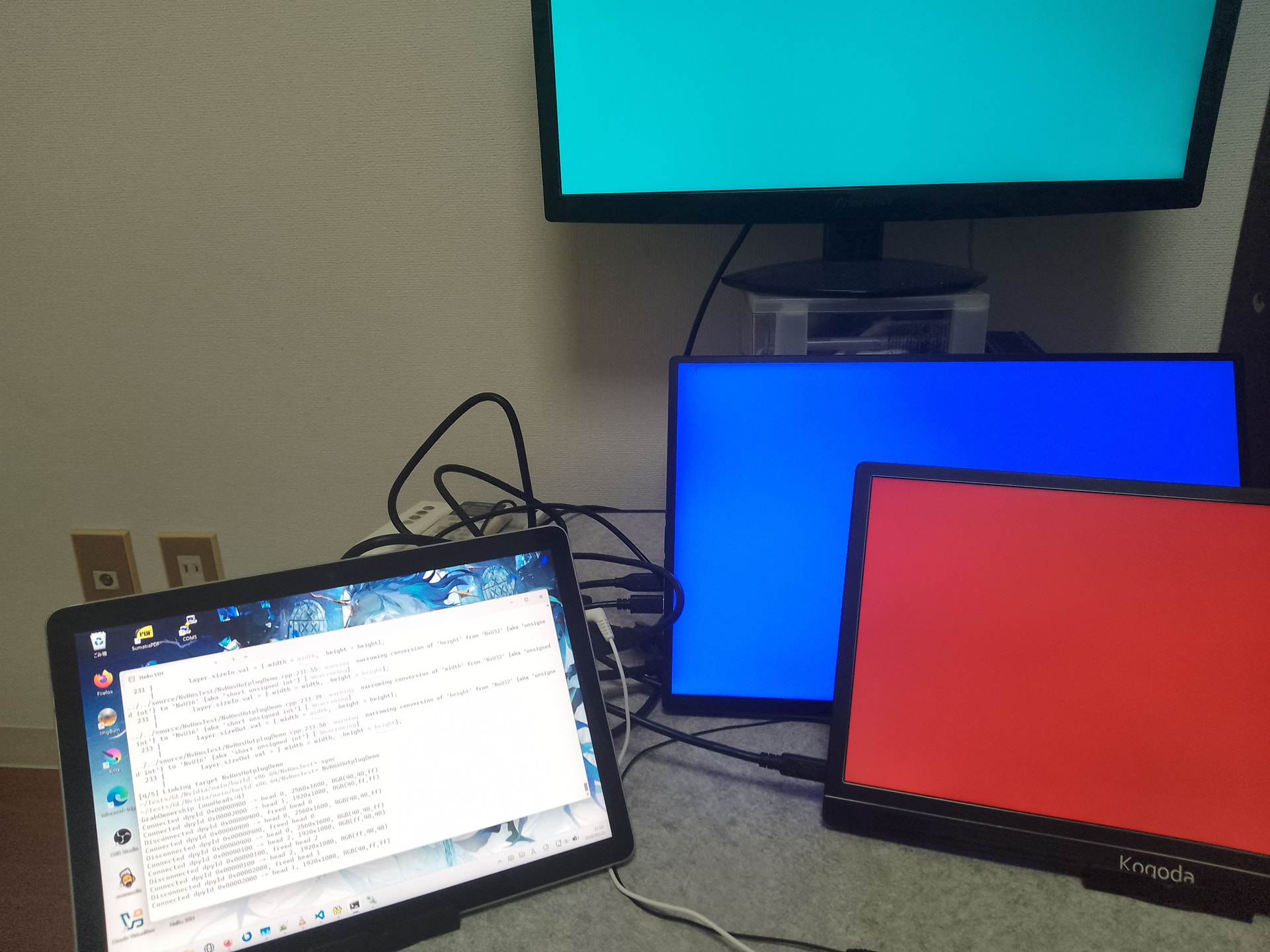
Managed to get DisplayPort and hotplug working after fixing timer queue. Made some simple demo that demonstrate hotplug functionality. In following demonstration there are 3 displays: 1 HDMI and 2 USB C (DisplayPort Alt Mode).
Fix was made with assistance of Claude Code and not published yet (need more testing/review).
38 Likes
I have been avoiding nVidia GPUs for 25 years under Linux, now it seems i need one for Haiku 
2 Likes
I have my old asus RTX 2060 dual evo GPU with 6gb vram lying around, i was wondering is it compatible with this driver? I bought it maybe 2021 or something.
1 Like
It is Turing series so it should be compatible.
2 Likes
Ok, thanks. Need to find some compatible parts around it for testing..
That IS why i but a gtx1660 even not being the BEST to install Haiku
Unfortunately that alone is not enough. I’ve got a laptop with a properly compatible nVidia GPU and it doesn’t work with X512 driver. nVidia sucks what goes for drivers so I’m not astonished that attempt of using X512 driver (which is based on their unified driver) is not working properly. Too many tiny things that can go wrong that are not documented at all. I hate nVidia… both as user and as developer.
Laptops may need additional support that is not implemented in my code yet like ACPI integration. Does it work on Linux with official NVIDIA drivers (not Nouveau)?
Yes, on Linux the laptop works well. The typical Prime shenanigans but that’s a deep routed flaw in their driver architecture that even plagues Windows. But yes, it works under Linux. That said I can’t install Haiku on that laptop using a USB driver either. Attempting to boot freezes before flashing the first boot icon. The only way I got it running at all so far had been to transfer a VirtualBox disk image to a real disk. Monkey wrenching at best but that’s the best I got working.
I dont think it works with my 1080 GeForce GTX
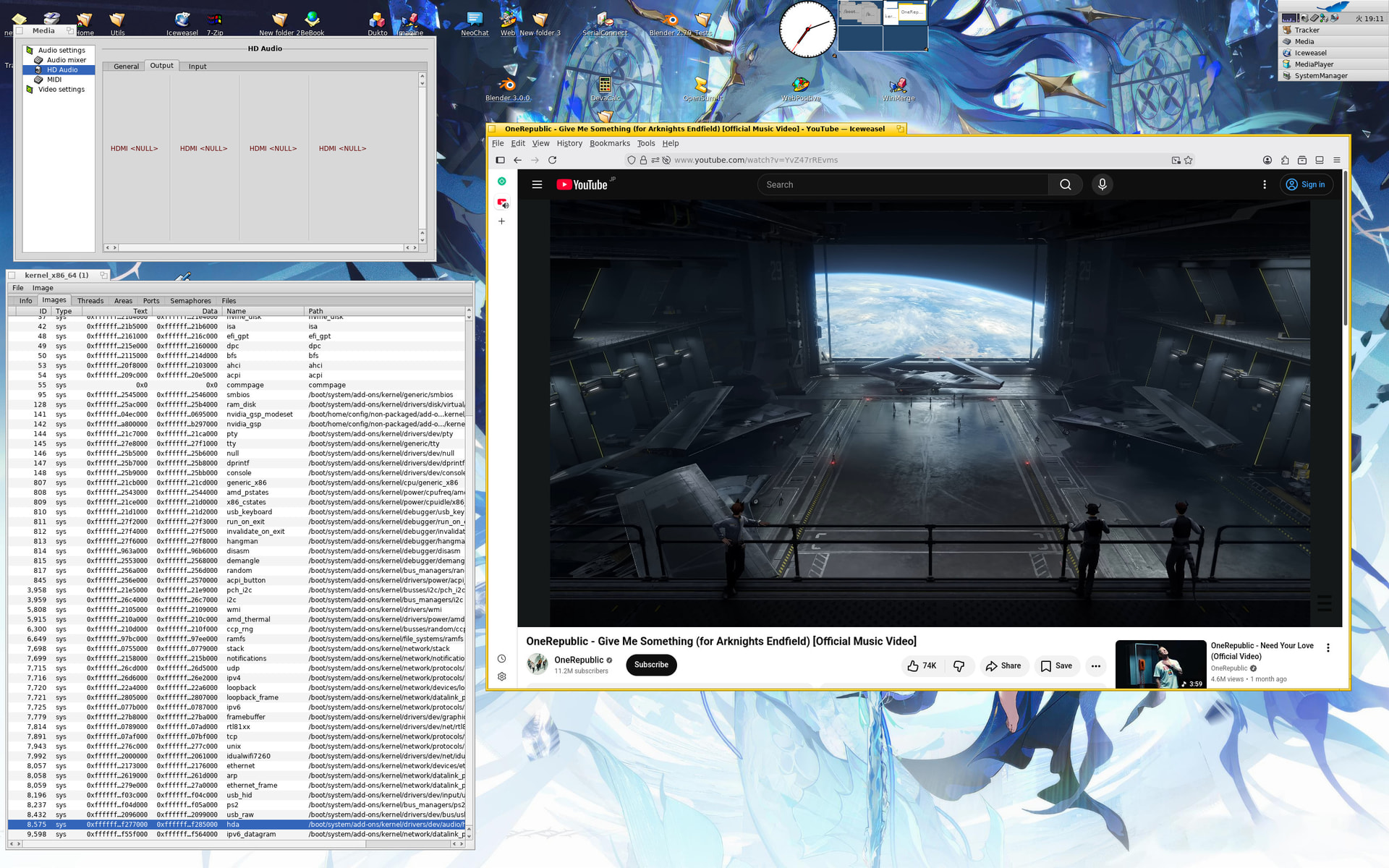
Managed to get HDMI/DisplayPort Audio working for NVIDIA GPUs with a bit patched existing Haiku HDA driver.
50 Likes
 X512.
X512.
Amazing achievement.
3 Likes
That’s been my number one issue with Haiku on bare metal for a while! So glad to see that arrive. Means I can finally ditch the analogue cable I only use for Haiku which results in horrible noise from my mobo. Nice work!
2 Likes
I’m really happy with the wonderful progress you’ve made. I can’t wait to try out the updated driver. Thanks x512
ooo nice work 
How do you build and (and install the drivers I built) this driver? It took hours to compile it because of missing dependencies and after building it still doesn’t work (at least with opengl, I have nothing to test on native vulkan). I could not test the package as it has a black screen because of displayport not working
This is fantastic!!! Can you provide some details on how to get this working? I would like to set this up on my spare pc that is currently running Haiku nightly with your Turing driver (1660SUPER)
1 Like
2 Likes