Are Nvidia GPU displayed in Screen preferences? Under what name?
1 Like
Thanks for this HUGE contribution X512.
Modesetting:
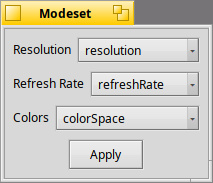
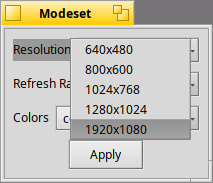
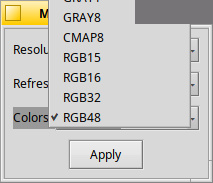
NOTE: As for colors, this UI gets interesting as Apple uses Color Profiles and we can also use Rgba128Float and Rgba64. Specs show a max resolution of 7680x4320 with multi monitor support for four displays.
Note that only RGB32 currently works on v0.0.2.
No only the standard screen parameters are displayed
That likely means that your GPU is not recognized. Can you provide PCI IDs of your GPU and syslog entries with NVRM prefix?
- Asus A17 TUF706QM with GeForce RTX 3060
scan you syslog for the loading of the video driver - review the error info for video card detection issues..
1 Like
Thanks, please find below.
Let me know, I can create a dedicated ticket on the github repo if it’s better :
KERN: ati: init_hardware() - no supported devices
KERN: vesa: init_hardware()
KERN: framebuffer: init_hardware()
KERN: framebuffer: init_driver()
KERN: framebuffer: publish_devices()
KERN: framebuffer: find_device()
KERN: loaded driver /boot/system/add-ons/kernel/drivers/dev/graphics/framebuffer
KERN: NvHaikuDevice()::Start()
KERN: allocate_io_interrupt_vectors: allocated 1 vectors starting from 60
KERN: msi_allocate_vectors: allocated 1 vectors starting from 60
KERN: msi enabled: 0x0081
KERN: NVRM: GPU 0000:01:00.0: RmInitAdapter
KERN: NVRM: GPU 0000:01:00.0: RmSetupRegisters for 0x10de:0x2520
KERN: NVRM: GPU 0000:01:00.0: pci config info:
KERN: NVRM: GPU 0000:01:00.0:    registers look  like: 0xfb000000 0x1000000
KERN: NVRM: GPU 0000:01:00.0:    fb        looks like: 0xfc00000000 0x200000000
KERN: NVRM: GPU 0000:01:00.0: Successfully mapped framebuffer and registers
KERN: NVRM: GPU 0000:01:00.0: final mappings:
KERN: NVRM: GPU 0000:01:00.0:     regs: 0xfb000000 0x1000000 0x0xffffffffa5000000
KERN: [!] can't read firmware
KERN: NVRM: RmFetchGspRmImages: No firmware image found
KERN: NVRM: GPU 0000:01:00.0: Tearing down registers
KERN: NVRM: GPU 0000:01:00.0: RmInitAdapter failed! (0x61:0x56:1771)
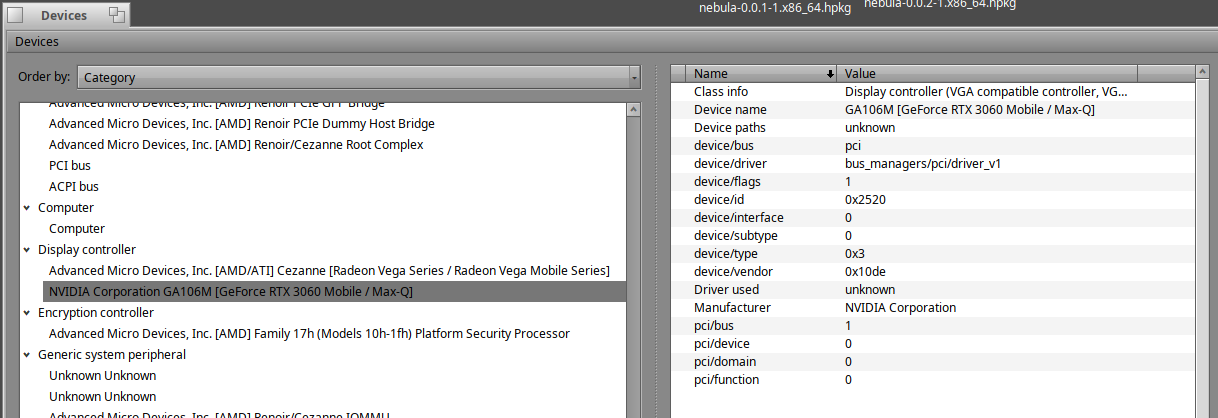
And the PCI bus :
EDIT: screenshot updated
What specific NVIDIA graphics card are you using?
I have the NVidia Geforce RTX 3060 Laptop GPU:
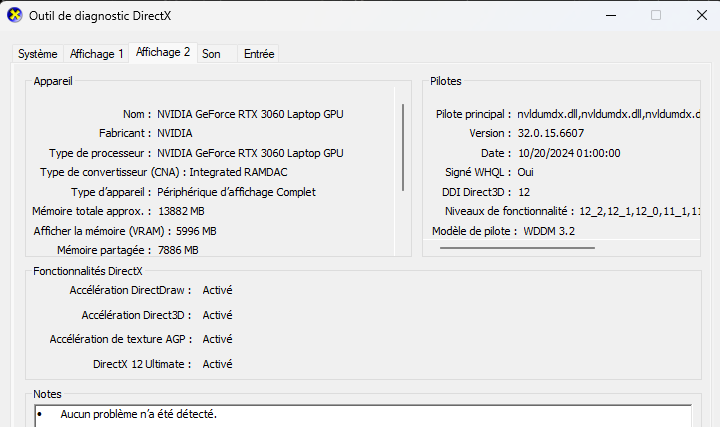
And I’m running Haiku from a USB Stick (for testing purpose)
Haiku probably doesn’t know how to switch to a discrete GPU, check if your laptop’s BIOS supports the option to use a discrete GPU regardless of the OS setting.
1 Like
I didn’t find such option.
I have updated the previous screenshot about the devices, and my understanding is that it should be OK as I have the below :
ls -l /dev/graphics

frambuffer
nvidia0
This it likely the problem.
4 Likes
Does Haiku support multi-GPU systems? Can Haiku switch between integrated GPU and discrete GPU?
This Nvidia GPU driver does support multiple GPUs for 3D/compute acceleration. GPU is selected with regular OpenGL/Vulkan API. Multiple GPUs for display output are not supported because of app_server limitations.
4 Likes
Fixed in accelerant: fix EDID reporting · X547/nvidia-haiku@75f5b33 · GitHub.
The problem was that app_server expect EDID reported as edid1_info structure that is private and unstable. There are no public API to fill this structure from raw EDID block. So I copied some code from Haiku repo to fill edid1_info structure.
Ideally it should be properly documented and public API should be provided.
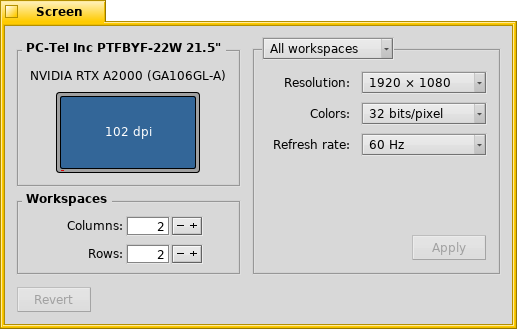
22 Likes
I have a T400 I tried to insert libglvnd 1.7.0-4, nebula-0.0.2-1 the resolution is recognized well as well as the card from the screen settings I set the modtest to 1920x1080 rgb32 but despite this I can’t run anything even the simple GLTeapot crashes.
Solved in practice I had to change at least for the first time the resolution set as default after the first installation of nebula using modesetTool and then set it back to 1920x1080 and so after applying everything went ok. Thanks x512 for the wonderful work done.
3 Likes
I recently got a GTX 1650, so I wanted to try the new driver. I installed the libglvnd-1.7.0 and nebula-0.0.2 packages, but it still only loads the VESA driver. I tried blacklisting it, but (unsurprisingly) it only got me a black screen. I’ve attached some screenshots, if those are of any help.
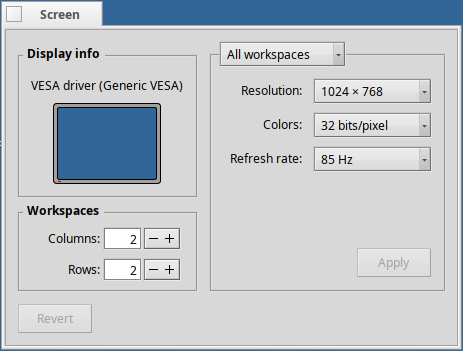
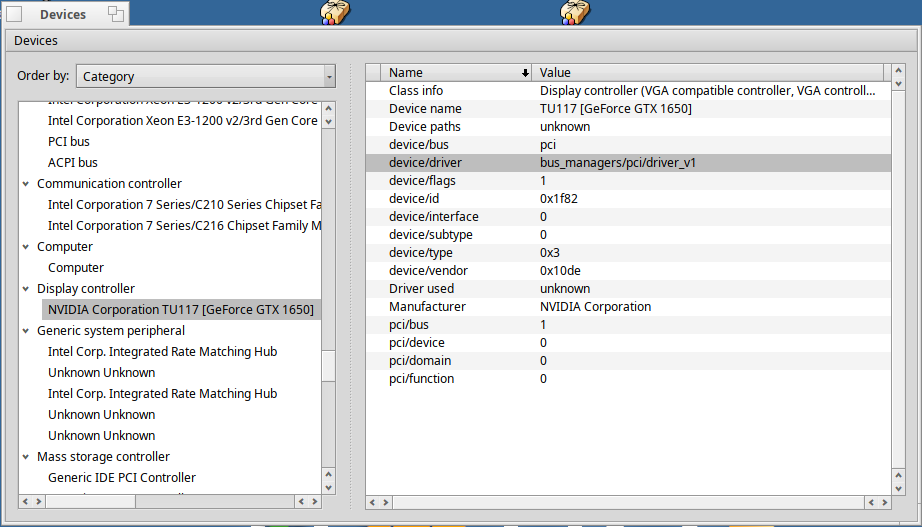
Can you get an output of cat /boot/system/var/log/syslog | grep NVRM?