Please move this thread if necessary
Howdy all,
As the title says, I’m trying to get Haiku to successfully boot (let alone install) on a bit of a strange laptop. For context, Lecoo is a derivative of Lenovo exclusive to non-western markets. I haven’t had any issues with getting Haiku to boot on other laptops in the past, this is the first time I’ve seen one fail to boot without a straightforward answer. I’ve been trying a few different troubleshooting methods, but I want to start fresh with more experienced eyes on it.
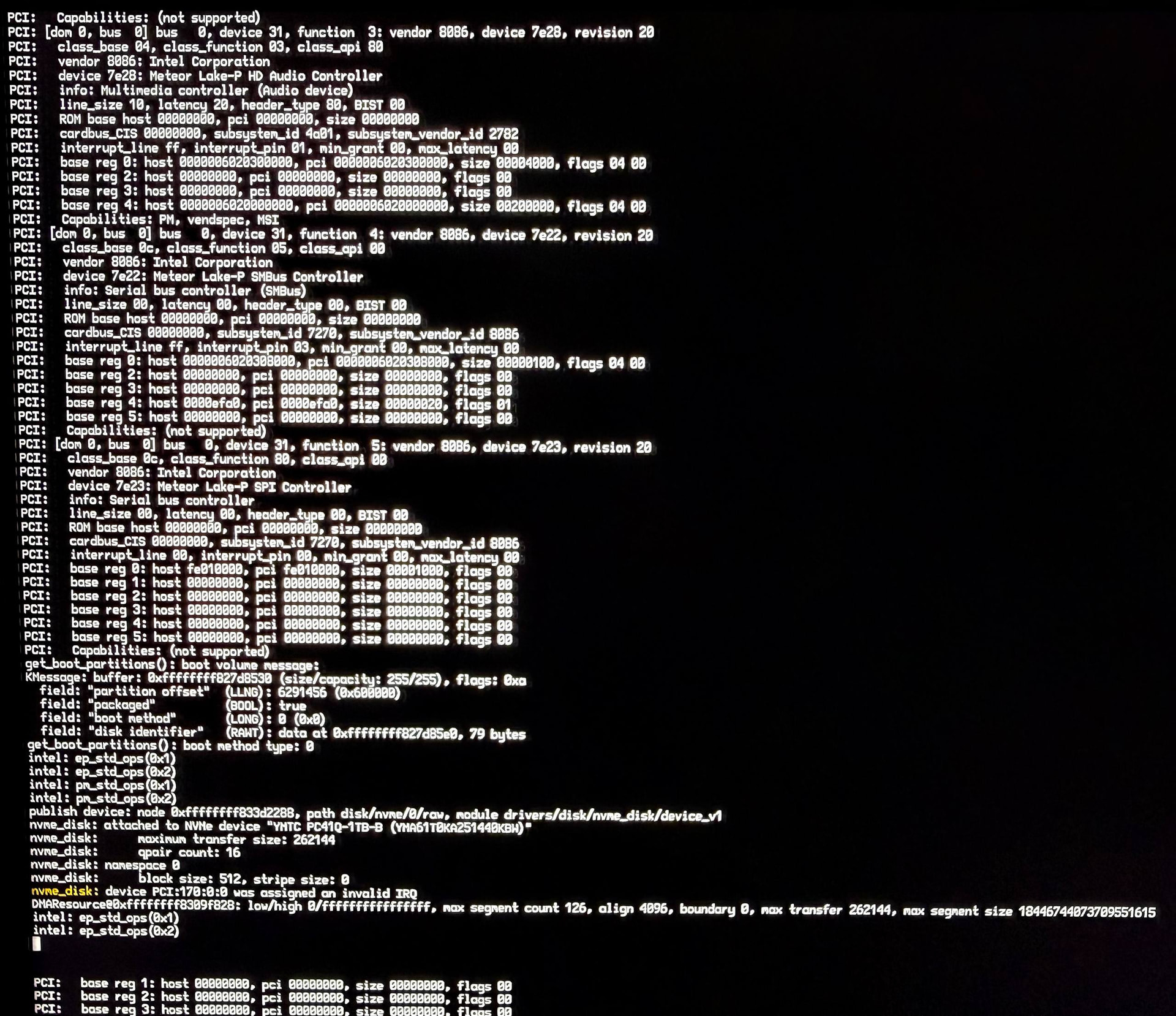
Where it’s stopping: When booting from a USB over EFI (no CSM support), I’m hanging on the third icon with no kernel panic. The output with on-screen debug enabled halts at this point, which may offer some insight.
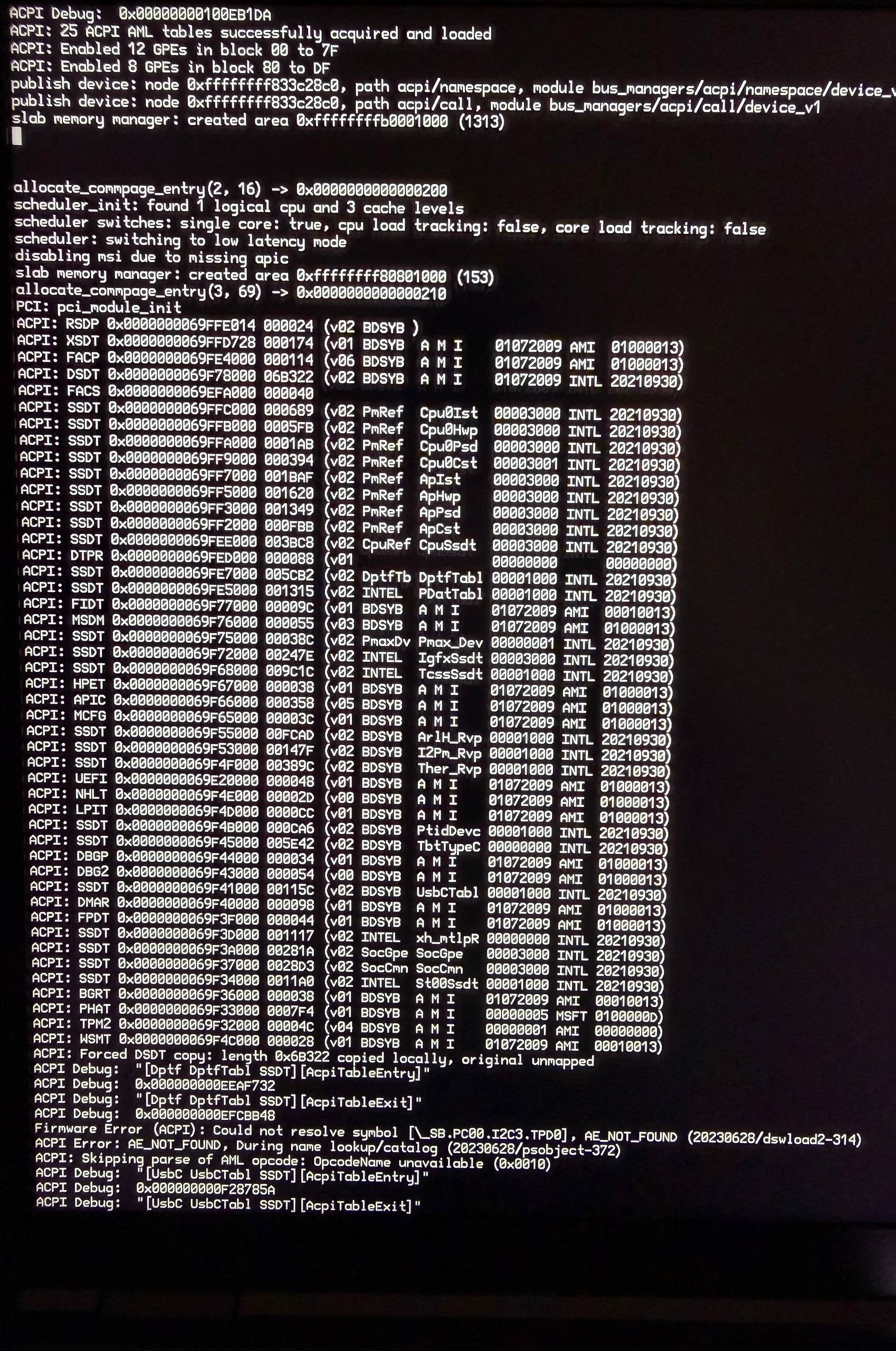
What has been tried:
- Using Nightly releases instead of Beta 5
- Disabling XHCI system component
- Changing the storage controller from AHCI to NVME (no RAID mode)
- Disabling a few other kernel extensions which I unfortunately forgot to document.
Device specs:
- Intel Core Ultra 5 125H
- 32GB RAM
- SSD: YMTC PC41Q-1TB-B
Just in case there’s any obvious red flags I’ve missed with hardware compatibility, here’s the output of LSHW from Linux. I also have the output of LSPCI if it could help.
00:00.0 Host bridge: Intel Corporation Device 7d14 (rev 04)
00:02.0 VGA compatible controller: Intel Corporation Meteor Lake-P [Intel Arc Graphics] (rev 08)
00:04.0 Signal processing controller: Intel Corporation Meteor Lake-P Dynamic Tuning Technology (rev 04)
00:06.0 PCI bridge: Intel Corporation Meteor Lake-H/U PCIe Root Port #9 (rev 20)
00:07.0 PCI bridge: Intel Corporation Meteor Lake-P Thunderbolt 4 PCI Express Root Port #0 (rev 10)
00:07.1 PCI bridge: Intel Corporation Meteor Lake-P Thunderbolt 4 PCI Express Root Port #1 (rev 10)
00:07.2 PCI bridge: Intel Corporation Meteor Lake-P Thunderbolt 4 PCI Express Root Port #2 (rev 10)
00:07.3 PCI bridge: Intel Corporation Meteor Lake-P Thunderbolt 4 PCI Express Root Port #3 (rev 10)
00:08.0 System peripheral: Intel Corporation Meteor Lake-P Gaussian & Neural-Network Accelerator (rev 20)
00:0a.0 Signal processing controller: Intel Corporation Meteor Lake-P Platform Monitoring Technology (rev 01)
00:0b.0 Processing accelerators: Intel Corporation Meteor Lake NPU (rev 04)
00:0d.0 USB controller: Intel Corporation Meteor Lake-P Thunderbolt 4 USB Controller (rev 10)
00:0d.2 USB controller: Intel Corporation Meteor Lake-P Thunderbolt 4 NHI #0 (rev 10)
00:0d.3 USB controller: Intel Corporation Meteor Lake-P Thunderbolt 4 NHI #1 (rev 10)
00:14.0 USB controller: Intel Corporation Meteor Lake-P USB 3.2 Gen 2x1 xHCI Host Controller (rev 20)
00:14.2 RAM memory: Intel Corporation Meteor Lake-H/U Shared SRAM (rev 20)
00:15.0 Serial bus controller: Intel Corporation Meteor Lake-P Serial IO I2C Controller #0 (rev 20)
00:15.1 Serial bus controller: Intel Corporation Meteor Lake-P Serial IO I2C Controller #1 (rev 20)
00:15.2 Serial bus controller: Intel Corporation Meteor Lake-P Serial IO I2C Controller #2 (rev 20)
00:15.3 Serial bus controller: Intel Corporation Meteor Lake-P Serial IO I2C Controller #3 (rev 20)
00:16.0 Communication controller: Intel Corporation Meteor Lake-P CSME HECI #1 (rev 20)
00:1c.0 PCI bridge: Intel Corporation Device 7e38 (rev 20)
00:1c.4 PCI bridge: Intel Corporation Device 7e3c (rev 20)
00:1c.7 PCI bridge: Intel Corporation Meteor Lake-H/U PCIe Root Port #8 (rev 20)
00:1e.0 Communication controller: Intel Corporation Meteor Lake-P Serial IO UART Controller #0 (rev 20)
00:1e.3 Serial bus controller: Intel Corporation Meteor Lake-P Serial IO SPI Controller #1 (rev 20)
00:1f.0 ISA bridge: Intel Corporation Meteor Lake-H eSPI Controller (rev 20)
00:1f.3 Audio device: Intel Corporation Meteor Lake-P HD Audio Controller (rev 20)
00:1f.4 SMBus: Intel Corporation Meteor Lake-P SMBus Controller (rev 20)
00:1f.5 Serial bus controller: Intel Corporation Meteor Lake-P SPI Controller (rev 20)
aa:00.0 Non-Volatile memory controller: Yangtze Memory Technologies Co.,Ltd PC41Q M.2 2280 NVMe SSD (DRAM-less) (rev 03)
ab:00.0 Ethernet controller: Realtek Semiconductor Co., Ltd. RTL8111/8168/8211/8411 PCI Express Gigabit Ethernet Controller (rev 15)
ac:00.0 Network controller: Realtek Semiconductor Co., Ltd. RTL8852BE PCIe 802.11ax Wireless Network Controller
Any and all advice would be much appreciated, thanks in advance!