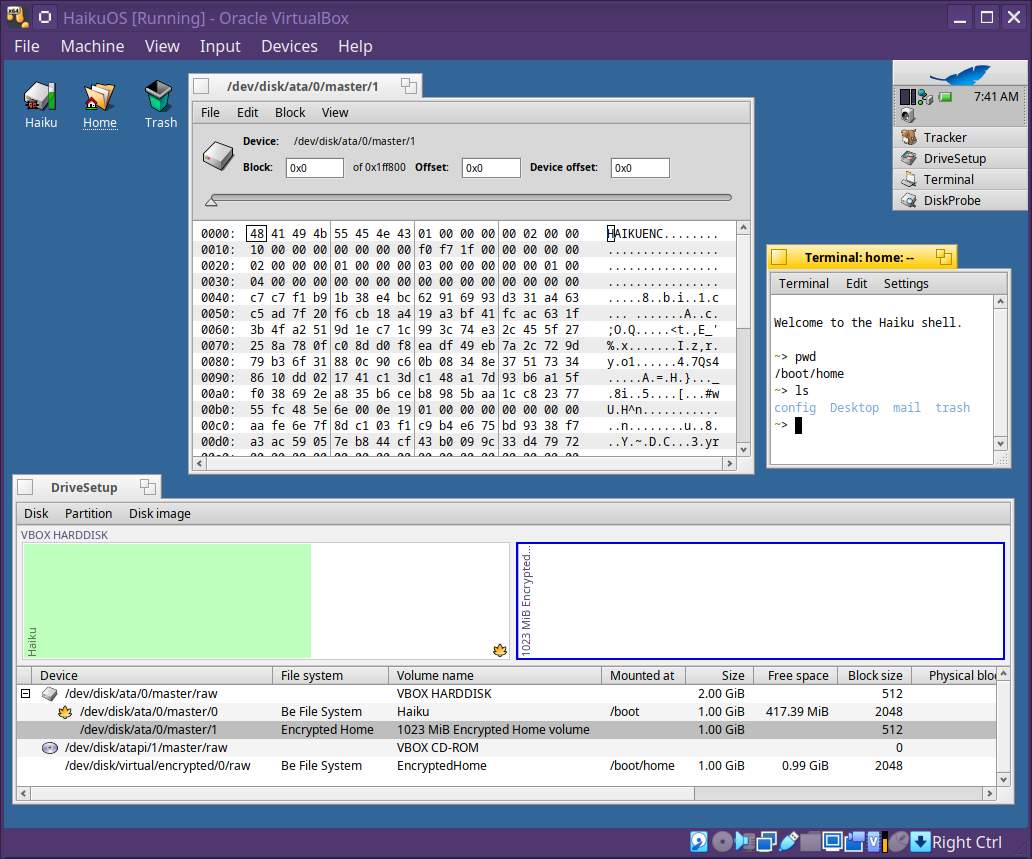
Encrypted Home for Haiku
I have been working on an Encrypted Home system for Haiku. The goal is simple: let users install Haiku with /boot/home stored on a separate encrypted partition, unlocked during boot before the desktop session starts.
This is not full disk encryption yet. It protects the user’s home volume while keeping the system volume bootable in the normal Haiku way.
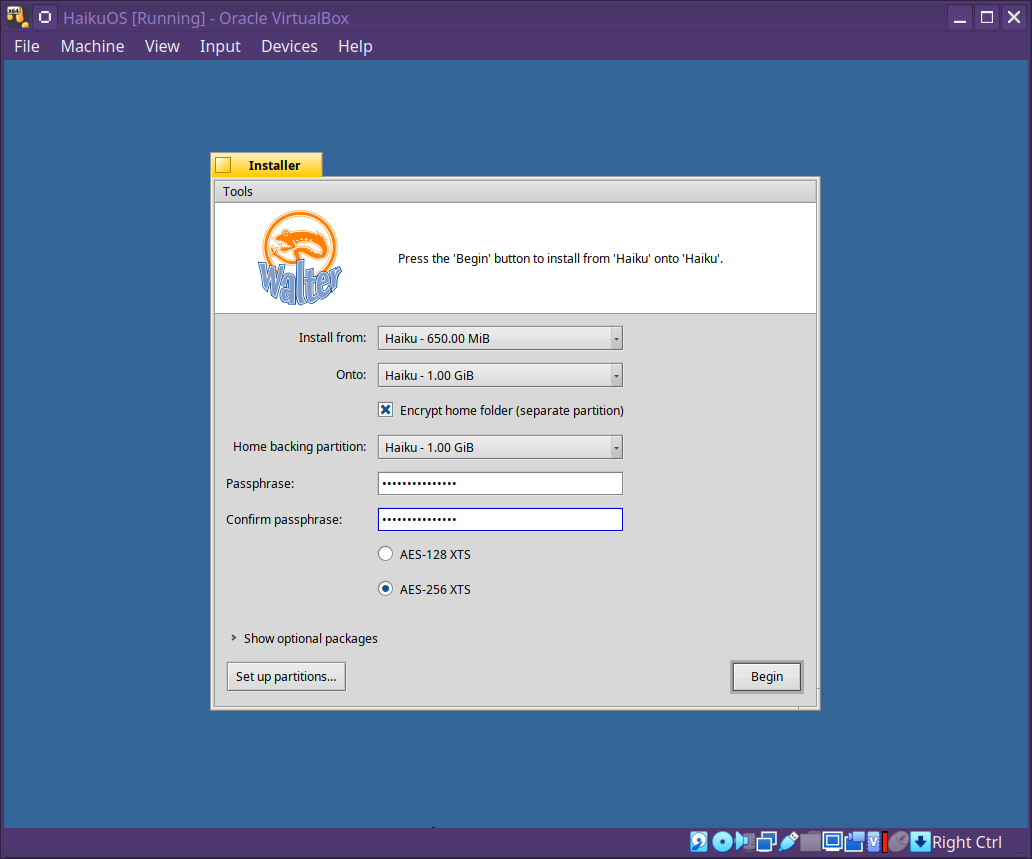
The installer now has an Encrypt home folder option. When enabled, it asks for a separate unmounted home backing partition, a passphrase and AES-XTS mode. The selected backing partition is formatted as an encrypted volume, mounted at the target system’s /home, and the installed system is configured to unlock it on boot.
Screenshots attached show:
- Installer encrypted-home option
- Home backing partition selection
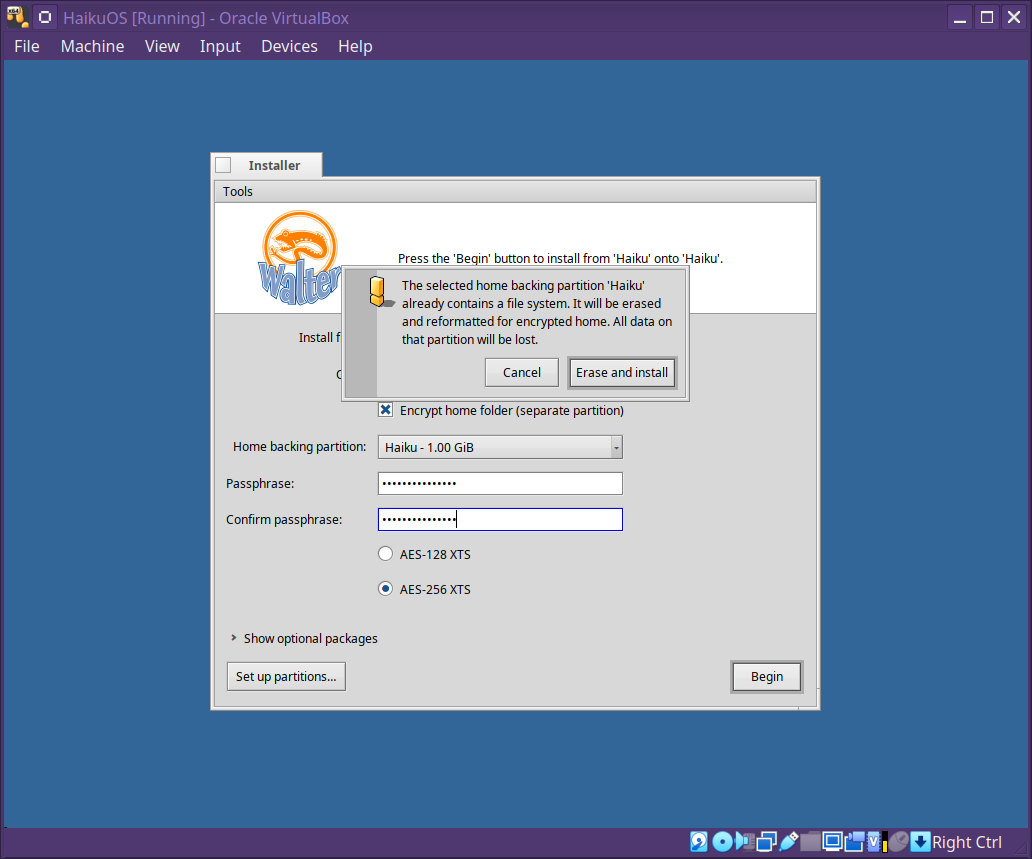
- Erase warning for an existing backing partition
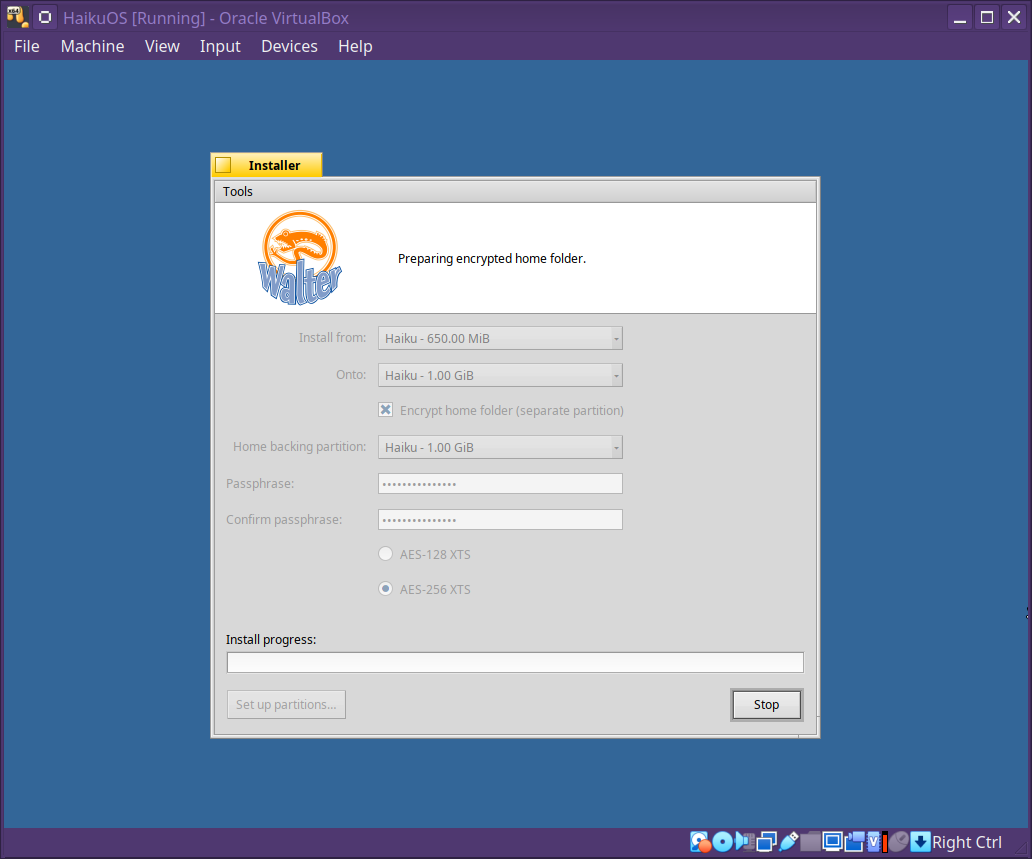
- Installation with encrypted home enabled
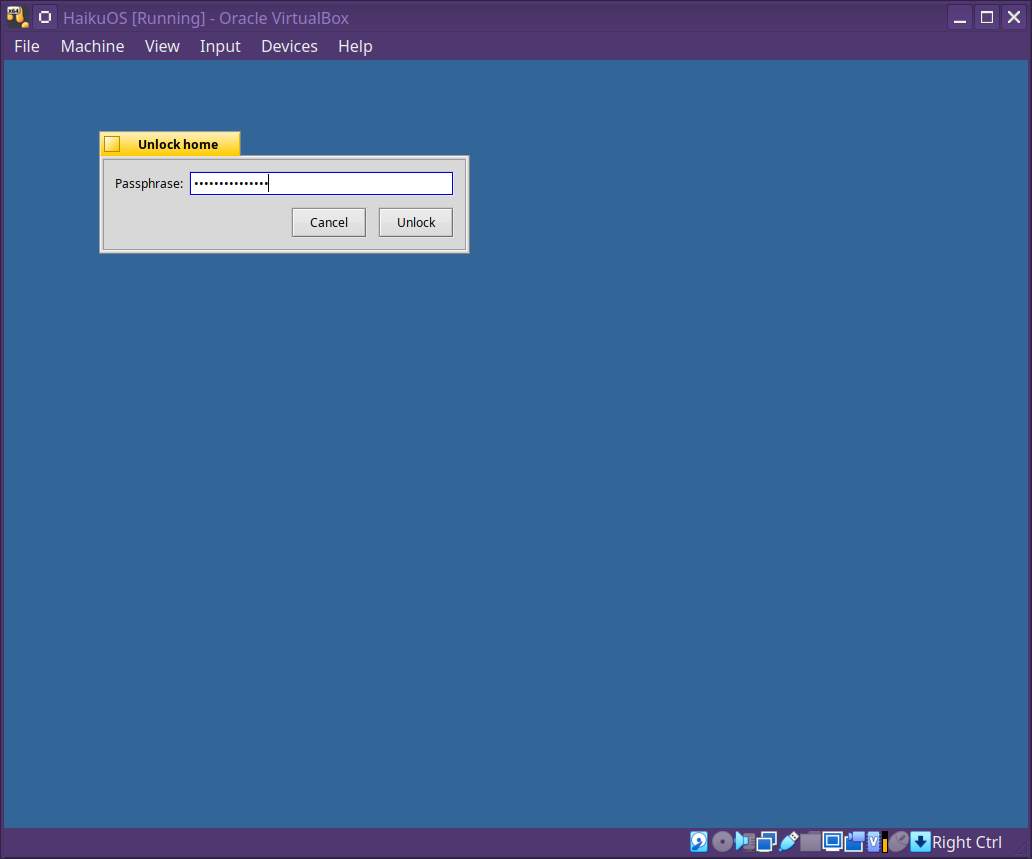
- Boot unlock flow
Technical Summary
The implementation includes:
- Encrypted-home volume header format with redundant primary and backup headers
- Argon2id passphrase-based key derivation
- AES-128-XTS and AES-256-XTS payload encryption
- Kernel virtual disk driver for the unlocked encrypted block device
- Disk-system and filesystem detection support
- Installer provisioning flow
- Boot-time unlock application
- Launch ordering changes so the desktop waits for home unlock
- Unit, integration, image preflight, and static-analysis gates
The cryptography is based on existing reviewed code where possible:
- AES-XTS code is imported from OpenBSD softraid
- Argon2id uses the PHC Argon2 reference implementation
- OpenSSL is used for AES primitives, HMAC, randomness, and secure memory cleansing support
For our own code, I added targeted hardening and checks around the areas that are easy to get wrong in disk encryption code: header recovery, stale backup selection, authenticated metadata handling, integer overflow, large offsets, short I/O, kernel copy failure paths, passphrase/key cleansing, launch ordering, and packaging.
I also added a static-analysis gate for the encrypted-home code. It runs policy checks plus clang-tidy, Clang static analyser via analyze-build, and cppcheck open-source checks. CERT-style clang-tidy checks are enabled. cppcheck’s old cert.py addon is no longer bundled with open-source cppcheck, so the gate supports an optional CPPCHECK_CERT_ADDON path if someone has access to that addon separately.
Build It
git clone GitHub - IntuitionAmiga/haiku: The Haiku operating system. (Pull requests will be ignored; patches may be sent to https://review.haiku-os.org). · GitHub
cd haiku
git checkout encrypted_home
mkdir -p generated.x86_64
cd generated.x86_64
../configure --cross-tools-source ../../buildtools --build-cross-tools x86_64
../../buildtools/jam/bin.linuxx86/jam -q @nightly-anyboot
The resulting image is:
generated.x86_64/haiku-nightly-anyboot.iso
Encrypted Home is currently enabled for supported OpenSSL-capable builds, mainly x86_64 and riscv64 in this branch.
This is ready for review as a first integrated encrypted-home implementation. It is intentionally scoped to home-directory encryption rather than full disk encryption, but it puts the core volume format, kernel driver, installer flow, boot unlock path, and testing infrastructure in place.
Now that encrypted home is working end to end, my next goal is full disk encryption. This work should give us a useful base for that: the header format, key derivation, XTS path, recovery handling, installer integration, and boot unlock flow are all pieces that can be built on
for FDE.
Feedback, testing, and bug reports are very welcome.