It has been a while since my last post. I have been working on an IMAP daemon that will be used in conjunction with EmailViews. Here is a short video showing local changes to email being synced back to the email server.

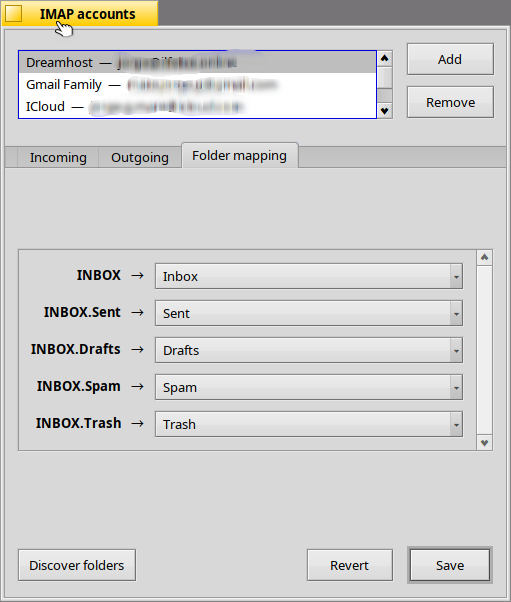
Folder mapping is supported.
It has been a while since my last post. I have been working on an IMAP daemon that will be used in conjunction with EmailViews. Here is a short video showing local changes to email being synced back to the email server.
Folder mapping is supported.
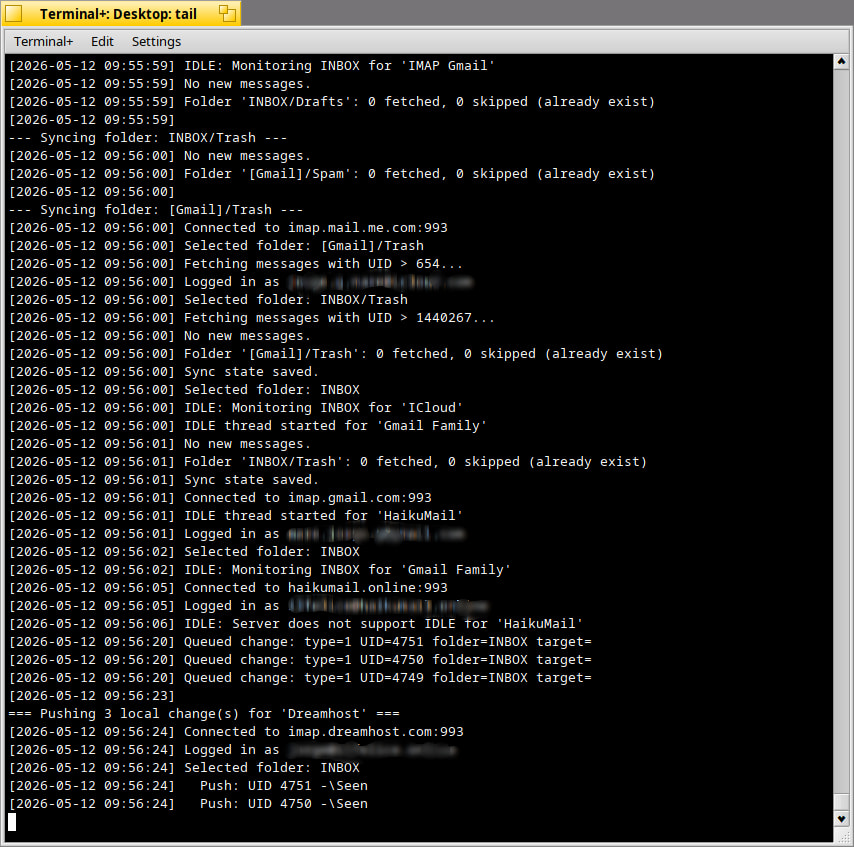
In my previous post, I forgot to blur my email addresses in the video, so putting it down until I do. Here is a screenshot of the daemon log instead (sorry about that):
Howdy,
Here is a short update.
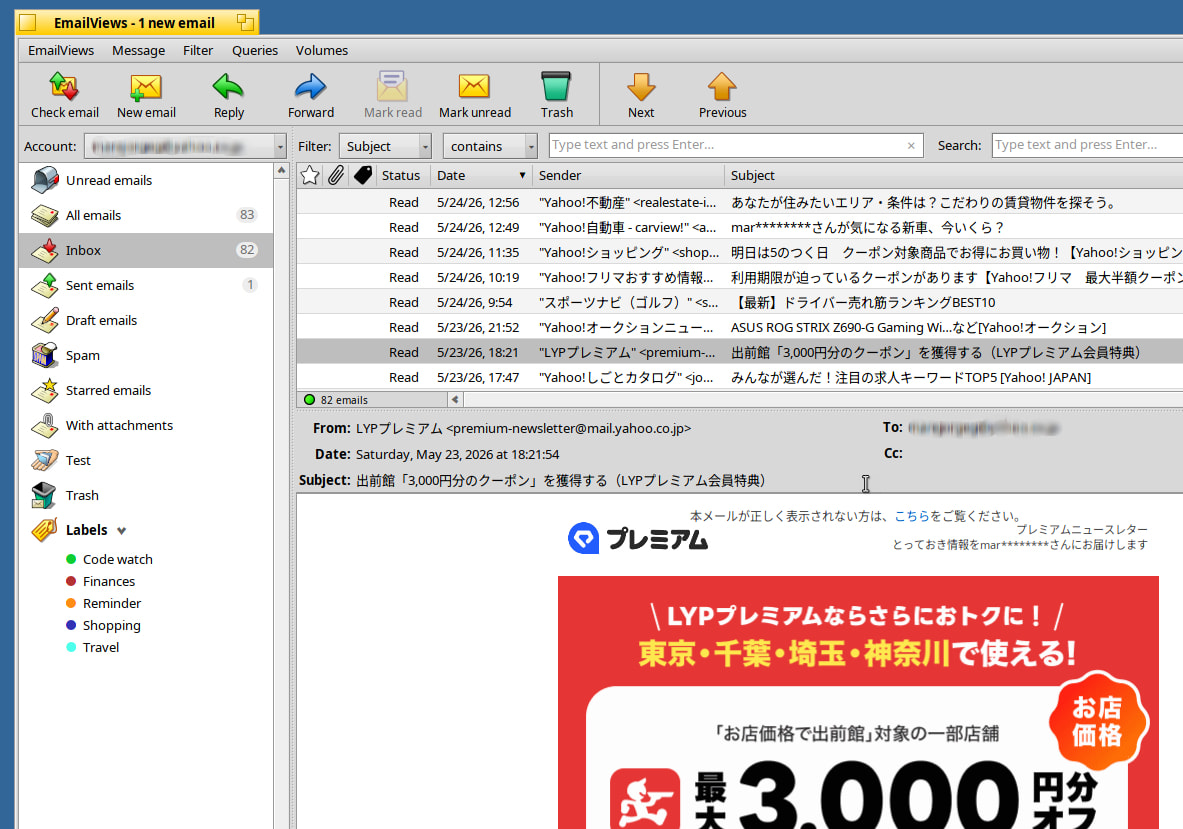
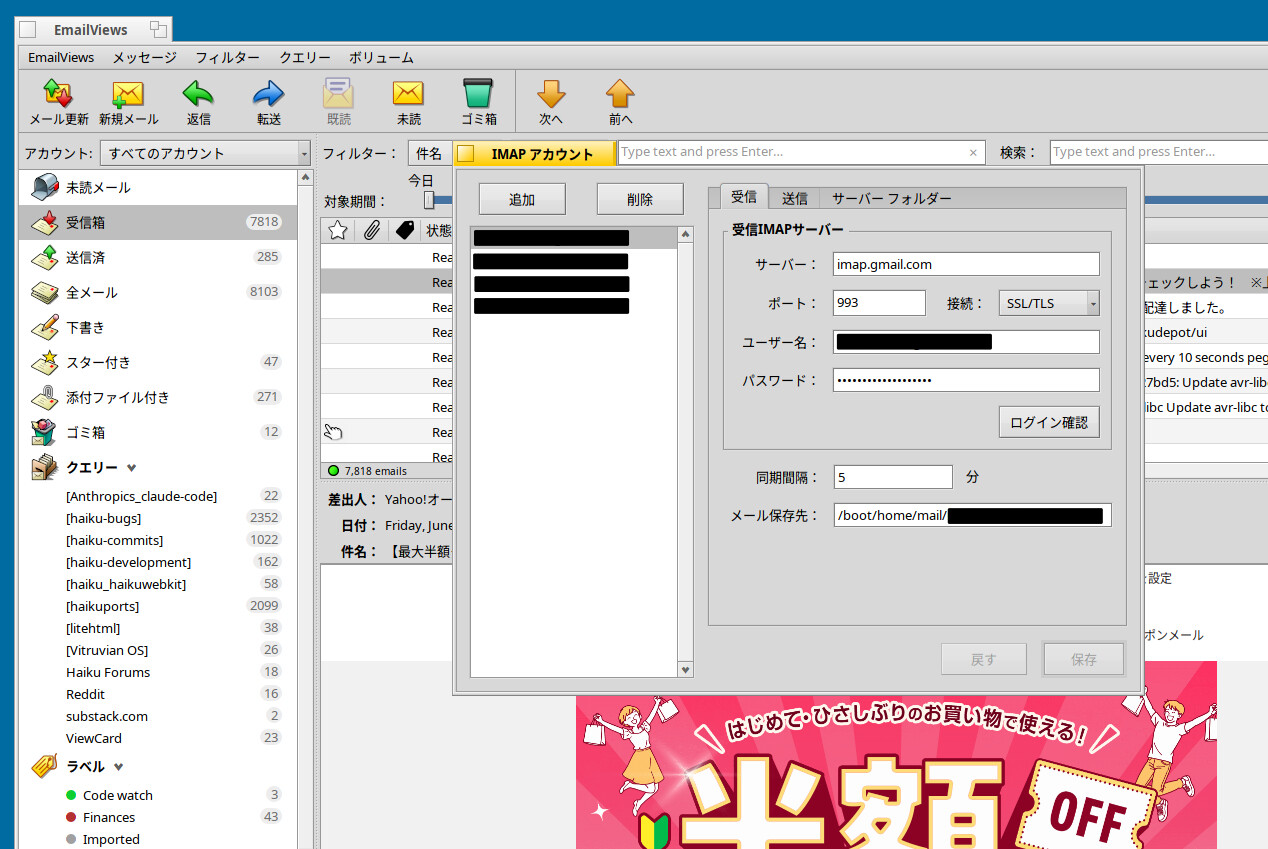
Lately I have been working on refining the IMAP 2-way syncing in the imap_daemon. Still needs more testing, but it is already working quite well with my Gmail, iCloud, Dreamhost (Dovecot) and Yahoo Japan Mail accounts (yes, EmailViews supports multiple accounts). So in addition to the queries and labels, both-way folder IMAP syncing will be supported.
Specifically, moves between folders, status changes (read, unread, starred/flagged) and soft deletion (move to the Trash folder) all sync both ways (hard delete, that is, when you permanently delete an email already in the Trash folder, is not synced either way).
In addition, if you add a folder server side, EmailViews will detect it and add it to the sidebar (just like the “Test” folder in the screenshot below).
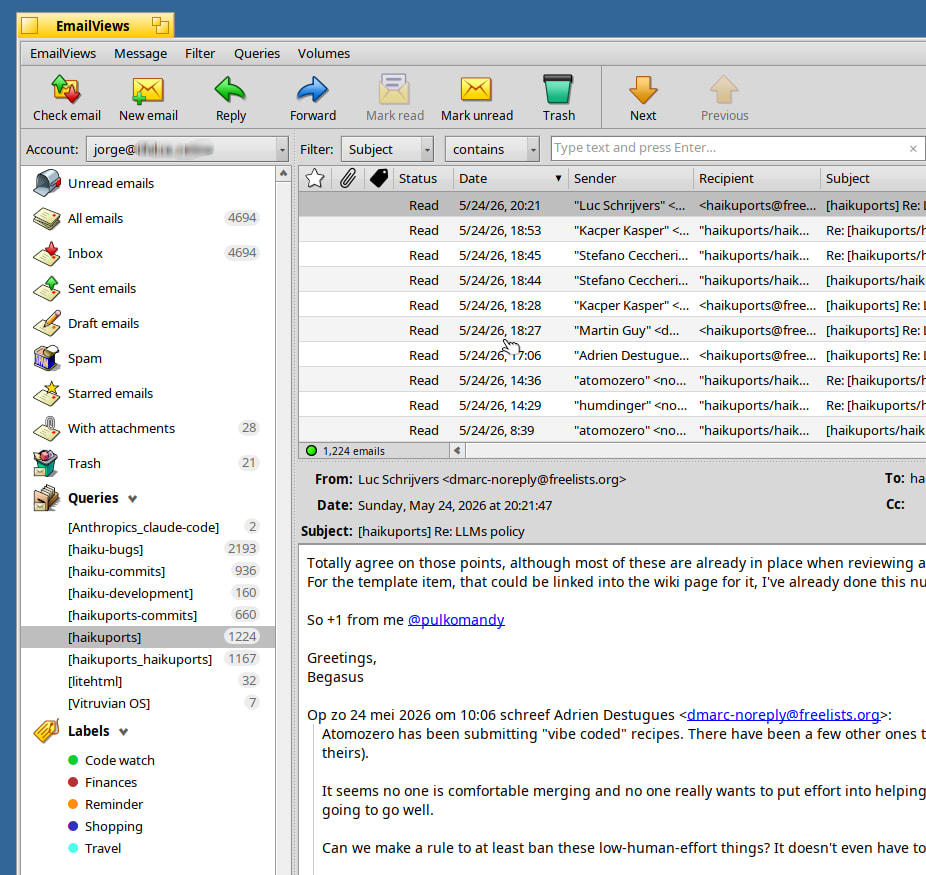
Another feature I added is a real time network connection indicator (the small icon in the status bar below the email list in the screenshot above) to provide feedback to the user when the internet connection goes down.
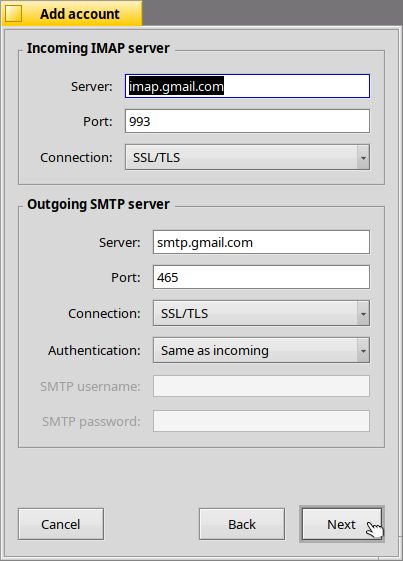
Last but not least, EmailViews now has a 3 step “add new account” wizard; the user enters their name, email, and password, and the wizard will fill up the server info where it can (feature borrowed from Haiku’s mail daemon, but with some additions).
In the last step, the wizard automatically discovers the server folders and then EmailViews begins fetching all the emails from the server, which start to appear in the main window’s email list as they are downloaded.
The move to the new imap_daemon has required a lot of work, and still needs more testing. But I think in the end the effort is going to pay off in the form of a more streamlined and user friendly native email experience in Haiku (of course, I am biased  ).
).
Until the next report!
From memory you’re using HtmlLite for HTML rendering? So how did you add selection support? I looked into that once, but couldn’t figure it out. It doesn’t seem to have it out of the box.
I rolled my own HTML rendering in Scribe because it pre-dates a lot of the options that exist now. But I regret that almost daily lol.
Completely unrelated: but this week I got an IMAP to MAPI bridge working. In that it runs on a windows machine (with Outlook Classic installed) and loads a MAPI mail box only to make it available to real world clients that use IMAP. Via some kludged together IMAP server code. I love a good Frankenstein monster!
Hi @memecode!
litehtml doesn’t have any built-in selection support. EmailViews’ text selection was built on top of litehtml in a Haiku container (mouse-drag logic: track anchor and current points, walk the recorded runs to find which ones fall between them, and draw highlights on top with B_OP_INVERT).
I am intrigued by Scribe. Is there a Haiku repo one can take a look at the sources at?
A quick update on EmailViews development. I’ve been working on making the app more resilient and today landed a feature I’m excited about: offline support for local operations.
Previously, if you marked an email as read, starred it, moved it to trash, or made any other status change while your connection was down (or if the daemon happened to crash at the wrong moment), that change would be silently lost, resulting the local view showing one thing, and the server would never get the update.
Now, all local actions are immediately written to a persistent journal file, and if the connection is lost, the ops are recorded in the journal so that when the connection comes back, they can be replayed and everything syncs up automatically.
This also means you can use EmailViews to read and organize your email while offline; changes of status (Read, Unread, Spam), and delete/undelete messages work, and it all catches up when you’re back online.
Not directly related to the journal, but if you try to send an email when there is no connection, it is saved to an outbox folder to be later picked up and sent when the connection is reestablished.
Last but now least, now the email counts in the sidebar are cached, so they are updated instantaneously when switching accounts.
Until the next update!
Howdy,
Quick update.
Have been adding and testing localization lately. Still ways to go, but will get there. 
As you can tell from this thread, EmailViews is getting a good number of new features that were not available its last version 1.x release. Of all, perhaps that EmailViews does not rely on Haiku’s mail_daemon anymore, and instead uses its own imap_daemon, is the biggest difference.
The adoption of the imap_daemon entailed making some fundamental changes relative to how emails are handled to ensure reliable server-client folder syncing. So, while version 1.x started as an email viewer on top of Haiku’s mail framework, the new version will be a self-standing IMAP email client that handles account creation and management, server-client folder mapping/syncing, HTML preview, labels, some security features, eml/mbox import, all of these in addition to the original query-based features that were the essence of EmailViews from the beginning.
Because of all of the above, I am wondering at this point is if this next version can be considered an upgrade or a different edition of the original program (EmailViews Neo?).
Similarly, I wonder how I should handle translation on Polyglot. Because of the considerable number of changes, perhaps it may be easier/cleaner to handle it as a separate localization project. But I digress…
Until the next update!
Hello folks,
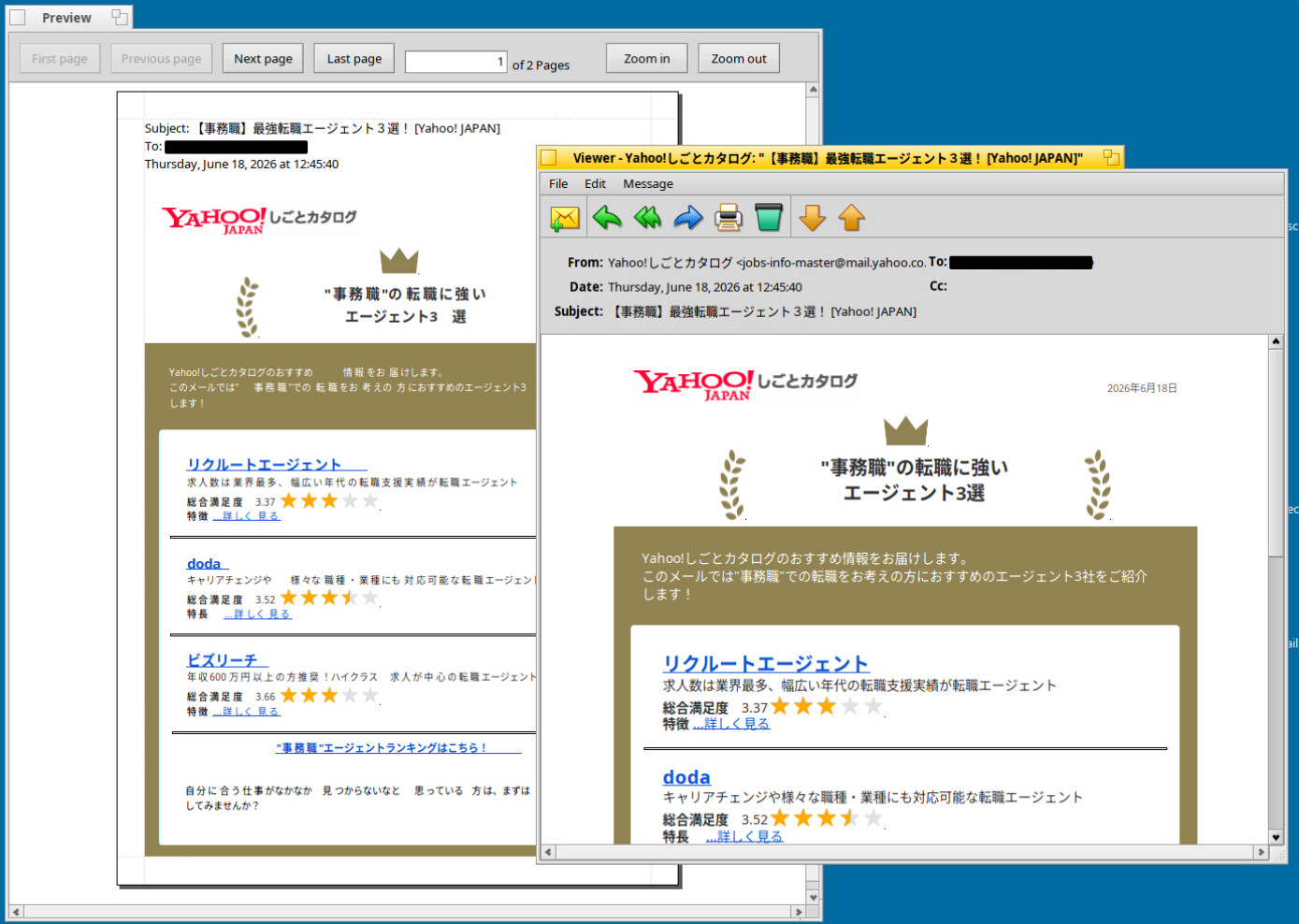
Been busy with work lately, but today I had a little time, so added support for HTML email printing. I can’t use my printer in Haiku, so used the Preview printer for testing.
It’s working fine, but still need to fix pagination.
Howdy,
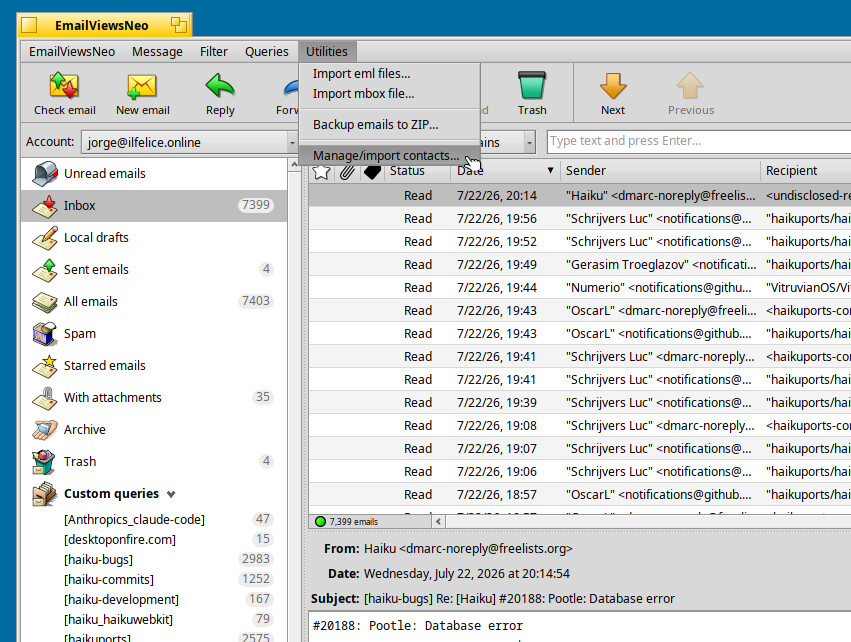
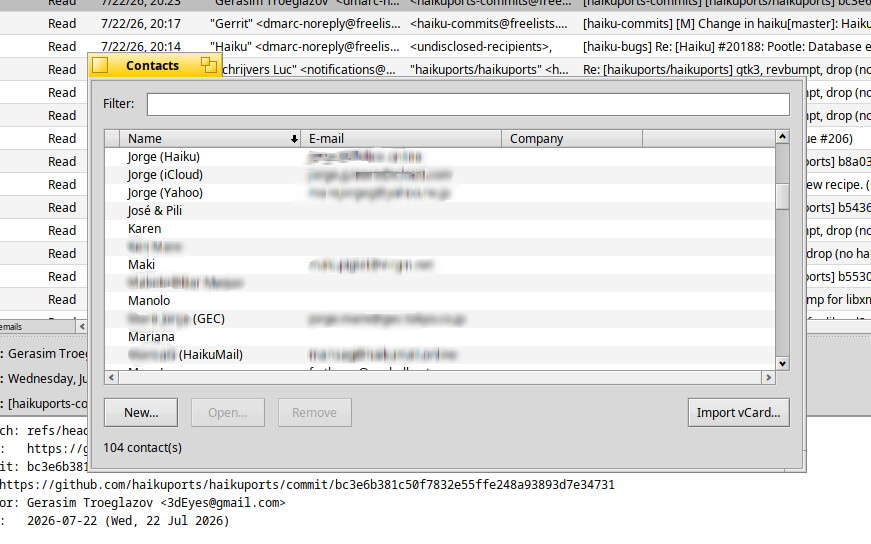
I added Vcard contact import to EmailViewsNeo. Tested successfully with contacts from Gmail and iCloud Mail.
With this, I think I am going to wrap up and release this project pretty soon.
Sounds like it could get out of sync if you use another client as well?
What other email client?
Please add also support for people files additional to vCard, ideally with in- / and export
EmailViewsNeo uses People files natively. No need to import. 
Nice
(These characters only fill the message to the needed size)
Will you release it before or after Haiku beta 6 release?
Or does it not matter at all?
Thanks I will sure try this nice software, because mainly about the HTML view it has.
Thank you very much.
If you do some edits offline in your client, then make some changes also on another imap client (any other) on the same machine, or a different machine, could be your phone, or a web browser, or thunderbird, whatever. Afterwards it might not be possible to make the cached changes any more because the imap folder state is different.
If you do some edits offline in your client…
Assuming that by “edits” you mean status changes (Seen, Answered, Flagged), the post reconnect sync cycle always runs push before fetch, so nothing gets out of sync; but because this translates into a “local wins” policy, the status changes on the server or other client may be lost where they touched the same flag in favor of the push triggered by replaying the journal on reconnect (changes to different flags merge).
In the case of moves (say, to the Trash folder) on another client or the server, the journaled operation doesn’t rely on the message’s old location: at replay time it re-locates the message by its message ID (falling back to a direct UID check where a server’s search is unreliable), applies the change wherever the message now lives, and if the message is gone entirely, the operation concludes “already done” and is discarded. Either way both sides converge — no stranded operations, no error loops.
Does that answer your question?
Yes! Just wondered what can happen, if it can go wrong. I wondered if you could potentially end up doing two totally different actions, one cached, one actual, and there could be a conflict. But it sounds liked you have thought about and covered this case.
Do you have some way in the UI to see actions that are still pending (and perhaps cancel them)?
I am inclined to wait for Beta 6, to make sure it works well with the latest stable release.
I might make a call for testers before that, though.
Hi @Munchausen
Not at present. Might look into it at some point, but most likely not in the current version.