As you may already know, I’ve been working on a native email viewer for Haiku and it’s now ready for beta testing. I’d love to get feedback from the community.
What is EmailViews?
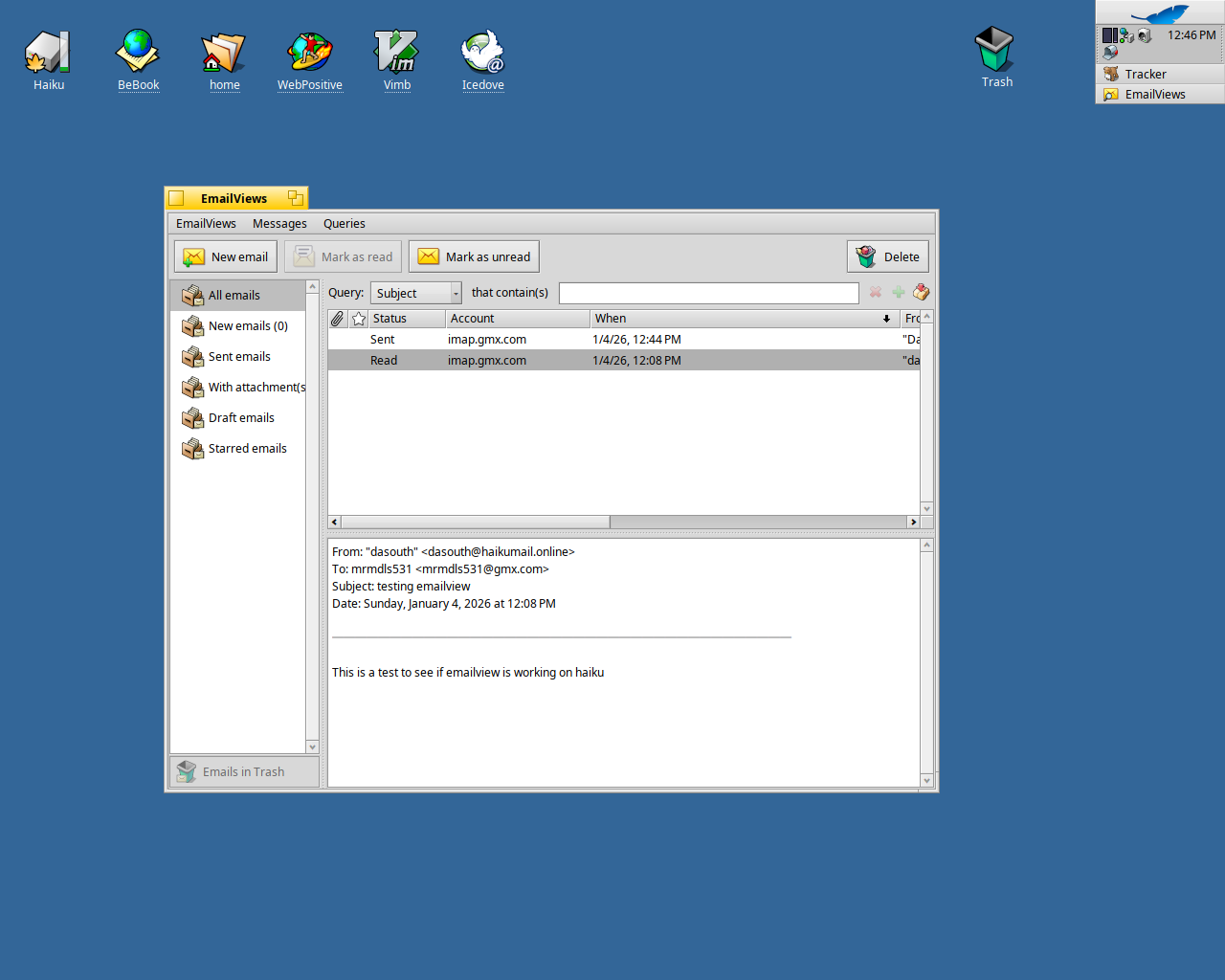
EmailViews is a fast, lightweight email viewer that uses live queries to organize and explore your emails. It’s a three-pane app (queries, email list, preview) that integrates with Haiku’s Mail Kit and leverages BFS attributes for efficient organization.
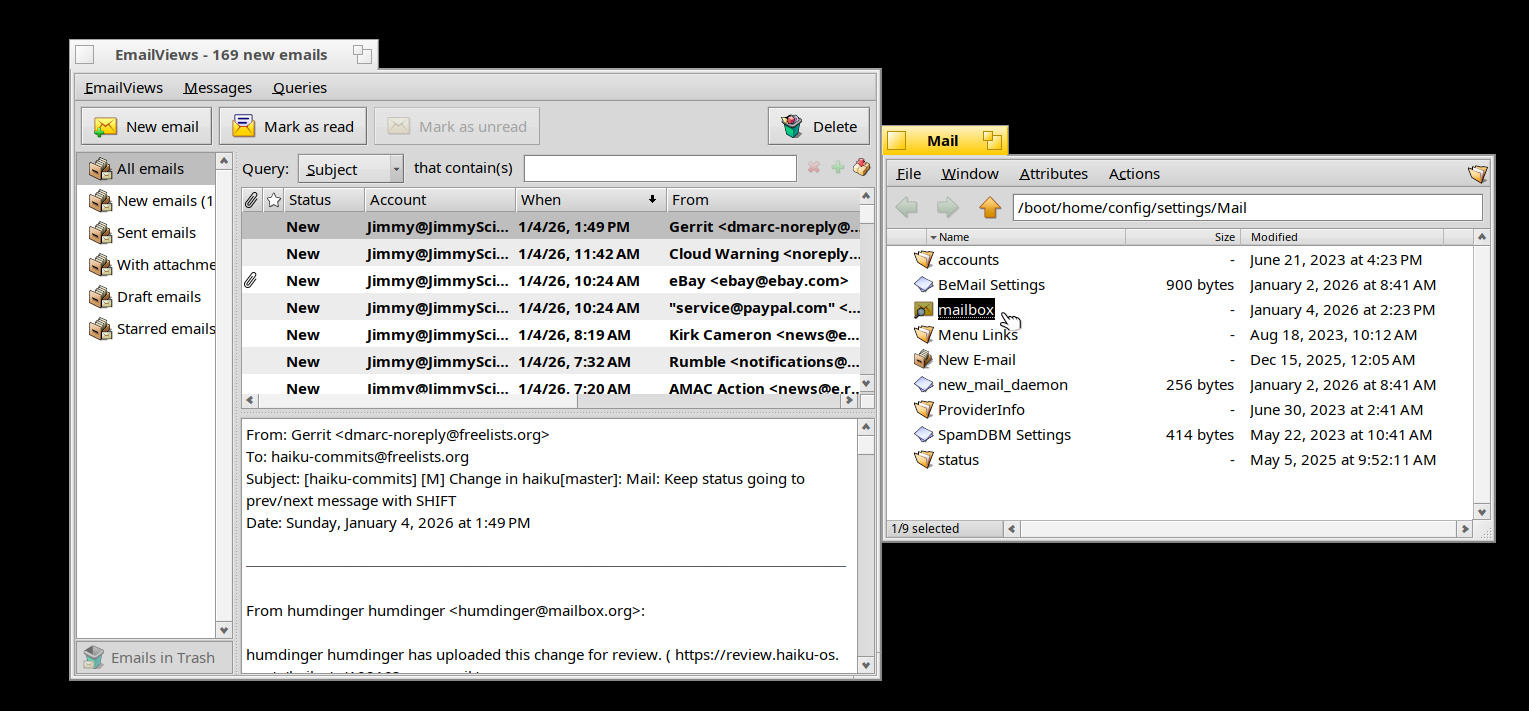
Love it! Works like a charm. Followed Humdinger’s tips on creating a link called “mailbox” in /boot/home/config/settings/Mail so when I click the Mail icon in the Deskbar systray, EmailViews opens. Sweet!
Thank you to those have started testing EmailViews. It’s really appreciated!
@shaka444 I take notice on the nagginess issue. Let me think about this.
Regarding the source code, it’s not that I am being secretive. I want to release this under a MIT license, but I want to clear some license concerns related to using Santa’s Gift Bag column list view (which I adapted to EmailViews) first. I am unable to contact the author… I hope you understand.
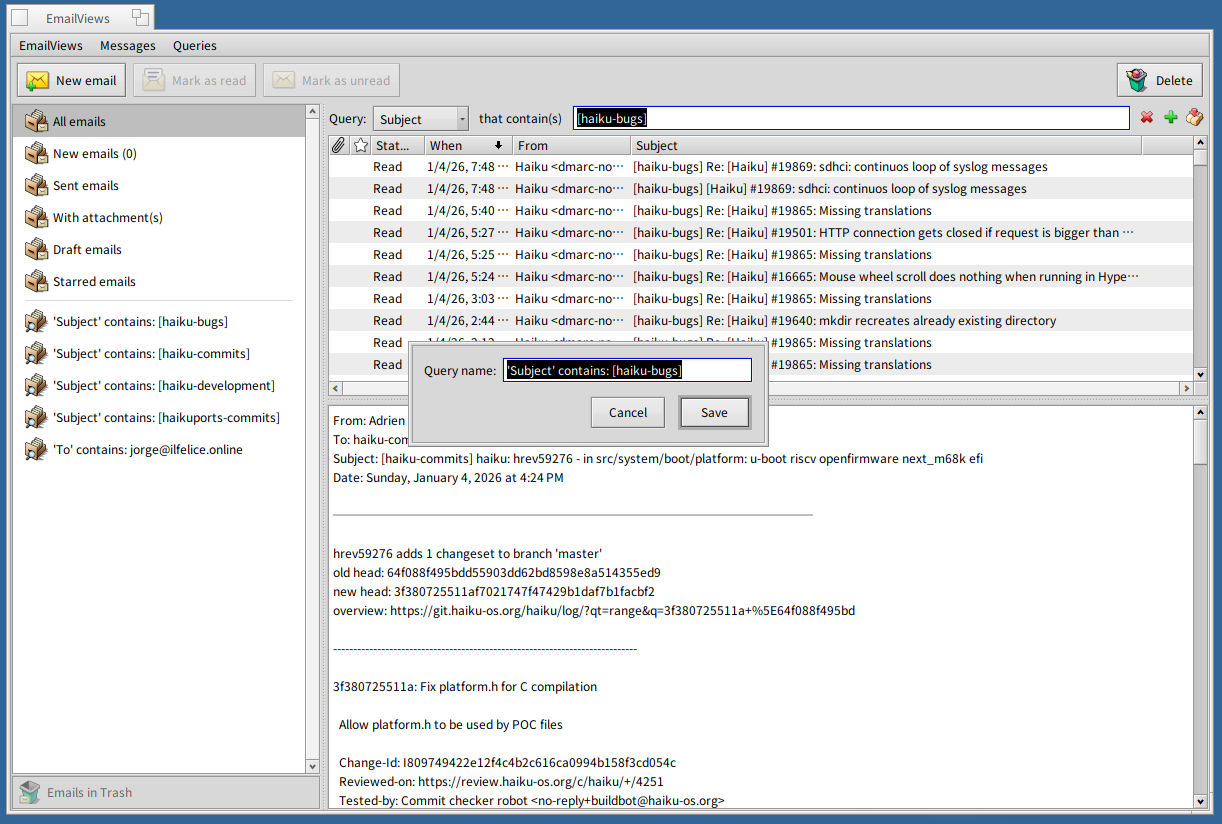
From the screenshots, it does not look like you have tried creating custom queries from within EmailViews. Here is quick instructions on how to do it:
Run a search from the search box (ie., by Subject that contains ‘[haiku-bugs]’)
Click on the ‘+’ icon to the right of the search box.
A dialog is displayed; keep the default name for the query or change it, and click ok.
The custom query will be created and added to the left pane under the built-in queries!
Any reasons to use that over the libcolumnlistview that’s shipped with Haiku?
I actually started with Haiku’s BColumnListView, and it was working well until I started testing with a large volume of emails (10K+); performance turned out to be very poor. That’s when I switched to Santa’s Gift Bag ColumnListView, which was already proven in Beam for the same use case. Much better performance, plus it supports batch loading optimizations.
That’s a bad idea in the first place. It says “DO NOT USE FOR NEW PROJECTS” (in actual capital letters) on the Haikuarchives github page. What features do you need from the SGB column list view that our standard one doesn’t provide?
Kind of big issue with the Trash- If I delete a file from EmailViews and go to the Trash (the actual Trash on my Desktop..) and I try to Restore the file (right click→Restore..) nothing happens! However, if I use Haiku’s standard “New Email” Query to do the same action, it works as it should- Delete/Restore removes from Query and shows back up again in the query when restored.
Another issue- On the standard query templates you have like “New Emails”, “All Emails” etc.. the count in parentheses next to the name updates as you delete files (send to Trash). However, when you create/save a custom query, the email count in parenthesis next to the name does not update until you empty the trash.
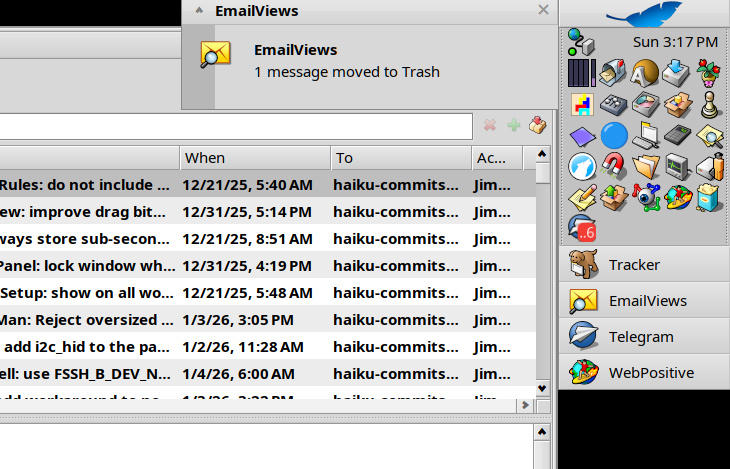
Another thought- Maybe can move the mail to the actual Trash like any other Trash move? That action post a pop up window when moved anyway so you wouldn’t need the notifications at all.
 Because there’s only the screenshot and the Readme in it.
 I hope you understand.