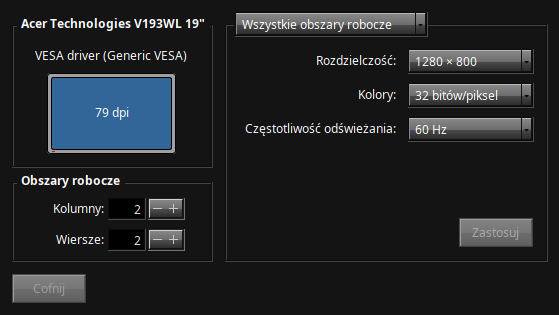
Hello everyone. I have a GTX 460 with 1GB of VRAM in my system, and it shows up as a “generic VESA” card. Does anyone know if there are 3rd party drivers for that? And if there are, where can I get them and install them? I’m just tired of seeing 1280x800 on my 1400x900 monitor, it looks really bad and it is unreadable
1 Like
There are no third party drivers.
If your system supports efi try installing in efi mode and disabeling CSM in your firmware.
If it does not try using the bios patching functionality.
1 Like
How do I run the BIOS patching functionality? (I’m a novice Haiku user honestly) My PC doesn’t support EFI
1 Like
Check these two posts, Unable to get Ultrawide Native Resolution - #14 by PulkoMandy
1 Like
Oh, alright. Thank you. I’m sure that I’m booting it from BIOS mode because my PC doesn’t support UEFI
1 Like
Well, now I can set 1440x900, but the monitor still says that it’s displaying at 1280x800 and anything opened that goes to the right of the screen just warps onto left side of the screen, overwriting what there was
1 Like
If you want you can report a bug about that, maybe it can be improved.
1 Like
Try changing a video cable or using an adapter.
No, as mentioned.
Haiku has a native driver for Nvidia GeForce 7800/7900 series and below.
There is a new development driver for the Nvidia Turing GPUs: Haiku ❤ Nvidia (porting Nvidia driver for Turing+ GPUs)
Otherwise, that is it…