Okay. The website linked has a terrible interface for denying cookies. Any website like that these days automatically gets a no from me. I either choose not to go there or jump through their hoops to deny them cookies. It is not the worst (where you need to manually deselect 300+ sites) but it was more than one level deep which is completely unacceptable and unnecessary.
before the gdpr regulation websites employed the same practices, but now it is out in the open. Perhaps nowadays it would be wise to block such sites.
Personally I already have a content blocker to not connect to any adware/advert or tracking providers.
Unfortunately I have no control of the IndieDB website in any way. That said if you are working in the domain of game development or game news for that matter avoiding trackers is like trying to play minesweeper with only one field not having a mine: pretty much impossible. I’m no fan of this development either but personally I don’t know any remedy for this problem. With my own website I can reduce this to the absolute minimum (over which I have no control in the end) but that’s the most I can do.
The situation with big websites embedding hundreds of trackers is really unfortunate.
Speaking of your own website,it’s much better but there’s still stuff that can be done.
When I visit the home page,uBlock Origin blocks 9 (!!!) requests to Google Fonts,which are totally unneeded.
I know that Wordpress embeds them automatically,I’ve spoken with lots of Wordpress site admins about that already and few are aware.
You can easily get rid of the third-party requests and load the fonts through your own server by using one of these two Wordpress plugins: OMGF | GDPR/DSGVO Compliant, Faster Google Fonts. Easy. – WordPress plugin | WordPress.org or Local Google Fonts – WordPress plugin | WordPress.org
Also,when it comes to sharing videos,embedding stuff from youtube[.]com is the absolute worst thing you can do.
If those are your own videos,consider uploading them to a Peertube instance and embed them from there.
Alternatively,you can embed them using Invidious,a privacy-friendly proxy for Youtube (simply replace the domain with a Invidious instance,the rest stays the same).
To make the instance choice easier,you can use https://video.fosswelt.org/ which automatically redirects to a reliable Invidious server.
And if you also don’t want to use Invidious,please,at the very very least,replace youtube[.]com with youtube-nocookie[.]com as this prevents Google from using personalized tracking data (but you’re still directly embedding Youtube stuff,which is evil,please use another method if anyhow possible)
I’ll see what I can do about the fonts thing. I did notice the problem already but I did not find any remedy that works. Wordpress plugins are unfortunately a bit “finicky” at times. But as mentioned I’ll see what I can do.
Concerning the videos the fosswelt and indivious ones are not working. I’m getting an error about admins having shut down public access so I guess this method has been torpedoed already (maybe by youtube themselves). They are very aggressive recently especially against “alike” websites so I would not be astonished if they got a hit by them.
Most probably peertube is the only solution you mentioned that could work but I don’t have the server infrastructure to support video streaming. That requires juicy lines and that’s not what I have here.
Invidious and the redirector domain do actually work,I just tried it using the video you’ve embedded on the Epsylon page,try here: Epsylon Trailer - Invidious
If you wish to use Peertube,you don’t need to host a own server.
There are many public servers available where you can upload your videos.
Have a look at this page: ابحث عن منصة بييرتيوب | JoinPeerTube
I think I could get now that invidious thing working. No idea why I kept getting an error. It should not funnel all videos through them (I’m using short-coder plugin to avoid re-typing you-tube embeds)
1 Like
Invidious by default does not proxy videos.
I would also advice against using peertube if you live in any legislative area where hosting illegall content is well, illegal. The „just use webtorrent“ approach makes you a hoster then if you accidentally land on a video that has illegal content.
Drag[en]gine 1.23 has been released together with DEMoCap 1.2.
This release by itself is large but on Haiku the impact is small. This is because the release contains as main points Service Module support (this applies to Haiku) and various new third party modules: EOS SDK, Steam SDK, Microsoft GDK and Mod.io modules. All of these do not have Haiku support.
An exception potentially is Mod.io . Source code is open source so theoretically it can be compiled on Haiku. It is though geared for Windows and Linux so I’m uncertain if it can actually work on Haiku. If so it would be cool. But to be on the safe side I disabled Mod.io on Haiku until further testing is done. For those not knowing Mod.io is a platform providing support for distributing game modifications in a way a game can directly integrate mods without needing community build tools. In Drag[en]gine modding services are directly integrated so you do not have to do more than just enter your Mod.io credentials and it works.
I’ve also done the pull request. It builds on my system.
5 Likes
I quickly tried compiling modio sdk to see if it would be possible to get it working but this required to compile liburing and compiling this fails.
Updated to version 1.28 . Pull request pending
SOURCE_URI not found 
This is strange. The receipt is “1.28” and the URI is “https://github.com/LordOfDragons/dragengine/archive/v$portVersion-haiku1.tar.gz”. Replacing “$portVersion” with “1.28” I get “https://github.com/LordOfDragons/dragengine/archive/v1.28-haiku1.tar.gz” which I can correctly download with wget. Could it be you hit one of those times where Github fails to deliver archives correctly? Or have I made another mistake?
Should check again, but I’m not seeing it here?
OK, now it seems to pull it in, will run a build, thanks!
Did not post a release recently but seeing on how nVidia GPUs became usable on Haiku I tried doing something I did not tackle before: porting the GUI launcher. Unfortunately the nVidia driver doesn’t work correctly on my laptop although the GPU would be 100% supported (seems to be a bug in the firmware loading code somewhere) but I could at last give some test to the simpler Drag[en]gine test applications not requiring that strong 3D acceleration support.
Now first things first. The release in question is the Drag[en]gine 1.30. On top of this one I ported the GUI launcher. So far the console launcher had been present on Haiku. The GUI launcher though gives access to managing the known games as well as managing game profiles. Game profiles are optional but on Haiku with the GPU situation as it is nowadays it is helpful to create profiles and tune the game engine module parameters (and if only for testing stuff).
Now here comes the problem. There is yet no HaikuPorts package since the HaikuPorts build server has a problem preventing downloading .tar.gz source files from Github (too short timeout). Until this is fixed on the build server side I’ve upgraded the manual package building SConscript to produce again a .hpkg file which should be close to the one HaikuPorts would produce if working properly:
dragengine-1.30.1-1-x86_64.hpkg
Another problem is that I tried adding support to automatically register .delga file associations so you could double click to open with the GUI launcher. But for the life of me I can’t get this working. So I modified the GUI launcher with support to run DELGA files from the “File” menu until the file associations problem can be fixed.
You can test the launcher (and the game engine for that matter) using one of the Example Project DELGA files. Just download the DELGA files and run them with the launcher. If you have an nVidia GPU which does work with the driver I would like to know if the more demanding example applications work.
4 Likes
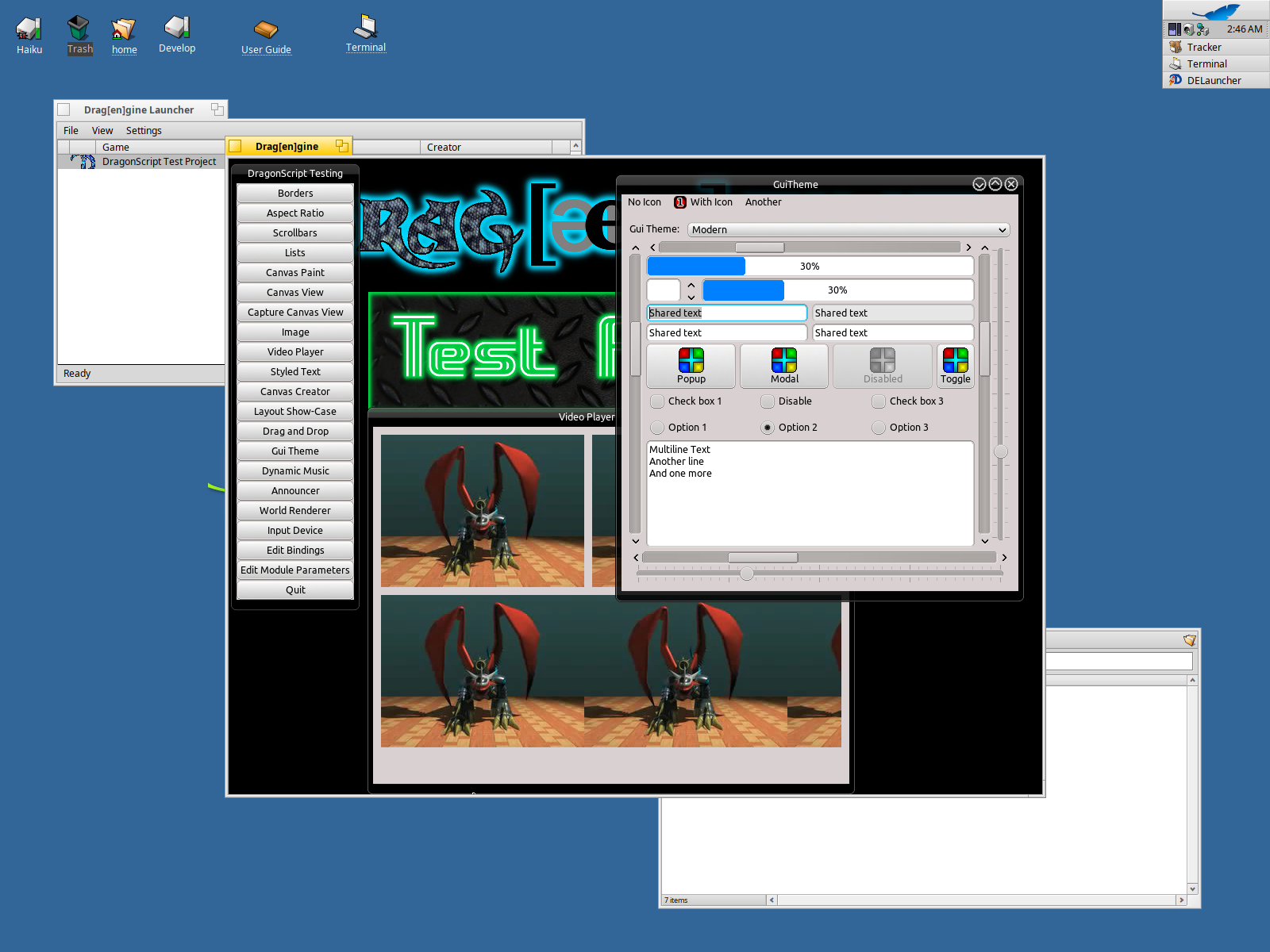
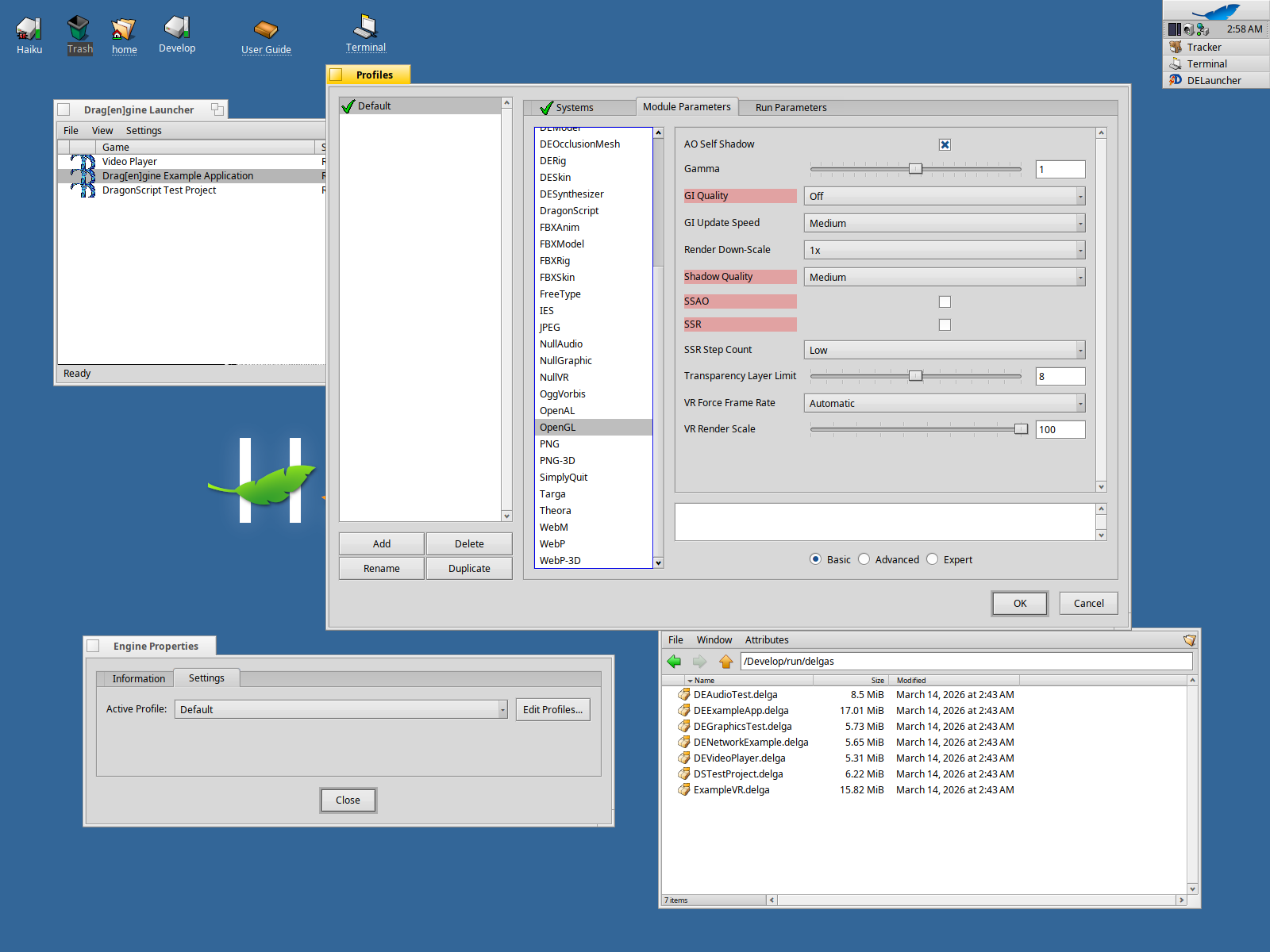
Looks like the build on HaikuPorts went through. This means my custom build is no more required 
2 Likes
Thanks there! Maybe you could make an announcement at the next topic too?
EDIT: maybe the info could be shared on mastodon or other places too 
Since when is this topic open to non-moderators?
In the announcements? So far haven’t heard anything it would be restricted, given that, I post there too and I’m not a moderator.