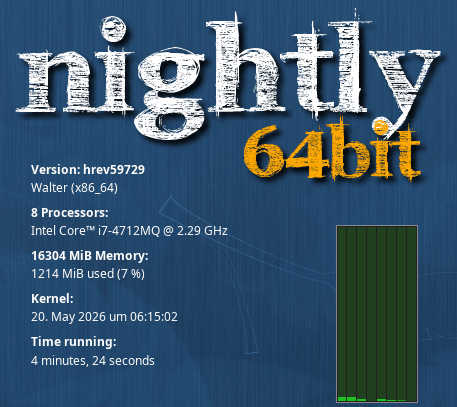
Sometimes you want the standard Haiku Desktop look, but you have more than one Haiku installation and you want just a little reminder which one you’re currently booted into
I use a “nightly 64bit” PNG as OverlayImage replicant, plus an AboutHaiku replicant and a Pulse window that I tweak with these hey-commands in the UserBootcript:
# Launch Pulse, adjust Look & Workspaces flags
$HOME/Pulse --mini &
waitfor "w>Pulse"								# wait for the Pulse window thread
hey Pulse set Look of Window 0 to 20			# remove window border
hey Pulse set Workspaces of Window 0 to -1 		# put on all workspaces
I’ve made a duplicate of Pulse and put it in /boot/home to be able to set the background flag so it doesn’t appear in the Deskbar.
This is how it looks for my main nightly install, I have another for Beta5: