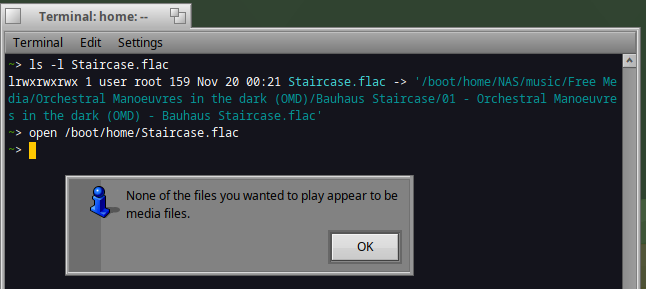
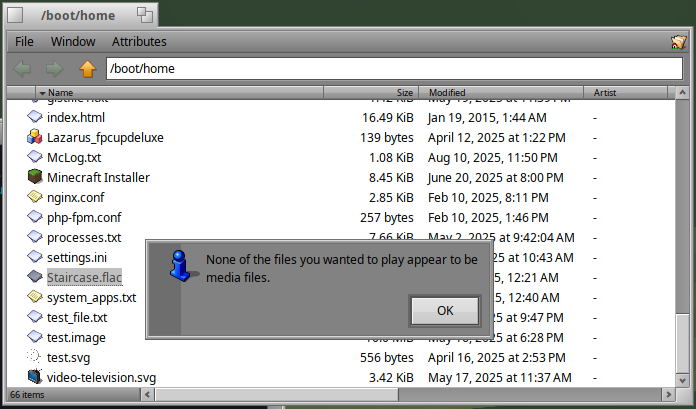
However launching the command below is working fine, meaning the link is valid : MediaPlayer /boot/home/Staircase.flac
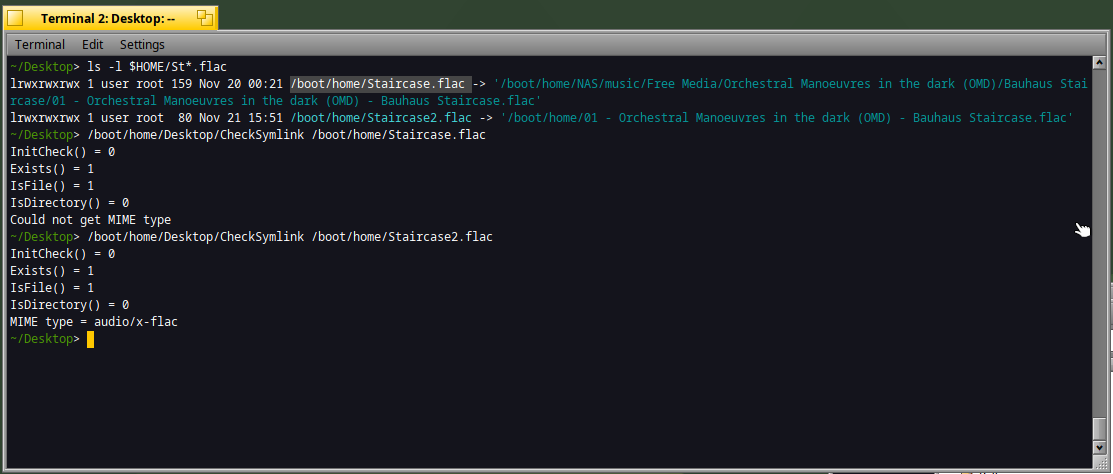
I’m trying to identify which part of the system consider the file as “invalid” making it impossible to open via MediaPlayer (except with the above command). Any idea ?
I’ve tried to patch SniffIfGeneric() from Tracker/FSUtils.cpp, in order to handle symbolic link on non-BFS file but without any success.
I think that there’s no sniffing on external media.
I’d check what happens if the link is pointing to a file on the same disk.
After that, with a different disk but still locally mounted.
And finally with disk mounted via network.
Each time, trying first on a bfs partition then on a non bfs partition.
It should tell you where it hangs.
The message comes from MediaPlayer itself. If I remember correctly, it checks that the file you ask it to open has an audio or video MIME supertype. That check may only include the attribute or sniffing in BFS volumes.
Are you using fuse_smb? Is the file system writable?
Since it probably does not support attributes, I’m not sure if the usual mechanism works as it should. IIRC, some file systems use a simple file extension to type attribute mapping.
So I guess your idea to look into Tracker to see what it does, and if it could be fixed is the way to go.
It means the BNodeInfo.GetType() is missing a “fallback” method when the original audio file is not on a BFS volume.
I’ve tried to patch BNodeInfo.GetType() without any success.
Any idea how to resolve that ?
My current issue is that I’m trying to use GuessMimeType and the starting point is BNode fNode (easy to do from BEntry but not from BNode from my current undestanding).
BNodeInfo.GetType returns the right thing: there is no type information for that file yet.
It’s up to the application to handle that case and use the MIME sniffer to try to identify the file in that case. Or maybe the filesystem can do some faking of it based on file extensions (we do this for FAT and NTFS for example, but not yet for NFS).
The issue is that the file is not correctly identified. Yes, the popup is wrong: however MediaPlayer should still get the mimetype correctly, otherwise there is no way that you can “just” click the file and have MediaPlayer open. Identifying the file when the FS doesn’t support it is what the review I send is about, to avoid having to implement fallbacks im every filesystem that does not have extended attributes
I wonder if this will cause problems when opening playlist files.
You might be able to add workaround by testing the value of BVolume::KnowsMime() and then skip or alter the _IsMediaFile() check if the BVolume doesn’t have attributes or mime types.