Well, I guess the question stands also for knowing before having access to such printer.
1 Like
Hello,
As usual, you make good points. 
I will have to rethink the UI again. Thank you for the feedback!
1 Like
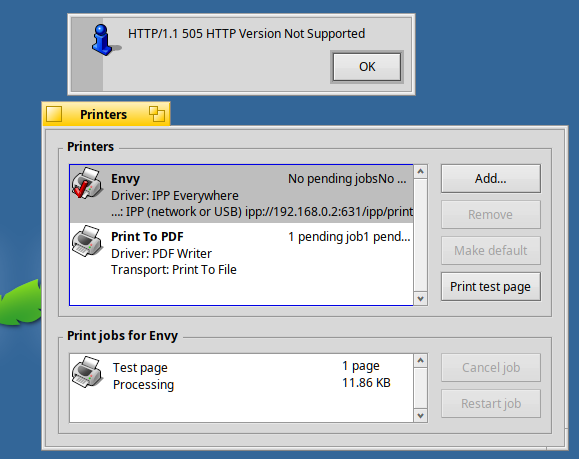
I’m getting an HTTP/1.1 505 error?
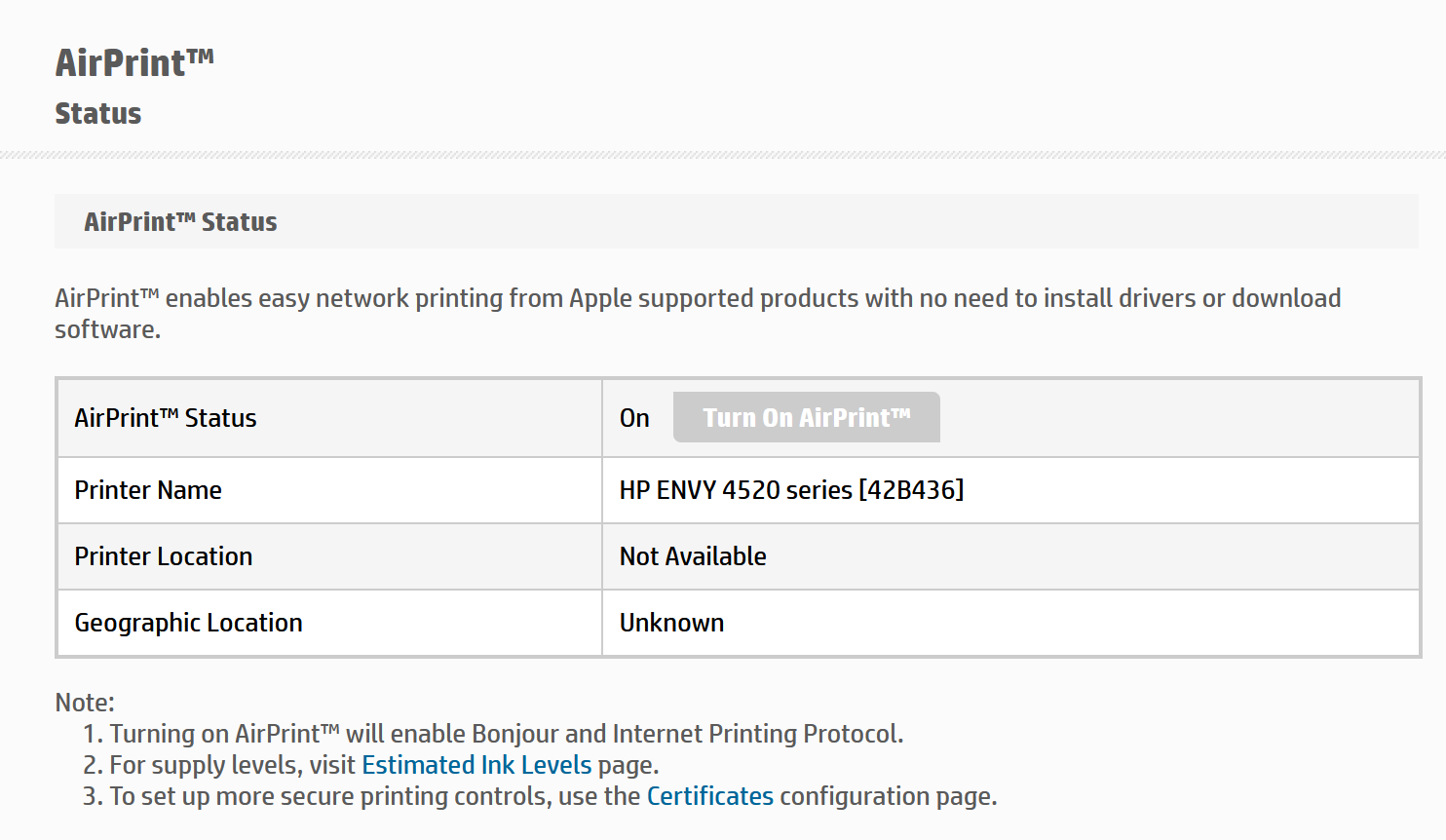
The printer’s admin panel says it supports AirPrint:tm:, and AirPrint is turned on.
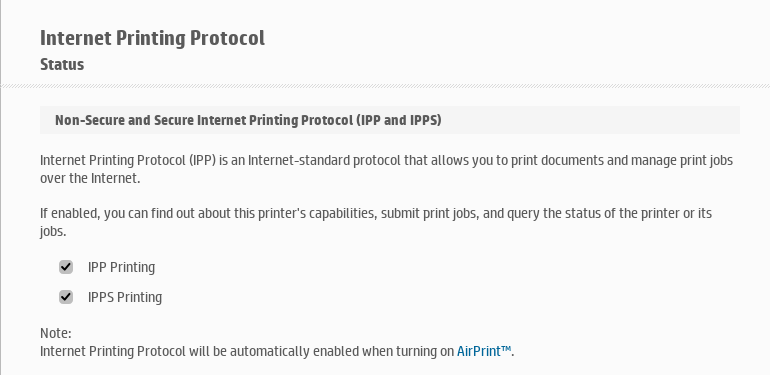
In addition, both ipp and ipps are enabled
Is there something I’m missing?
1 Like
You get this error at which moment? Printing something?
I dunno if @ilfelice had some debug feature builtin in his IPP Everywhere transport, but there is none, what would be interesting is installing and using Wireshark app (available on HaikuDepot) to start a network capture on the interface you use to access you local printer (Wifi or Ethernet), and then share this file. No need to capture very long, be ready to trigger the action that get you this error, start the capture, trigger the action and stop the capture as soon as the error show up.
My guess is the printer don’t like the IPP binary message format, maybe there is something that this family of printers required, while other don’t. I highly doubt that it’s really about the version of HTTP/1.1, which is very standard. But the 505 error code could be sent also for malformed request, and here the request is expected by the printer to conform strictly to something the transport add-on don’t do.
1 Like
@phoudoin thank you for the ping!
The transport was missing support for HTTP/1.1.
Please, try v0.3.2 and let me know if it works:
Cheers!
4 Likes
That did it, all good now!
1 Like
Happy to hear it worked for you!
Good afternoon,
I can confirm that the IPP Everywhere Driver and IPP (network or USB) transport, version 0.3.2, works with the Brother MFC-L3720CDW. However, it could not be detected automatically, and I had to enter its IP address in manually. Nonetheless, thank you for working on this!
1 Like
Great to hear this worked for you!
I will look into this. Hopefully I can get an update in the next week.
Enjoy your printer in Haiku!
3 Likes
Another Brother working, HL-L3210CW
Also not detected automatically, but worked perfectly after adding the ip. Thanks for working on this!
2 Likes
Howdy,
I created a new test release (v0.3.3) that hopefully resolves detection failure:
@Lain
@phoudoin
@CodeforEvolution
I would appreciate if you could retest to see if detection works now.
Thank you!
2 Likes
No luck, I even deleted my existing printer to be sure it wasn’t being excluded from the scan
Hi @Lain
Thank you for the report!
A few clarifications on how to test:
- Remove the printer
- Install the new version of the driver
- Restart the print_server (you can just kill it in the Team Monitor)
- Re-add the printer
- Check if detection works. If it does not, see if “Search again” works.
I would also like to know if the printer is on a network or connected via USB; and if the former, is it wired or wireless (wifi).
Thank you!
1 Like
print_server was the step I missed, I did that and still no-go. Just to be extra sure, I rebooted and attempted to add the printer again, still not showing up when it searches
1 Like
Hi @Lain
Thank you so much for the feedback.
So, I am assuming “Search again” did not work either. Is that correct?
Also, can you tell me if the PC and printer are on the same network? Or is one on wifi and the other on wired Ethernet? Is the same printer detected from another OS or even from your phone?
Sorry for all the questions!
Howdy,
In order to get to the bottom of the detection failure, I have created a new version (0.3.4) that writes a small log of what the printer search sends and receives, so that I can see what’s going on with printers that are not being detected.
If you are still in the mood to test, install the new version, remove your printer, restart the print_server (kill it from the Team Monitor), add the printer and go through the detection process.
Once the detaction fails, you will then find a log file in /boot/home/ipp-everywhere-scan.log. Please post the log here.
Nothing else has been changed, so you can still use this version to print (just add your printer by entering the IP address manually).
Any reports will be greatly appreciated! Thank you!
1 Like
Computer and printer were on different wifi interfaces on the same router, but I connected my PC to the same interface as the printer, same issue and logs were identical
I have a windows 11 and macos machine, both see the printer fine on scans.
IPP Everywhere printer search, 2026-10-23 08:11:14

USB: 0 printer(s) with an IPP-USB interface

Network:
 0.000  mDNS browse for _ipp._tcp.local, 3.0 s
 0.000  bound to port 5353
 0.000  joined multicast group 224.0.0.251
 0.000  sent query _ipp._tcp.local type 12 (33 bytes)
 0.601  sent query _ipp._tcp.local type 12 (33 bytes)
 1.201  sent query _ipp._tcp.local type 12 (33 bytes)
 3.000  search over: 0 instance(s) heard of

Result: 0 network printer(s) listed, status ok
1 Like
Hi @Lain
Thank you so much for your testing!
Can you by any chance test by connecting the Haiku PC to the network using an Ethernet cable?
unfortunately no, all my machines are actually on wifi (the laptop i run haiku on doesnt even have an ethernet port)