I’d had Haiku’s default E-mail app set up previously but had not been having much success in configuring it to use Fastmail so I am now trying out Beam.
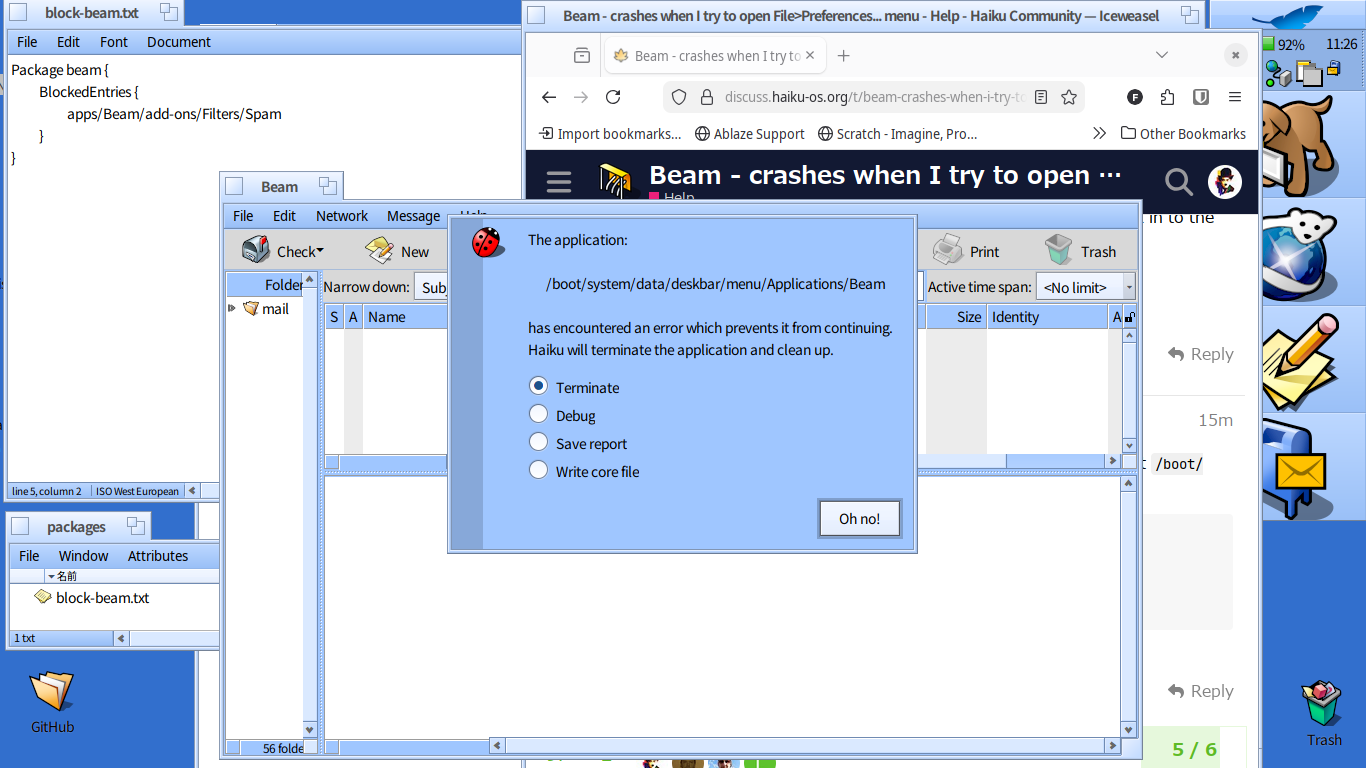
Unfortunately, when I click on the File>Preferences… menu, Beam crashes immediately. Any ideas on what may be wrong? I am using the rev59356 Walter nightly.
I thought perhaps having the configuration for the mail daemon in the settings for the default E-Mail app was conflicting with Beam’s Preferences panel so I deleted all the email server settings I had in E-Mail. However, Beam still crashes when I try to open up the Preferences panel.
In case it might help, I’ve pasted in Beam’s debug report on Github gist. Thanks for your help. debug report
Move means that the files are deleted in the original location. This is impossible in this case because /boot/system/apps is read-only (packagefs). So the only option you have is to copy the folder. You could try to uninstall Beam via pkgman/HaikuDepot afterwards, if you want the folder under /boot/system/apps gone. But I’m not sure if that doesn’t have any unintended side effects. You just have to give it a try.
I’m in a bit of a fix then. I’m trying to delete the spam file from /boot/system/apps/Beam/add-ons/Filters/ in order to fix Beam crashing when I try to open its Preferences panel.
Unfortunately, there seems to be no way to copy the Beam folder back in to the apps folder…
Can the text file be named anything? I made a text file with the name block-beam.txt in the boot/system/settings/packages folder, installed Beam from HaikuDepot, and rebooted.
Unfortunately, trying to open the Preferences panel still crashes Beam on my hrev59356 Haiku. Should I name the file something else perhaps?
Hi, Thanks for this. The linked instructions allowed me to open the Preferences panel in Beam without crashing it.
I now have the Beam mailer set up for a couple of my email accounts (including Fastmail) which is a big step forward.