Hi, all.
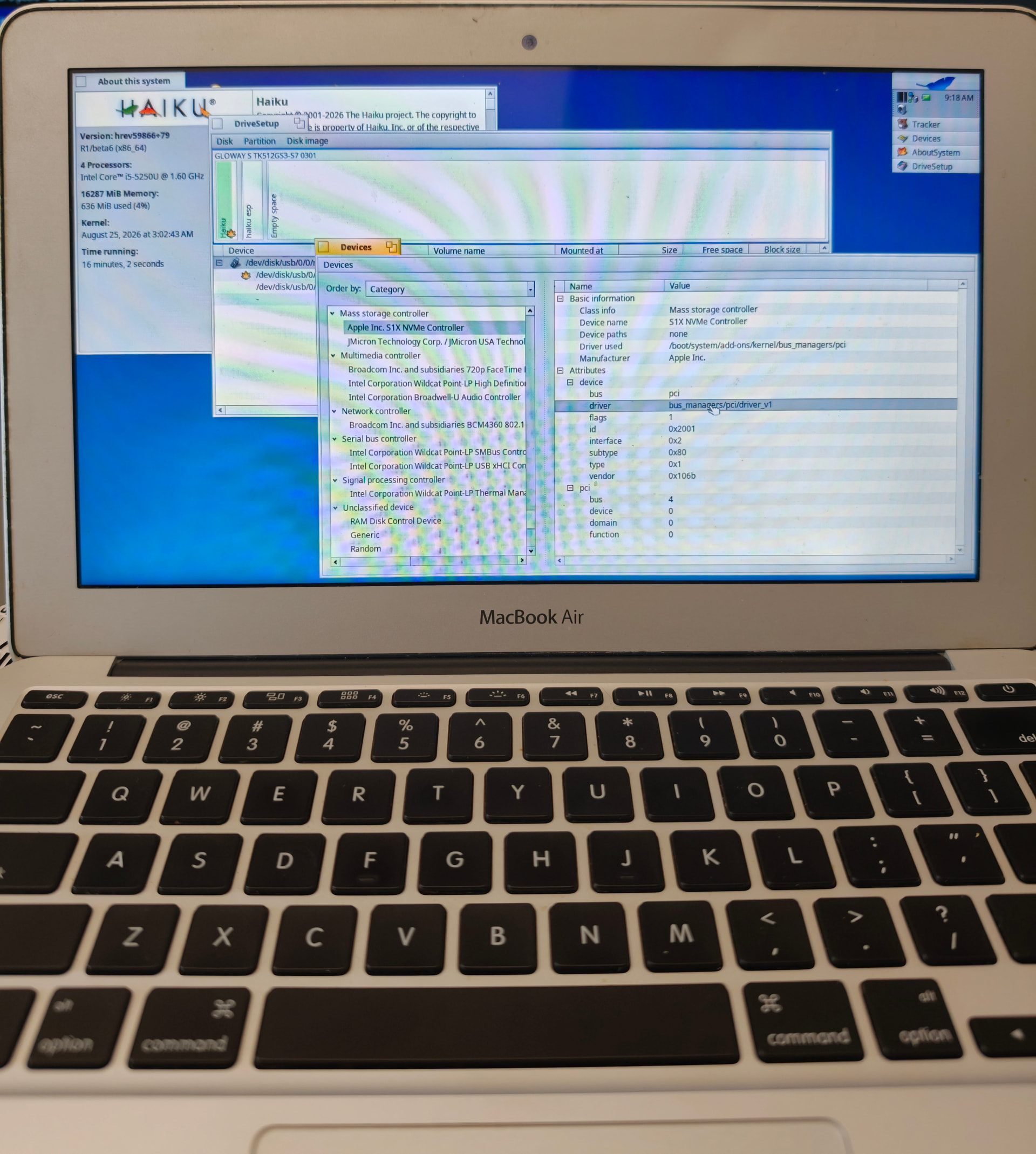
It’s great to see the Haiku beta6 successfully boot on the MacBook Air 2015 11" for the first time.
However, it cannot find the internal storage, so it’s unable to be installed on the hardware at the first step.
The NVMe controller may be found, but no hard drive is found in the driver setup.
Do you have any idea how to resolve this?
Currently, the Wi-Fi adapter and camera are not supported, which is acceptable to me, but the hard drive is preventing installation.
Maybe open a bug ticket (via https://dev.haiku-os.org - sign up as a new user if needed), with the following data attached:
/var/log/syslog file (to see any message, if any, produced by the nvme_disk driver)- output of
listdev -d command
- output of
ls /dev/disk/nvme/*/rawoutput, in case the driver succeed to publish a devfs node for the NVMe disk (the issue could be at doing IO after that, for instance).
It could be due to some quirk in Apple proprietary S1X controller. Or because it was not booted from the NVMe, the PCI memory configuration for that controller was not done yet, and until only recently in nightly (I don’t think it’s included in beta6), Haiku didn’t have the code to do it if the BIOS/UEFI didn’t do it for him.
The Wifi issue is probably linked to this PCI memory resource not allocated by Haiku itself, also.
3 Likes