Indeed. I won’t use it much. I’m a bit set in my ways: my approach is to write the bit that does the actual work first, and then worry about the UI. The UI-first approach to coding doesn’t sit well with me. My yab programs are more or less a graphical front-end wrapped around a yabasic core.
But I know that I’m in the minority there. If this gets people coding in yab, it may be the most important development for the language yet.
Two, actually. I wrote my own alternative to the official IDE, but it is a deeply personal project that I don’t expect anyone else to use, even though it is available.
Just as a friendly reminder for everyone: Even though the project is on GitHub it is not currently open source. Use the provided hpkg at your own risk.
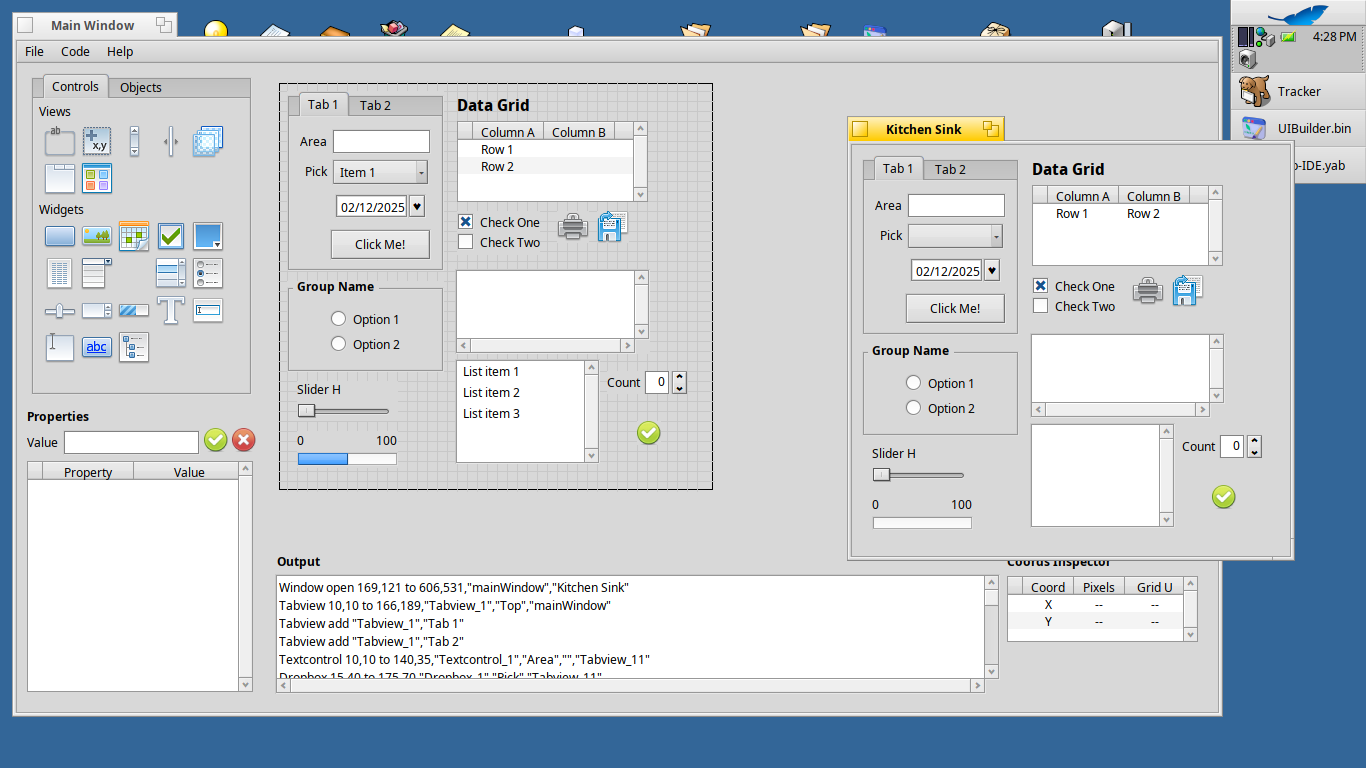
So, even if I’m not a dev, Michel’s vid made me feel to give it a try. The idea is to be able to realize some mock-ups.
The first thing I tried was to maximize the window. It doesn’t work well, the content is disappearing.
I’m using a dark colour scheme and the grid is white so really too bright. Also some texts are in a fixed black colour but I guess it is a general yab problem as I’ve already seen that in other’s programs.
I will keep playing with it and see what I can manage to do…
The file you call “pseudocode” is actually th design file as you worked out and the other is the Yab code.
As I. posted bellow, there’s a sort of How-to doco in the Documentation folder in GitHub and also a folder with samples (including design and yab files) to browse and use as you may want.
Again, thanks for your contributions and feedback. Please feel free to to ask any questions you may have.
I know its is un-Haikuish, but that design file could have an extension enforced on it to indicate that it is not a yab file. Even better, a custom FileType. Did you notice when I saved it that I immediately called it *.yab? OK I figured it out, but the user shouldn’t have to figure out things. Or perhaps you could change “Save” in the menu to “Save design file”.
On a similar note, there is “Code | Generate”. A menu header with just one entry is considered bad design. I know, yab doesn’t let you put an action item directly onto the menu. Perhaps you are planning to add stuff in there (this is a first beta, after all) Otherwise, I would suggest you move that into the File menu as “Generate yab file”. That would make the difference between the two crystal clear.
I understand that writing a separate app for C++ is easier for initial development, and I must admit, it warms the cockles of my heart to think of all those proud C++ devs using a yab application to design their programs . But in the medium-to-long-term, could this be a universal UI designner that, fom one app, could spit out yab, Native API, QT, TK or code for any other new framework that works on Haiku? You’ve definitely got the basis for that. If you can modularize it, you can even get other people to write plugins for frameworks that you personally have no interest in. Just a thought …
Sorry, I don’t mean to sound negative. I’m actually very impressed with how far you’ve pushed the boundaries of yab. And you made the right decision in keeping this just a tool for initial visual design, not a UI and IDE in one.
 . But in the medium-to-long-term, could this be a universal UI designner that, fom one app, could spit out yab, Native API, QT, TK or code for any other new framework that works on Haiku? You’ve definitely got the basis for that. If you can modularize it, you can even get other people to write plugins for frameworks that you personally have no interest in. Just a thought …