Finally got my 2017 Macbook Pro booted and Haiku beta 6 nightly installed on the SSD.
Took a bit of experimenting, had refit install with Linux Mint to boot usb stick(that took awhile to time the space bar to get to boot menu) had to enable failback video, disable using bios(not sure if needed) and one other thing right before ACPI(can’t remember and can’t get back there until I get external keyboard).
I wiped drive and have only Haiku and EFI partitions, SPI obvious doesn’t work so no internal keyboard or trackpad, using external mouse and ordered a mini USB keyboard(arriving tommorow before I leave out again), USB WiFi dongle is recognized and seems to work but I am having issues on a couple other laptops with losing all wifi signals on beta 6. Once I get keyboard I will check connection so I can download updates and source for the latest nightly and the arm64 code(spi works there so going to steal the code and try to get it working on intel).
Luckily edited the /boot/home/config/settings/kernel/drivers/kernel file before I reboot using the mouse with success and booted quickly right to desktop with mouse working.
Once I get a usable laptop I will add more info. On a sidenote it is fast from what I can do, teapots are over 1000FPS which is better than my Dell using the Intel Extreme driver.
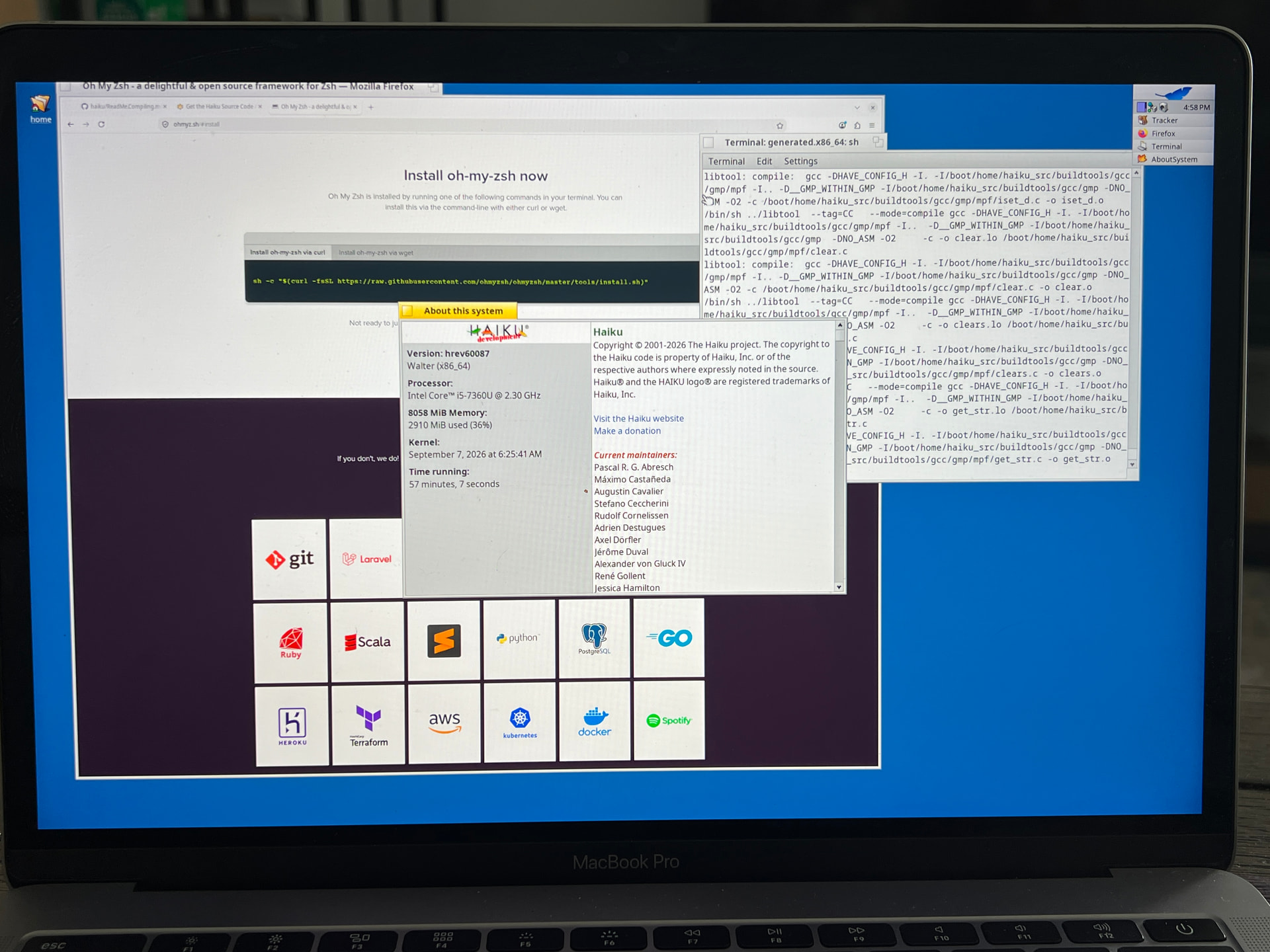
External keyboard works, WiFi dongle works, now working grabbing and testing building the source. Then customizing to my likes.
Little step back, SMP must be disabled or boot won’t even light up first icon and just hangs. I am redoing system with two haiku partitions(work and test), should have done that from the beginning but was too excited that I could actually boot it to desktop.
Cause for celebration! My 2010‑model iMac is still stuck at the last boot icon.
Ok, a quick update, had to reinstall Mac so I could install refind and got the latest nightly booted and installed(did two haiku partitions this time a test one for changes before I install changes to main partition). ACPI seems to work and the only two things I had to disable were SMP and the video card.
I also seem to have a problem with the WiFi adapter this time around. Doesn’t look like the driver loaded. I will work on that tomorrow as I am running on 20 hrs awake, but I am home tomorrow and should have sometime to play.
Shengongba, I am not sure what the last icon denotes, will look into that tomorrow also. Do you have a haiku system that boots where you can retrieve the boot log of the one that freezes? That might give a clue. Just don’t give up I got my 2011 MacBook Air running with beta 6 but put that aside for a faster more updated system for now.
Which model is this MBP 2017? 13" no touch bar / 13" touch bar / 15" ?
I have already filed a bug about SMP failure on
Old MacBook can operate, but it was poor performance without SMP for serious use.
I hoped the situation is now better by the progress of newer Apple Silicon Macs support. But it seems not the case.
Main Specifications
-
Display: 13.3-inch Retina screen with 2560 x 1600 resolution
-
Processor: Intel Core i5
-
Memory: 8GB of RAM
-
Storage: Solid State Drive (SSD) 1TB
-
Ports: Two USB-C (Thunderbolt 3) ports and a headphone jack
Yea it runs single tasks pretty good but once I start running multiple programs it slows down. I really am going to focus on this one for now to get it up and running well.
I do have two Apple Silicon MacBook’s but they are my daily drivers right now. Probably next year I will relegate my 16in Macbook Pro M1 Pro for Haiku, but i would like to get as much as I can working on the Intel one first.