Yes, fortunately for me LLMs are banned in my work team (for completely different reasons, mainly because they are not self hosted and wouldn’t comply with our NDA and internal tools only policies), and it is also banned in Haiku itself (the uncertainty over the copyright/license of the output was enough to justify that, but the other arguments certainly apply as well). I am also trying to avoir apps used with such tech (even if it’s becoming quite difficult these days ).
But I hope you can see the difference in that aspect between Amazon and one random guy on the forum of a niche operating system toying with a little music player app?
I love it, but since it’s ads-free and financially based on donations and merchandise, I’d like to point out that
“Fundraising Update as of March 12 at 1AM PDT: To meet our budget, we need to raise $1,960 a day for the next 19 days. So far today we’ve raised $7, and for the month $12,864. We still are trying to raise $37,135 more by the end of the month.” so if there are some other regular users out there, please consider to donate
Changed the bitrate logic again. Highest = 128.pls High = 64.pls Low=32.pls The other bitrates like 256 and 320 were just not working and causing more problems than it was worth. So there gone.
Not directly related to Haiku, but added a safe tty mode that reduces the flicker with a utime of just 2 FPS when in submenus.
I have to work with what’s available but also what is most common. Somafm oddly has 1 80k channel that just floats out there like some crazy moon in space lol
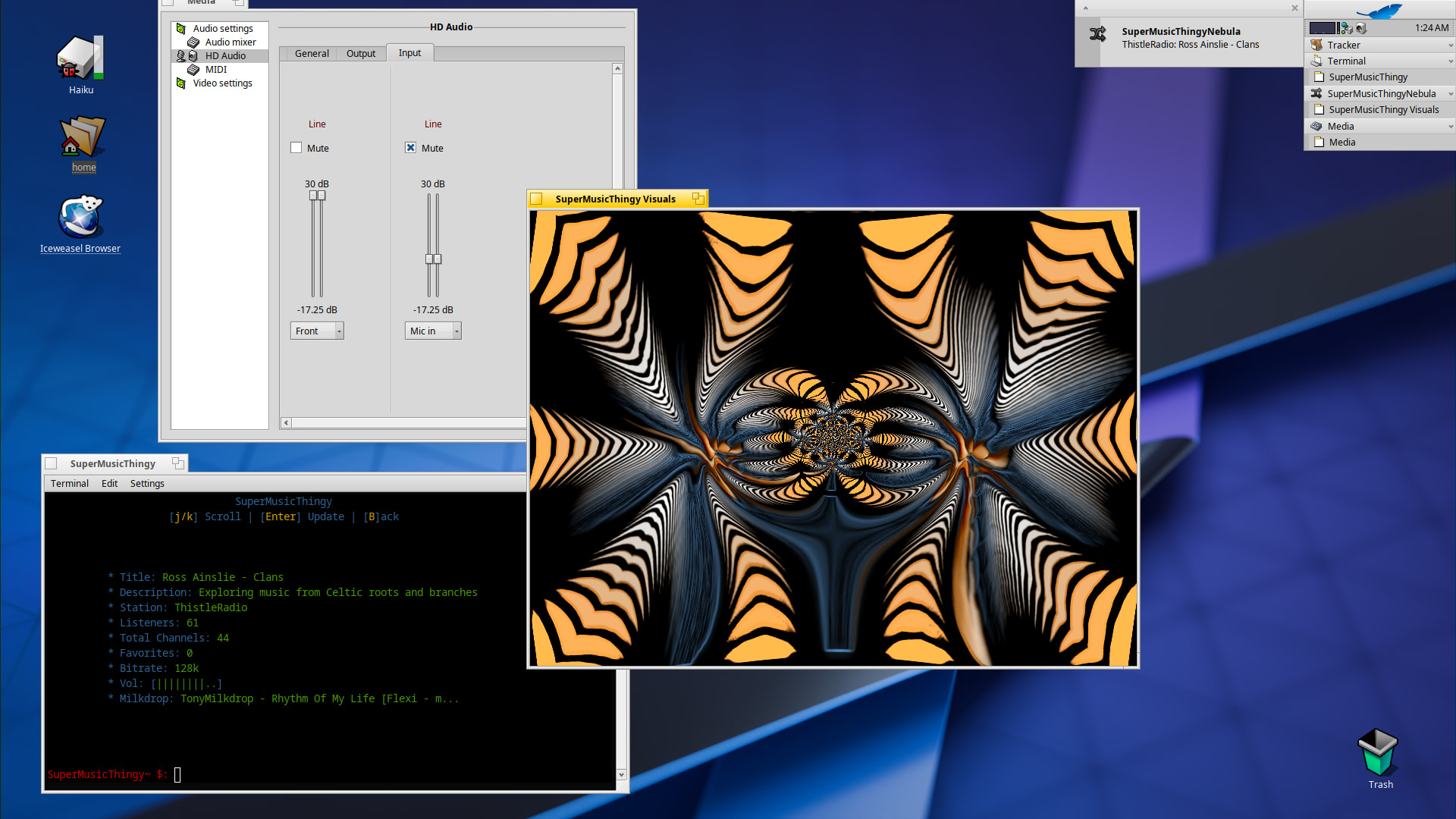
Got some good news to share. I figured out how to get the visual window to respond to the music. All that needed to be done was to change the Line Input to use the Front speaker.
Other recent updates…
Added an icon to the notify.
Made a HaikuHpkg.sh.zip script to help users build and install this.
I’m very pleased to announce the latest updates to SuperMusicThingy
Added mouse events is the biggest win in my opinion. Now users can …
Turn off / on elements in the UI with just a simple click
Shuffle favorites list with the mouse wheel
Change the volume with the mouse wheel
Mute with center click.
Added Themes
While this is sort of basic at the moment it kind of provides the framework at least for future coding.
Added option to use konsole as default terminal.
This is actuated during the build script and you can choose either Haiku or konsole as a default.
Concerning the build script
This is still in development so the script is very helpful in making the app functional on Haiku with all the Beta releases and what not. And currently projectM isn’t available in the Haiku Repo so, the script helps you download that and install the needed GL libs in non-packaged/libs directory. Remember though, it uses neubla, and a supported GPU is required to render the SDL_GL window.
For those without a supported video card and not any beta version of Haiku you still can help and test the app with the non projectm version. It’s loaded with all the mouse events and cool features I think you will love. Download here
Also note, I’m always updating these files, and the best way to keep up with the latest builds is to use
git clone git@github.com:ablyssx74/SuperMusicThingy.git to a folder of your choice
and always run git pull, and then the bash Haiku/HaikuHpkg.sh to build the latest version
For the Devs reading this…
Getting mouse scrolling events to work in Haiku Terminal was no easy task.
Haiku Terminal emulates \033OA / \033OB (Application Mode Arrows) when scrolling in the Alternate Screen, even when X11 Mouse Reporting (\033[?1000h) is enabled.
It should instead send SGR Mouse sequences (\033[<64…).
The trick was to remap my key logic to work around this. Bug report coming soon….
“AI” is not new tech, not even close. People shilling it nonstop is new, sure. But research into these things Is literally older than Haiku itself.
When I was new in Programming I, like may of my peers, made wierd, bad and unmaintainable code/applications and learned from them. Afterwards you can understand how, and why, your code is horrible.
Yet I didn’t go around and claim that my stuff is the same level of quality as an “normal” application.
You can treat your arguments for “Lowering the bar” in the same way, if people want to use this as a learning tool… sure whatever. But if they want to use this to make a “productive app”… Jeez we already had that, templates, “frameworks” whatever. Countless ways existed before to make low-effort programms that were hard to maintain and weren’t understood by their author. We can treat AI “coded” applications as exactly the same thing. They are not at the same level as a normal application, and they likely won’t be.
The point here is that LLMs didn’t really change anything in this space.
The “Bar” for contributing to Haiku is not lowered by not learning to programm. The AI or LLM does not take away the need to learn. Otherwise you will get nowhere. The “this magically fixes things” realllity just doesn’t exist if you can’t actually understand the output.
Just announcing a critical bug fix for SuperMusicThingy, specifically with Terminal only, and recommending anyone who may have downloaded from my latest post, to uninstall and download again.
The bug only happened in Terminal when enabling the visualizer window in config menu,. It would not let go of the mouse input, and fight for focus between the visualizer and the Terminal. It would also continue to enable/disable the on/off setting. This could eventually cause the window to stop responding and a manual kill signal would be needed to close the app.
Thankfully I came up with fix and it is stable again.
 ).
).