Well, for people who don’t understand why it’s needed, the Installer suggestion will still be confusing (should I accept or not, is it risky), for the others they will systematically accept and still rant it’s not done automatic.
The point is it should be automatic. The content of the partition will be changed anyway, so what’s the purpose to NOT change the type of partition accordingly automatically ?
Currently Installer does not format the partition by itself. You have to go in DriveSetup and do it manually.
If Installer had a mode where you select a partition and it wipes it and formats it, or a mode where it does that for an entire disk, then yes, it makes sense to set it up all corectly.
For a manual setup, maybe it should block you from installing and tell you to go in DriveSetup and fix it yourself, or offer to change the settings automatically and wipe the partition.
This way, you can’t run Installer anymore with incorrect settings. But if you want (for whatever reason), you can still do it with DriveSetup where you can control every little detail of your partitioning if you think you know better.
Agree. But it still would be helpful if DriveSetup would give the user a hint when they are going to do some weird things with the partitions, e.g. “You’ve formatted the partition to Be File System, would you like to update its type too?” → “No / Yes (recommended)”
DriveSetup is not ment for that IMO. A “easier” utility that is prescriptive should do this.
i.e something that implicitly assumes a partition table, and sets the partition type based on what you partition it to.
Do you have something like Mac’s Disk Utility in mind? I’m up for having it, but let me share my concerns regarding the development approach we tend to take.
I’ve noticed that quite often people prefer to have a perfect solution instead of making a small change that would immediately make user’s experience better. And that would have been okay if there were enough Haiku developers to build all the planned things in a timely manner. But with the limited resources we currently have when smaller pragmatic solution is rejected in favour of a bigger and better one, that bigger is usually too big to attract developers so it stays unimplemented for years.
Do you remember the multilib discussion in another thread? We could have been able to launch 32-bit apps on 64-bit Haiku for 7 years already, but someone thought the proposed solution was not perfect, so in the end we have neither the imperfect nor the perfect one. Now don’t get be wrong, I like the idea of having an automatic mode in the Installer, or having a new more user-friendly app for disk partitioning, but who’s going to do it? And can they commit to deliver it for Beta 6, or will we still see a thread like this next year with frustrated users asking why things just don’t work as expected?
OTOH any of the simpler fixes proposed in this thread can be quickly done even by someone like me who usually avoids C++ like the plague. It won’t be perfect but it will solve the issue users currently have, and then when someone decides to dedicate more time we can replace it with a better solution.
I think that DriveSetup should work like diskmgmt.msc from Windows where partition creation and formatting is single atomic operation, not two. It is much less confusing.
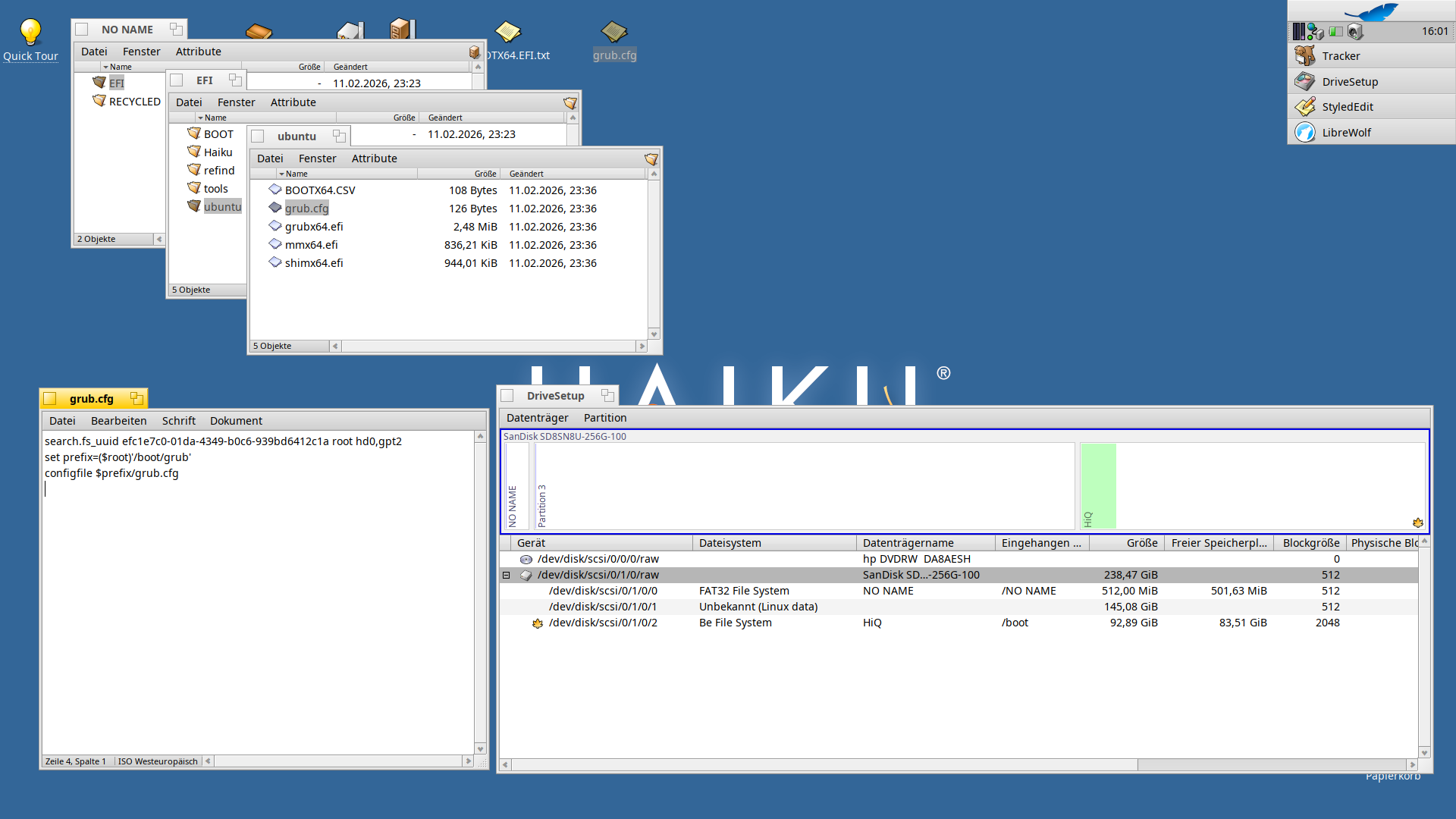
I have a similar issue. I installed Ubuntu on an HP laptop. Then I installed Haiku on a second partition, which worked without any problems. I then installed rEFInd and copied the .efi file from the Haiku boot stick to the “Haiku” folder I’ve created. Haiku appears in rEFInd without any problems. However, rEFInd was not yet the default at boot time; it started with Ubuntu. I tried refind-mkdefault, but that didn’t help. I then changed the order with efibootmgr, but that didn’t help either. Finally, I was able to change the boot order within the internal hard drive in the BIOS settings. I set rEFInd before Ubuntu and voila, the computer has been starting with it ever since. Both Ubuntu and Haiku could be started from there without any problems. That was yesterday.
Today, things suddenly look different, even though I haven’t done anything (except test other USB live systems). When I select Ubuntu in rEFInd, I only get to the GRUB prompt! I have no idea what’s going on. Haiku still boots as usual, but Ubuntu gets stuck at the GRUB prompt. And here I am now. There are tons of “solutions” on the web, but which one is the right one, and it all looks kind of complicated…
That didn’t help either. I even got the tool to run from a live system, but it still doesn’t work. No matter which partition I try with the tool, I get error messages (e.g., no fstab found). The EFI partition is /dev/sda1 and the one with Ubuntu is /dev/sda2.
I also read up on the various solutions on the internet, but none of them helped. Even reinstalling Grub itself didn’t work.
What I also don’t understand is why Grub is still needed at all if rEFInd is installed and would also work. Can’t I just teach rEFInd to boot Ubuntu directly?
I have a nearly identical setup (Haiku and Xubuntu) and it works. On the EFI partition you need a folder and in that folder you need the Ubuntu kernel as an EFI application. Not as vmlinuz (image). Now you “simply” need to find the Ubuntu EFI app… (maybe not so simple).
Edit: On my PC booting the vmlinuz image envokes “grubx64” or so, while booting the EFI image happens without Grub, directly from rEFInd.