Nice work!!!
Is the libglvnd package the stock libglvnd from haikuports?
Nice work!!!
Is the libglvnd package the stock libglvnd from haikuports?
Yes, it is unmodified HaikuPorts libglvnd version. It is provided because it is not built by default in HaikuPorts.
I just ordered an older Nvidia Quadro RTX 4000 which should work in theory (Turing)
Ampere is also working.
Are the mesa zink changes ready to head upstream?
This has another question for another dev an hpkg can install onto system/drivers?
I updated [Notice] Major Mesa change · Issue #8152 · haikuports/haikuports · GitHub with the latest likely path.
We need to swap over to the latest mesa + libglvnd if the remaining bug/regression count is reasonable
Once we get everyone swapped over to mesa + libglvnd + llvmpipe, then the path to potentially merging in all of X512’s hardware rendering work is easier.
I installed the drivers, now the boot sequence displays fine, however the display deactivates after that, I assume once the nvidia driver takes over. Is there anything I need to set up so I can have display output? Screen is connected via displayport to the main GPU, a RTX 3060 12gb, and I do have a secondary GPU, a 1060 6GB, in the PC doing nothing.
So I plugged the display into the 1060, and I can now boot just fine, unfortunately when I try to run GLTeapot, it crashes.
http://0x0.st/P-Lk.report
Bug reports can be sent here: GitHub · Where software is built.
Alright, I made a bug report.
Seems like opengl applications like gltron and openarena does launch infact launch without any windows or errors. Could these be an issue with libraries?
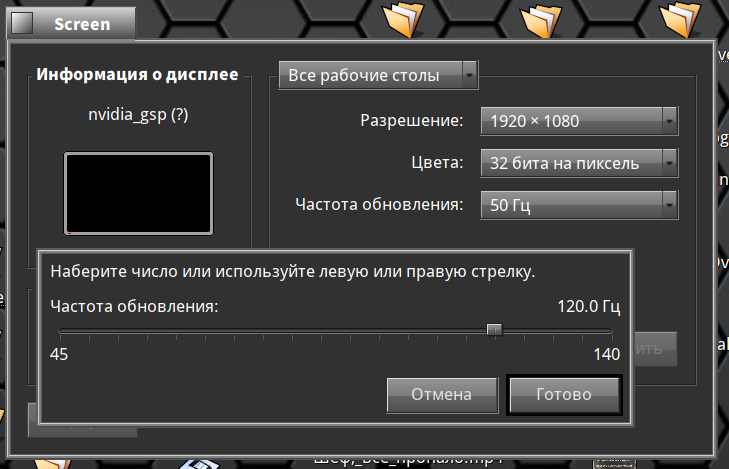
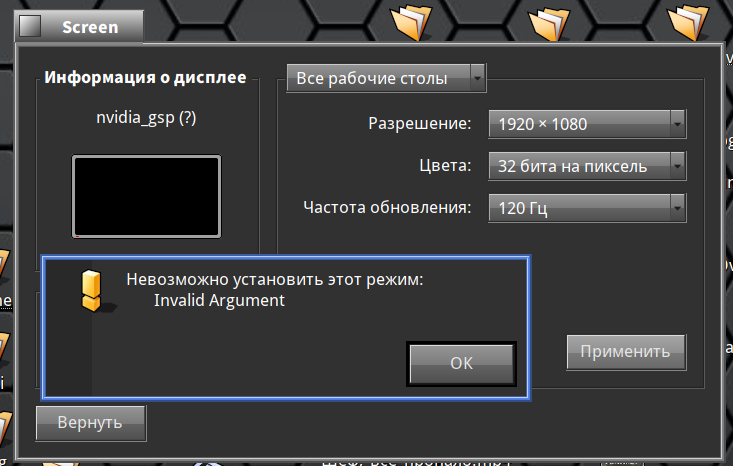
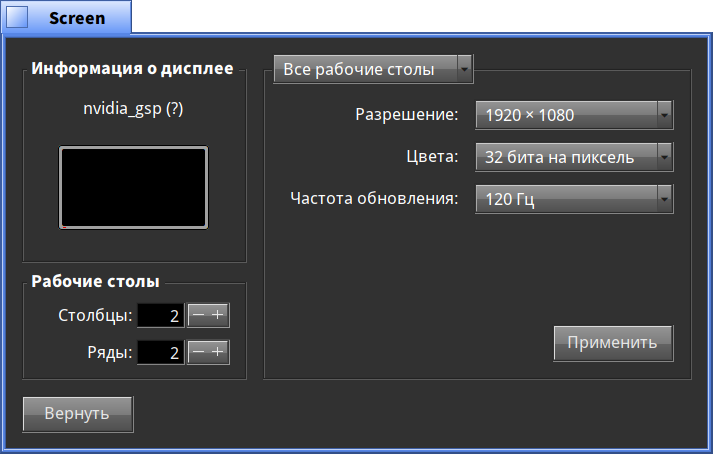
It is Making sure you're not a bot!. Screen preference corrupts accelerant mode list.
I’m now trying to build it from source and having some trouble.
First, I couldn’t just clone it and build it, I had to
mkdir nvidia-haiku && cd nvidia-haiku
git clone https://github.com/X547/nvidia-haiku --recursive source
Then I had to patch it a little
diff --git a/nvrm_sdk/meson.build b/nvrm_sdk/meson.build
index 5c47750..3ff69b2 100644
--- a/nvrm_sdk/meson.build
+++ b/nvrm_sdk/meson.build
@@ -66,14 +66,16 @@ pkg.generate(
        description: 'NVRM',
        version: '570.86.16',
        extra_cflags: ['-D_DEFAULT_SOURCE', '-DNV_PLATFORM_MAX_IOCTL_SIZE=16384'],
-       subdirs: ['nvrm-sdk/common', 'nvrm-sdk/nvidia']
+       subdirs: ['nvrm-sdk/common', 'nvrm-sdk/nvidia'],
+       install_dir: 'develop/lib/pkgconfig'
 )
 pkg.generate(
        name: 'nvkms',
        description: 'NVKMS',
        version: '570.86.16',
        requires: ['nvrm'],
-       subdirs: ['nvrm-sdk/nvidia-modeset']
+       subdirs: ['nvrm-sdk/nvidia-modeset'],
+       install_dir: 'develop/lib/pkgconfig'
 )
Now I’m running into nvidia_gsp being empty in the repo.
Had to add
diff --git a/nvidia_gsp/nvidia-modeset/meson.build b/nvidia_gsp/nvidia-modeset/meson.build
index 6df6c3c..df3d5f8 100644
--- a/nvidia_gsp/nvidia-modeset/meson.build
+++ b/nvidia_gsp/nvidia-modeset/meson.build
@@ -24,7 +24,7 @@ shared_library('nvidia_gsp_modeset',
                dep_nvkms,
        ],
        name_prefix: '',
-       name_suffix: '',
+       name_suffix: [],
        gnu_symbol_visibility: 'hidden',
        install: true,
        install_dir: 'add-ons/kernel/drivers/bin',
diff --git a/nvidia_gsp/nvidia/meson.build b/nvidia_gsp/nvidia/meson.build
index 9859b43..1df887c 100644
--- a/nvidia_gsp/nvidia/meson.build
+++ b/nvidia_gsp/nvidia/meson.build
@@ -27,7 +27,7 @@ shared_library('nvidia_gsp',
                dep_nv_kernel,
        ],
        name_prefix: '',
-       name_suffix: '',
+       name_suffix: [],
        gnu_symbol_visibility: 'hidden',
        install: true,
        install_dir: 'add-ons/kernel/drivers/bin',
Ran into NvKmsTest being missing, commented that out
had to cargo install bindgen-cli
Now I need libclc and I’m not sure how to install that.
The Meson build system
Version: 1.10.0
Source dir: /boot/home/src/nvidia-haiku/source/mesa-nvk
Build dir: /boot/home/src/nvidia-haiku/build.x86_64/mesa-nvk
Build type: native build
Project name: mesa
Project version: 25.3.0-devel
C compiler for the host machine: cc (gcc 13.3.0 "cc (2023_08_10) 13.3.0")
C linker for the host machine: cc ld.bfd 2.45.1
C++ compiler for the host machine: c++ (gcc 13.3.0 "c++ (2023_08_10) 13.3.0")
C++ linker for the host machine: c++ ld.bfd 2.45.1
Host machine cpu family: x86_64
Host machine cpu: x86_64
Checking for size of "void*" : 8
Checking if "-mtls-dialect=gnu2" runs: NO (16)
Checking if "-mtls-dialect=desc" runs: DID NOT COMPILE
Dependency libglvnd skipped: feature glvnd disabled
Dependency vdpau skipped: feature gallium-vdpau disabled
Program glslangValidator found: YES (/bin/glslangValidator)
Dependency libva skipped: feature gallium-va disabled
meson.build:770: WARNING: add_languages is missing native:, assuming languages are wanted for both host and build.
Rust compiler for the host machine: rustc -C linker=cc (rustc 1.89.0 "1.89.0")
Rust linker for the host machine: rustc -C linker=cc ld.bfd 2.45.1
Program bindgen found: YES (/boot/home/config/non-packaged/bin/bindgen)
Found pkg-config: YES (/bin/pkg-config) 0.29.2
Found CMake: /bin/cmake (4.1.4)
Run-time dependency libclc found: NO (tried pkgconfig and cmake)

meson.build:831:12: ERROR: Dependency "libclc" not found, tried pkgconfig and cmake

A full log can be found at /boot/home/src/nvidia-haiku/build.x86_64/mesa-nvk/meson-logs/meson-log.txt
OSnews has covered the release of the drivers:
https://www.osnews.com/story/144097/haiku-gets-accelerated-nvidia-graphics-driver/
This Nvidia driver and RadeonGfx driver projects are pretty amazing work.
 x512
x512
I don’t know the status at RadeonGFX but i think is for future projects not really finished yet.